






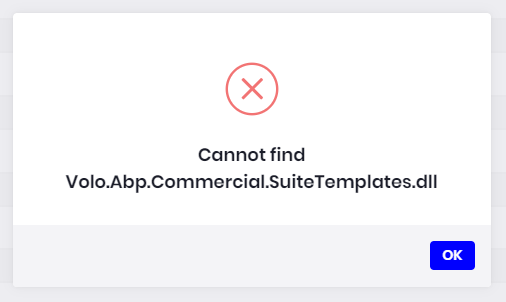
I am getting this error "Cannot Find Volo.Abp.Commercial.SuiteTemplates.dll" when trying to generate a CRUD page from the commercial application - The application is a Module Template.
Please advise
8 Answer(s)
-
0
We have this issue in abp suite (2.2.1) and it affects us very much.
Markdown supported.Copy, paste, or drag & drop images and files (max 100 MB per file, 100 MB total per post) -
0
ABP Suite doesn't work on modules. For now it only works on application templates.
Markdown supported.Copy, paste, or drag & drop images and files (max 100 MB per file, 100 MB total per post) -
0
Sorry but i am trying for an application template. Not a module template.
 Markdown supported.Copy, paste, or drag & drop images and files (max 100 MB per file, 100 MB total per post)
 -
1
The package Volo.Abp.Commercial.SuiteTemplate.dll came with the latest version. If you have generated a project before v2.2.1, you need to reference this package to your *.Domain project. Make sure Package Source is set to All in NuGet Manager.
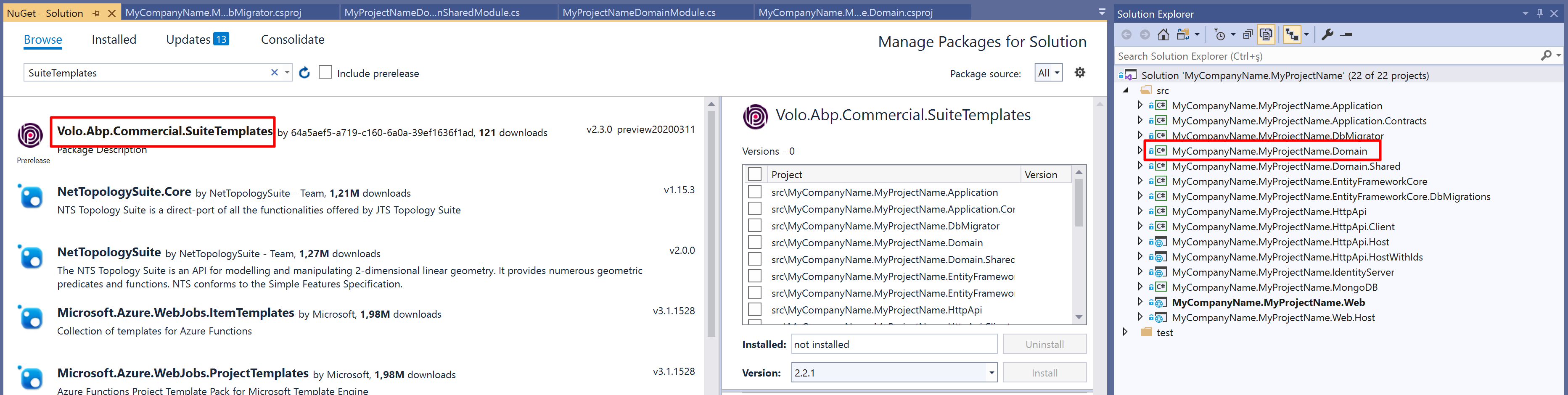
You can alternatively add this line to your *.Domain project
csprojfile.<PackageReference Include="Volo.Abp.Commercial.SuiteTemplate" Version="2.2.1" />This is my
csprojfile content:<Project Sdk="Microsoft.NET.Sdk"> <Import Project="..\..\common.props" /> <PropertyGroup> <TargetFramework>netcoreapp3.1</TargetFramework> <RootNamespace>Acme.MyProject</RootNamespace> </PropertyGroup> <ItemGroup> <ProjectReference Include="..\Acme.MyProject.Domain.Shared\Acme.MyProject.Domain.Shared.csproj" /> </ItemGroup> <ItemGroup> <PackageReference Include="Microsoft.AspNetCore.Mvc.DataAnnotations" Version="2.2.0" /> <PackageReference Include="Volo.Abp.Commercial.SuiteTemplates" Version="2.2.1" /> <PackageReference Include="Volo.Abp.Identity.Domain" Version="2.2.1" /> <PackageReference Include="Volo.Abp.PermissionManagement.Domain.Identity" Version="2.2.1" /> <PackageReference Include="Volo.Abp.IdentityServer.Domain" Version="2.2.1" /> <PackageReference Include="Volo.Abp.PermissionManagement.Domain.IdentityServer" Version="2.2.1" /> <PackageReference Include="Volo.Abp.BackgroundJobs.Domain" Version="2.2.1" /> <PackageReference Include="Volo.Abp.AuditLogging.Domain" Version="2.2.1" /> <PackageReference Include="Volo.Abp.FeatureManagement.Domain" Version="2.2.1" /> <PackageReference Include="Volo.Abp.SettingManagement.Domain" Version="2.2.1" /> <PackageReference Include="Volo.Abp.LanguageManagement.Domain" Version="2.2.1" /> <PackageReference Include="Volo.Abp.LeptonTheme.Management.Domain" Version="2.2.1" /> <PackageReference Include="Volo.Saas.Domain" Version="2.2.1" /> </ItemGroup> </Project>Also, you need to update your project to the latest from NuGet. Update all Abp.*** and Volo.*** packages to the latest.
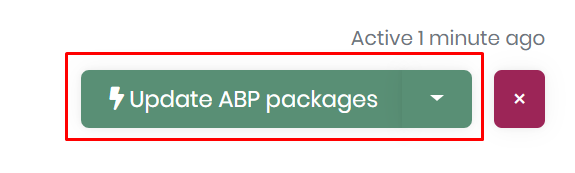
You can update them from NuGet Manager in Visual Studio or alternatively you can use ABP Suite
if the package restore throws error that says cannot restore
Volo.Abp.Commercial.SuiteTemplatesyou might need to login to abp platform via ABP CLI toool.Markdown supported.Copy, paste, or drag & drop images and files (max 100 MB per file, 100 MB total per post) -
0
Okay this fixed the problem, thanks.
Markdown supported.Copy, paste, or drag & drop images and files (max 100 MB per file, 100 MB total per post)



