You can try this:
Add to your HttpApi.Host projcet(or IdentityServer).
[ExposeServices(typeof(LoggedOutModel))]
public class MyLoggedOutModel : LoggedOutModel
{
    public override Task<IActionResult> OnGetAsync()
    {
        var url = PostLogoutRedirectUri.Substring(0, PostLogoutRedirectUri.IndexOf("authentication"));
        return Task.FromResult<IActionResult>(Redirect(url.EnsureEndsWith('/') + "authentication/login"));
    }

    public virtual Task<IActionResult> OnPostAsync()
    {
        return Task.FromResult<IActionResult>(Page());
    }
}
Hi, @hakan.uskaner
CORS request made for path: /swagger/v1/swagger.json from origin: https://localhost:44325 but was ignored because path was not for an allowed IdentityServer CORS endpoint
You can open the identity server management page, edit the swagger client , and add the new service URL address here.
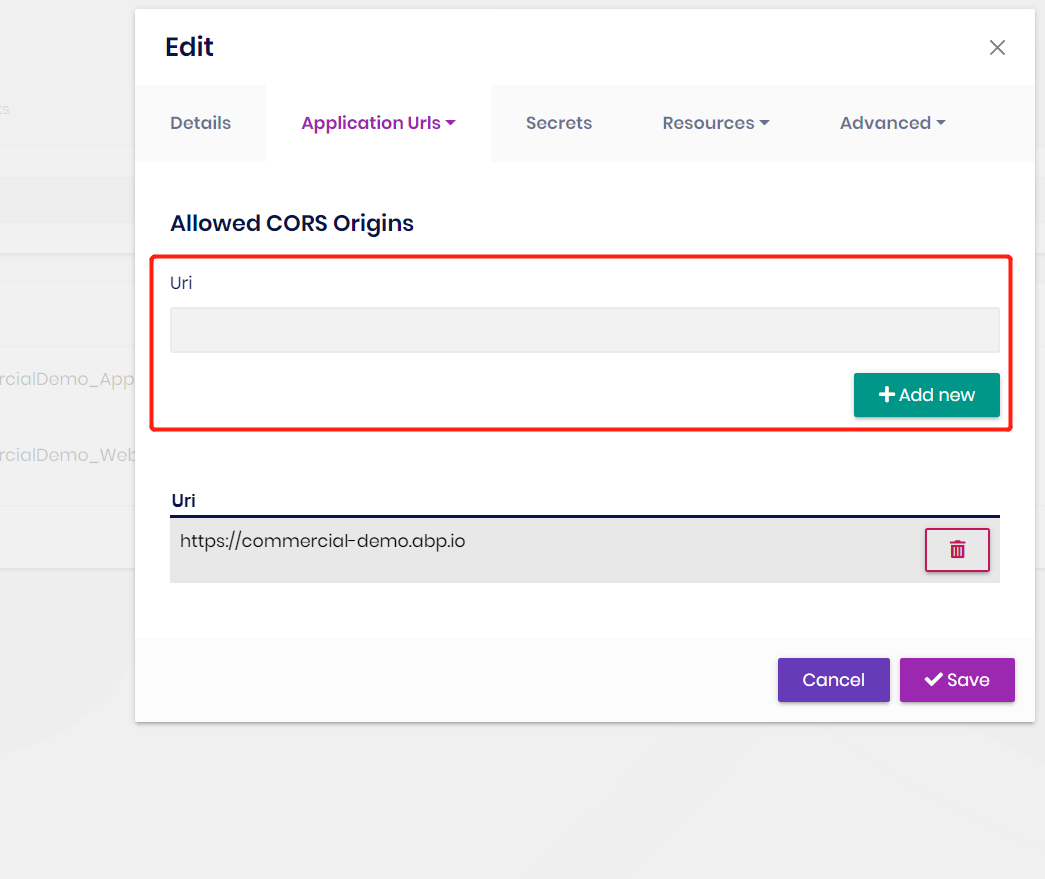
Hi,
Can you try this:
protected IOptions<IdentityOptions> IdentityOptions { get; }

public xxx(IOptions<IdentityOptions> identityOptions)
{
   IdentityOptions = identityOptions;
}

public virtual async Task CreateAsync(EmployeeCreateDto input)
{
    await IdentityOptions.SetAsync(); // this line

    var email = input.Email ?? $"{input.IdentityNo}@gmail.com";

    var user = new IdentityUser(Guid.NewGuid(), input.IdentityNo, email, CurrentTenant.Id);
    user.Surname = input.Name;
    var result = await _userManager.CreateAsync(user, "123456");
    if (!result.Succeeded)
    {
        throw new UserFriendlyException(@L["Validation:ErrorInServer"]);
    }

    var employee = ObjectMapper.Map(input);
    employee.TenantId = CurrentTenant.Id;
    employee.AppUserId = user.Id;
    employee.BirthDate = input.BirthDate.ToDate().Value;
    employee.IdentityDate=input.IdentityDate.ToDate().Value;
    employee = await _employeeRepository.InsertAsync(employee, autoSave: true);
    return ObjectMapper.Map(employee);
}
Hi,
I wrote above steps for my problem ..
https://support.abp.io/QA/Questions/3345#answer-163eaa79-9777-cdc7-722c-3a04c5a23f8d
Or, can you use the suite to create a new project to reproduce the problem and share it with me? shiwei.liang@volosoft.com
I could not reproduce the problem
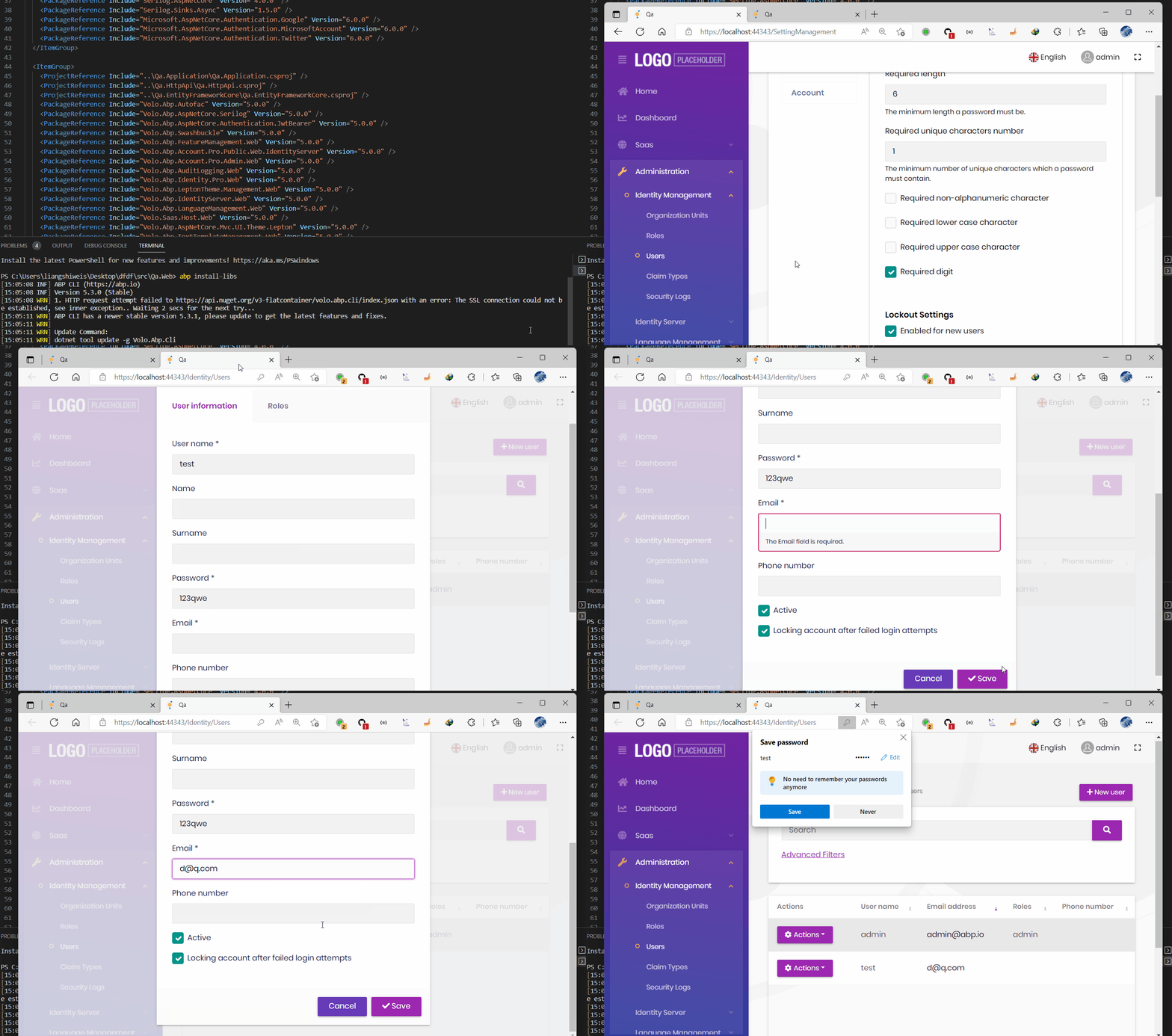
Can you provide steps that I can reproduce the problem? thanks.
Sorry, my bad, I thought you were using version 5.3.0, let me check it.
Hi,
We had this problem on 5.3.0, it was fixed in 5.3.1, can you upgrade to 5.3.1 and try again?
Hi,
Can you try to add https://localhost:44361 to the CORS list?
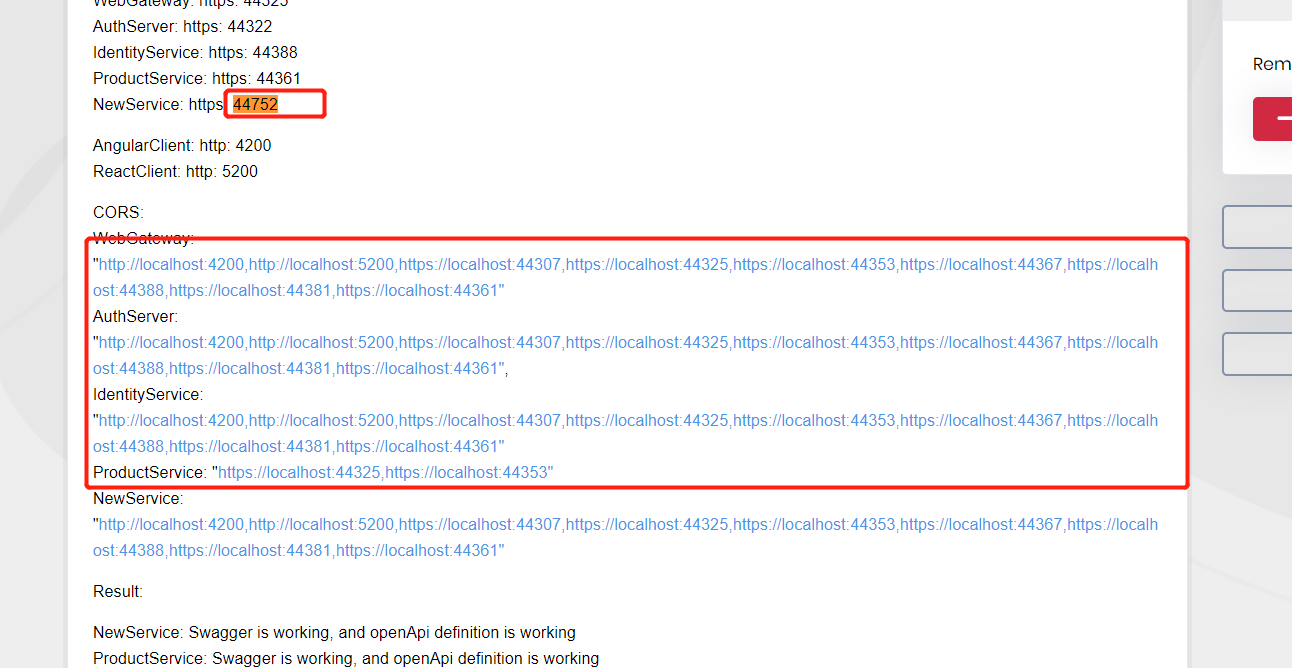
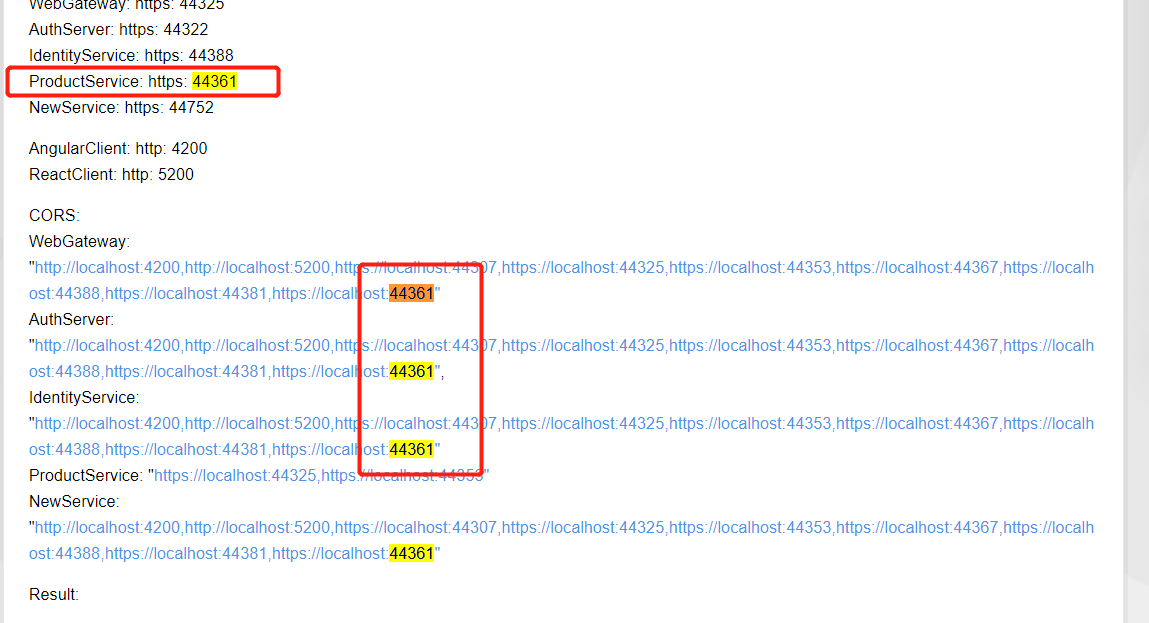
Hi,
Can you upgrade your suite version to the latest and try again? thanks. it might be fixed.
Hi,
Browsers already have this feature, I don't know why need to implement it again.
Anyway, just a suggestion: you can use the mac address as user identification, if the user login with remember me, you can store it in the database, the next time the user logs in, if the mac address matches, then automatically filled username, and password.









