Hi.
Can you check this? : https://support.abp.io/QA/Questions/1999/Blazor-Server-App-deploy-on-IIS-Get-Authorization-Error-after-sigin
Hi,
Just remove ChartjsStyleContributor, it should be work.
Hi,
See: https://github.com/abpframework/abp/pull/12023
When 5.3 is released, you can specify the exchange type .
By default, ABP uses EventNameAttribute as RoutingKey. see:https://docs.abp.io/en/abp/latest/Distributed-Event-Bus#event-name
HI,
We have upgrade Chartjs to version 3.7.0, no longer needs style.
See: https://github.com/abpframework/abp/pull/11861
Hi,
Sorry for late, will doesn't have hight propriority
You can follow this: https://github.com/abpframework/abp/issues/10031
Hi,
How do I reproduce the problem, can you provide steps? thanks.
We see there is option to "Apply Database Migrations" in Saas module but it does not seem to work?
Apply Database Migrations will publish an event with ApplyDatabaseMigrationsEto.
You can create an event handler to create the database. for example:
public class MyProjectNameTenantDatabaseMigrationHandler :
    IDistributedEventHandler<ApplyDatabaseMigrationsEto>,
    ITransientDependency
{
    private readonly IEnumerable<IMyProjectNameDbSchemaMigrator> _dbSchemaMigrators;
    private readonly ICurrentTenant _currentTenant;
    private readonly IUnitOfWorkManager _unitOfWorkManager;
    private readonly IDataSeeder _dataSeeder;
    private readonly ITenantStore _tenantStore;
    private readonly ILogger<MyProjectNameTenantDatabaseMigrationHandler> _logger;

    public MyProjectNameTenantDatabaseMigrationHandler(
        IEnumerable<IMyProjectNameDbSchemaMigrator> dbSchemaMigrators,
        ICurrentTenant currentTenant,
        IUnitOfWorkManager unitOfWorkManager,
        IDataSeeder dataSeeder,
        ITenantStore tenantStore,
        ILogger<MyProjectNameTenantDatabaseMigrationHandler> logger)
    {
        _dbSchemaMigrators = dbSchemaMigrators;
        _currentTenant = currentTenant;
        _unitOfWorkManager = unitOfWorkManager;
        _dataSeeder = dataSeeder;
        _tenantStore = tenantStore;
        _logger = logger;
    }

    public async Task HandleEventAsync(ApplyDatabaseMigrationsEto eventData)
    {
        if (eventData.TenantId == null)
        {
            return;
        }

        await MigrateAndSeedForTenantAsync(
            eventData.TenantId.Value,
            MyProjectNameConsts.AdminEmailDefaultValue,
            MyProjectNameConsts.AdminPasswordDefaultValue
        );
    }

    private async Task MigrateAndSeedForTenantAsync(
        Guid tenantId,
        string adminEmail,
        string adminPassword)
    {
        try
        {
            using (_currentTenant.Change(tenantId))
            {
                // Create database tables if needed
                using (var uow = _unitOfWorkManager.Begin(requiresNew: true, isTransactional: false))
                {
                    var tenantConfiguration = await _tenantStore.FindAsync(tenantId);
                    if (tenantConfiguration?.ConnectionStrings != null &&
                        !tenantConfiguration.ConnectionStrings.Default.IsNullOrWhiteSpace())
                    {
                        foreach (var migrator in _dbSchemaMigrators)
                        {
                            await migrator.MigrateAsync();
                        }
                    }

                    await uow.CompleteAsync();
                }

                // Seed data
                using (var uow = _unitOfWorkManager.Begin(requiresNew: true, isTransactional: true))
                {
                    await _dataSeeder.SeedAsync(
                        new DataSeedContext(tenantId)
                            .WithProperty(IdentityDataSeedContributor.AdminEmailPropertyName, adminEmail)
                            .WithProperty(IdentityDataSeedContributor.AdminPasswordPropertyName, adminPassword)
                    );

                    await uow.CompleteAsync();
                }
            }
        }
        catch (Exception ex)
        {
            _logger.LogException(ex);
        }
    }
}
Hi
How to run this DbMigrator in a Production server.
DbMigrator project is a console application, you can directly use dotnet command to run it.
Can we control DbMigrator to migrate all the databases we need to migrate?
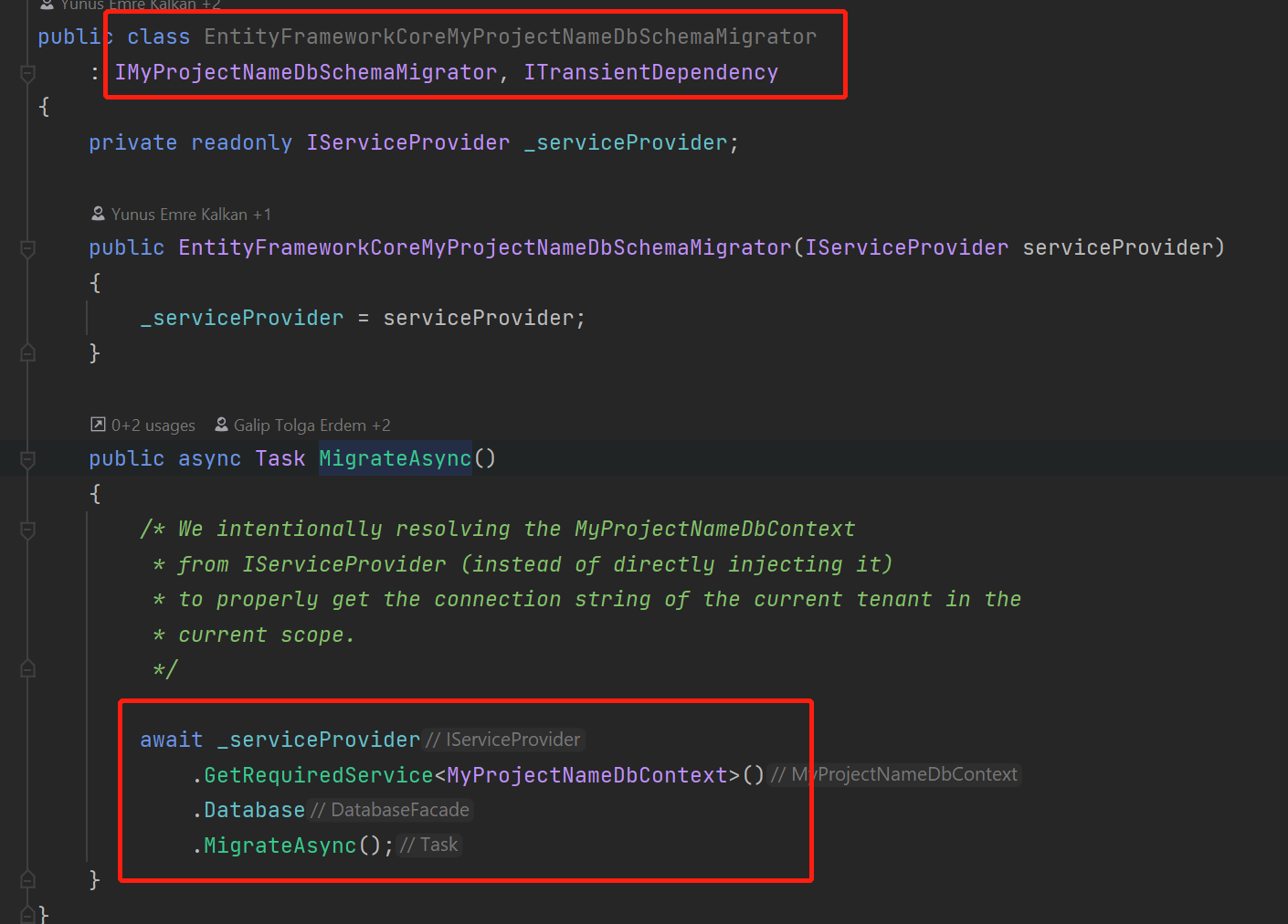
Of course, in fact, the DbMigrator will call MigrateAsync method of I<Project>DbSchemaMigrator. you can create ....DbSchemaMigrator Implementation class for each service.
Hi,
I recommend you to use yarn instead of npm.
try:
npm install --global yarn
Remove node_modules and package-lock.json
Run abp install-libs
Hi,
Angular use the OAuth2.0 code flow, it will redirect to auth server when you click the login button, so you need to custom the page in the backend instead of front end









