I'm currently looking into the best way to fully delete a tenant, including user data, permissions, all the ABP/Identity data.
Are there any built-in methods, or should I be doing this manually?
Working with all tenants in a single database.
I'd like to warn you about the Editions menu. It may affect your configuration and may not let you change this field.
Thanks for the response!
I'm not sure what you mean by this, how does the editions menu affect the configuration?
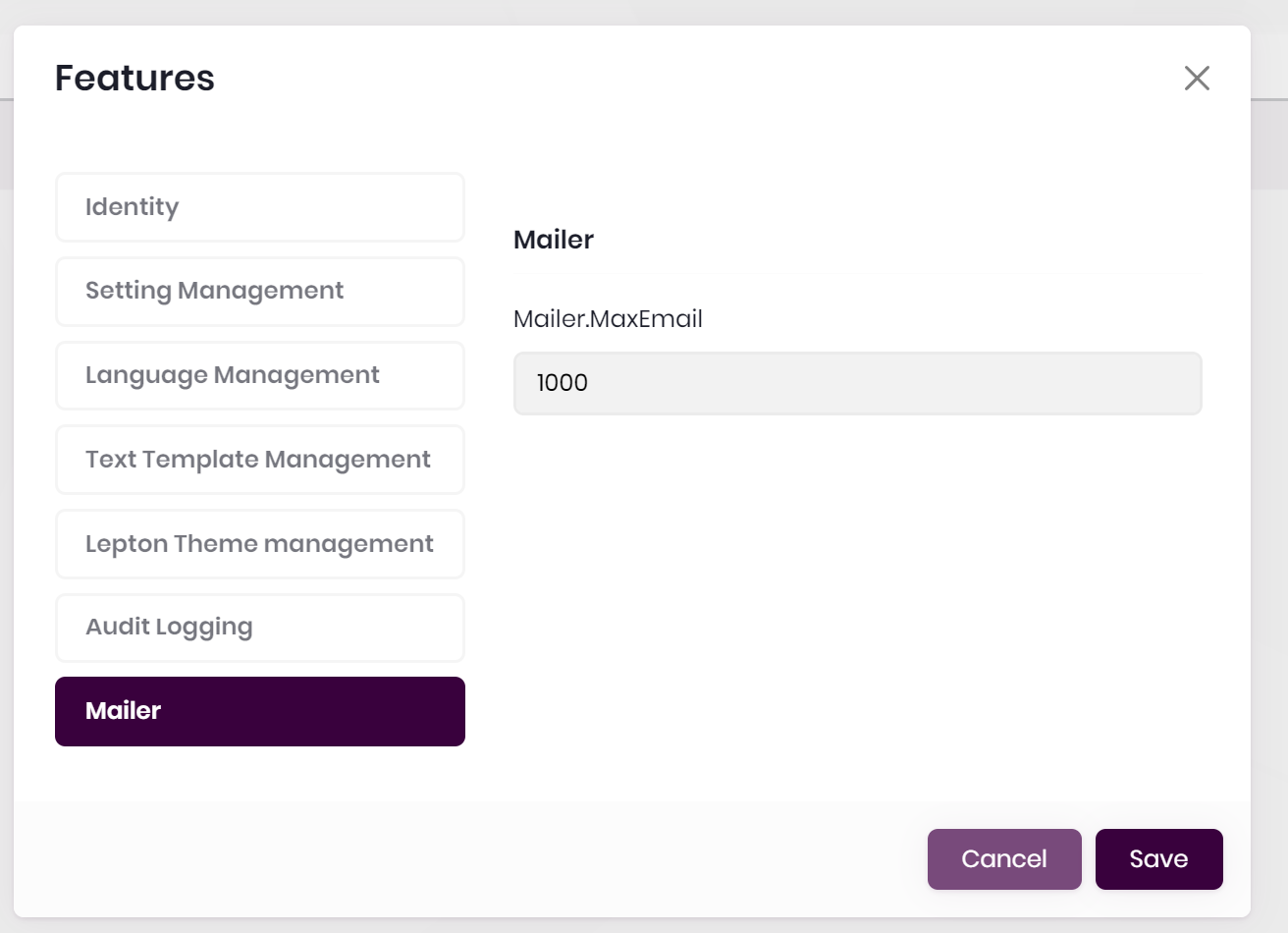
I've created some custom features, it seems that I can edit them at the 'edition' level in the blazor interface, but not at the tenant level. The textbox is disabled.
    public class MailerFeatures : FeatureDefinitionProvider
    {
    public static string GroupName = "Mailer";
    public static string MaxEmail => FeatureName("MaxEmail");

        public override void Define(IFeatureDefinitionContext context)
        {
            var group = context.AddGroup(GroupName);

            var maxUsers = group.AddFeature(
                MaxEmail,
                defaultValue: "1",
                valueType: new FreeTextStringValueType(
                    new NumericValueValidator(0, 1000000)), isVisibleToClients: true);

            // Here I tried settings the providers, made no difference.
            //maxUsers.WithProviders(new string[] { TenantFeatureValueProvider.ProviderName, EditionFeatureValueProvider.ProviderName });

        }

        private static string FeatureName(string name)
        {
            return $"{GroupName}.{name}";
        }
    }
This is the disabled textarea:
That did the trick. Thanks!
Would work nicely on the ABP support login page too.
Also worth noting that I can't sign into this app using Google, same behaviour as I have locally
My point is, that I've generated the project, your login method doesn't work with the default configuration, and there is no documentation on settings this up, what am I missing?
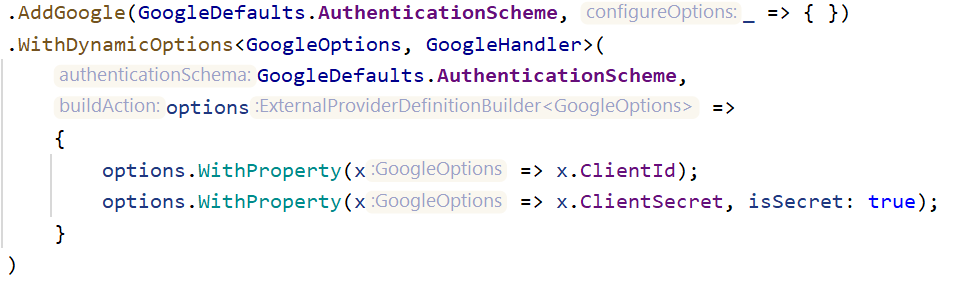
I'm using the current out-of-the box implementation, template generated in abp suite 5.2.1. Is there any documentation on how this needs to be changed to make it work?
After fixing the first issue. I'm now finding it again in the method which is supposed to create a user if there is not one.
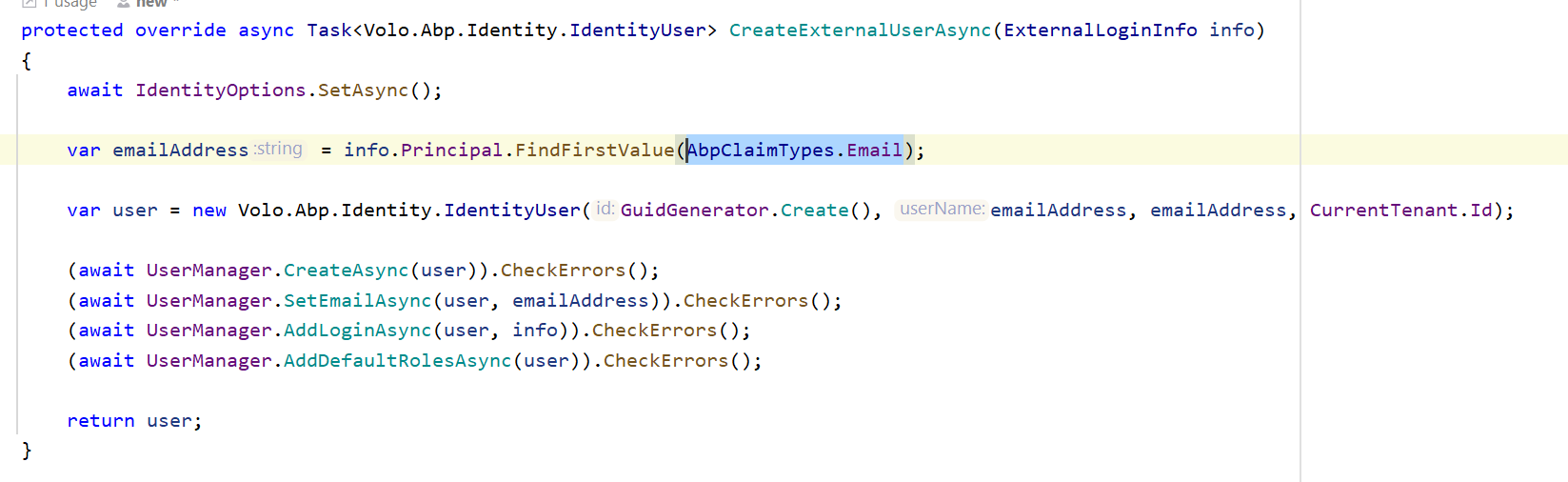
In this screenshot you can see that it's using the AbpClaimTypes.Email which is "email", the claim is not found.
Login.cshtml.cs OnGetExternalLoginCallbackAsync()
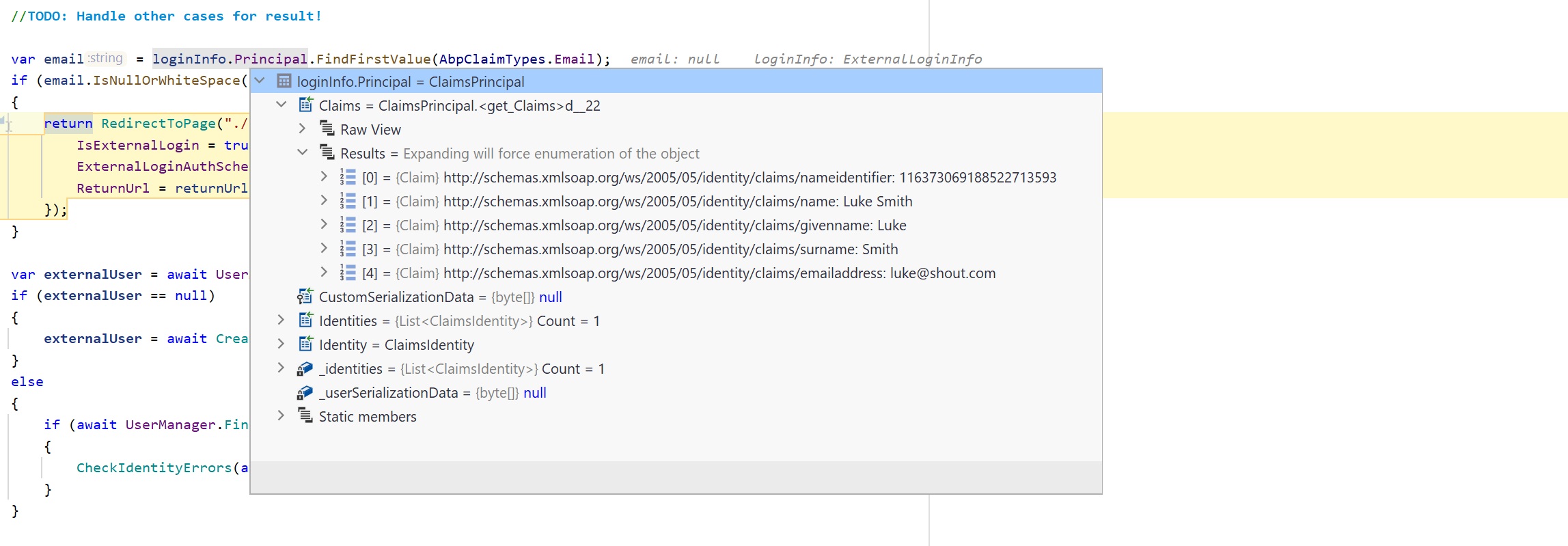
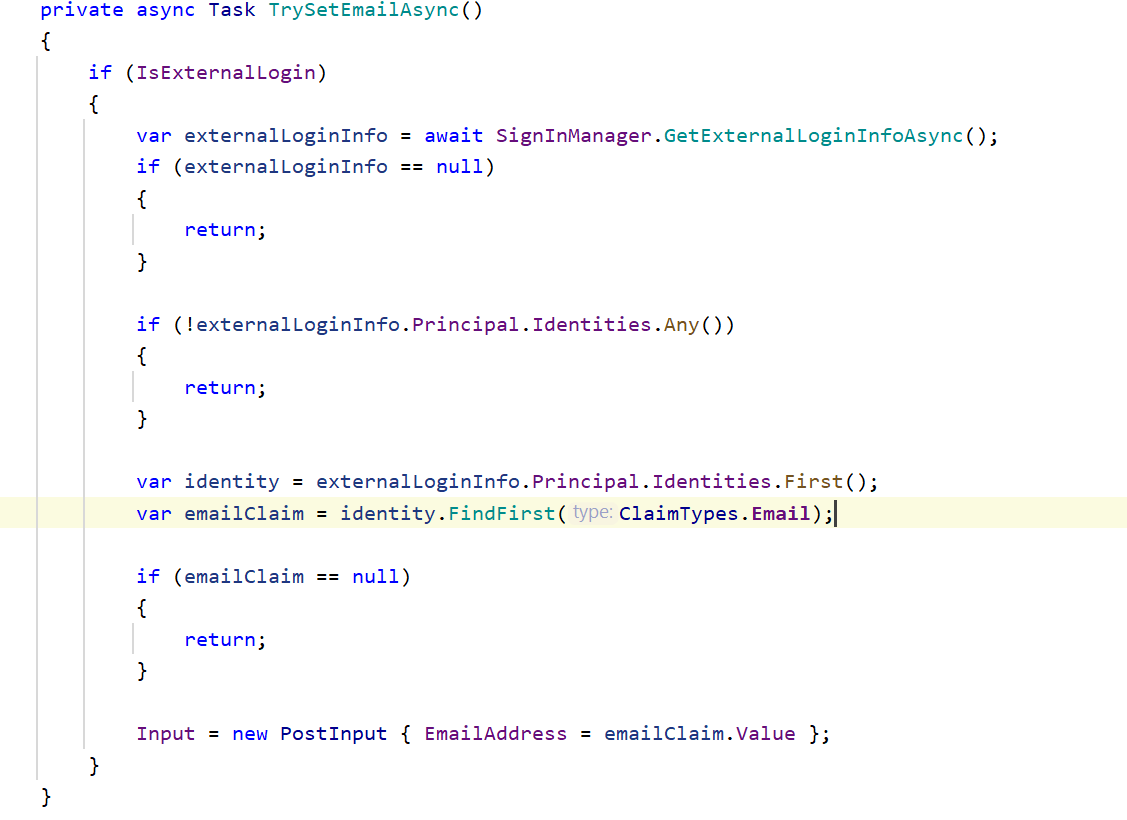
Then on the register page the email address is prefilled using the standard ClaimTypes.Email object
Register.cshtml.cs TrySetEmailAsync()
That worked a charm, thank you :)









