hi
The latest logs don't contain the 400 error.
Can you check again?
Thanks.
hi
How can I use your Angular to test the api website?
I can mkcert apiqadentpalaumtech.org "*.apiqadentpalaumtech.org" and use it in local api website.
but how about Angular?
Can you share the full steps to reproduce your problem?
Thanks.
hi
Please share the latest logs again.
Authserver and web.public /web
liming.ma@volosoft.com
Thanks
你还可以继续使用应用服务而不是手动创建HttpClient
public override void PreConfigureServices(ServiceConfigurationContext context)
{
    PreConfigure<AbpHttpClientBuilderOptions>(options =>
    {
        options.ProxyClientBuildActions.Add((_, builder) =>
        {
            builder.AddHttpMessageHandler<BrowserRequestStreamingHandler>();
        });
    });
}
public sealed class BrowserRequestStreamingHandler : DelegatingHandler, ITransientDependency
{
    protected override async Task<HttpResponseMessage> SendAsync(
        HttpRequestMessage request,
        CancellationToken cancellationToken)
    {
        request.SetBrowserRequestStreamingEnabled(true);
        return await base.SendAsync(request, cancellationToken);
    }
}
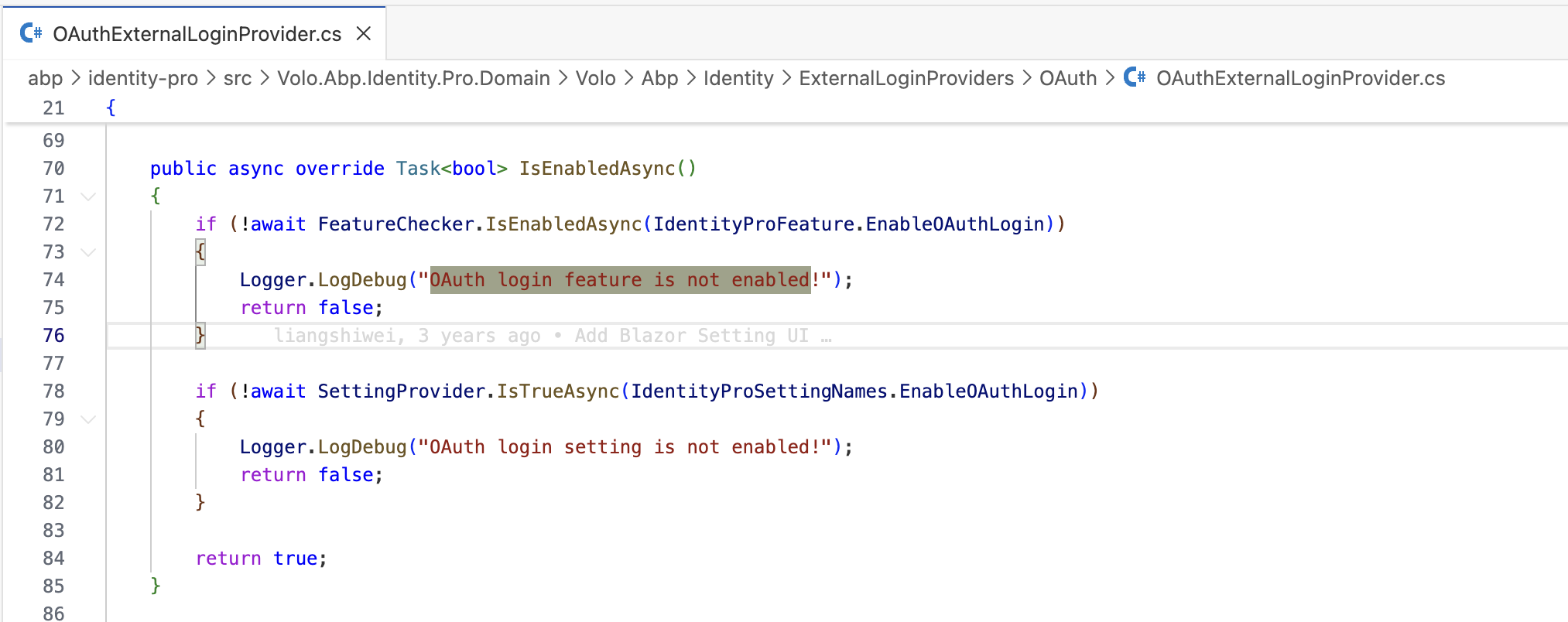
But the logs only write if the feature check failed.
Can you check the AbpFeatureValues table?
hi
If the current tenant is not the host, you need to enable it on the tenant side.
Thanks.
You also need to configure the backend limit.
Log.Information("Starting Uploadtest.HttpApi.Host.");
var builder = WebApplication.CreateBuilder(args);
builder.WebHost.ConfigureKestrel(o =>
{
    o.Limits.MaxRequestBodySize = 2L*1024 * 1024 * 1024;
});

builder.Services.Configure<FormOptions>(o =>
{
    o.MultipartBodyLengthLimit = 2L*1024 * 1024 * 1024;
});
是的, 你可以这样试试
private async Task<AppFileDescriptorDto> UploadFileAsync(IBrowserFile file)
{
    // using (var ms = file.OpenReadStream(2L*1024*1024*1024))
    // {
    //     return await UpFilesAppService.UploadFileAsync(new RemoteStreamContent(ms, file.Name, file.ContentType));
    // }

    await using (var stream = file.OpenReadStream(MaxUpFileFsFileUploadSize))
    {
        using (var content = new MultipartFormDataContent())
        {
            using (var fileContent = new StreamContent(stream))
            {
                fileContent.Headers.ContentType = new MediaTypeHeaderValue(file.ContentType ?? "application/octet-stream");
                content.Add(fileContent, "input", file.Name);

                using var request = new HttpRequestMessage(HttpMethod.Post, "https://localhost:44362/api/app/up-files/upload-file");
                var token = await AccessTokenProvider.GetTokenAsync();
                if (!token.IsNullOrWhiteSpace())
                {
                    request.SetBearerToken(token);
                }
                request.Content = content;
                request.SetBrowserRequestStreamingEnabled(true);

                using var response = await new HttpClient().SendAsync(request, HttpCompletionOption.ResponseHeadersRead);
                response.EnsureSuccessStatusCode();

                var dto = await response.Content.ReadFromJsonAsync<AppFileDescriptorDto>();
                return dto!;
            }
        }
    }
}









