The transition between document pages takes 5-6 seconds. What could be the reason for this? And what can I do to improve performance?
Can you share the logs? It shouldn't take too long.
I think the base class should exist in an independent shared class library.
Please share some code,Thanks
hi
The Distributed Memory Cache isn't an actual distributed cache. Cached items are stored by the app instance on the server where the app is running.
https://learn.microsoft.com/en-us/aspnet/core/performance/caching/distributed?view=aspnetcore-7.0#distributed-memory-cache
Please share your code of ConfigureAuthentication
eg
 context.Services.AddAuthentication(options =>
                {

                })
                .AddCookie("Cookies", options =>
                //.........
hi
You can replace the abp/account/src/Volo.Abp.Account.Pro.Public.Web/Pages/Account/Components/ProfileManagementGroup/ProfilePicture/Default.js
update "/api/account/profile-picture"; to api/account/profile-picture";.
I will update it in the next patch version.
https://docs.abp.io/en/abp/latest/Virtual-File-System#replacing-overriding-virtual-files
hi
Can you share a project with me? liming.ma@volosoft.com
please run abp clean command to clear the project and remove the node_moduels.
hi
Please remove the ChatHttpApiClientModule.
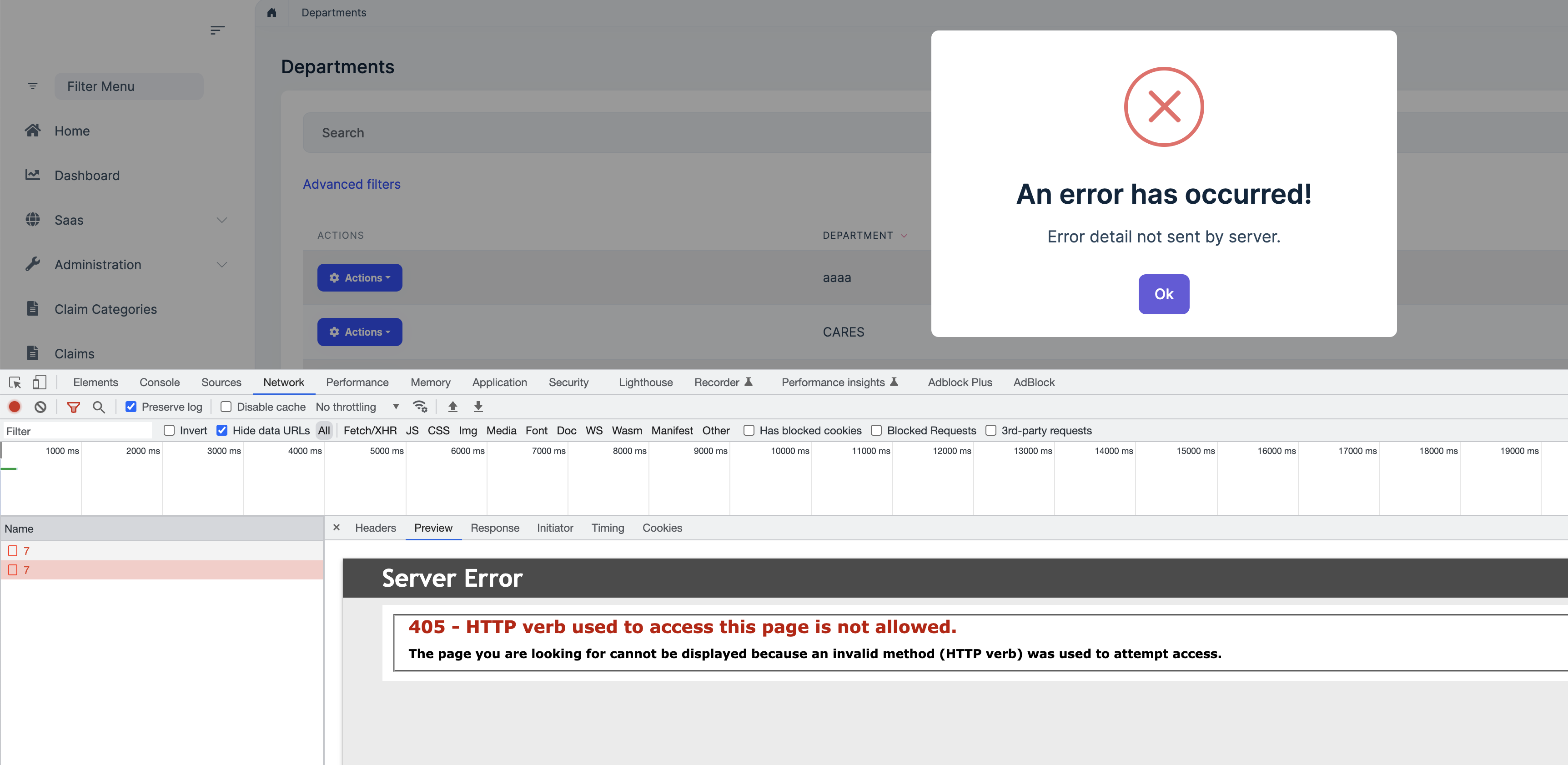
I think the URL https://xxxx.org/grantrak/api/app/departments/7 is correct.
Request URL: https://xxxx.org/grantrak/api/app/departments/7
Request Method: DELETE
Status Code: 405
https://stackoverflow.com/questions/6147181/405-method-not-allowed-in-iis7-5-for-put-method https://learn.microsoft.com/en-us/aspnet/web-api/overview/testing-and-debugging/troubleshooting-http-405-errors-after-publishing-web-api-applications
What is the output of the abp bundle command now?
So, can it be disabled on abp 6+ completely for small projects?
We recommend using Redis, but you can try to disable it in web and webpublic. I'm not sure if there will be any impact in the future, because we will assume that they will use Redis..
This should make it work without the need to add the self signed certificates to azure/iis correct?
The pfx file will be: Path.Combine(hostingEnv.ContentRootPath, "authserver.pfx")
FROM mcr.microsoft.com/dotnet/aspnet:7.0 AS base
COPY bin/Release/net7.0/publish/ app/
WORKDIR /app

FROM mcr.microsoft.com/dotnet/sdk:7.0 AS build
WORKDIR /src
RUN dotnet dev-certs https -v -ep authserver.pfx -p 2D7AA457-5D33-48D6-936F-C48E5EF468ED

FROM base AS final
WORKDIR /app
COPY --from=build /src .

ENTRYPOINT ["dotnet", "MyCompanyName.MyProjectName.AuthServer.dll"]









