hi
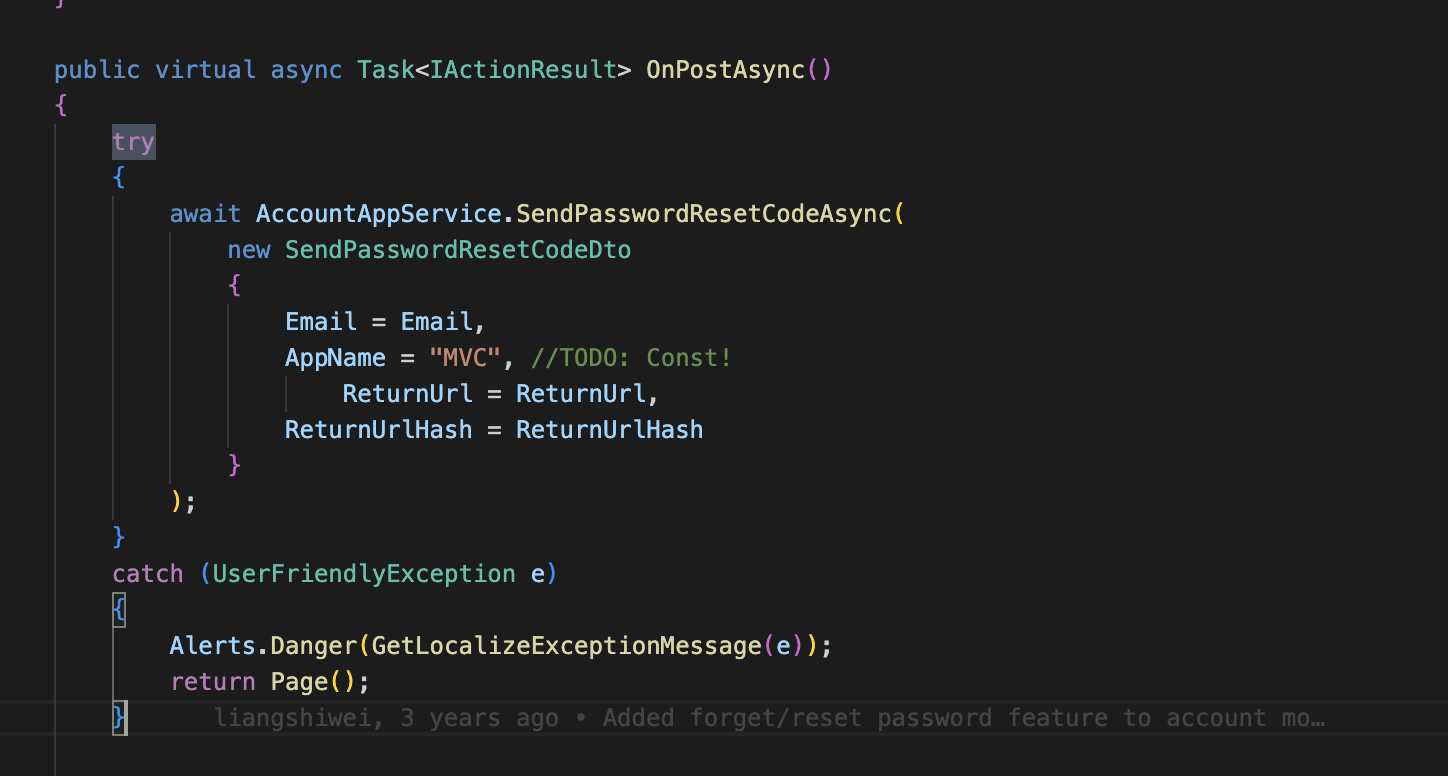
You can try catch the exception on your index page.
hi
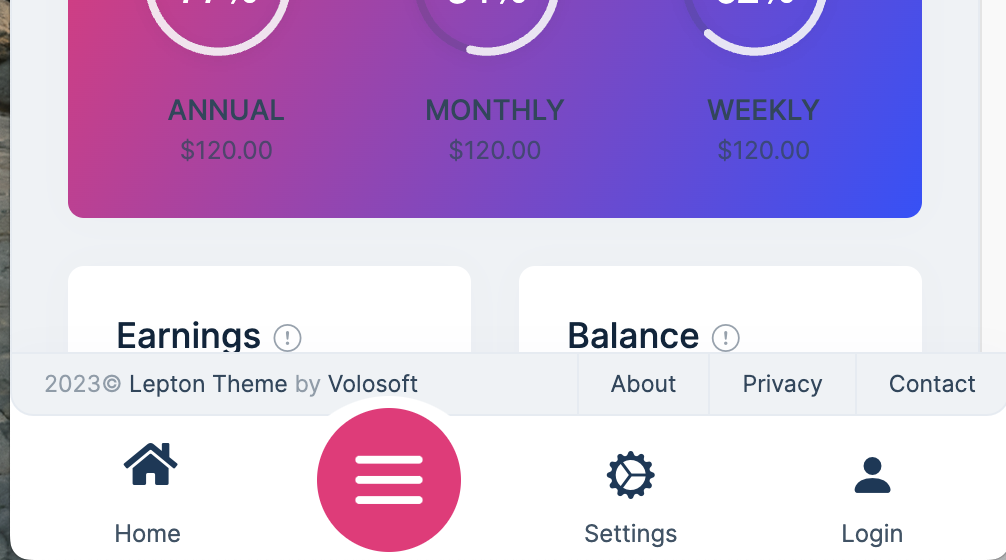
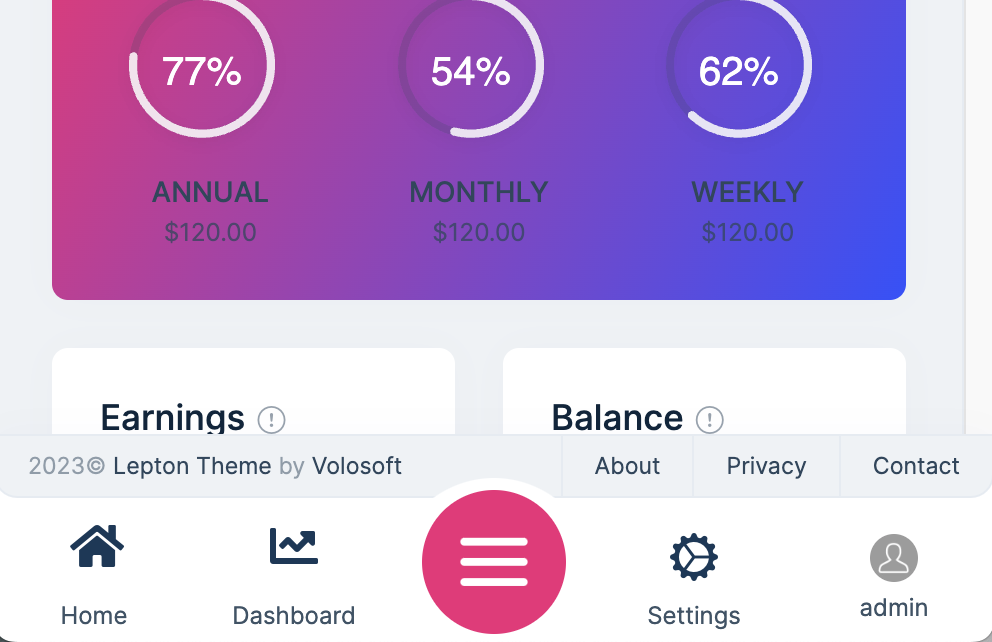
Please update the src/Volo.Abp.AspNetCore.Mvc.UI.Theme.LeptonX/Themes/LeptonX/Components/SideMenu/MobileNavbar/Default.cshtml with below code
@using Volo.Abp.AspNetCore.Mvc.UI.Theme.LeptonX.Themes.LeptonX.Components.SideMenu.MainMenu
@using Volo.Abp.AspNetCore.Mvc.UI.Theme.LeptonX.Themes.LeptonX.Components.Common.MobileGeneralSettings
@using Volo.Abp.AspNetCore.Mvc.UI.Theme.LeptonX.Themes.LeptonX.Components.SideMenu.MobileNavbar
@using Volo.Abp.LeptonX.Shared.Localization
@using Microsoft.Extensions.Localization
@using Volo.Abp.Users

@model MobileNavbarViewModel
@inject ICurrentUser CurrentUser
@inject IStringLocalizer<LeptonXResource> L

<div class="lpx-mobile-navbar-container">
	<div class="lpx-mobile-navbar">
		<ul class="lpx-mobile-nav-tabs">

			@foreach (var viewModel in Model.SelectedMenuItems)
			{
				var url = string.IsNullOrEmpty(viewModel.MenuItem.Url) ? "#" : Url.IsLocalUrl(viewModel.MenuItem.Url) ? Url.Content(viewModel.MenuItem.Url.EnsureStartsWith('~')) : viewModel.MenuItem.Url;

				<li class="lpx-mobile-nav-tab">
					<a id="@viewModel.MenuItem.ElementId" href="@url" target="@viewModel.MenuItem.Target" class="lpx-mobile-nav-item @viewModel.MenuItem.CssClass">
						<i class="menu-item-icon @viewModel.MenuItem.Icon" aria-hidden="true"></i>
						<span class="mobile-item-text"> @viewModel.MenuItem.DisplayName </span>
					</a>
				</li>
			}

			<li class="lpx-mobile-nav-tab menu-toggle">
				<a href="javascript:void(0)" class="lpx-mobile-hamburger" data-lpx-mobile-menu-toggle="routes">
					<span class="hamburger-icon" aria-hidden="true">
						<span class="icon-part"></span>
						<span class="icon-part"></span>
						<span class="icon-part"></span>
						<span class="icon-part"></span>
						<span class="icon-part"></span>
						<span class="icon-part"></span>
					</span>
				</a>
			</li>

			<li class="lpx-mobile-nav-tab">
				<a class="lpx-mobile-nav-item" data-lpx-mobile-menu-toggle="settings">
					<i class="menu-item-icon bi bi-gear-wide-connected" aria-hidden="true"></i>
					<span class="mobile-item-text">Settings</span>
				</a>
			</li>
			<li class="lpx-mobile-nav-tab">
				@if (CurrentUser.Id.HasValue)
                {
	                <a class="lpx-mobile-nav-item" data-lpx-mobile-menu-toggle="user">
		                <div class="lpx-avatar">
			                <img class="lpx-avatar-img" src="@Model.ProfileImageUrl" alt="@CurrentUser.UserName avatar"/>
		                </div>

		                <span class="mobile-item-text">@CurrentUser.UserName</span>
	                </a>
                }
				else
				{
					<a href="~/account/login" class="lpx-mobile-nav-item">
						<i class="menu-item-icon bi bi-person-fill" aria-hidden="true"></i>
						<span class="mobile-item-text">@L["Login"]</span>
					</a>
				}
			</li>
		</ul>
	</div>

	<div class="lpx-mobile-menu hidden">
		<div class="lpx-logo-container">
			<a href="/">
				<div class="lpx-brand-logo"></div>
			</a>
		</div>
		<ul class="lpx-nav-menu d-none" data-lpx-mobile-menu="routes">
			@await Component.InvokeAsync(typeof(MainMenuViewComponent))
		</ul>

		<ul class="lpx-nav-menu d-none" data-lpx-mobile-menu="settings">
			@await Component.InvokeAsync(typeof(MobileGeneralSettingsViewComponent))
		</ul>

		<ul class="lpx-nav-menu d-none" data-lpx-mobile-menu="user">
			<div class="d-flex ps-3 pe-3">
				<div class="lpx-avatar me-2">
					<img class="lpx-avatar-img" src="@Model.ProfileImageUrl" alt="@CurrentUser.UserName avatar" />
				</div>

				<div class="d-flex flex-column" style="line-height: normal">
					<span class="fs-12">@L["Welcome"] <span class="color-active-text"> @CurrentUser.UserName </span> </span>
					<span class="color-active-text">@CurrentUser.Name @CurrentUser.SurName</span>
					<span class="fs-12">@CurrentUser.Email</span>
				</div>
			</div>

			@if (Model.UserMenu != null)
			{
				foreach (var menuItem in Model.UserMenu.Items)
				{
					var url = string.IsNullOrEmpty(menuItem.Url) ? "#" : Url.IsLocalUrl(menuItem.Url) ? Url.Content(menuItem.Url.EnsureStartsWith('~')) : menuItem.Url;

					<li class="outer-menu-item">
						<a class="lpx-menu-item-link lpx-menu-item @menuItem.CssClass" href="@url" target="@menuItem.Target" id="@menuItem.ElementId">
							<span class="lpx-menu-item-icon"><i class="lpx-icon bi @menuItem.Icon" aria-hidden="true"></i></span>

							<span class="lpx-menu-item-text hidden-in-hover-trigger">@menuItem.DisplayName</span>
						</a>
					</li>
				}
			}
		</ul>
	</div>
</div>
hi
Can you explain it in detail? I don't quite understand what you mean.
Thanks. I will check it asap.
It is working fine on popup pages.
This is because you are calling API, and the page cannot display such a style.
You can check the Page-Alerts
https://docs.abp.io/en/abp/latest/UI/AspNetCore/Page-Alerts
Thanks. Can you share the LeptonxDemoApp project? liming.ma@volosoft.com
I don't know yet
hi
The framework can only handle pages with an object of the return type.
https://docs.abp.io/en/abp/latest/Exception-Handling
hi
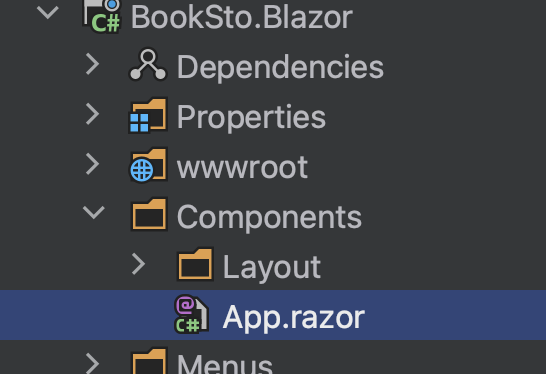
@using Microsoft.Extensions.Options
@using Microsoft.Extensions.Localization
@using global::Localization.Resources.AbpUi
@using Volo.Abp.AspNetCore.Components.Web.LeptonTheme.Components.ApplicationLayout
@using Volo.Abp.AspNetCore.Components.Web.Theming.Routing
@using Volo.Abp.DependencyInjection
@inject IOptions<AbpRouterOptions> RouterOptions
@inject IStringLocalizer<AbpUiResource> UiLocalizer
@inherits Volo.Abp.AspNetCore.Components.Web.LeptonTheme.Components.App
@attribute [Dependency(ReplaceServices = true)]
@attribute [ExposeServices(typeof(Volo.Abp.AspNetCore.Components.Web.LeptonTheme.Components.App))]
<CascadingAuthenticationState>
    <Router AppAssembly="RouterOptions.Value.AppAssembly"
            AdditionalAssemblies="RouterOptions.Value.AdditionalAssemblies">
        <Found Context="routeData">
            <AuthorizeRouteView RouteData="@routeData" DefaultLayout="@typeof(DefaultLayout)">
                <NotAuthorized>
                    @if (context.User?.Identity?.IsAuthenticated == false)
                    {
                        <RedirectToLogin/>
                    }
                    else
                    {
                        @* Temporary removed since it makes a flicker effect on page refresh *@
                        @* <ErrorView
                            Title="@UiLocalizer["403Message"]"
                            HttpStatusCode="403"
                            Message="@UiLocalizer["403MessageDetail"]"/> *@
                    }
                </NotAuthorized>
            </AuthorizeRouteView>
        </Found>
        <NotFound>
            <LayoutView Layout="@typeof(DefaultLayout)">
                <Volo.Abp.AspNetCore.Components.Web.LeptonTheme.Components.ErrorView
                    Title="@UiLocalizer["404Message"]"
                    HttpStatusCode="404"
                    Message="@UiLocalizer["404MessageDetail"]"/>

                <h1>test222</h1>
            </LayoutView>
        </NotFound>
    </Router>
</CascadingAuthenticationState>
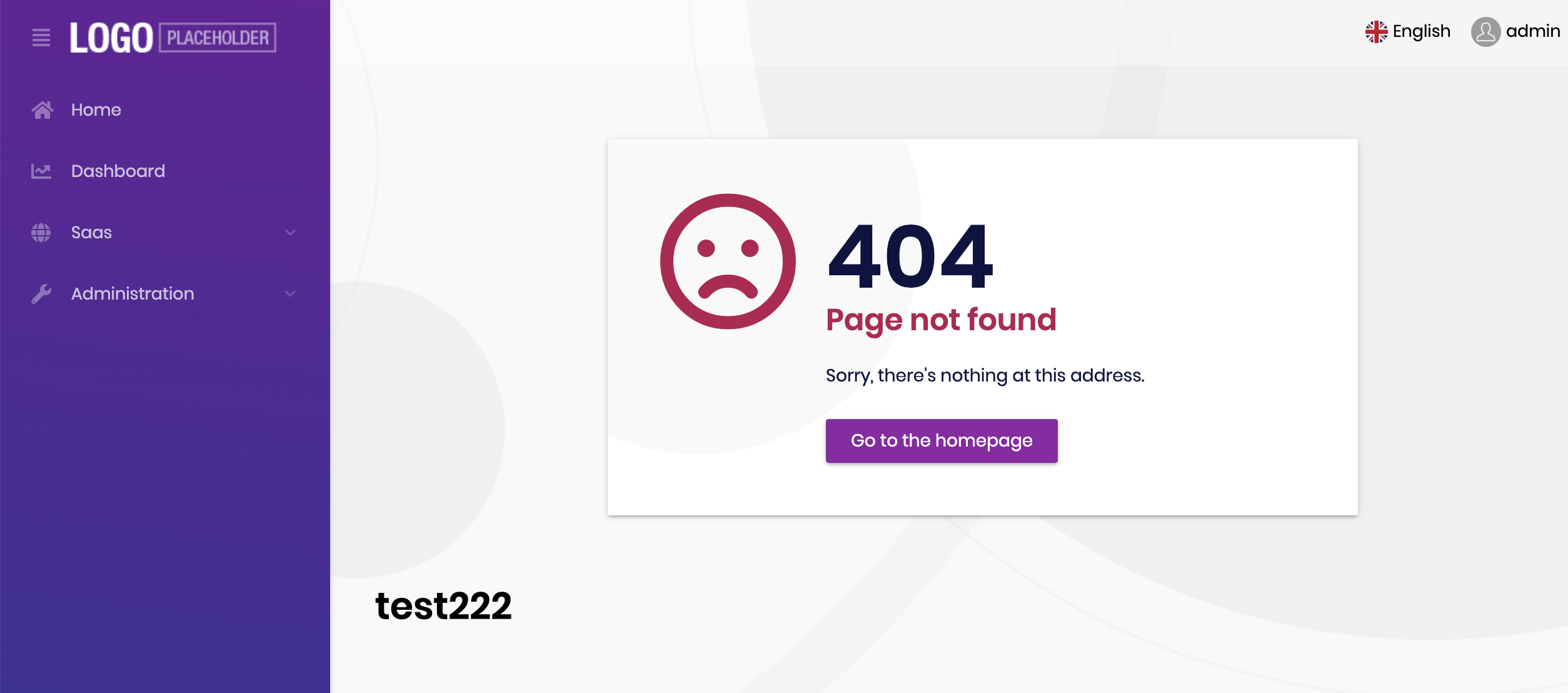
hi
You can use the high version of the package in package.json, and we will also upgrade it in the new version.









