Your startup project 'AbpModuleTemplate.EntityFrameworkCore' doesn't reference Microsoft.EntityFrameworkCore.Design. This package is required for the Entity Framework Core Tools to work. Ensure your startup project is correct, install the package, and try again.
Can you try to add the Microsoft.EntityFrameworkCore.Design package to EntityFrameworkCore?
We will investigate this.
hi
You can try to configure the forwarding header.
https://docs.microsoft.com/en-us/aspnet/core/host-and-deploy/proxy-load-balancer?view=aspnetcore-6.0 https://blog.sinenie.cl/blog/forwarded-headers/
hi
Blazor wasm or Blazor server?
hi
Can you try the test code in the latest template?
If still slow please share the project with me liming.ma@volosoft.com
hi
How do I enable the new service to use an isolated database on microservice template?
https://docs.abp.io/en/commercial/5.3/startup-templates/microservice/infrastructure#hosting
hi
Can you add the addTagHelper code to the project that contains this code? If still does not work. Please share a minimum project. liming.ma@volosoft.com
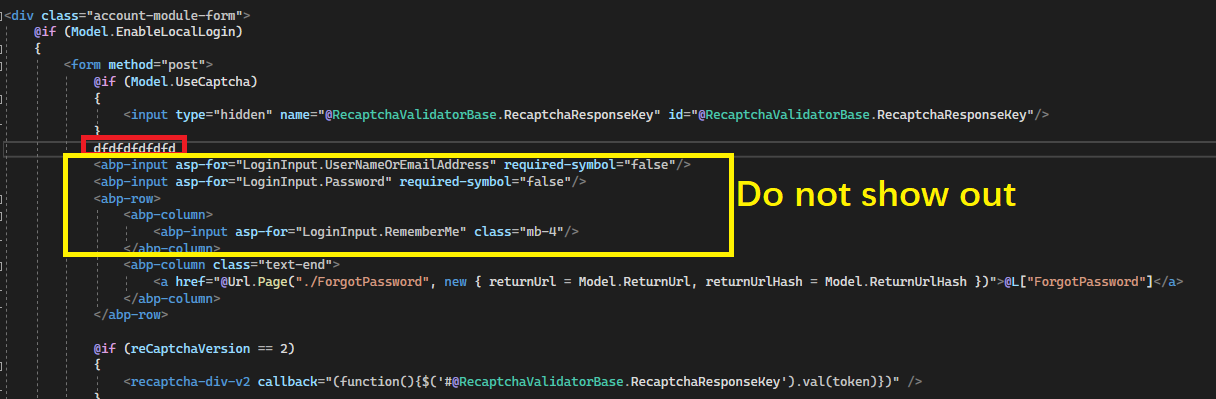
hi @alexander
Unfortunately, I cannot share the source code
Please use the template project to reproduce the problem and share it liming.ma@volosoft.com
hi
Can you check your NuGet.Config file?
"C:\Users\username\AppData\Roaming\NuGet\NuGet.Config"
<?xml version="1.0" encoding="utf-8"?>
<configuration>
  <packageSources>
    <add key="nuget" value="https://api.nuget.org/v3/index.json" />
  </packageSources>
</configuration>
hi
dotnet tool install --global Volo.Abp.Cli --add-source https://api.nuget.org/v3/index.json









