Hi @maliming, my login page is using angular, anw, you can test with the steps below:
Run the IdentityServer with Google authentication configured:
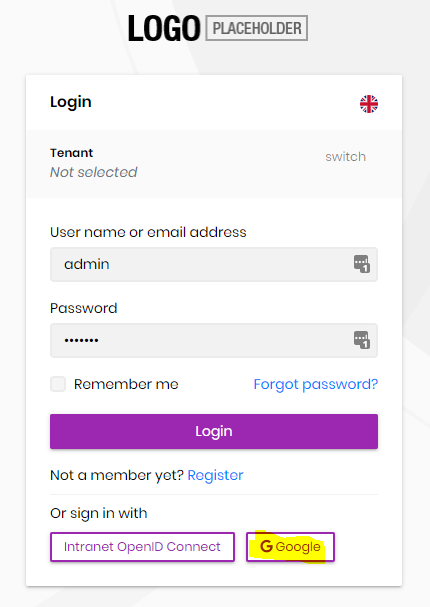
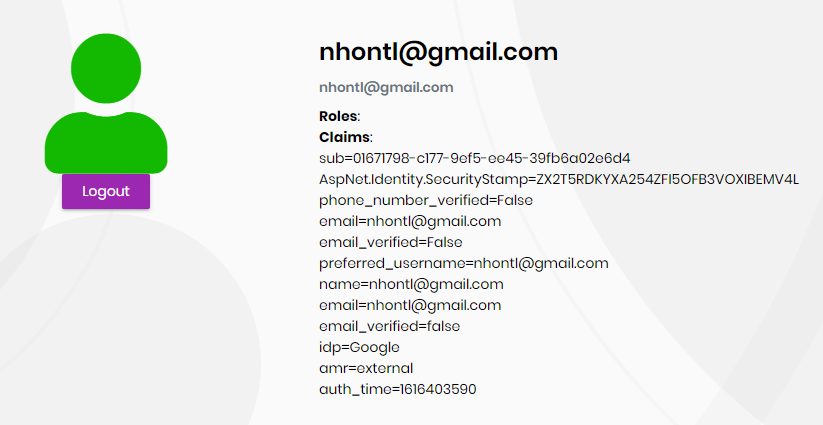
Login successful:
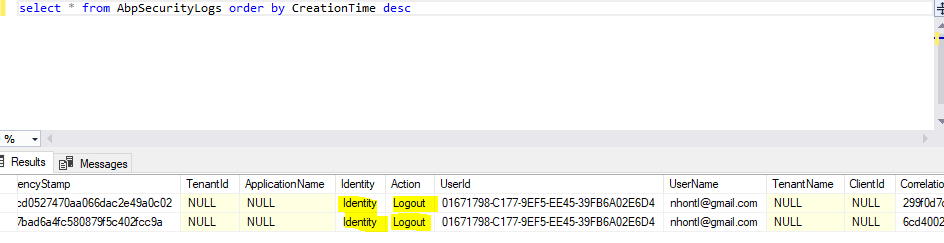
then logout and check the AbpSecurityLogs table, it only captures the logout activity:
Hi @maliming, is it for performance purpose only? what if we are using tiered project and do not install the redis? I have replaced the data protection storage provider with EF core.
Hi @maliming, why redis is mandatory for tiered project? this is not mentioned in the documentation:
https://docs.abp.io/en/abp/latest/Redis-Cache
if it is because of key storage provider, we can replace it by entity framework core, right?
https://docs.microsoft.com/en-us/aspnet/core/security/data-protection/implementation/key-storage-providers?view=aspnetcore-5.0&tabs=visual-studio
please help check and confirm.
Hi @gterdem, sorry, I have set SignInScheme to another value when doing the verification.
Your suggestion has resolved the issue, thank you very much.
Hi @gterdem, sorry for my late response, I have tried the fix suggested by you but it does not work, it still could not get the external login info
[00:08:12 INF] Executing handler method Volo.Abp.Account.Public.Web.Pages.Account.LoginModel.OnGetExternalLoginCallbackAsync - ModelState is Valid
[00:08:12 INF] Identity.External was not authenticated. Failure message: Unprotect ticket failed
[00:08:12 WRN] External login info is not available
[00:08:12 INF] Executed handler method OnGetExternalLoginCallbackAsync, returned result Microsoft.AspNetCore.Mvc.RedirectToPageResult.
[00:08:12 INF] Executing RedirectToPageResult, redirecting to ./Login.
Could you please help us take a look.
Hi @maliming, unfortunately, there is no sample for .net core. they just provide us the spec:
https://stg-id.singpass.gov.sg/docs/authorization/api#_introduction
I just want to clarified, is there a way to configure the external authentication provider without redirection to their log-in page. In my case, the end-user will scan the QR code and do the log-in in their mobile phone.
Hi @Mehmet, Thanks for your response. This is exactly what I have done at the frontend side, I just want to implement it at the backend now.
Hi, we still could not make it work, is there anyone can advise on this?
Hi @Moyaoxiang, do you have any idea why it does not work?
Hi @Moyaoxiang, thanks for your prompt reply.
I have tried but it does not seem work, I set the ExpireTimeSpan = 10 mins and SlidingExpiration = true, then I left the application inactive for 11 mins, it did not force me to re-login, I was still able to using it.
context.Services.AddAuthentication(JwtBearerDefaults.AuthenticationScheme)
                .AddJwtBearer(options =>
                {
                    options.Authority = configuration["AuthServer:Authority"];
                    options.RequireHttpsMetadata = Convert.ToBoolean(configuration["AuthServer:RequireHttpsMetadata"]);
                    options.Audience = "TestingApplication";
                })
                .AddCookie("Cookies", options =>
                {
                    options.ExpireTimeSpan = TimeSpan.FromMinutes(10);
                    options.SlidingExpiration = true;
                });









