Hi,
Yes it did, when I ran abp install-libs it took it out, and left the dataTables.min.js file in there as I mentioned. This is what I would expect.
Just not clear on why the system is requesting the jquery.dataTables.js file:
Volo.Abp.AbpException: Could not find file '/libs/datatables.net/js/jquery.dataTables.js'
As this file has been removed from dataTables in v2.x.
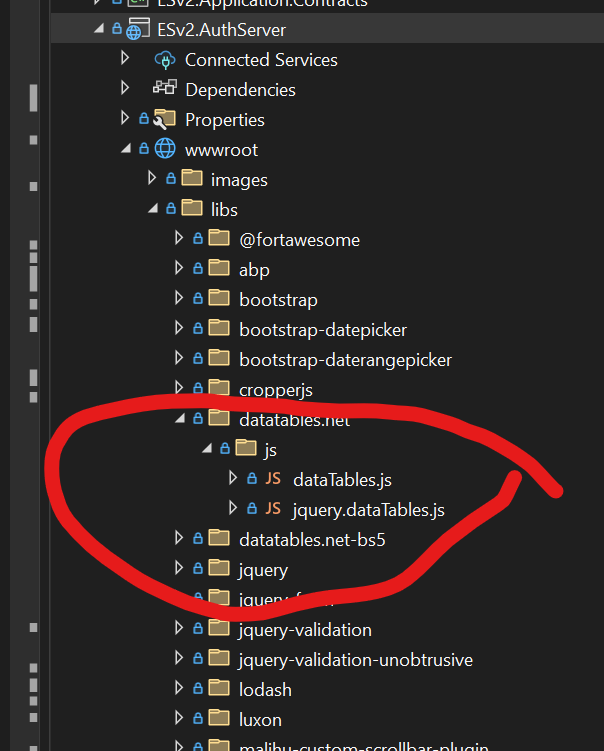
Here is my local environment, I have added the jquery.dataTables.js file back in :
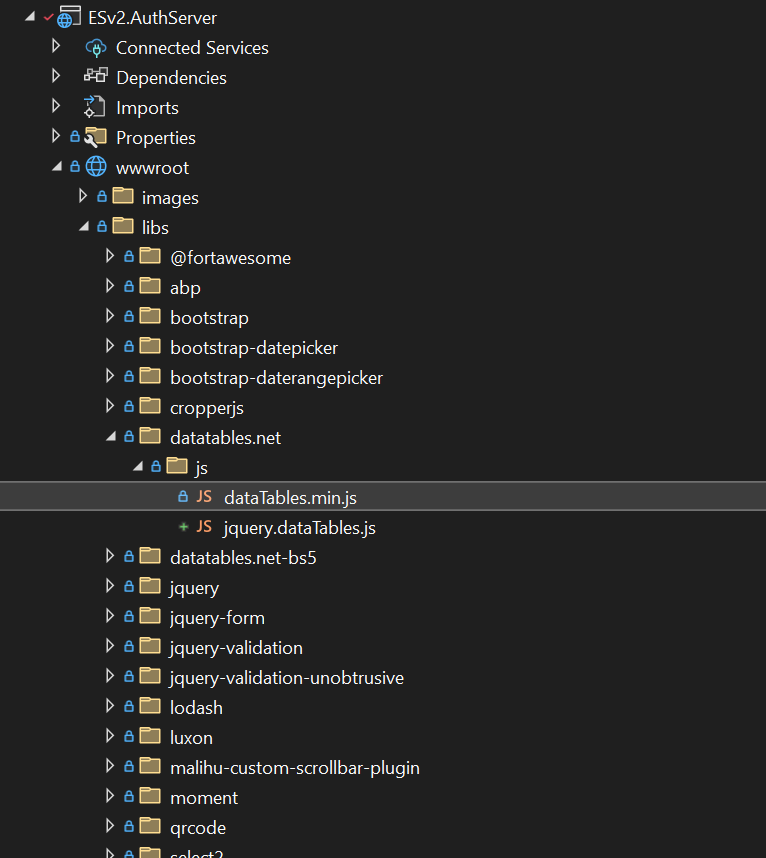
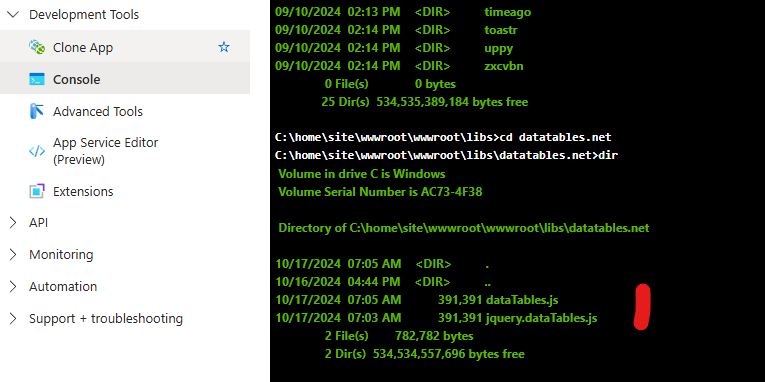
And test environment, also added the jquery.dataTables.js file back in :
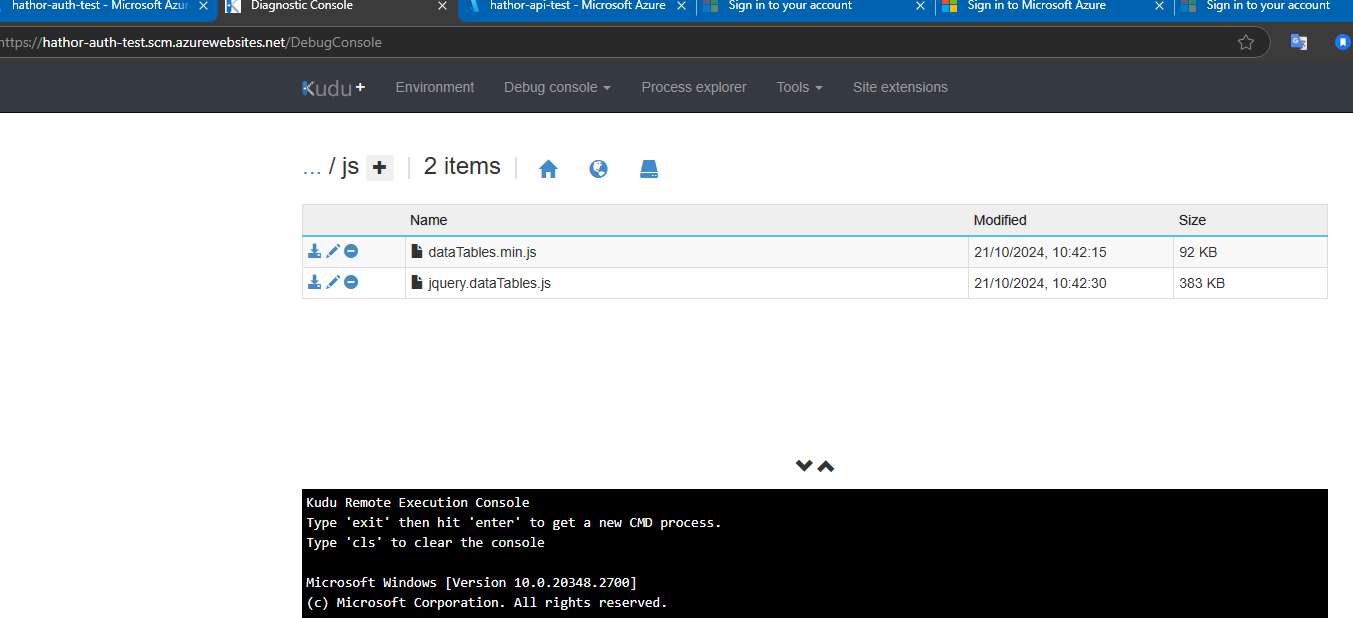
Still getting this error. So even though I have added this file it isn't picking it up somehow. Any ideas on how to either fix this or a workaround of some sort to get the site up and running?
Thanks,
Karim
Hi,
Yeah it is running locally, when deployed to our test environment I get this exception. I had deployed a few times on v 8.2.x to test without any issues, this just started happening when I upgraded to 8.3.x .
Thanks,
Karim
Hi,
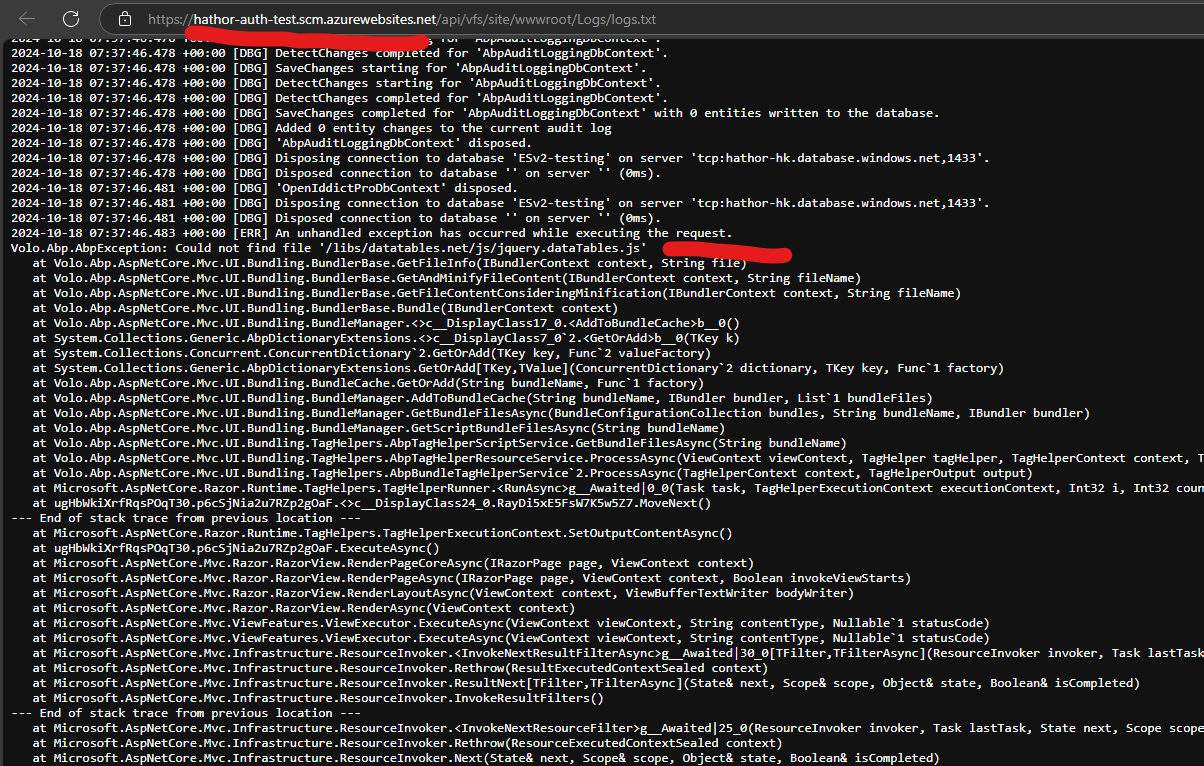
OK I ran that on the AuthServer and Blazor projects. Still getting the same exception on AuthServer:
Both projects now just have the dataTables.min.js file in libs, which is what you would expect.
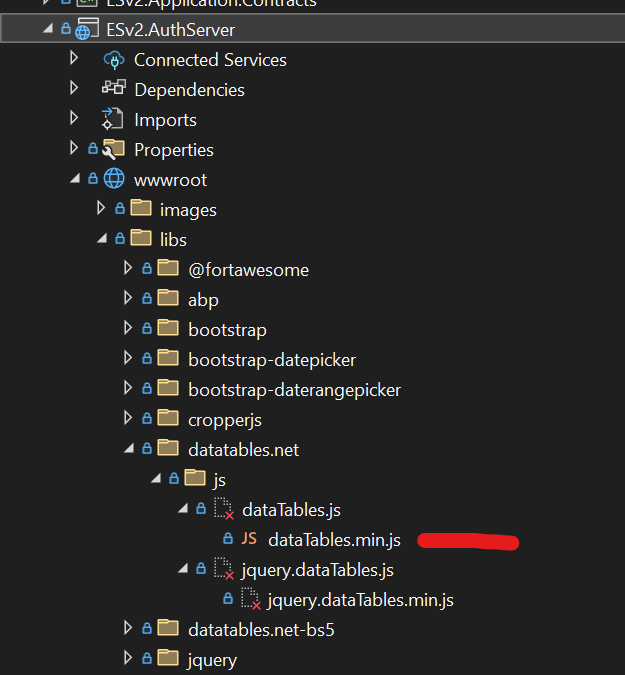
So why are we looking for the jquery.dataTables.js file?
Volo.Abp.AbpException: Could not find file '/libs/datatables.net/js/jquery.dataTables.js'
Even if I add this file it isn't picking it up somehow. Any ideas on how to either fix this or a workaround of some sort to get the site up and running?
Thanks,
Karim
Hi,
Package.json file is configured OK. But when I run abp bundle on the AuthServer project I am gettting an Unsuported Project Type exception:
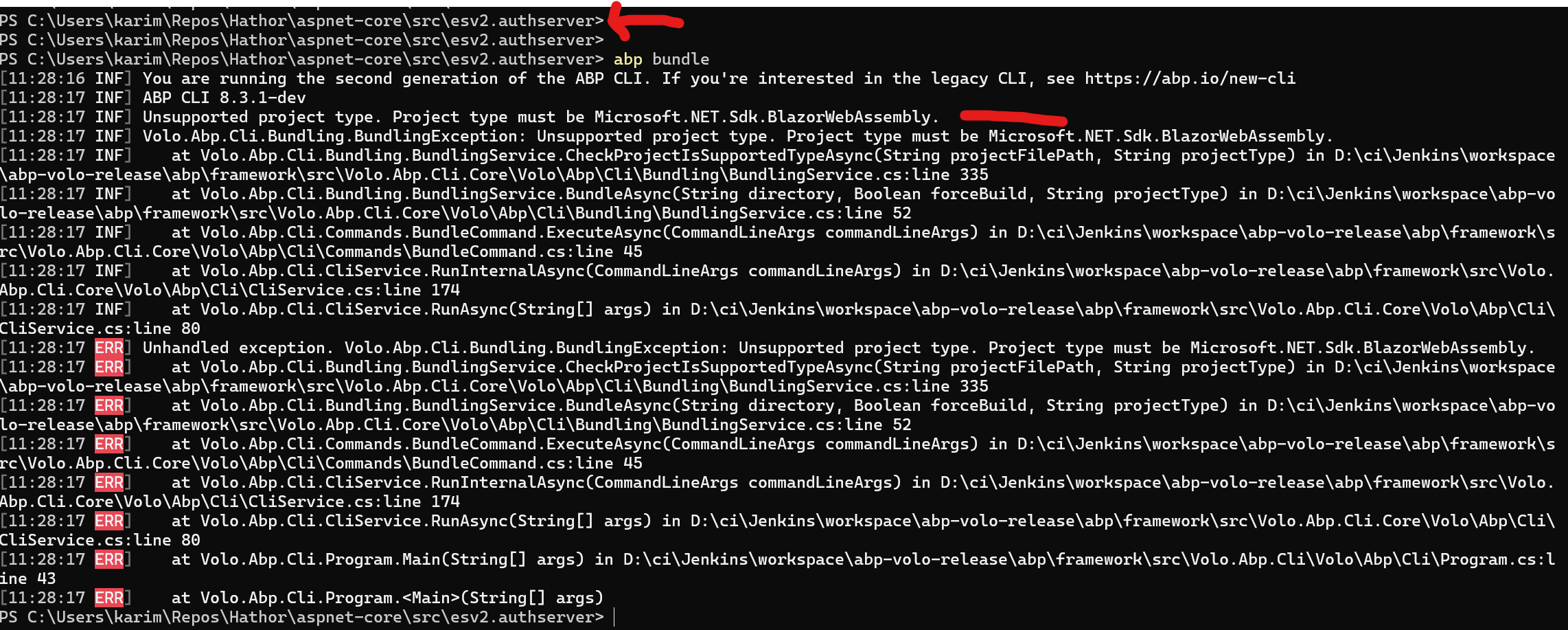
I can see there is a -t param, I tried a few options here, mvc / blazor / blazor-server but got the same exception.
Any ideas on how to get this to run?
Thanks,
Karim
I upgraded to 8.3.1 from v8.2.x using ABP Suite. Upon deploying this code I am getting the following exception thrown on the AuthServer, causing a 400 Error page to show to the user:
4-10-17 07:12:26.032 +00:00 [ERR] Connection ID "16429131441452883878", Request ID "40001fa7-0000-e400-b63f-84710c7967bb": An unhandled exception was thrown by the application. Volo.Abp.AbpException: Could not find file '/libs/datatables.net/js/jquery.dataTables.js' at Volo.Abp.AspNetCore.Mvc.UI.Bundling.BundlerBase.GetFileInfo(IBundlerContext context, String file)
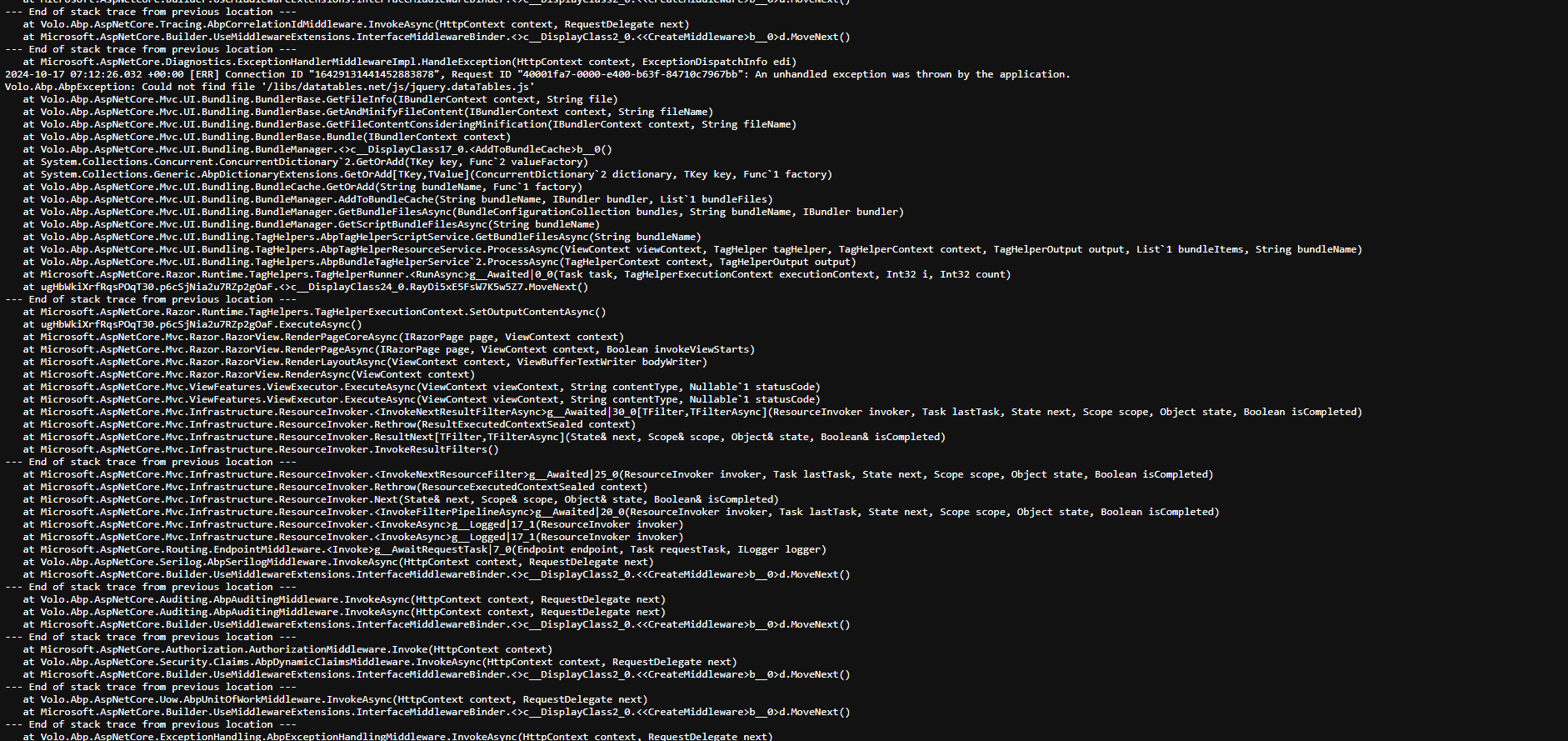
Not sure why it is looking for the jquery.dataTables.js file as that file no longer exists in v2.x of DataTables, it is just dataTables.js now. In any case, I created that file in my libs folder, just copying the dataTables.js file:
And this is deployed:
Yet still getting the exception. My version of DataTables is 2.1.7 :
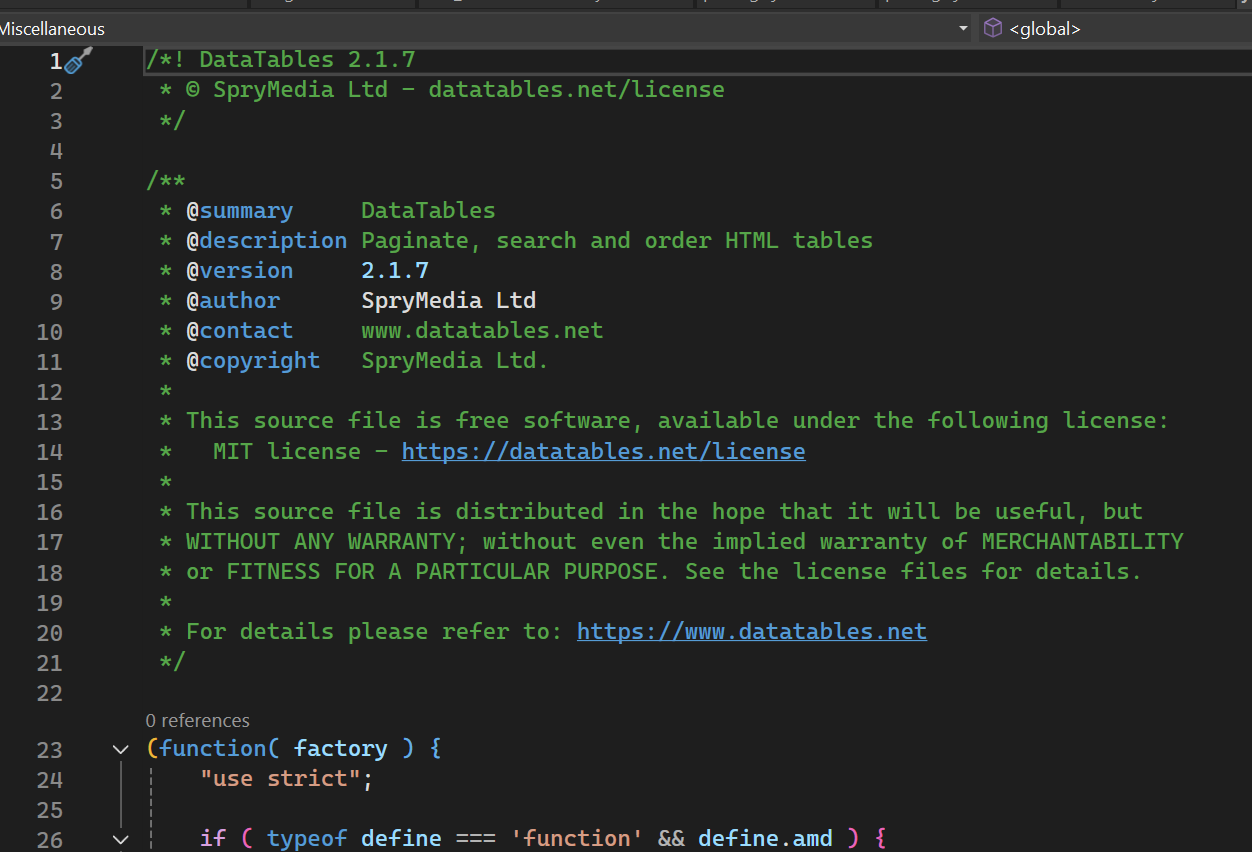
Not sure if that makes a difference here since this seems to be a bundling issue of some kind.
Any ideas on how to resolve this?
Thanks,
Karim
Hi,
This was a problem with my WebSockets config on Azure. I had set it correctly initially, so I didn't think to go back and check that setting. I spent some time over the weekend going over every single config setting and I found that it was not set correctly. Once I set it, then everything is working fine.
I really do appreciate your help and your patience with this one, I think some of the changes we made will make things more stable also so that is a good thing.
Will close this now. Thanks again for your support.
Karim
Hi,
This project was using InteractiveAuto initially, but I was having issues even in development with Authentication. I had created a support ticket for that 3 months ago that you and I went through, the solution was to change to InteractiveServer mode.
I just did try and go back to InteractiveAuto earlier today, but got some different auth related exceptions in development so I have moved it back.
Or create a new same name project with BlazorServer UI to replace your existing project and copy your code.
This could knock me back a month, we have been working through various issues and it feels like we are so close. Everything is working fine in development, there is just this Auth exception in the test environment.
Any other suggestions on how to focus and fix that particular issue would be great, really need to get past this so that I can continue working on this project.
Thanks,
Karim
Hi,
OK I have sent credentials to that email.
Hi,
Sure, what is your email address?
Hi,
Unfortunately, same AbpRemoteCallException. Ran everything locally, worked fine. I think probably removing the WebAssembly code is the right thing to do, it could cause other problems but unfortunately it didn't help with this one:
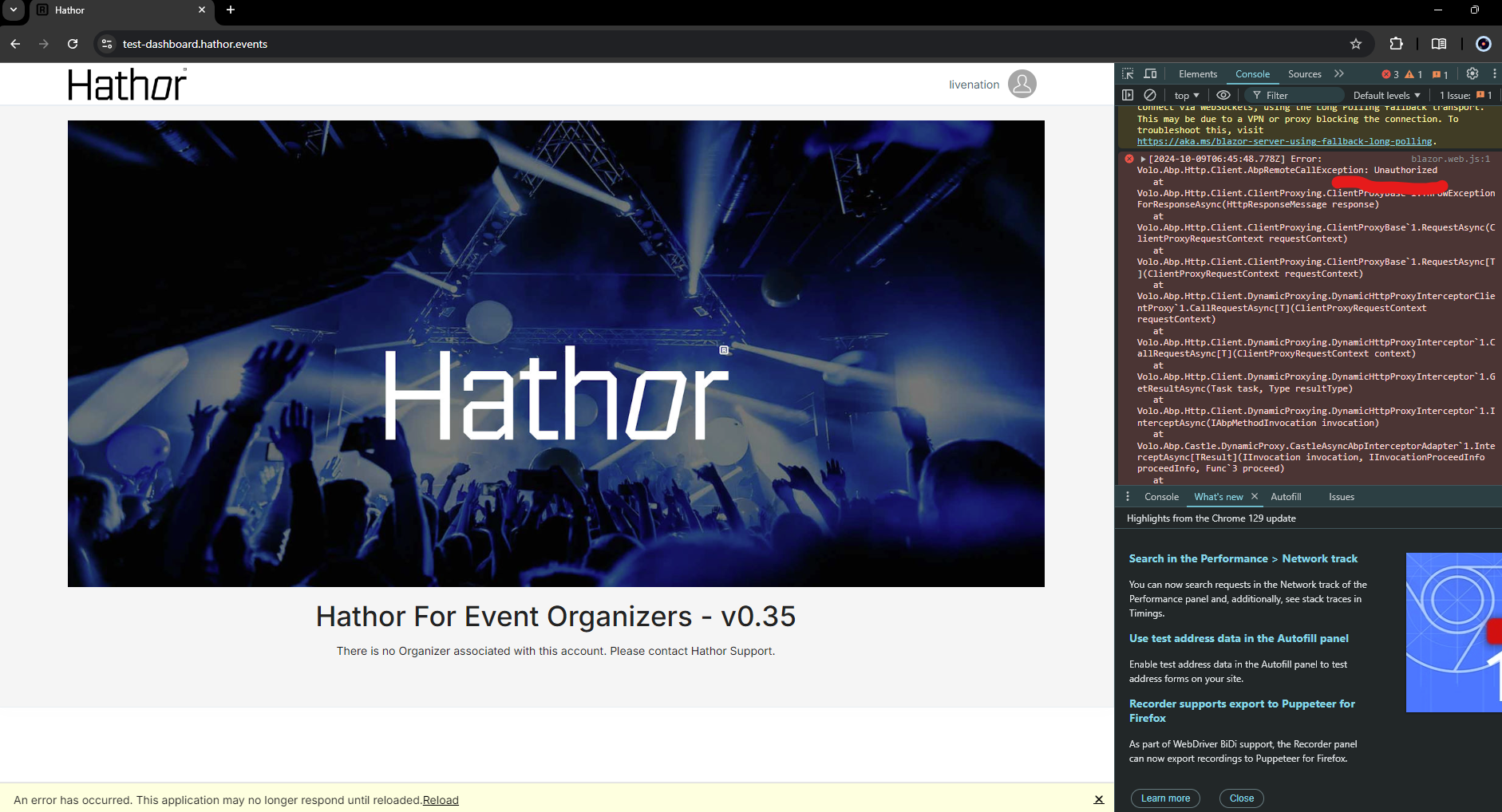
Volo.Abp.Http.Client.AbpRemoteCallException: Unauthorized , what is the root cause of this exception ( other than obviously not being properly logged in ) , is there any way to dig into this and determine what we need to look at a bit more closer?
Thanks,
Kariom









