Fyi: You can delete CreateMap<InscriptionTypeCreateDto, InscriptionType>()... and CreateMap<InscriptionTypeUpdateDto, InscriptionType>()... lines completely.
Hi @jhsanc,
Thanks for the report. I created an internal issue & refunded your question credit.
Hi,
I have created an internal issue for that and will try to fix it in next releases.
Thanks for your feedback. Your question credit is refunded.
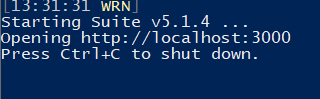
Is Suite v5.1.4 installed on your device?
Have you modified **DbContext.cs file in EntityFramework Core project? (in your module solution)
Can you share the content of that file if it doesn't contain any private info?
Can you share today's logs at %userprofile%\.abp\suite\logs folder? Only the last exception message is enough.
Yes, you have to create those configurations manually in your main project.
Hi,
Have you setup Email Settings for your application?
See https://docs.abp.io/en/abp/latest/Emailing#email-settings
Hi @developer_infoline,
You can add the new module to Suite, using add an existing solution button. Then create a CRUD page on the module solution.
Hi @Katherine,
This is resolved in latest versions. You can see the following page to fix it in v5.1.4:
https://select2.org/troubleshooting/common-problems
You need to add dropdownParent: $('#{{your-entity-name}}EditModal') line to select2 component.









