

Open Closed

Abp security log does not capture login with external authentication provider #1073


User avatar
0
nhontran created
  • ABP Framework version: v3.3.2
  • UI type: Angular
  • DB provider: EF Core
  • Tiered (MVC) or Identity Server Separated (Angular): yes
  • Exception message and stack trace:
  • Steps to reproduce the issue:

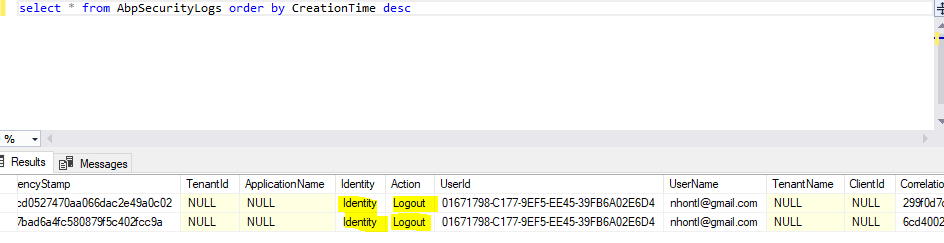
Hi, I have configured application to login with external authentication provider, the login is successful but security log does not capture the record, I also tried with Google authentication provider, has the same issue. Could you help us take a look. Thank you.

Markdown supported.
Copy, paste, or drag & drop images and files (max 100 MB per file, 100 MB total per post)

10 Answer(s)
  • User Avatar
    0
    maliming created
    Support Team Fullstack Developer

    hi Is your login page mvc or angular?

    Can you share some screenshots?

    Markdown supported.
    Copy, paste, or drag & drop images and files (max 100 MB per file, 100 MB total per post)
  • User Avatar
    0
    nhontran created

    Hi @maliming, my login page is using angular, anw, you can test with the steps below:

    Run the IdentityServer with Google authentication configured:
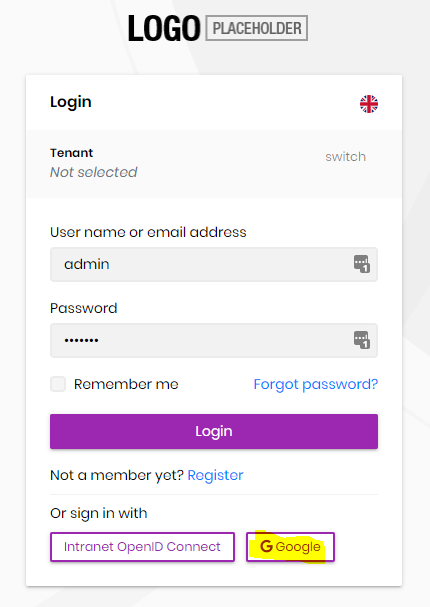
    Login successful:
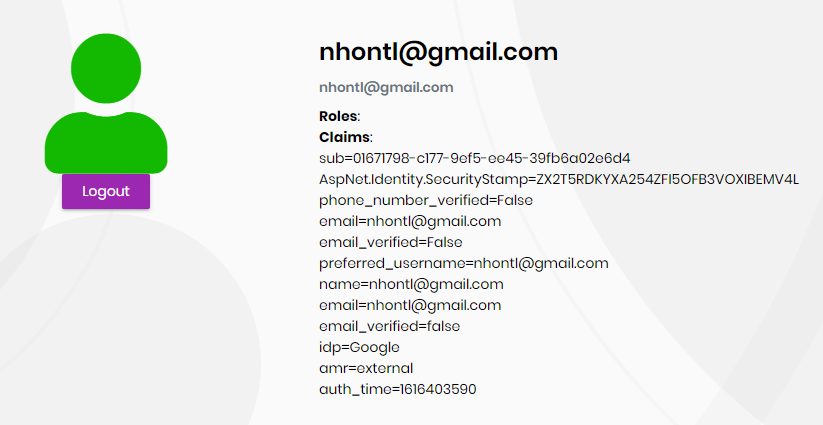
    then logout and check the AbpSecurityLogs table, it only captures the logout activity:
    Markdown supported.
    Copy, paste, or drag & drop images and files (max 100 MB per file, 100 MB total per post)
  • User Avatar
    0
    alper created
    Support Team Director

    I think it should capture that Google Authentication is used. and I guess it navigates to Google which we don't capture it.

    Markdown supported.
    Copy, paste, or drag & drop images and files (max 100 MB per file, 100 MB total per post)
  • User Avatar
    0
    nhontran created

    Hi @alper, will someone fix it? is there any work around for this issue?

    Markdown supported.
    Copy, paste, or drag & drop images and files (max 100 MB per file, 100 MB total per post)
  • User Avatar
    0
    maliming created
    Support Team Fullstack Developer

    hi nhontran

    I will check this.

    Markdown supported.
    Copy, paste, or drag & drop images and files (max 100 MB per file, 100 MB total per post)

  • User Avatar
    0
    maliming created
    Support Team Fullstack Developer

    This issue will be fixed in v4.3.

    Markdown supported.
    Copy, paste, or drag & drop images and files (max 100 MB per file, 100 MB total per post)

  • User Avatar
    0
    nhontran created

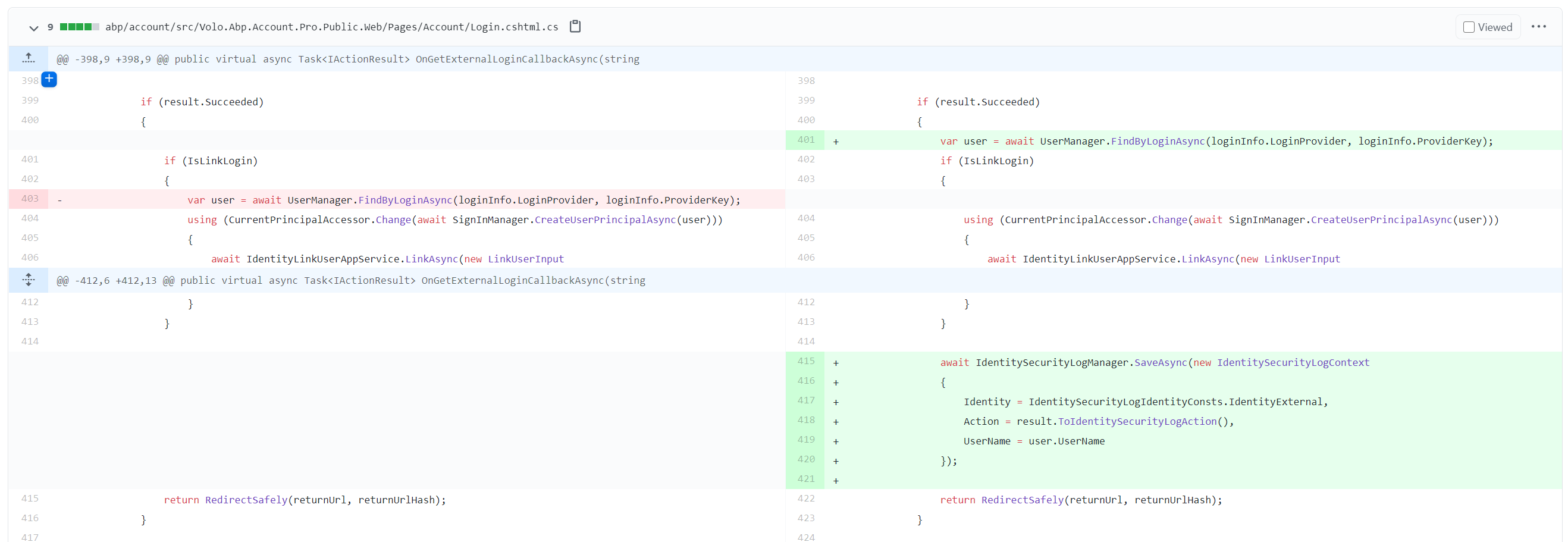
    Hi @maliming, is there any work around for this issue? we are using v.3.3.2 and dont want to upgrade to v.4.3 as it is a breaking change.

    Markdown supported.
    Copy, paste, or drag & drop images and files (max 100 MB per file, 100 MB total per post)
  • User Avatar
    0
    maliming created
    Support Team Fullstack Developer

    Markdown supported.
    Copy, paste, or drag & drop images and files (max 100 MB per file, 100 MB total per post)
  • User Avatar
    0
    nhontran created

    Hi @maliming, thanks for your prompt reply, I will override this method as per screenshot, thanks.

    Markdown supported.
    Copy, paste, or drag & drop images and files (max 100 MB per file, 100 MB total per post)
  • User Avatar
    0
    alper created
    Support Team Director

    closing the issue since it's fixed in the dev branch. you can always reopen if you reproduce it after v4.3

    Markdown supported.
    Copy, paste, or drag & drop images and files (max 100 MB per file, 100 MB total per post)
Boost Your Development
ABP Live Training
Packages
See Trainings
Mastering ABP Framework Book
The Official Guide
Mastering
ABP Framework
Learn More
Mastering ABP Framework Book
Made with ❤️ on ABP v10.8.0-preview. Updated on September 16, 2026, 14:50
1
ABP Assistant
🔐 You need to be logged in to use the chatbot. Please log in first.