






Hi After clicking on login the angular application it shows this below error and then redirects automatically to the Home Page of the application. This error gets displayed even during logout and then it shows up the login page.
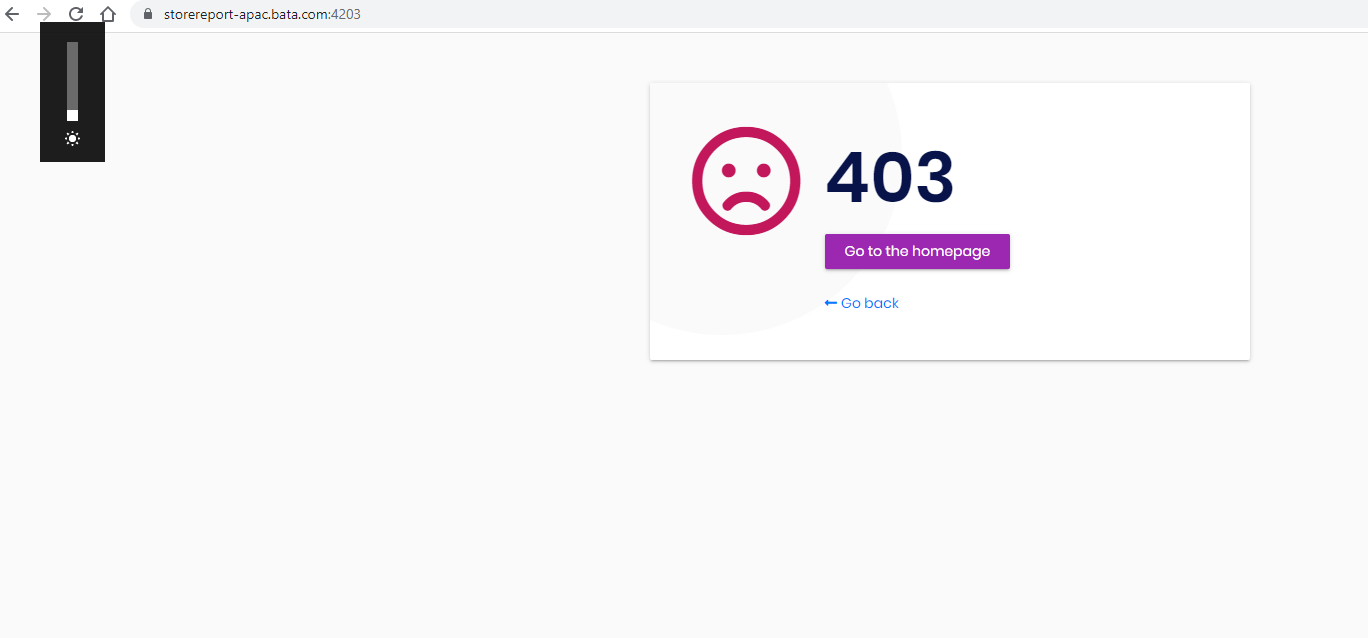
We are using Identity Separated structure which using common Identity Management for 3 angular applications.
18 Answer(s)
-
0
Can you share more information about error?
Please find & share your application logs. It default is placed under Logs folder under your application.
Markdown supported.Copy, paste, or drag & drop images and files (max 100 MB per file, 100 MB total per post) -
0
Hi
PFA the log (log.txt) in the below link
https://drive.google.com/drive/folders/1CGcsOu52KNV2bboAHg2EFNwlFziReB2u?usp=sharing
Markdown supported.Copy, paste, or drag & drop images and files (max 100 MB per file, 100 MB total per post) -
0
Hi
Identity Server is part of the Main Application ( which uses ApplicationTemplate) and other applicaitons are also Application template with uses the identity server of Main Application.
Please find the source link below, your team was already supporting for other earlier issues for which the sourcecode has been shared.
https://drive.google.com/file/d/1zRowEPwvBVfKLmpvZTbwSNoG7n2n73va/view?usp=sharing (08-11-2021.rar) file
Markdown supported.Copy, paste, or drag & drop images and files (max 100 MB per file, 100 MB total per post) -
0
Hello, The log file you have shared is 610 mb. If it is the application source code, please remove it's link since this is public platform. Can you paste the log changes of identityserver project after you logout-login when the error occurs?
Markdown supported.Copy, paste, or drag & drop images and files (max 100 MB per file, 100 MB total per post) -
0
Pls find the log details during login and logout where I am getting this error.
The log is shared in the google drive as not able to paste there.
https://drive.google.com/drive/folders/1CGcsOu52KNV2bboAHg2EFNwlFziReB2u?usp=sharing
Markdown supported.Copy, paste, or drag & drop images and files (max 100 MB per file, 100 MB total per post) -
0
2021-12-07 23:08:05.788 +05:30 [INF] Now listening on: https://localhost:44343
Logs you have shared is from development, not the production you are having problem with.
Markdown supported.Copy, paste, or drag & drop images and files (max 100 MB per file, 100 MB total per post) -
0
2021-12-07 23:08:05.788 +05:30 [INF] Now listening on: https://localhost:44343
Logs you have shared is from development, not the production you are having problem with.
Both have same issue.
Markdown supported.Copy, paste, or drag & drop images and files (max 100 MB per file, 100 MB total per post) -
0
2021-12-07 23:08:05.788 +05:30 [INF] Now listening on: https://localhost:44343
Logs you have shared is from development, not the production you are having problem with.
Both have same issue.
Can you please Update us on this issue? we need to resolve this soon
Markdown supported.Copy, paste, or drag & drop images and files (max 100 MB per file, 100 MB total per post) -
0
HI Team,
This Issue needs Urgent Attention. please help to Resolve ASAP
Markdown supported.Copy, paste, or drag & drop images and files (max 100 MB per file, 100 MB total per post) -
0
We would love to help if you can provide us the related application logs. The screenshot you have sent tells us that it is an HTTP 403 error but the logs you have shared doesn't involve anything about it.
Also if you are having problems in production, please paste related production logs.
Markdown supported.Copy, paste, or drag & drop images and files (max 100 MB per file, 100 MB total per post) -
0
Hi
PFA the server log details , if not able to solve with this log as well, I would recommend a screen sharing session to address this issue.
https://drive.google.com/drive/folders/1CGcsOu52KNV2bboAHg2EFNwlFziReB2u?usp=sharing
Markdown supported.Copy, paste, or drag & drop images and files (max 100 MB per file, 100 MB total per post) -
0
[ERR] GetHealthReport threw an exception when trying to get report from /health-status configured with name BIMS Health Status.
System.InvalidOperationException: An invalid request URI was provided. The request URI must either be an absolute URI or BaseAddress must be set.
You are getting errors from
/health-statusendpoint because of invalid uri.[ERR] Unknown client or not enabled: BIMS_Reports_Swagger {"ClientId":null,"ClientName":null,"RedirectUri":null,"AllowedRedirectUris":null,"SubjectId":"anonymous","ResponseType":null,"ResponseMode":null,"GrantType":null,"RequestedScopes":"","State":null,"UiLocales":null,"Nonce":null,"AuthenticationContextReferenceClasses":null,"DisplayMode":null,"PromptMode":"","MaxAge":null,"LoginHint":null,"SessionId":null,"Raw":{"response_type":"code","client_id":"BIMS_Reports_Swagger","redirect_uri":"https://storereport-apac.bata.com:44395/swagger/oauth2-redirect.html","scope":"BIMS_Reports","state":"V2VkIERlYyAxNSAyMDIxIDA5OjAxOjIxIEdNVCswODAwIChTaW5nYXBvcmUgU3RhbmRhcmQgVGltZSk="},"$type":"AuthorizeRequestValidationLog"}You need to create a client in identityserver with the name
BIMS_Reports_Swagger. Your BIMS_Swagger has no problem with authentication, you should create BIMS_Reports_Swagger client with similar information with related scopes.Markdown supported.Copy, paste, or drag & drop images and files (max 100 MB per file, 100 MB total per post) -
0
Hi
We are getting this 403 error even without this BIMS Report project.
Markdown supported.Copy, paste, or drag & drop images and files (max 100 MB per file, 100 MB total per post) -
0
Any update, this is still open and its a production issue
Markdown supported.Copy, paste, or drag & drop images and files (max 100 MB per file, 100 MB total per post) -
0
Hi
Any update this is still open.
Markdown supported.Copy, paste, or drag & drop images and files (max 100 MB per file, 100 MB total per post) -
0
[ERR] GetHealthReport threw an exception when trying to get report from /health-status configured with name BIMS Health Status.
System.InvalidOperationException: An invalid request URI was provided. The request URI must either be an absolute URI or BaseAddress must be set.
You are getting errors from
/health-statusendpoint because of invalid uri.[ERR] Unknown client or not enabled: BIMS_Reports_Swagger {"ClientId":null,"ClientName":null,"RedirectUri":null,"AllowedRedirectUris":null,"SubjectId":"anonymous","ResponseType":null,"ResponseMode":null,"GrantType":null,"RequestedScopes":"","State":null,"UiLocales":null,"Nonce":null,"AuthenticationContextReferenceClasses":null,"DisplayMode":null,"PromptMode":"","MaxAge":null,"LoginHint":null,"SessionId":null,"Raw":{"response_type":"code","client_id":"BIMS_Reports_Swagger","redirect_uri":"https://storereport-apac.bata.com:44395/swagger/oauth2-redirect.html","scope":"BIMS_Reports","state":"V2VkIERlYyAxNSAyMDIxIDA5OjAxOjIxIEdNVCswODAwIChTaW5nYXBvcmUgU3RhbmRhcmQgVGltZSk="},"$type":"AuthorizeRequestValidationLog"}You need to create a client in identityserver with the name
BIMS_Reports_Swagger. Your BIMS_Swagger has no problem with authentication, you should create BIMS_Reports_Swagger client with similar information with related scopes.Hi Team,
This issue is open for so long and we need to close it ASAP.
Help to address this issue with priority.
Markdown supported.Copy, paste, or drag & drop images and files (max 100 MB per file, 100 MB total per post) -
0
this is most probably an Identity Server misconfiguration problem. pls check out this document and revise all your Identity Server configuration https://docs.abp.io/en/commercial/latest/guides/identityserver-deployment
Markdown supported.Copy, paste, or drag & drop images and files (max 100 MB per file, 100 MB total per post)



