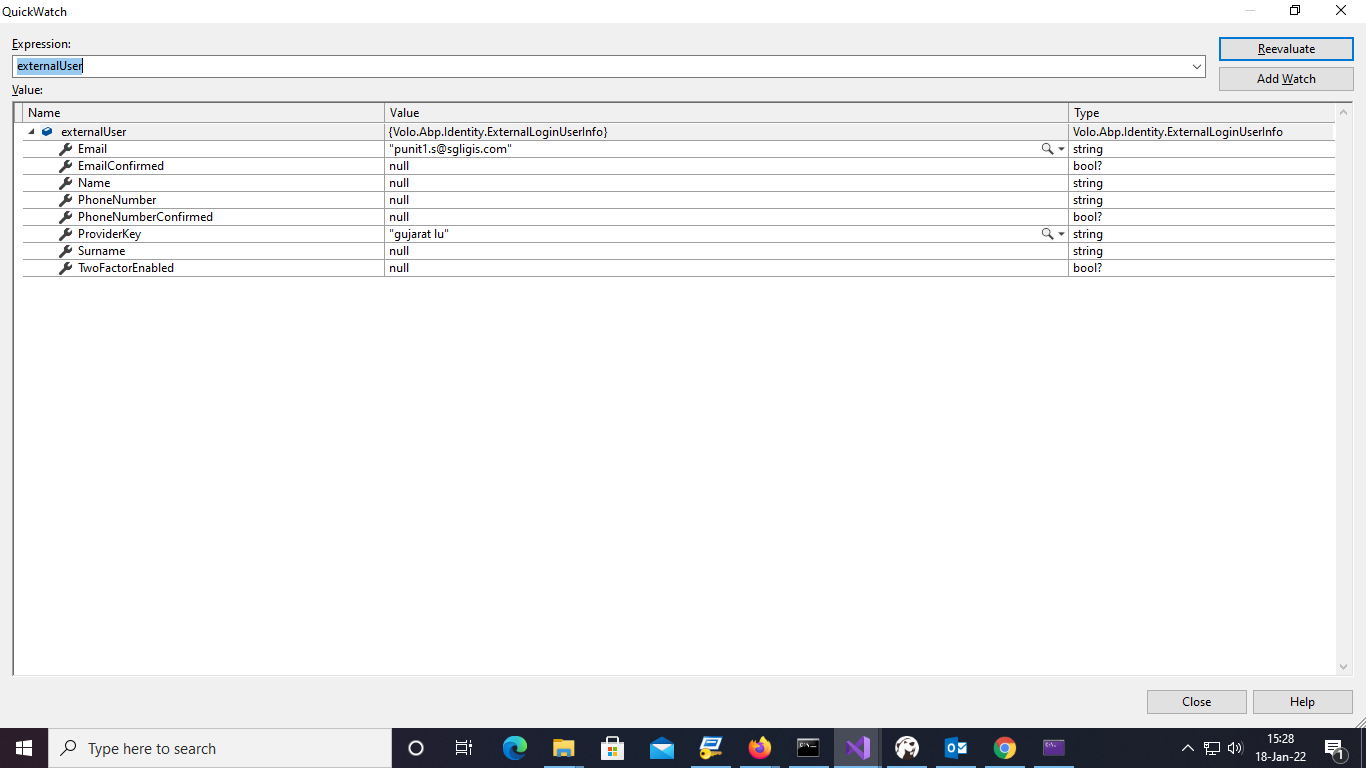
- ABP Framework version: v4.4.4
- UI type: MVC
- DB provider: EF Core
- Tiered (MVC) or Identity Server Separated (Angular): no
- Exception message and stack trace: Ldap Login
- Steps to reproduce the issue:"login with ldap
I am using ExternalLdapLogin and used "cn" attribute instead of "uid" when i am trying to login with ldap through following error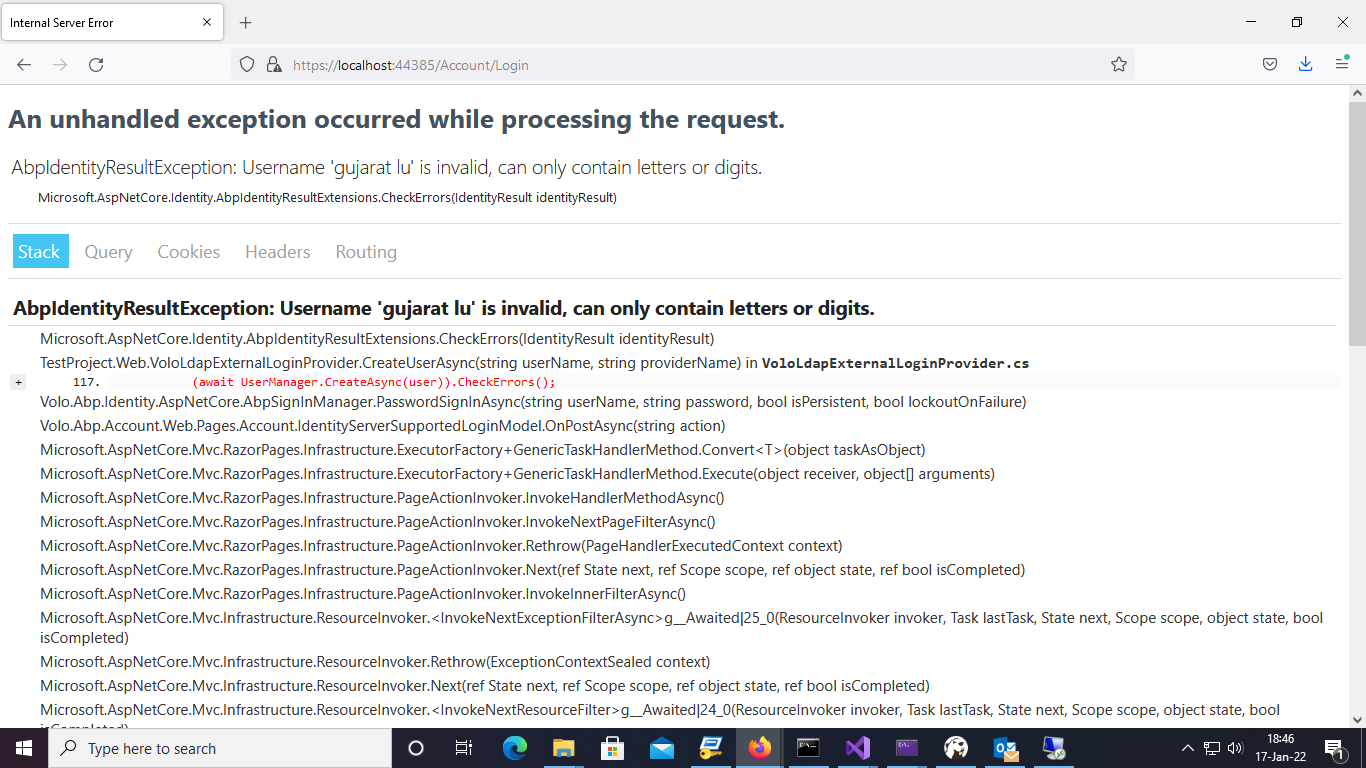
13 Answer(s)
-
0
hi
See https://docs.abp.io/en/commercial/latest/modules/account/ldap#customize-built-in-services
yes, i do same but this error is thrown.
i dont have "uid" attribute becaue is null i am using "cn" attribue which give this error.
Markdown supported.Copy, paste, or drag & drop images and files (max 100 MB per file, 100 MB total per post) -
0
hi
Can you remove the space from the username?
https://docs.microsoft.com/en-us/dotnet/api/microsoft.aspnetcore.identity.useroptions.allowedusernamecharacters?view=aspnetcore-6.0
 Markdown supported.Copy, paste, or drag & drop images and files (max 100 MB per file, 100 MB total per post)
 -
0
hi
Can you remove the space from the username?
https://docs.microsoft.com/en-us/dotnet/api/microsoft.aspnetcore.identity.useroptions.allowedusernamecharacters?view=aspnetcore-6.0
but in "cn" attribue have space how i can remove.
Markdown supported.Copy, paste, or drag & drop images and files (max 100 MB per file, 100 MB total per post) -
0
but in "cn" attribue have space how i can remove.
Can you share more details?
If your system username must contain spaces, you can override
IUserValidator<TUser>or add space toAllowedUserNameCharactersMarkdown supported.Copy, paste, or drag & drop images and files (max 100 MB per file, 100 MB total per post) -
0
but in "cn" attribue have space how i can remove.
Can you share more details?
If your system username must contain spaces, you can override
IUserValidator<TUser>or add space toAllowedUserNameCharacters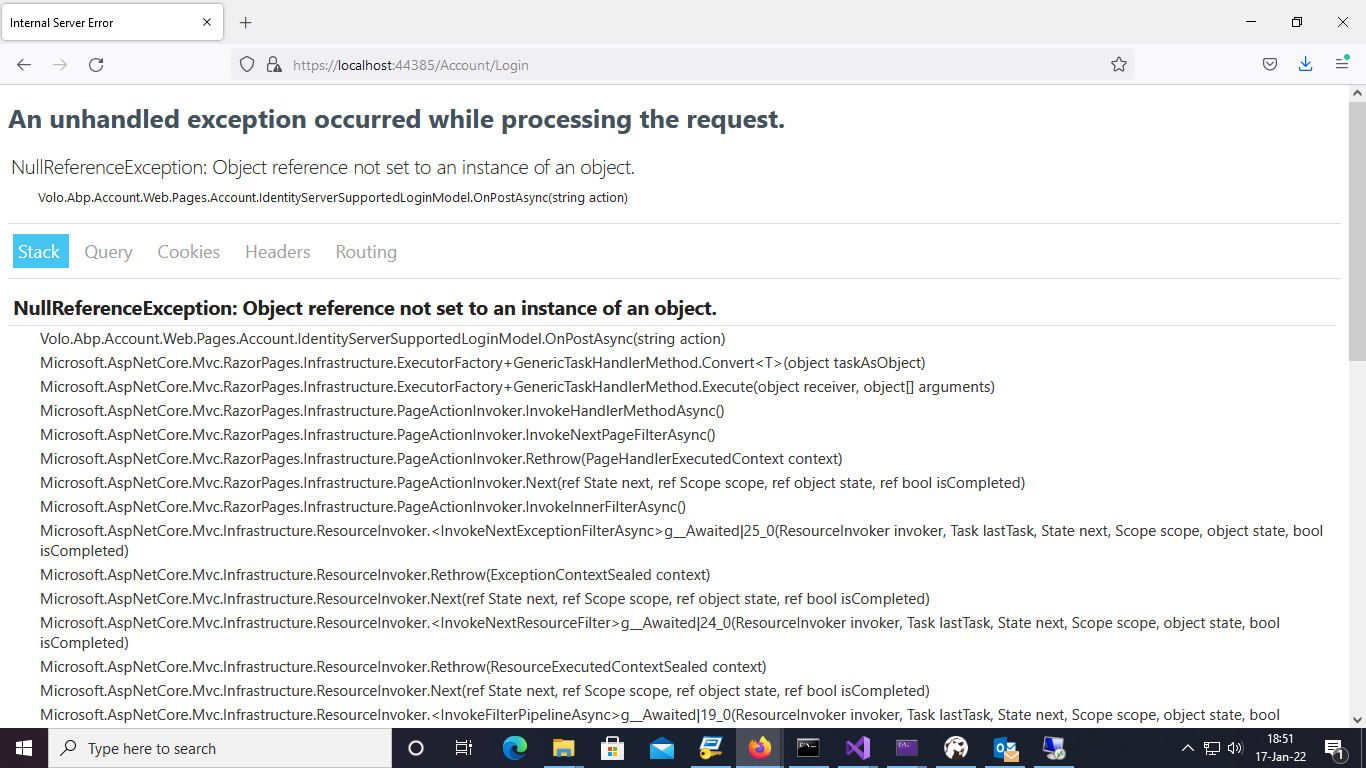 if i removed space from username then following error occuredMarkdown supported.Copy, paste, or drag & drop images and files (max 100 MB per file, 100 MB total per post)
 -
0
but in "cn" attribue have space how i can remove.
Can you share more details?
if i removed space from username then following error occured
Did you add any custom code?
Markdown supported.Copy, paste, or drag & drop images and files (max 100 MB per file, 100 MB total per post) -
0
but in "cn" attribue have space how i can remove.
Can you share more details?
if i removed space from username then following error occured
Did you add any custom code?
which type of details you need?
Yes,i added the code for CreateUserAsync.
Markdown supported.Copy, paste, or drag & drop images and files (max 100 MB per file, 100 MB total per post) -
0
public override async Task<Volo.Abp.Identity.IdentityUser> CreateUserAsync(string userName, string providerName)
{
    await IdentityOptions.SetAsync();

    var externalUser = await GetUserInfoAsync(userName);
    NormalizeExternalLoginUserInfo(externalUser, userName);

    var user = new Volo.Abp.Identity.IdentityUser(
        GuidGenerator.Create(),
        userName,
        externalUser.Email,
        tenantId: CurrentTenant.Id
    );

    user.Name = externalUser.Name;
    user.Surname = externalUser.Surname;

    user.IsExternal = true;

    user.SetEmailConfirmed(externalUser.EmailConfirmed ?? false);
    user.SetPhoneNumber(externalUser.PhoneNumber, externalUser.PhoneNumberConfirmed ?? false);

    (await UserManager.CreateAsync(user)).CheckErrors();

    if (externalUser.TwoFactorEnabled != null)
    {
        (await UserManager.SetTwoFactorEnabledAsync(user, externalUser.TwoFactorEnabled.Value)).CheckErrors();
    }

    (await UserManager.AddDefaultRolesAsync(user)).CheckErrors();
    (await UserManager.AddLoginAsync(
                user,
                new UserLoginInfo(
                    providerName,
                    externalUser.ProviderKey,
                    providerName
                )
            )
        ).CheckErrors();

    return user;
}
Markdown supported.Copy, paste, or drag & drop images and files (max 100 MB per file, 100 MB total per post) -
0
Is the
externalUsernull?If your system username must contain spaces, you can override IUserValidator<TUser> or add space to AllowedUserNameCharacters
Markdown supported.Copy, paste, or drag & drop images and files (max 100 MB per file, 100 MB total per post)