






- ABP Framework version: v5.1.4
- UI type: Angular 13
- DB provider: EF Core
- Tiered (MVC) or Identity Server Separated (Angular): yes
- Exception message and stack trace:
- Steps to reproduce the issue:"
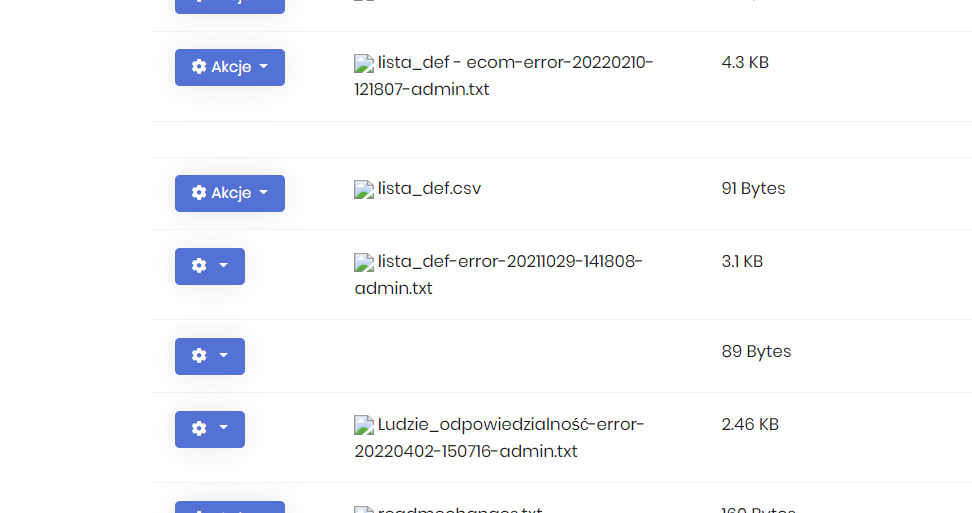
File icons are missing
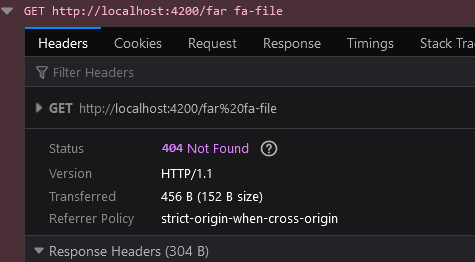
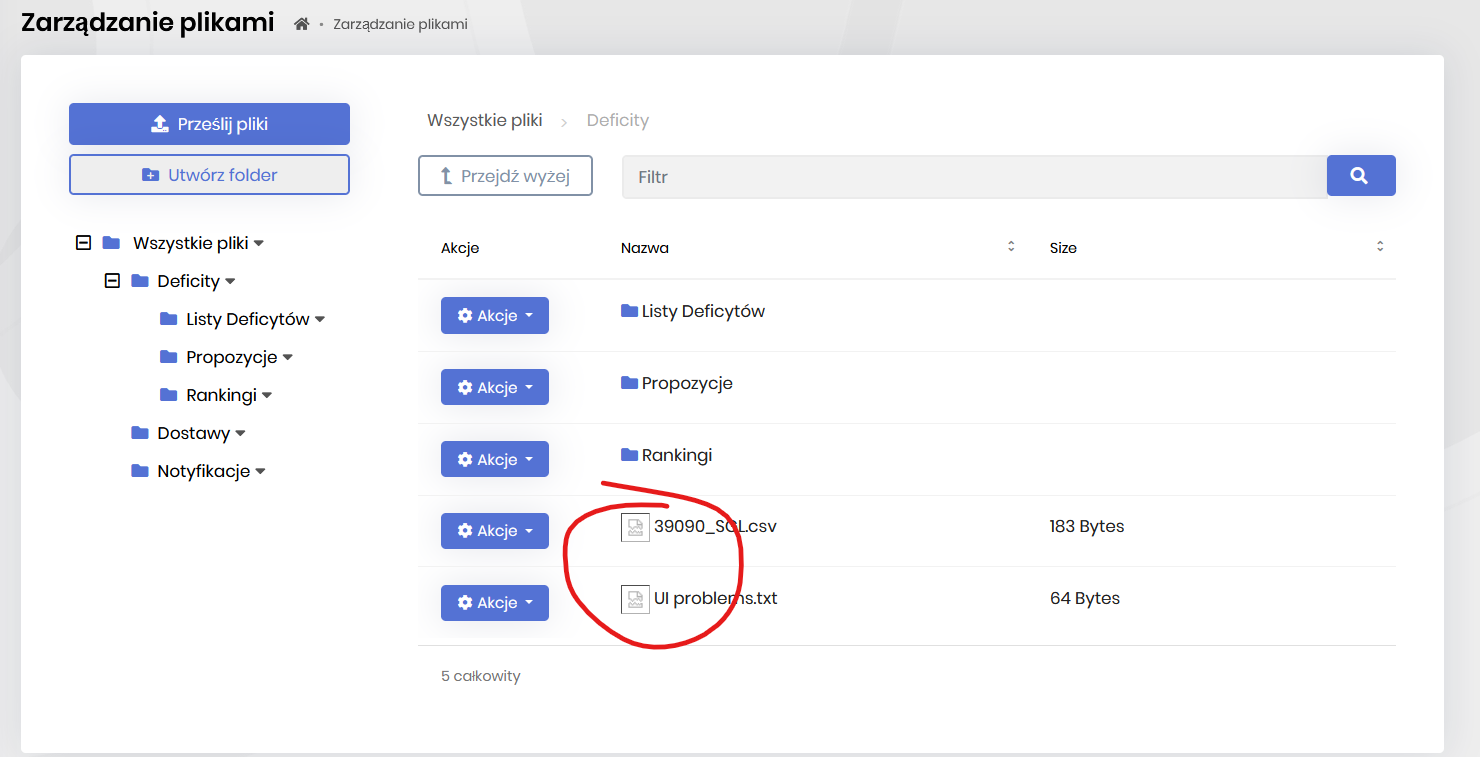 Why are they loaded as 'src' attribute and not a fontawesome class?
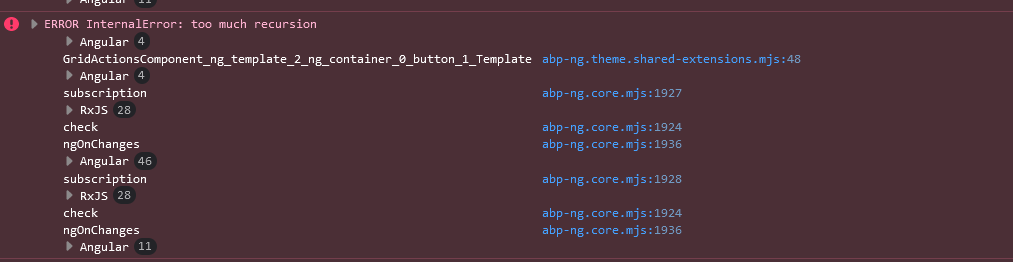
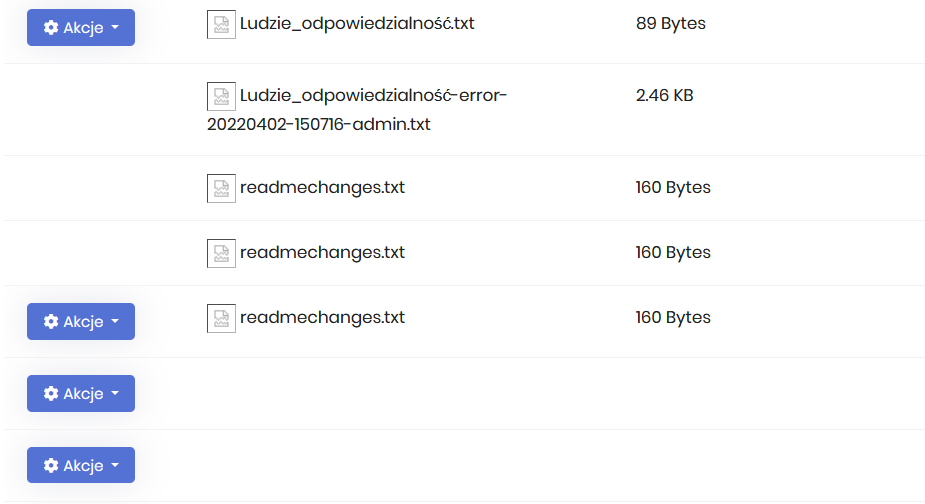
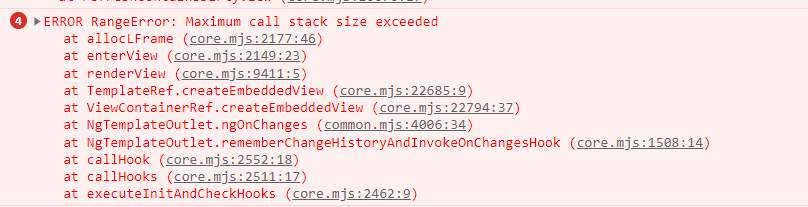
When there are more files (ex. 130), then random errors occures and layout is destroyed
my package.json dependencies "dependencies": { "@abp/ng.components": "~5.1.4", "@abp/ng.core": "~5.1.4", "@abp/ng.setting-management": "~5.1.4", "@abp/ng.theme.shared": "~5.1.4", "@angular/animations": "~13.3.0", "@angular/common": "~13.3.0", "@angular/compiler": "~13.3.0", "@angular/core": "~13.3.0", "@angular/forms": "~13.3.0", "@angular/localize": "~13.3.0", "@angular/platform-browser": "~13.3.0", "@angular/platform-browser-dynamic": "~13.3.0", "@angular/router": "~13.3.0", "@microsoft/signalr": "^6.0.3", "@ngneat/until-destroy": "^9.x", "@volo/abp.commercial.ng.ui": "~5.1.4", "@volo/abp.ng.account": "~5.1.4", "@volo/abp.ng.audit-logging": "~5.1.4", "@volo/abp.ng.file-management": "~5.1.4", "@volo/abp.ng.identity": "~5.1.4", "@volo/abp.ng.identity-server": "~5.1.4", "@volo/abp.ng.language-management": "~5.1.4", "@volo/abp.ng.saas": "~5.1.4", "@volo/abp.ng.text-template-management": "~5.1.4", "@volo/abp.ng.theme.lepton": "~5.1.4", "date-fns": "^2.23.0", "file-saver-es": "^2.0.5", "lodash-es": "^4.17.21", "moment": "^2.29.1", "ngx-logger": "^4.3.3", "rxjs": "^6.x", "thenby": "^1.3.4", "tslib": "^2.3.1", "zone.js": "~0.11.5" },
10 Answer(s)
-
0
Hi @cezary.bojko
Most of the file extensions have predefined font awesome icons. Icon definitions are separated with
FileIconTypeenum that has 2 members such asFontAwesomeandUrl. All the predefined icons are defined asFontawesome. So, font awesome classes shouldn't be placed as image by default if you don't override or configure icons for file management module.Do you have any custom configuration in your application for File Management module? (at the backend, in C# side)
Markdown supported.Copy, paste, or drag & drop images and files (max 100 MB per file, 100 MB total per post) -
0
Hello @enisn
I don't use much configuration. Only:
public static void ConfigureFileManagement(this ServiceConfigurationContext context)
{
    var configuration = context.Services.GetConfiguration();

    context.Services.Configure<AbpBlobStoringOptions>(options =>
    {
        options.Containers.Configure<FileManagementContainer>(c =>
        {
            var isAzure = bool.Parse(configuration["Azure:IsEnabled"]);
            if (isAzure)
            {
                c.UseAzure(azure =>
                {
                    azure.ConnectionString = configuration["Azure:BlobStorage:ConnectionString"];
                    azure.ContainerName = configuration["Azure:BlobStorage:ContainerName"];
                    azure.CreateContainerIfNotExists = true;
                });
            }
            else
            {
                c.UseDatabase();
            }
        });
    });
}
And
        FileManagementDbProperties.DbSchema = "Abp";
        FileManagementDbProperties.DbTablePrefix = "";
I didn't change anything regarding icons.
Markdown supported.Copy, paste, or drag & drop images and files (max 100 MB per file, 100 MB total per post) -
0
Hello,
Can you share
/api/file-management/directory-descriptorendpoint response ? Ifitem.iconInfo.typeequals to 0 i element will be rendered. Otherwise, img element will be rendered.When I searched for
Maximum call stack size exceedederror I found an issue in ngx-datatable repository. It seems related to angular. I created an issue for this error. I will notify you when we found a solution to this error.Markdown supported.Copy, paste, or drag & drop images and files (max 100 MB per file, 100 MB total per post) -
0
Hi, { "totalCount":3, "items":[ { "name":"test1-20220125-103228-admin.txt", "isDirectory":false, "id":"ea2b322b-867f-a59f-861b-3a01a2c0ced4", "size":59, "iconInfo":{ "icon":"far fa-file", "type":"FontAwesome" } }, { "name":"test1-20220125-103418-admin.txt", "isDirectory":false, "id":"9e69689b-cf57-e441-e39a-3a01a2c1bac7", "size":59, "iconInfo":{ "icon":"far fa-file", "type":"FontAwesome" } }, { "name":"test1-20220125-103440-admin.txt", "isDirectory":false, "id":"8bfb42e6-8016-5eff-c010-3a01a2c33033", "size":59, "iconInfo":{ "icon":"far fa-file", "type":"FontAwesome" } } ] }
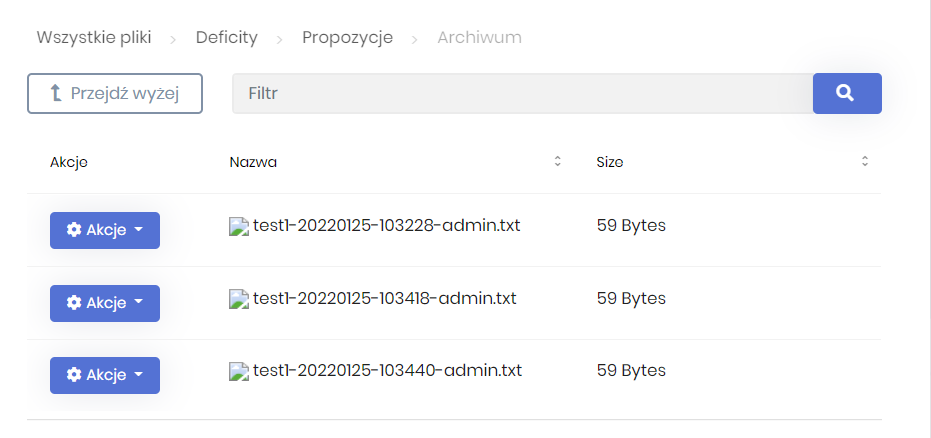

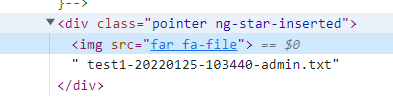
How to change type to 0?
Markdown supported.Copy, paste, or drag & drop images and files (max 100 MB per file, 100 MB total per post) -
0
So where can I configure icon info type?
Markdown supported.Copy, paste, or drag & drop images and files (max 100 MB per file, 100 MB total per post) -
0
In your json, type seems as string and value is "FontAwesome but it should int and values should be 0 and 1.
Most probably you've made a customization for json serializer such as serializing all enums as string in your project that affect the entire project.
Make sure ABP endpoints aren't affected that configuration if you have.
Markdown supported.Copy, paste, or drag & drop images and files (max 100 MB per file, 100 MB total per post) -
0
Thanks for the tip. JsonStringEnumConverter was responsible for missing icons.
Markdown supported.Copy, paste, or drag & drop images and files (max 100 MB per file, 100 MB total per post) -
0
Hi,
My api use a 'serializing all enums as string' global settings, and I can't change this, but this breaks ABP File Management module. Shouldn't this module have it's own internal JSON serialization settings? Now it uses global settings and it has impact on the whole application. Or maybe this module should support serializing enums as string?
The second error isn't solved (Maximum call stack size exceeded), but I understand that this is related to ngx-datatable.
Markdown supported.Copy, paste, or drag & drop images and files (max 100 MB per file, 100 MB total per post) -
0
It's a plain AspNetCore issue. We don't implement any custom JSON serialization abstraction that is configurable for each module as ABP Framework.
So, following topic might help to you: https://stackoverflow.com/a/44860210/7200126
Markdown supported.Copy, paste, or drag & drop images and files (max 100 MB per file, 100 MB total per post)



