






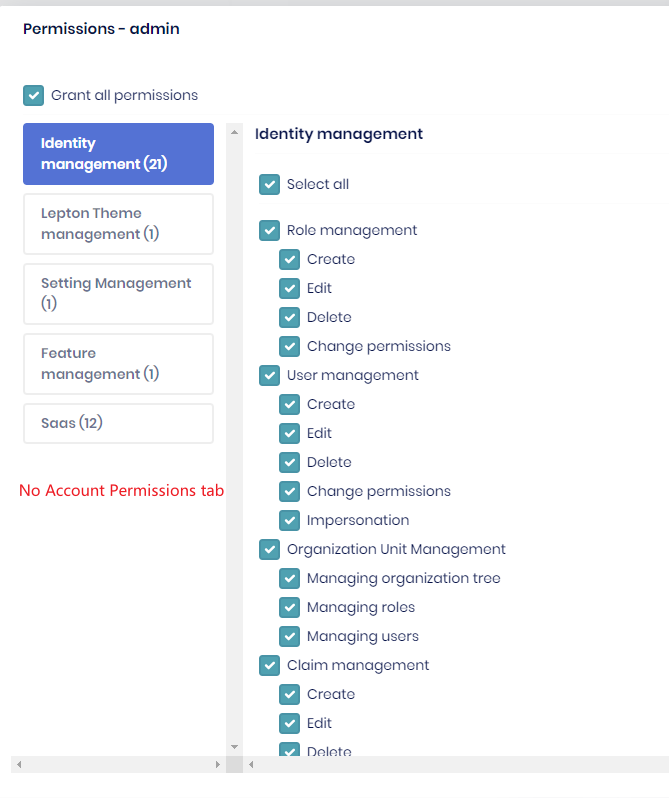
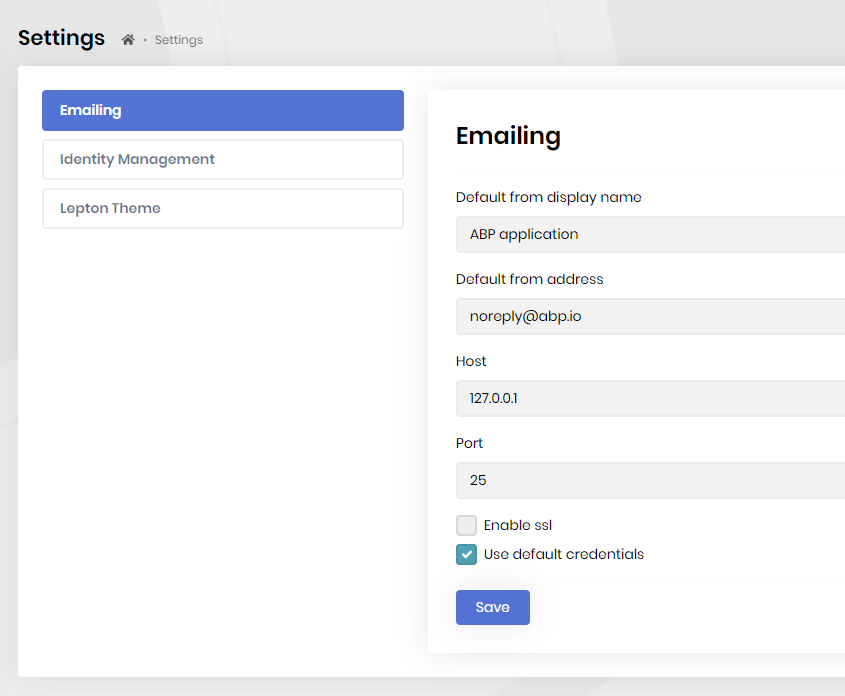
I use abp suite 5.2.0 to create a new module template, the angular project has import AccountAdminConfigModule.forRoot() by default, but I cannot find any related tabs for account pro:
- no account permission tab
- no account setting tab
I create a new project template by abp suite 5.2.0, the account related tabs is exist, this problem seems only exist in module template.
- ABP Framework version: v5.2.0
- UI type: Angular
- DB provider: EF Core
- Tiered (MVC) or Identity Server Separated (Angular): /
11 Answer(s)
-
0
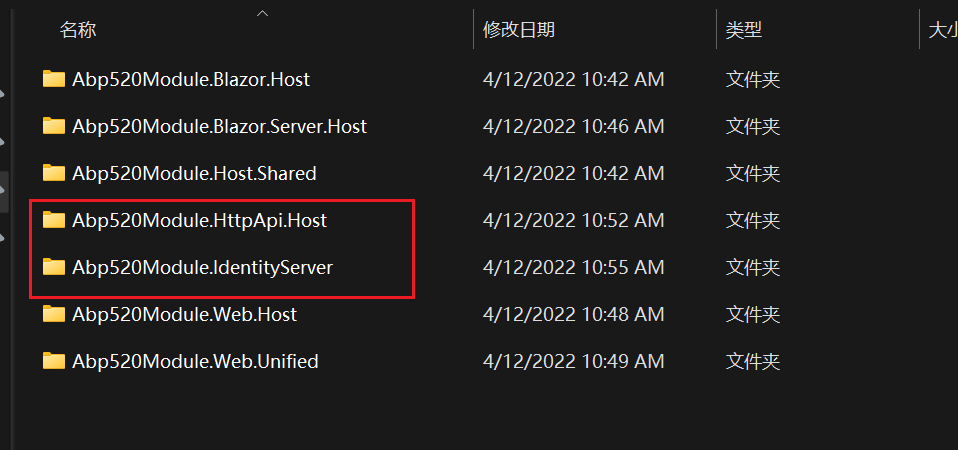
Is it separate identity server or not?
The module template is seperate identity server
 Markdown supported.Copy, paste, or drag & drop images and files (max 100 MB per file, 100 MB total per post)
 -
0
This is not just happen in new module template of 5.2.0, when I upgrade my module from 5.1.3 to 5.2.0, the account tabs is also disappear.
Markdown supported.Copy, paste, or drag & drop images and files (max 100 MB per file, 100 MB total per post) -
0
In separate IdentityServer solutions, the Account module is served under IdentityServer. Nevertheless, the permissions should be available in the angular application.
I will create an internal issue about this problem.
Thank you, I have refunded your credit.
Markdown supported.Copy, paste, or drag & drop images and files (max 100 MB per file, 100 MB total per post) -
0
In separate IdentityServer solutions, the Account module is served under IdentityServer. Nevertheless, the permissions should be available in the angular application.
I will create an internal issue about this problem.
Thank you, I have refunded your credit.
Thank you.
Markdown supported.Copy, paste, or drag & drop images and files (max 100 MB per file, 100 MB total per post) -
0
-
0
We have tried this issue with Angular like following step and no problem was found.
For Angular Version 5.1.3 and Angular Version 5.2.0;
- Create your project by choosing which version to use with the command below.
For v5.1.3 :
- abp new ProjectName -u angular --separate-identity-server -t app-pro --version 5.1.3
For v5.2.0 :
- abp new ProjectName -u angular --separate-identity-server -t app-pro --version 5.2.0
- Run following command on ProjectName.DbMigrator folder at Terminal.
- dotnet run
- Run following commads on ProjectName.IdentityServer folder at Terminal.
- abp install-libs
- dotnet run
- Run following commads on ProjectName.HttpApi.Host folder at Terminal.
- dotnet run
- Run following commad on angular folder at Terminal.
- yarn start
When we check Account module is served under IdentityServer in Angular Version 5.1.3 and Angular Version 5.2.0.
Angular Version 5.1.3 Settings :
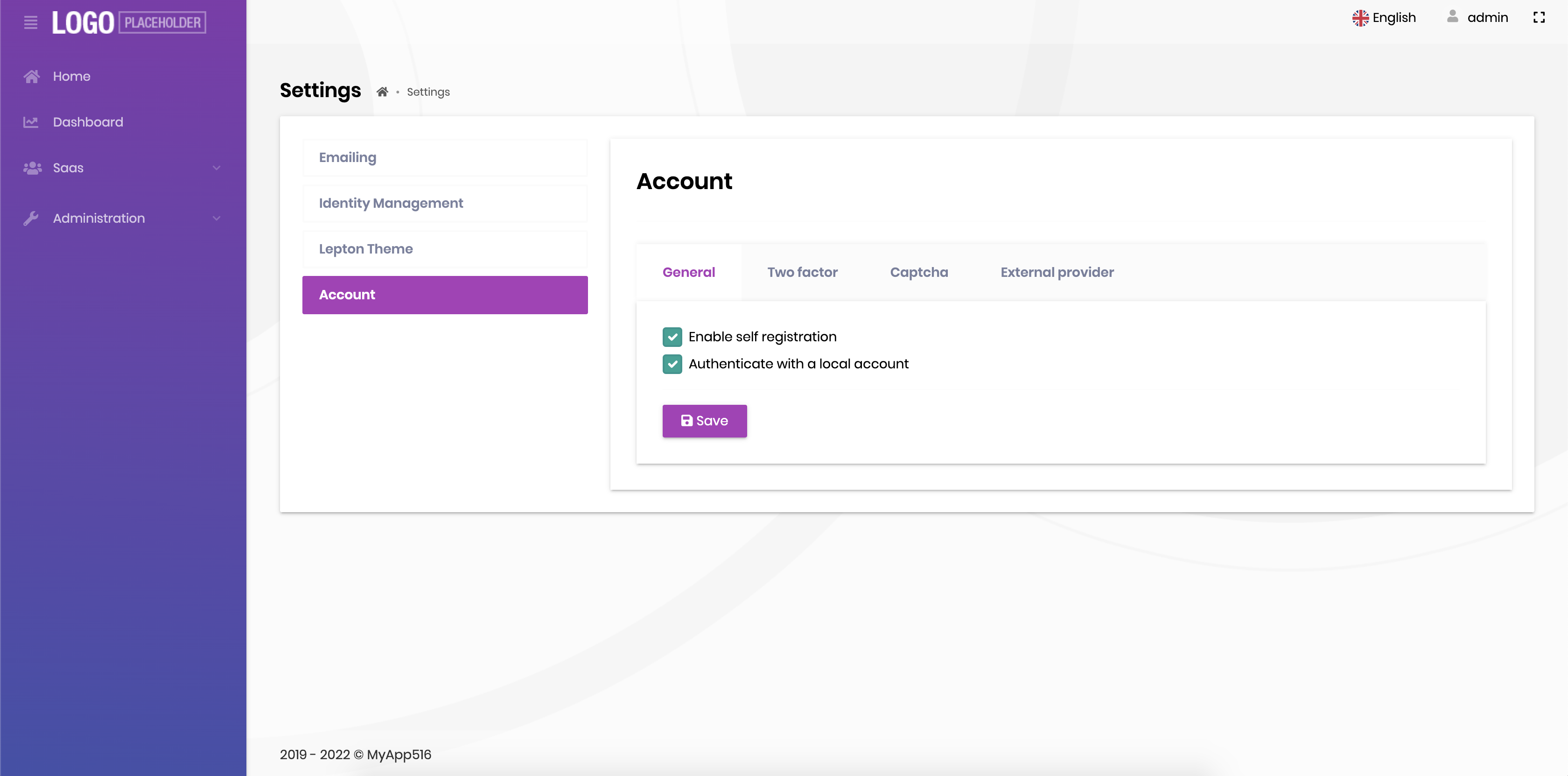 Permission :
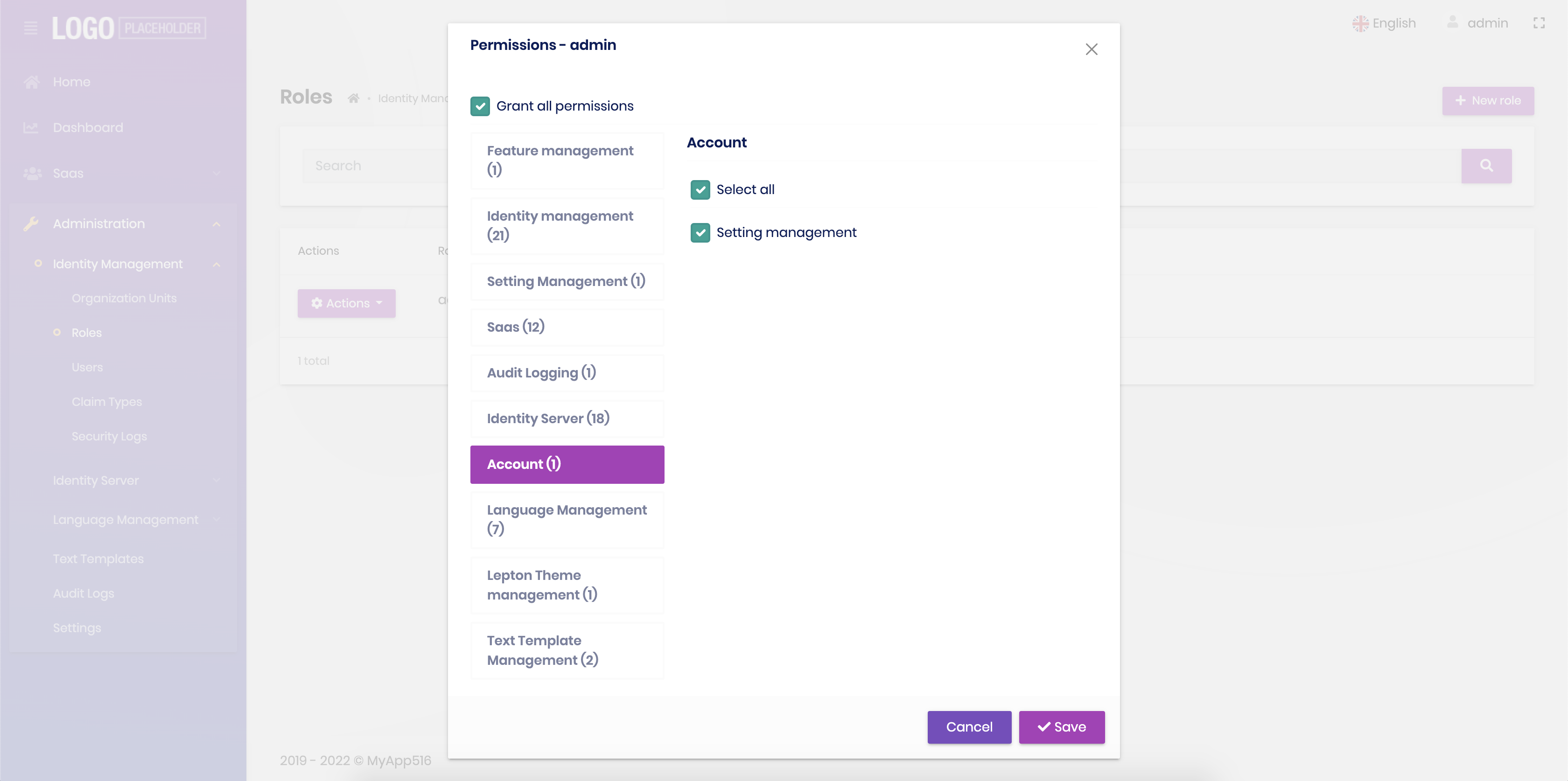 Angular Version 5.2.0
Settings :
Angular Version 5.2.0
Settings :
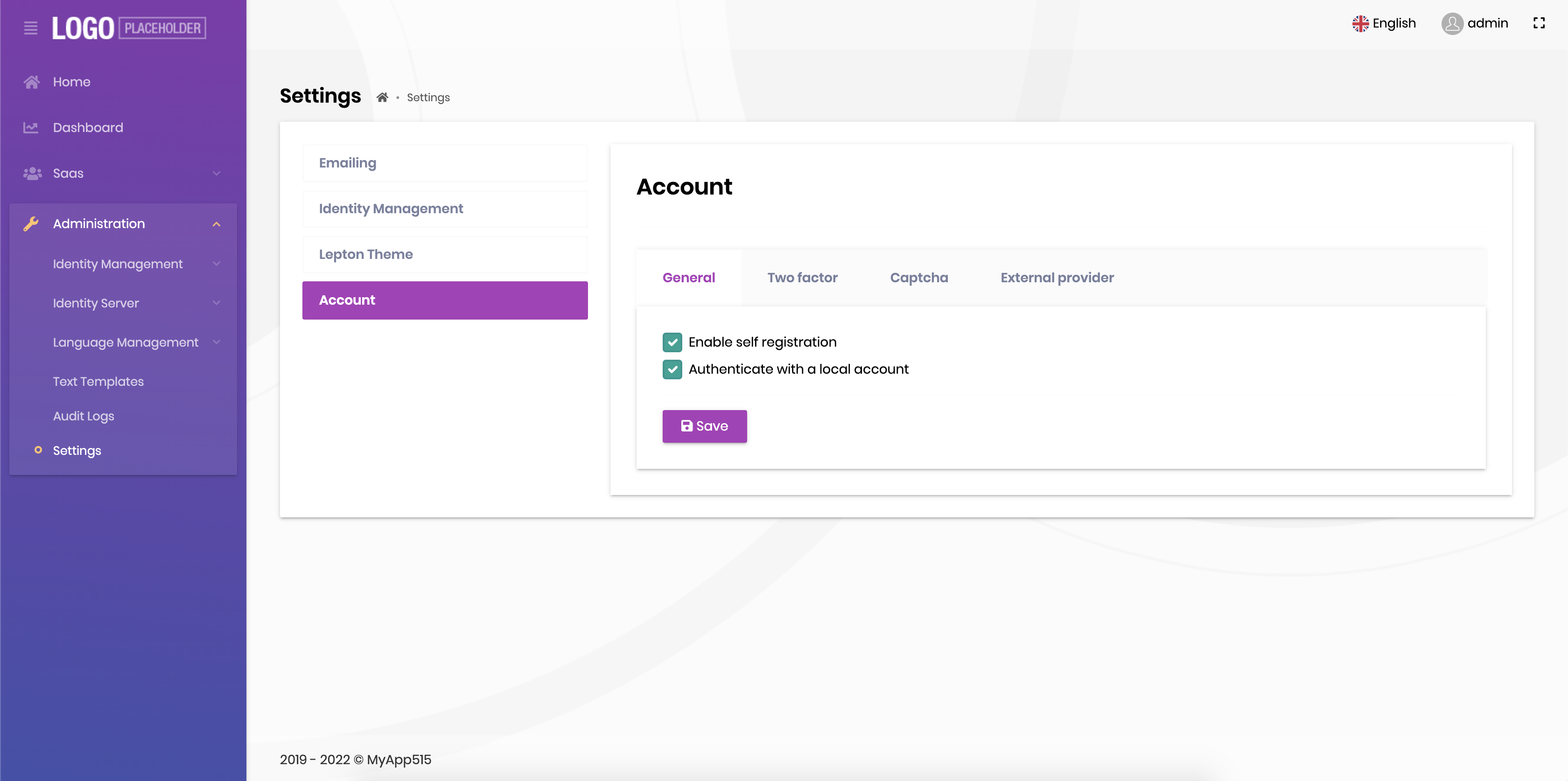 Permission :
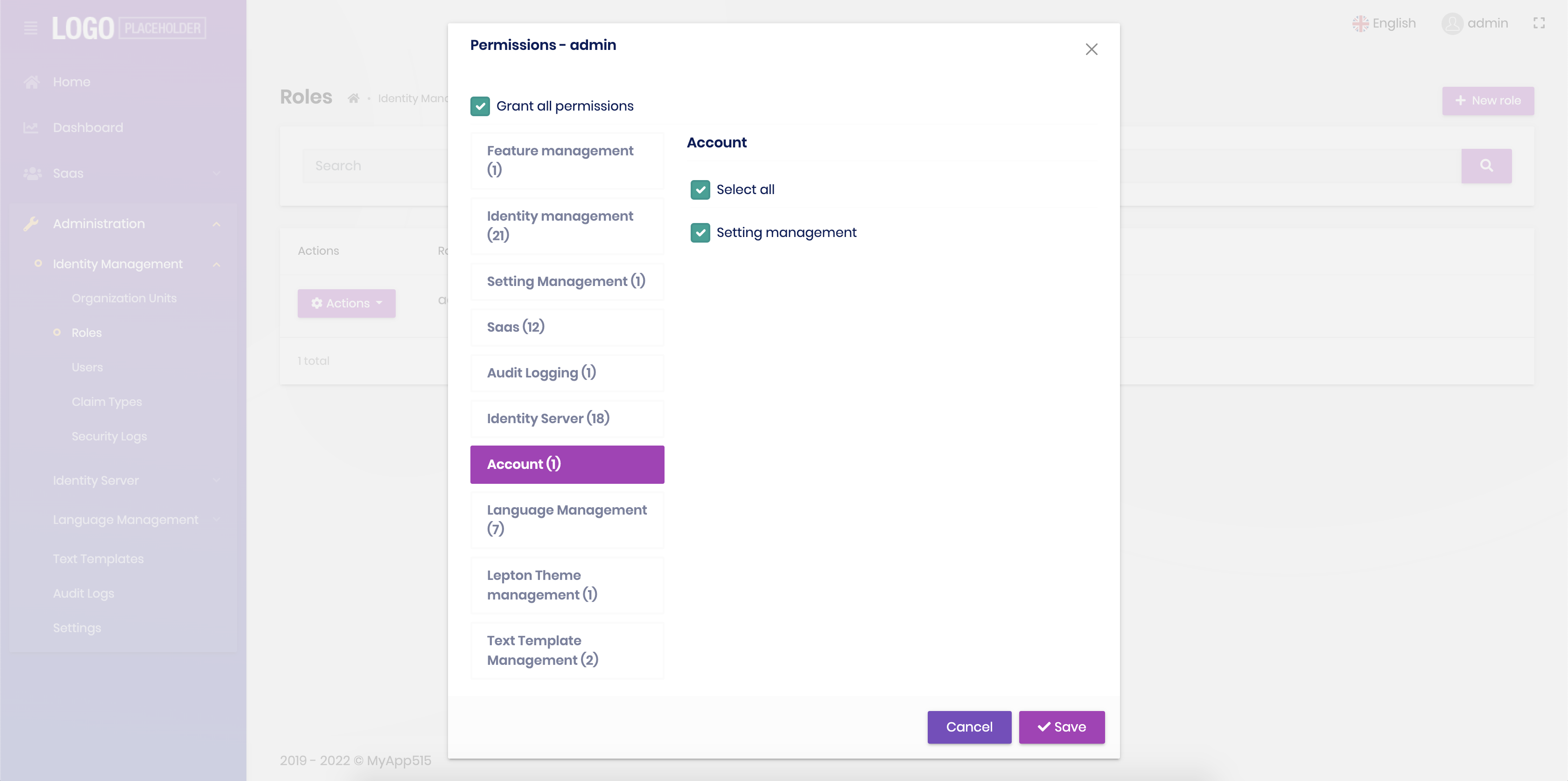 Markdown supported.Copy, paste, or drag & drop images and files (max 100 MB per file, 100 MB total per post)
 -
0
We have tried this issue with Angular like following step and no problem was found.
For Angular Version 5.1.3 and Angular Version 5.2.0;
- Create your project by choosing which version to use with the command below.
For v5.1.3 :
- abp new ProjectName -u angular --separate-identity-server -t app-pro --version 5.1.3
For v5.2.0 :
- abp new ProjectName -u angular --separate-identity-server -t app-pro --version 5.2.0
- Run following command on ProjectName.DbMigrator folder at Terminal.
- dotnet run
- Run following commads on ProjectName.IdentityServer folder at Terminal.
- abp install-libs
- dotnet run
- Run following commads on ProjectName.HttpApi.Host folder at Terminal.
- dotnet run
- Run following commad on angular folder at Terminal.
- yarn start
When we check Account module is served under IdentityServer in Angular Version 5.1.3 and Angular Version 5.2.0.
Angular Version 5.1.3 Settings :
Permission :
Angular Version 5.2.0
Settings :
Permission :
I had tried the project template, it does not have this problem. It's the module template has this problem. I had described it in my post: 1.
 2.
2.

As the commands you provide is the
-t app-pro, it should be the project template, not the module template, would you give a try for module template?Markdown supported.Copy, paste, or drag & drop images and files (max 100 MB per file, 100 MB total per post) -
2
Hi @LinchArnold
We've investigated and verified the issue. In the
module-protemplate, sample/test projects are not the real applications, they're just for testing your custom module. If your module is dependent on the account module or you develop something related to the account module, you have to add the account module reference to your project. By doing it, you'll see the account permissions and that setting tab in your application.If your module doesn't depend on the account module but you still want to see the account in that test project, you can apply the following steps:
- Add
Volo.Abp.Account.Pro.Admin.Application.Contractsto the IdentityServer project. - Add dependson attribute in IdentityServer module file.
typeof(AbpAccountAdminApplicationContractsModule) - Clear Redis keys (If it runs on docker, you can remove the volume and re-run again)
- Re-run application. (Make sure IdentityServer is built after adding reference.)
Then you can see account permissions and the account tab on the settings page.
Markdown supported.Copy, paste, or drag & drop images and files (max 100 MB per file, 100 MB total per post) - Add
-
0
Hi @LinchArnold
We've investigated and verified the issue. In the
module-protemplate, sample/test projects are not the real applications, they're just for testing your custom module. If your module is dependent on the account module or you develop something related to the account module, you have to add the account module reference to your project. By doing it, you'll see the account permissions and that setting tab in your application.If your module doesn't depend on the account module but you still want to see the account in that test project, you can apply the following steps:
- Add
Volo.Abp.Account.Pro.Admin.Application.Contractsto the IdentityServer project. - Add dependson attribute in IdentityServer module file.
typeof(AbpAccountAdminApplicationContractsModule) - Clear Redis keys (If it runs on docker, you can remove the volume and re-run again)
- Re-run application. (Make sure IdentityServer is built after adding reference.)
Then you can see account permissions and the account tab on the settings page.
Hi, @enisn: Thanks for your reply. yes, my module depends on the account-pro module. When I start to develop my module on old version, in 5.1.1, I remeber the account tabs is show up there, and when I upgrade abp to 5.2.0, it's gone. but now I am not sure if I was wrong memory. Anyway, your detailed reply solved this.
Thanks so much.
Markdown supported.Copy, paste, or drag & drop images and files (max 100 MB per file, 100 MB total per post) - Add



