






Hi
I want to set my custom page as a landing page for admin. Like after login it should show my landing page can you please help me.
- ABP Framework version: v4.4.3
- UI type: Blazor
- DB provider: EF Core
- Tiered (MVC) or Identity Server Separated (Angular): no
16 Answer(s)
-
0
Hi, this seems to be an unrelated issue with ABP. You can try to find the solution by reading Microsoft's official Blazor documentation.
I checked official documentation but was not able to find out to set a custom page as the default page after login. Please help me.
Markdown supported.Copy, paste, or drag & drop images and files (max 100 MB per file, 100 MB total per post) -
0
Hi, this seems to be an unrelated issue with ABP. You can try to find the solution by reading Microsoft's official Blazor documentation.
I checked official documentation but was not able to find out to set a custom page as the default page after login. Please help me.
Maybe you can set the page route as "/" for your landing page.
@page "/"
@page "/my-landing-page-route"
But when you do that, you might get a route mismatch (or duplicate route) exception, so might need to remove the
@page "/"statement from your Index.razor file.
I close this question since it's not related with ABP but I hope my above suggestion will work for you.
Best regards.
Markdown supported.Copy, paste, or drag & drop images and files (max 100 MB per file, 100 MB total per post) -
0
Hi, this seems to be an unrelated issue with ABP. You can try to find the solution by reading Microsoft's official Blazor documentation.
I checked official documentation but was not able to find out to set a custom page as the default page after login. Please help me.
Maybe you can set the page route as "/" for your landing page.
@page "/"
@page "/my-landing-page-route"
But when you do that, you might get a route mismatch (or duplicate route) exception, so might need to remove the
@page "/"statement from your Index.razor file.
I close this question since it's not related with ABP but I hope my above suggestion will work for you.
Best regards.
Getting error after using this.
Markdown supported.Copy, paste, or drag & drop images and files (max 100 MB per file, 100 MB total per post) -
0
But when you do that, you might get a route mismatch (or duplicate route) exception, so might need to remove the @page "/" statement from your Index.razor file.
Did you also do this?
Markdown supported.Copy, paste, or drag & drop images and files (max 100 MB per file, 100 MB total per post) -
0
But when you do that, you might get a route mismatch (or duplicate route) exception, so might need to remove the @page "/" statement from your Index.razor file.
Did you also do this?
yes I remove @page "/" and use this line to call my page @page "/daily-round-tables" but after that getting error in the console.
Markdown supported.Copy, paste, or drag & drop images and files (max 100 MB per file, 100 MB total per post) -
0
But when you do that, you might get a route mismatch (or duplicate route) exception, so might need to remove the @page "/" statement from your Index.razor file.
Did you also do this?
yes I remove @page "/" and use this line to call my page @page "/daily-round-tables" but after that getting error in the console.
 Markdown supported.Copy, paste, or drag & drop images and files (max 100 MB per file, 100 MB total per post)
 -
0
Hi
I tried this solution @page "/" and use this line to call my page @page "/daily-round-tables" but after that getting error in the console. It's not working can you please help me in this.
Thanks,
Markdown supported.Copy, paste, or drag & drop images and files (max 100 MB per file, 100 MB total per post) -
0
Hi, I've just tried it and it works as expected. I've created a new page and simply define its page route top of this page as below.
- Index.razor
@page "/my-second-page" @inherits MyProjectComponentBase This is not landing page.- MyLandingPage.razor
@page "/"
@inherits MyProjectComponentBase

My landing page
Markdown supported.Copy, paste, or drag & drop images and files (max 100 MB per file, 100 MB total per post) -
0
my-second-page
Hi
In my application two roles are present and I want to show this page to admin role only so how can I manage this.
This is a custom logic and not related to ABP. You can write a middleware or use some other approaches.
Markdown supported.Copy, paste, or drag & drop images and files (max 100 MB per file, 100 MB total per post) -
0
my-second-page
Hi
In my application two roles are present and I want to show this page to admin role only so how can I manage this.
This is a custom logic and not related to ABP. You can write a middleware or use some other approaches.
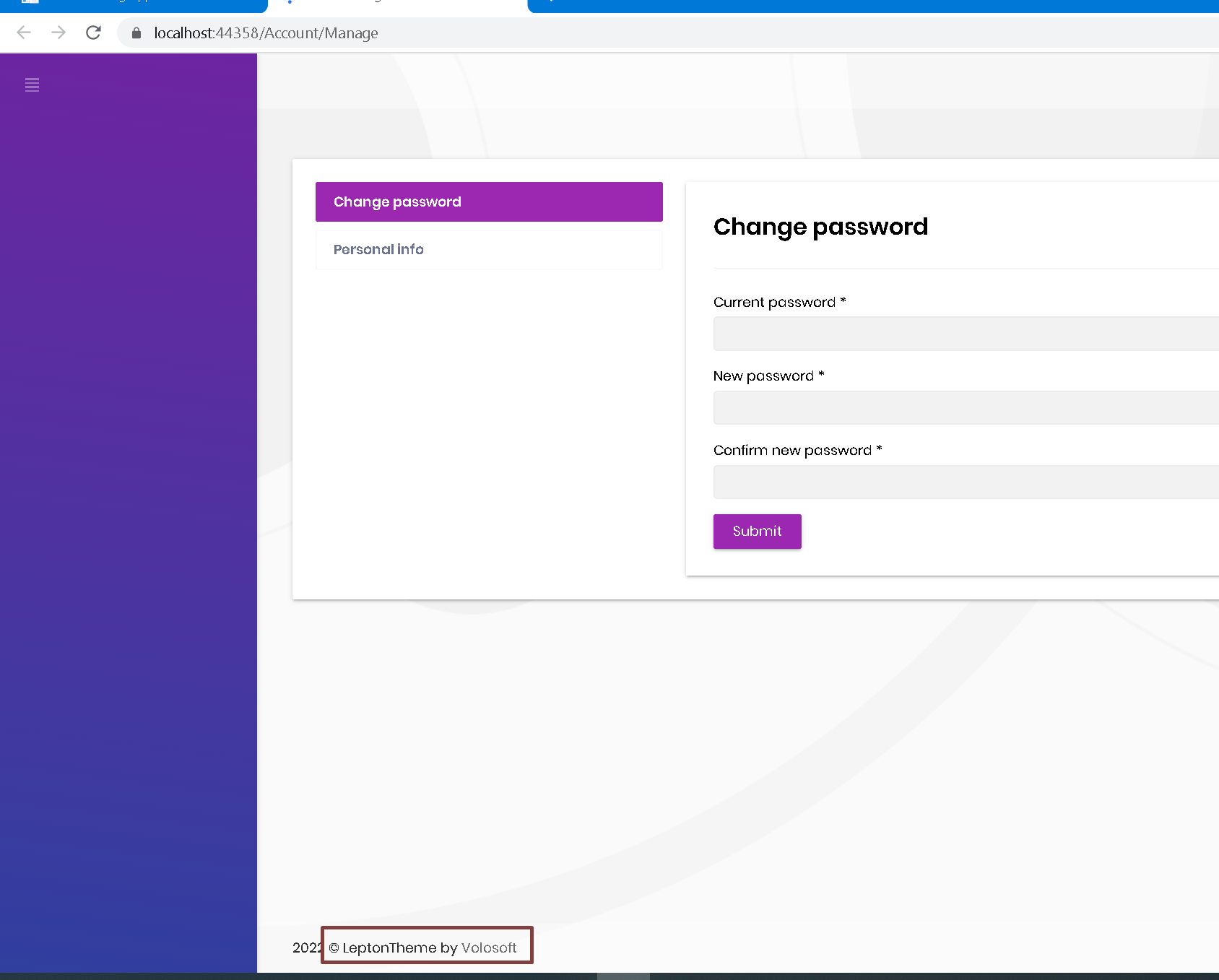
okay can u please let me know how can I hide or delete this line
 Markdown supported.Copy, paste, or drag & drop images and files (max 100 MB per file, 100 MB total per post)


