






Hi
I have a customized login page and I want to prevent registration page redirection like want to show the registration page on the login page so what will happen If I click on the registration button so it should hide the login fields and show registration form fields before redirecting to the registration page.
- ABP Framework version: v4.4.3
- UI type: Blazor
- DB provider: EF Core
- Tiered (MVC) or Identity Server Separated (Angular): no
- Exception message and stack trace:
- Steps to reproduce the issue:"
Thanks,
41 Answer(s)
-
0
Can you share your code?
Markdown supported.Copy, paste, or drag & drop images and files (max 100 MB per file, 100 MB total per post) -
0
you needed change it, replace <the URL what you want to redirect> with the URL you want.
// this line
return Redirect("<the URL what you want to redirect>");
Markdown supported.Copy, paste, or drag & drop images and files (max 100 MB per file, 100 MB total per post) -
0
you needed change it, replace <the URL what you want to redirect> with the URL you want.
// this line
return Redirect("<the URL what you want to redirect>");
Also user is not inserting into db table so please help
Markdown supported.Copy, paste, or drag & drop images and files (max 100 MB per file, 100 MB total per post) -
0
https://zoom.us/j/95048339717?pwd=cWcxVGhpREZYT2RKdGl0YjcwT2hGZz09
Markdown supported.Copy, paste, or drag & drop images and files (max 100 MB per file, 100 MB total per post) -
0
Solved
Markdown supported.Copy, paste, or drag & drop images and files (max 100 MB per file, 100 MB total per post) -
0
I think the problem is resolved, you can check the code to do the same thing.
Remove
?returnUrl=@Model.ReturnUrl.I will close the question, If you have other questions, please open a new question : )
Markdown supported.Copy, paste, or drag & drop images and files (max 100 MB per file, 100 MB total per post) -
0
I think the problem is resolved, you can check the code to do the same thing.
Remove
?returnUrl=@Model.ReturnUrl.I will close the question, If you have other questions, please open a new question : )
ok will create new one but If we are registering already registered user then it's going to redirect on account/register page with already exist message I want show this on my custom login page
Markdown supported.Copy, paste, or drag & drop images and files (max 100 MB per file, 100 MB total per post) -
0
//....
public virtual async Task<IActionResult> OnPostAsync()
{
    try
    {
        var existsUser = await UserManager.FindByEmailAsync(Input.EmailAddress) ?? await UserManager.FindByNameAsync(Input.UserName);

        if (existsUser != null)
        {
            return Redirect("......The Url");
        }


        //......

      }
  }
Markdown supported.Copy, paste, or drag & drop images and files (max 100 MB per file, 100 MB total per post) -
0
//....
public virtual async Task<IActionResult> OnPostAsync()
{
    try
    {
        var existsUser = await UserManager.FindByEmailAsync(Input.EmailAddress) ?? await UserManager.FindByNameAsync(Input.UserName);

        if (existsUser != null)
        {
            return Redirect("......The Url");
        }


        //......

      }
  }
Yes, I tried that but it's not showing an already existing message.
Markdown supported.Copy, paste, or drag & drop images and files (max 100 MB per file, 100 MB total per post) -
0
//....
public virtual async Task<IActionResult> OnPostAsync()
{
    try
    {
        var existsUser = await UserManager.FindByEmailAsync(Input.EmailAddress) ?? await UserManager.FindByNameAsync(Input.UserName);

        if (existsUser != null)
        {
            return Redirect("......The Url");
        }


        //......

      }
  }
In catch block already exist message is coming so I added this redirect code
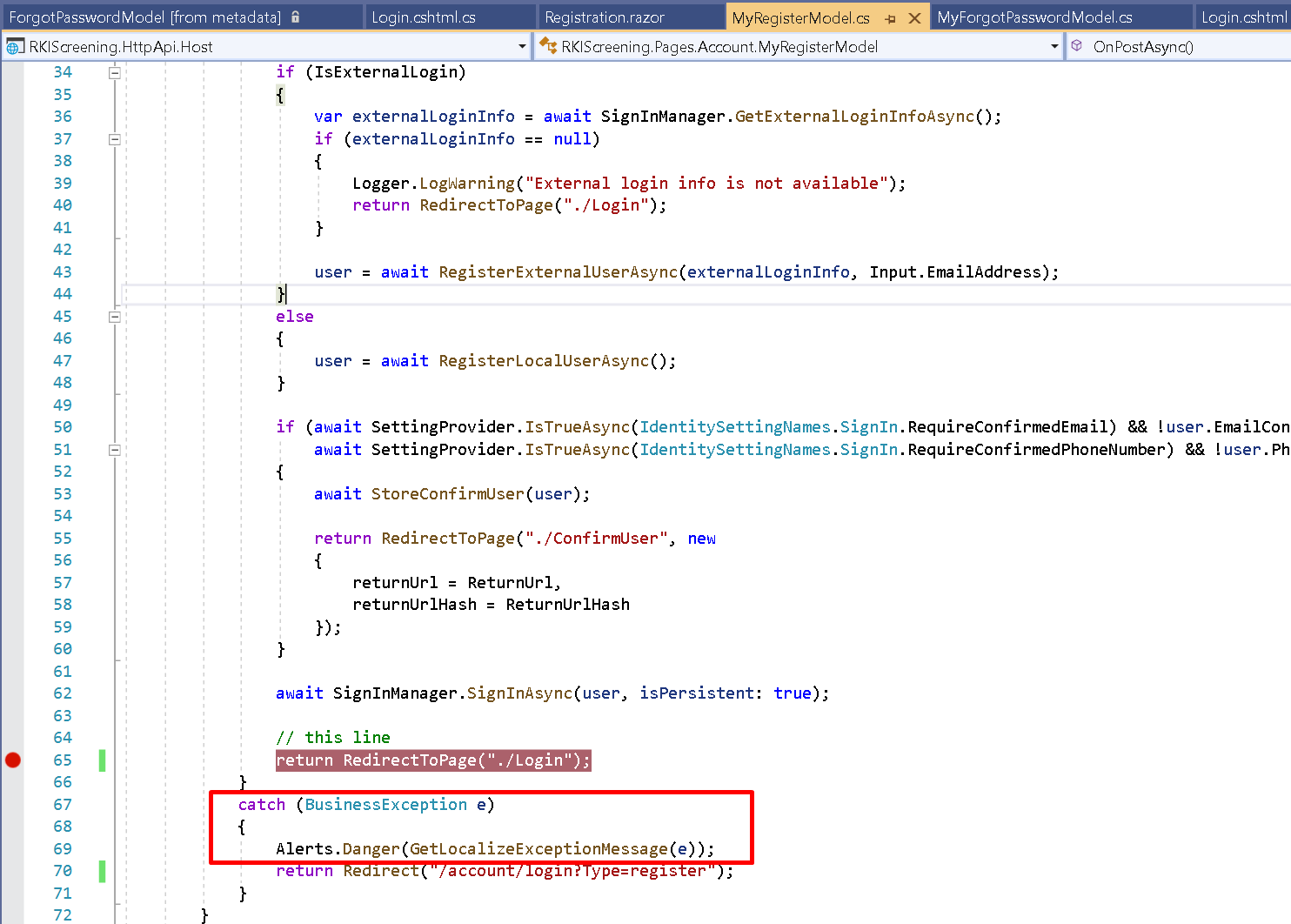
It's redirecting me to my page but not showing message.
Markdown supported.Copy, paste, or drag & drop images and files (max 100 MB per file, 100 MB total per post) -
0
Because redirect will return a 302 HTTP code and told Brower to make a new request, the alert system is not working.
You can try this:
Alerts.Danger(GetLocalizeExceptionMessage(e));
var errorMessage = WebUtility.UrlEncode(GetLocalizeExceptionMessage(e));
return Redirect("/account/login?Type=register&errorMessage=" + errorMessage);
public class LoginModel:.. { [BindProperty(SupportsGet = true)] public string ErrorMessage { get; set; } public async override Task<IActionResult> OnGetAsync() { if (!ErrorMessage.IsNullOrWhiteSpace()) { Alerts.Danger(ErrorMessage); } ...... } }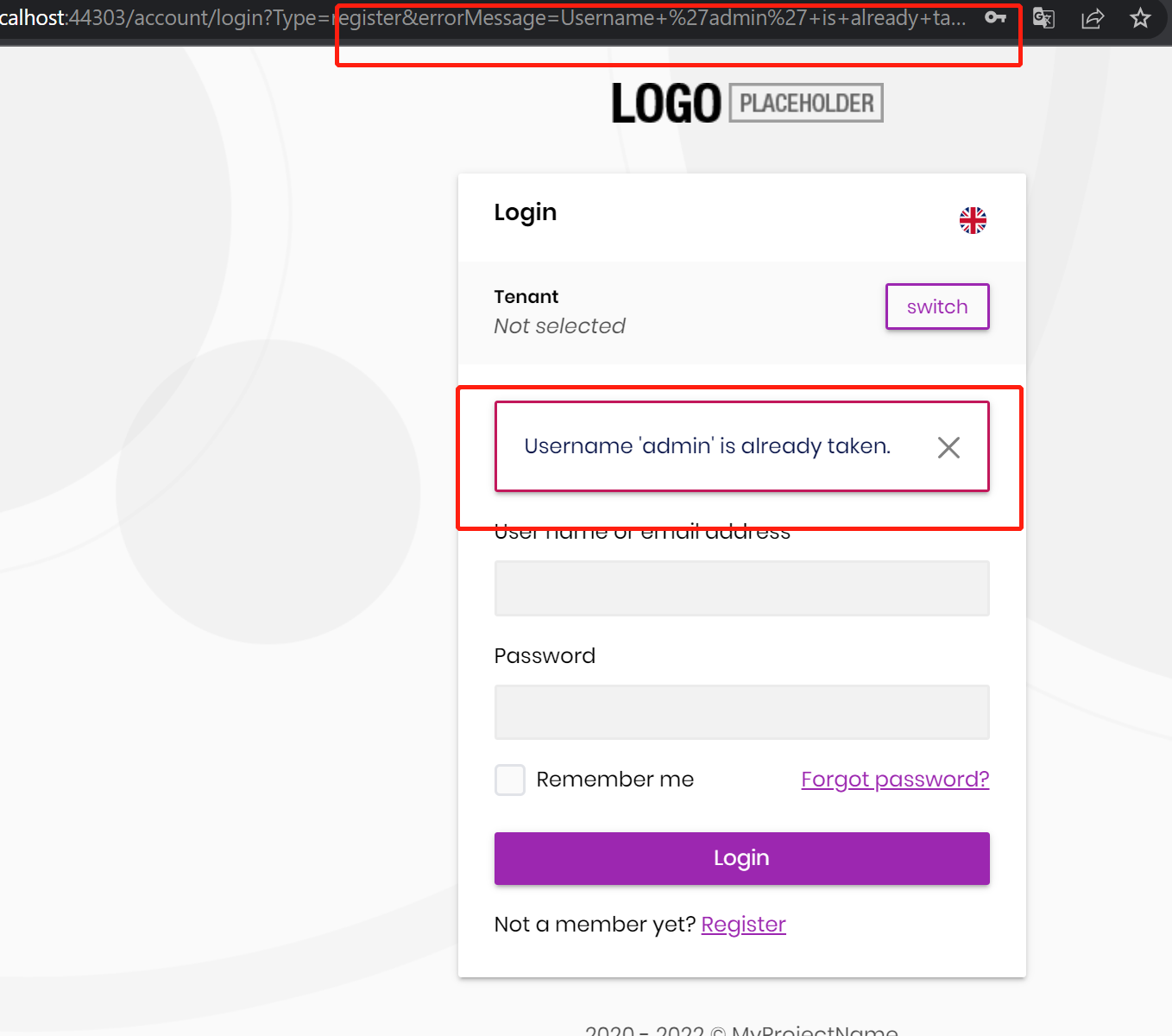
It can solve your problem, but it is not perfect, you better use multiple methods in the Login mode.
See: https://www.learnrazorpages.com/razor-pages/handler-methods#named-handler-methods
It will look like this:
public class LoginModel: ...
{
     public virtual async Task<IActionResult> OnPostAsync()
     {
         // login...
     }

     public virtual async Task<IActionResult> OnPostRegisterAsync()
     {
         // register...
     }

     public virtual async Task<IActionResult> OnPost....Async()
     {
         // ...
     }
}
Markdown supported.Copy, paste, or drag & drop images and files (max 100 MB per file, 100 MB total per post) -
0
Because redirect will return a 302 HTTP code and told Brower to make a new request, the alert system is not working.
You can try this:
Alerts.Danger(GetLocalizeExceptionMessage(e));
var errorMessage = WebUtility.UrlEncode(GetLocalizeExceptionMessage(e));
return Redirect("/account/login?Type=register&errorMessage=" + errorMessage);
public class LoginModel:.. { [BindProperty(SupportsGet = true)] public string ErrorMessage { get; set; } public async override Task<IActionResult> OnGetAsync() { if (!ErrorMessage.IsNullOrWhiteSpace()) { Alerts.Danger(ErrorMessage); } ...... } }It can solve your problem, but it is not perfect, you better use multiple methods in the Login mode.
See: https://www.learnrazorpages.com/razor-pages/handler-methods#named-handler-methods
It will look like this:
public class LoginModel: ...
{
     public virtual async Task<IActionResult> OnPostAsync()
     {
         // login...
     }

     public virtual async Task<IActionResult> OnPostRegisterAsync()
     {
         // register...
     }

     public virtual async Task<IActionResult> OnPost....Async()
     {
         // ...
     }
}
Thanks, it's working perfect.
Markdown supported.Copy, paste, or drag & drop images and files (max 100 MB per file, 100 MB total per post)


