






0
Sturla created
I created this ticket in GitHub where I was able to get SignalR to work in Blazor WASM but only with the opensource version
When I try it with suite created project I get these errors. I can zip and send somebody the project.
I´m unable to spot a major difference in config that could be the cause of this and I was also unable to add EnableDetailedErrors so I could maybe get more detailed information.
- ABP Framework version: 5.2.1
- UI type: Blazor WASM
- DB provider: EF Core
- Identity Server Separated: yes "
Markdown supported.
Copy, paste, or drag & drop images and files (max 100 MB per file, 100 MB total per post)
3 Answer(s)
-
0
Hi,
You can share the project with me, shiwei.liang@volosoft.com
Markdown supported.Copy, paste, or drag & drop images and files (max 100 MB per file, 100 MB total per post) -
0
Hi,
You did a wrong thing:
HttpApi.HostURL ishttps://localhost:44388And you have to change the hub route:
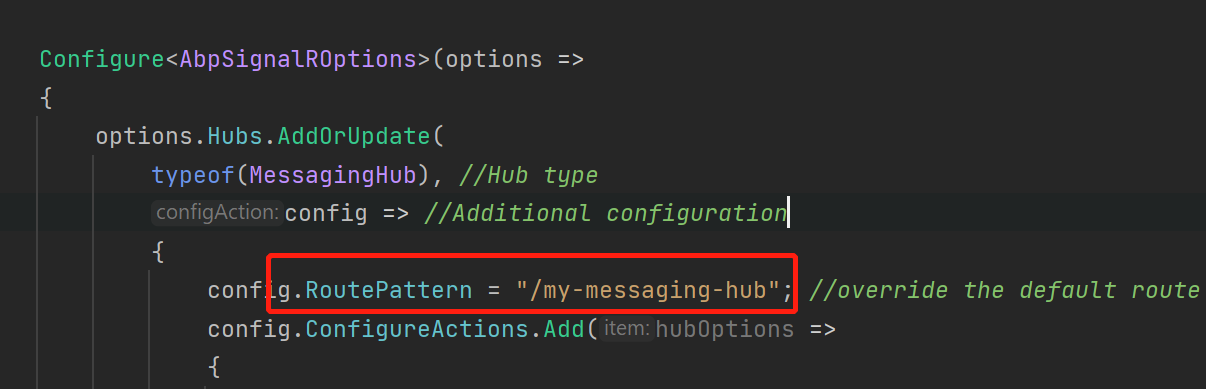
On the Blazor side, you are using the wrong URL to connect:
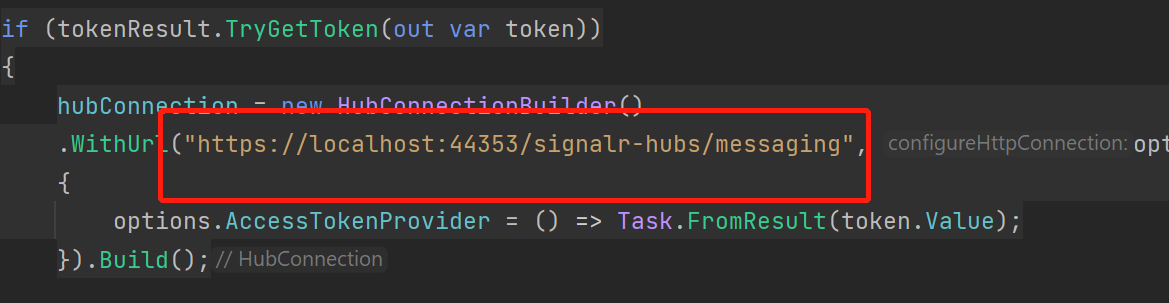
Should be
https://localhost:44388/my-messaging-hub.Markdown supported.Copy, paste, or drag & drop images and files (max 100 MB per file, 100 MB total per post) -
0
Try:
if (tokenResult.TryGetToken(out var token)) { hubConnection = new HubConnectionBuilder() .WithUrl("https://localhost:44388/my-messaging-hub", options => { options.AccessTokenProvider = () => Task.FromResult(token.Value); }).Build(); hubConnection.On<string>("MessageBackToBlazor", (message) => { Console.WriteLine("Received message from server: " + message); // Comes from Host var encodedMsg = $"Message: {message}"; messages.Add(encodedMsg); StateHasChanged(); }); await hubConnection.StartAsync(); await hubConnection.InvokeAsync("SendMessage", "Hello from Blazor!"); state = hubConnection.State.ToString(); }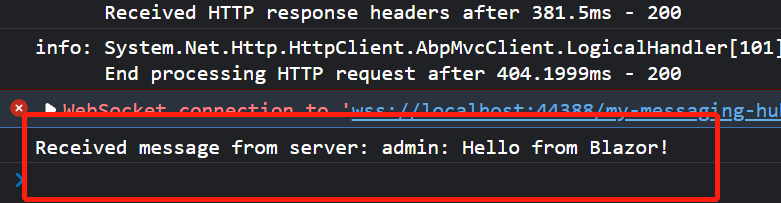 Markdown supported.Copy, paste, or drag & drop images and files (max 100 MB per file, 100 MB total per post)


