






- ABP Framework version: v5.3.0
- UI type: MVC
- DB provider: EF Core
- Tiered (MVC) or Identity Server Separated (Angular): no
I have created an ABP solution which has a single entity in at the moment. I have enable authorization for the API as per the following document: https://docs.abp.io/en/abp/latest/API/Swagger-Integration
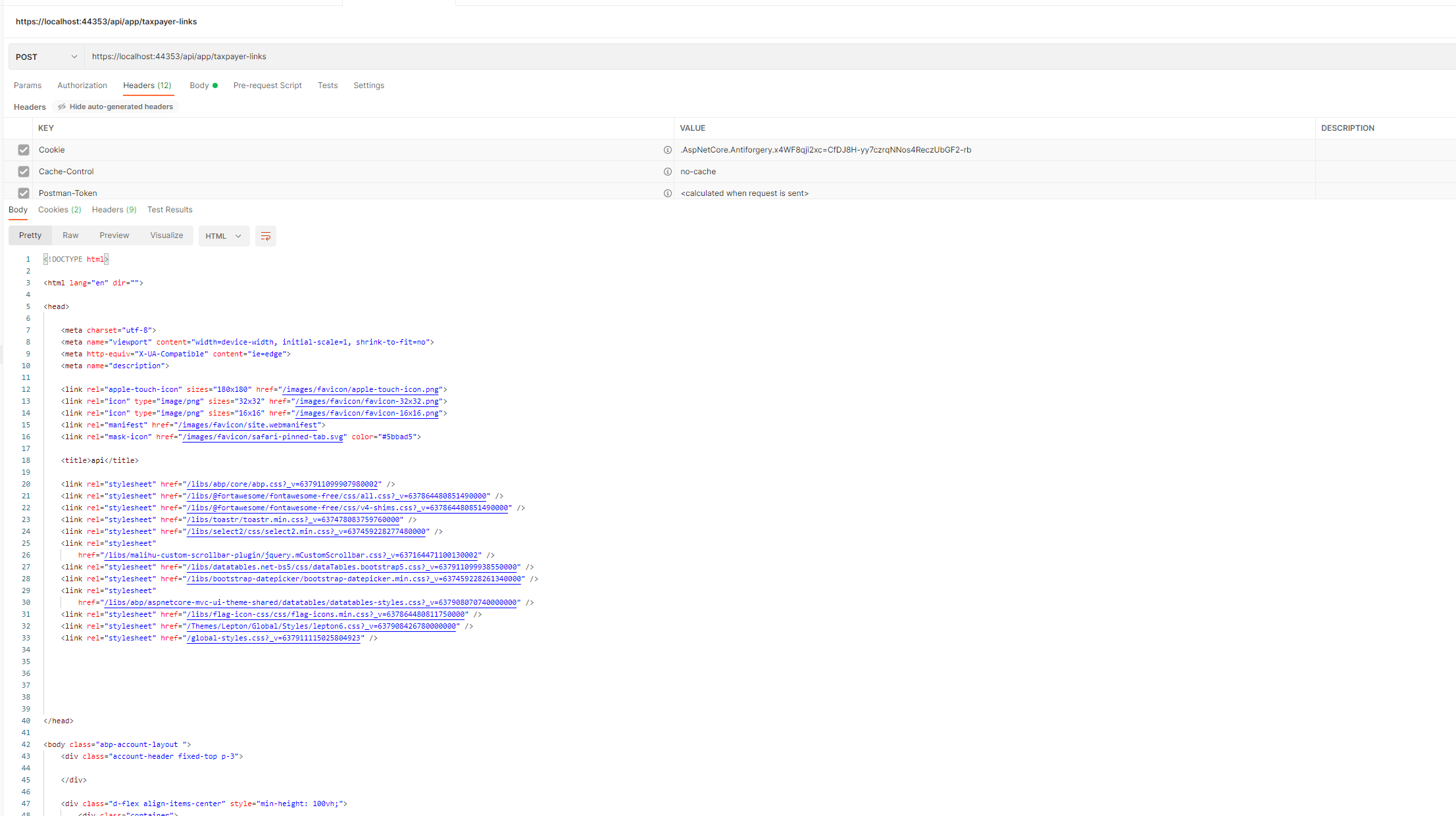
The issue however is that you would expect that if you try to hit a secure endpoint it would response with a 401. At the moment, it is responding with the login page as per the image below:
16 Answer(s)
-
0
I guess you want to send requests via
Postman, not viaSwagger. That's why you need to get the token first and then make a request with that token.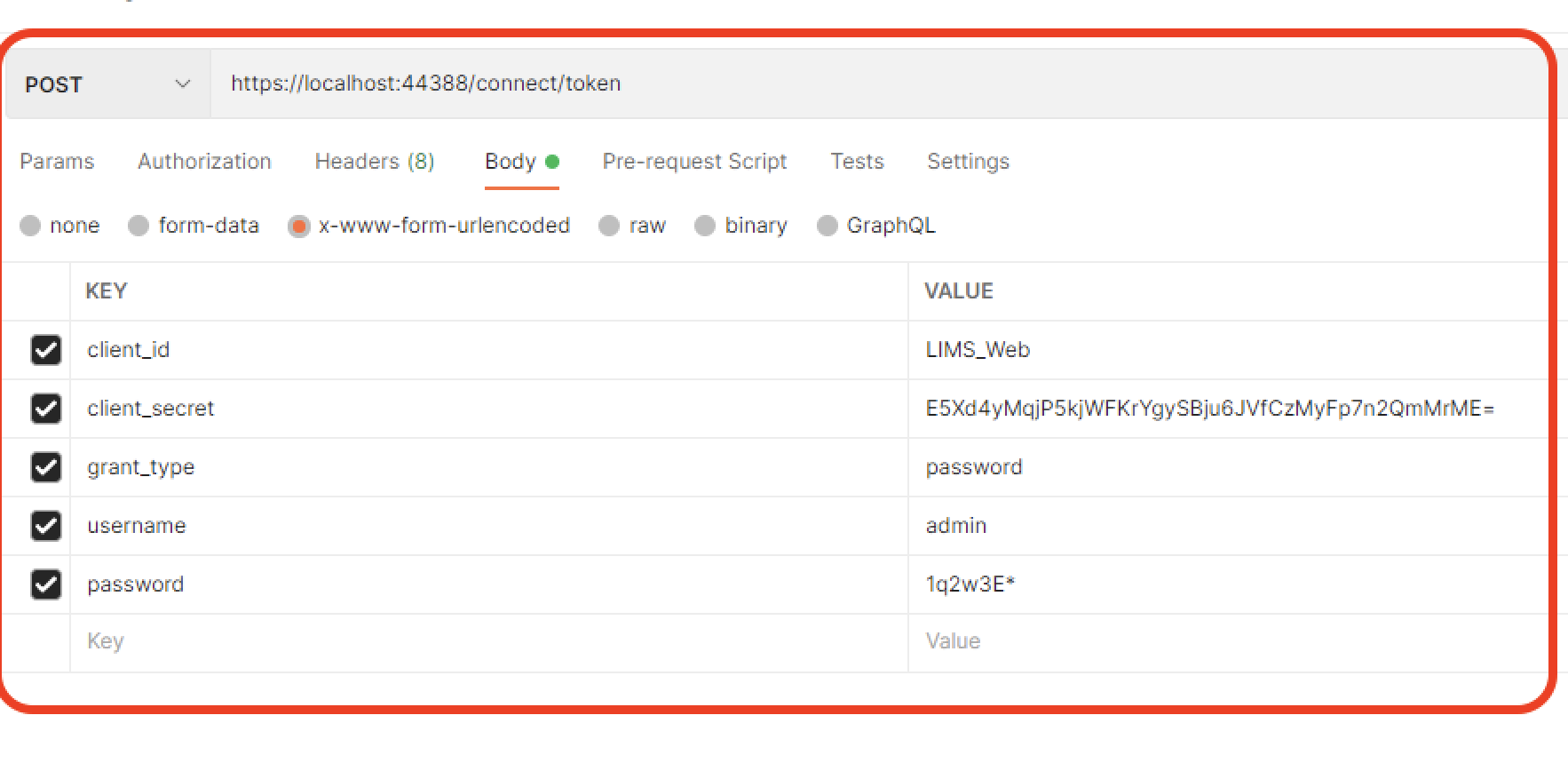 Markdown supported.Copy, paste, or drag & drop images and files (max 100 MB per file, 100 MB total per post)
 -
0
I guess you want to send requests via
Postman, not viaSwagger. That's why you need to get the token first and then make a request with that token.Hi
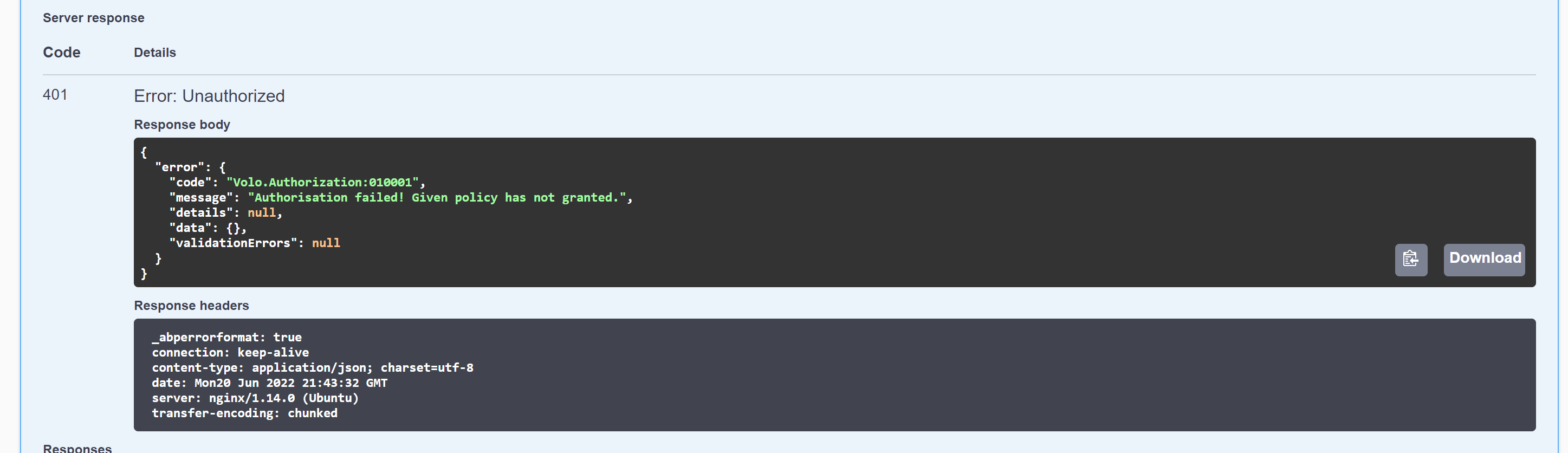
I think you missed my point. The API is secured and it should return a 401 if we try to access and endpoint without the token, it should not return a 200 with the login page html (from swagger OR from postman)
this is an older version of ABP which does return the 401 as expected.
 Markdown supported.Copy, paste, or drag & drop images and files (max 100 MB per file, 100 MB total per post)
 -
0
Thank you for your detailed explanation. I understood the problem and I talked to the team about the problem, I learned that there is a breaking change for
v5.0.0.You can see the details of the issue here: https://github.com/abpframework/abp/issues/9926
Then I added the marked code in the picture below to test the situation, and it worked fine when I made a request via swagger.
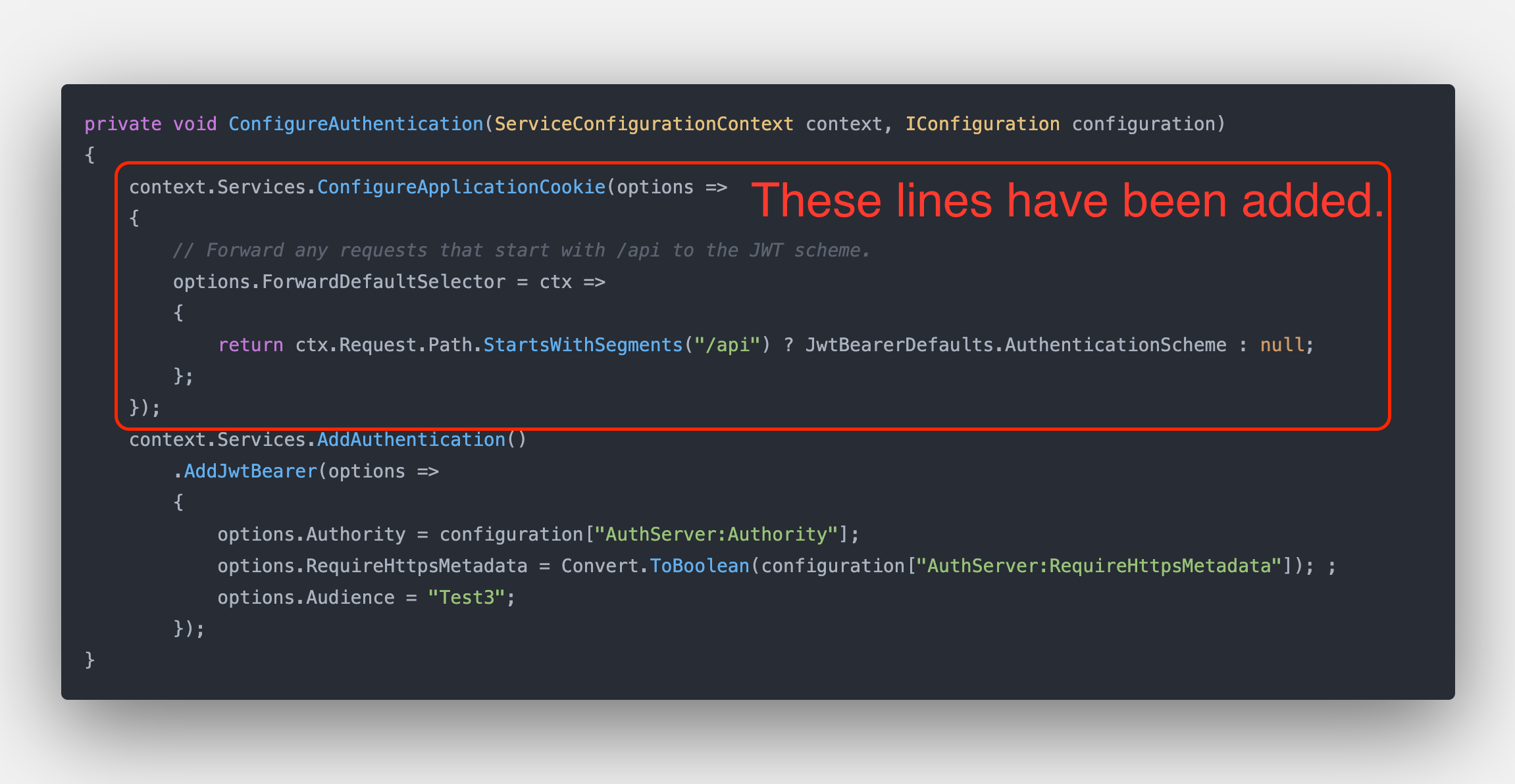
However breaks MVC pages and abp's js proxy scripts, which use ajax.
We discuss inside to find the most optimal solution to this problem.
Markdown supported.Copy, paste, or drag & drop images and files (max 100 MB per file, 100 MB total per post) -
0
Thank you for your detailed explanation. I understood the problem and I talked to the team about the problem, I learned that there is a breaking change for
v5.0.0.You can see the details of the issue here: https://github.com/abpframework/abp/issues/9926
Then I added the marked code in the picture below to test the situation, and it worked fine when I made a request via swagger.
However breaks MVC pages and abp's js proxy scripts, which use ajax.
We discuss inside to find the most optimal solution to this problem.
Good morning, yeah I tried that too initially which broke my MVC pages :(
Looking forward to seeing a working solution
Markdown supported.Copy, paste, or drag & drop images and files (max 100 MB per file, 100 MB total per post) -
0
hi ianbaddock
If you are using the MVC you don't need to set the
ForwardDefaultSelector.Try to add
X-Requested-With: XMLHttpRequestheader to your request.Markdown supported.Copy, paste, or drag & drop images and files (max 100 MB per file, 100 MB total per post) -
0
hi ianbaddock
If you are using the MVC you don't need to set the
ForwardDefaultSelector.Try to add
X-Requested-With: XMLHttpRequestheader to your request.That didnt work unfortunately.
Any other ideas?
Markdown supported.Copy, paste, or drag & drop images and files (max 100 MB per file, 100 MB total per post) -
0
That didnt work unfortunately.
Can you share the details?
It has the same outcome as the 200 response with the login page HTML when calling from postman.
I added this in postman as per the suggestion but it did not change the outcome:
"Try to add X-Requested-With: XMLHttpRequest header to your request."
Markdown supported.Copy, paste, or drag & drop images and files (max 100 MB per file, 100 MB total per post) -
0
[17:44:15 WRN] Code:Volo.Authorization:010001 [17:44:15 INF] AuthenticationScheme: Identity.Application was challenged. [17:44:15 INF] Executed action Volo.Abp.Account.ProfileController.GetAsync (Volo.Abp.Account.HttpApi) in 3.0496ms [17:44:15 INF] Executed endpoint 'Volo.Abp.Account.ProfileController.GetAsync (Volo.Abp.Account.HttpApi)' [17:44:15 DBG] Added 0 entity changes to the current audit log [17:44:15 DBG] Added 0 entity changes to the current audit log [17:44:15 INF] Request finished HTTP/1.1 GET https://localhost:44303/api/account/my-profile - - - 401 0 - 10.6009ms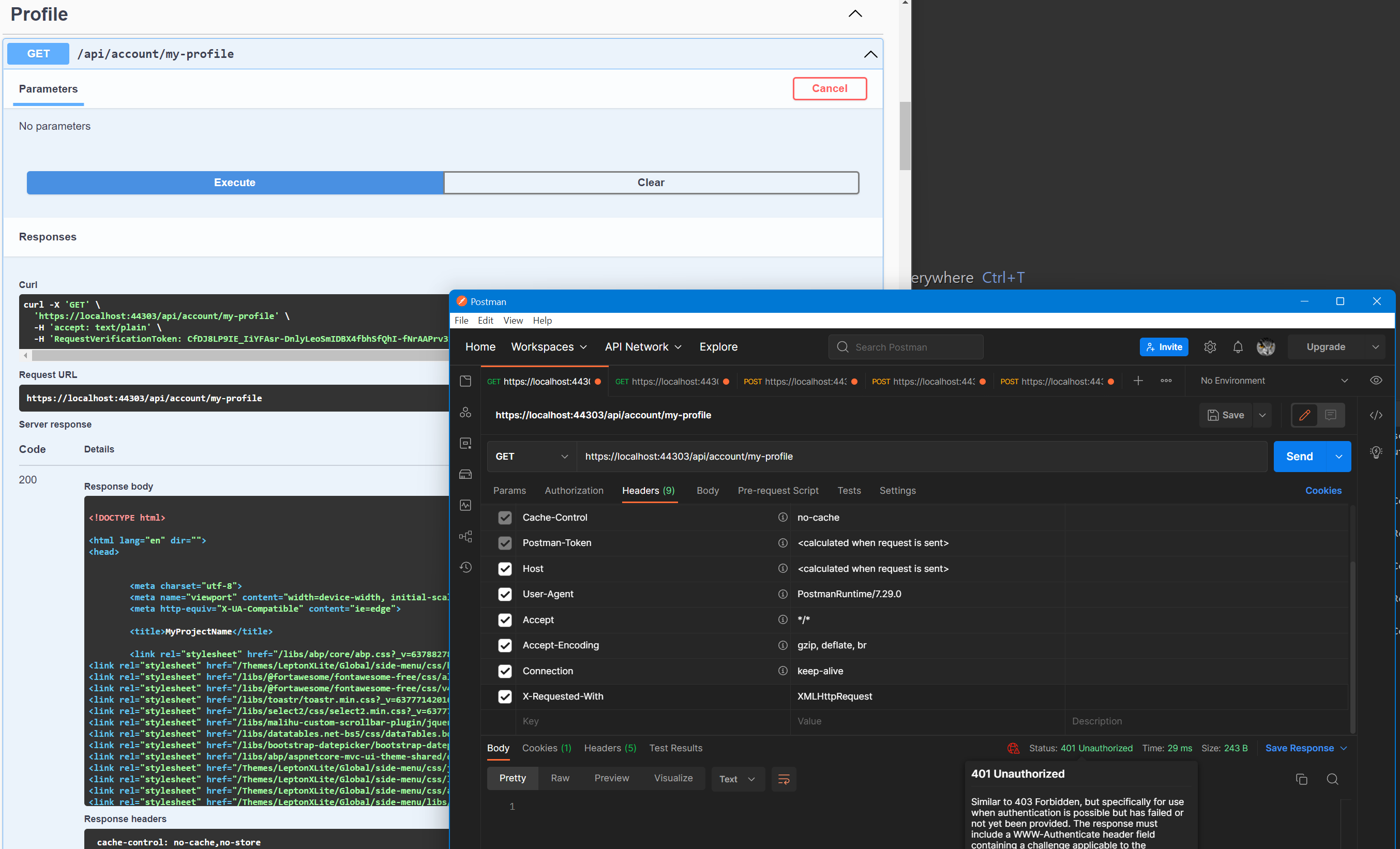 Markdown supported.Copy, paste, or drag & drop images and files (max 100 MB per file, 100 MB total per post)
 -
0
[17:44:15 WRN] Code:Volo.Authorization:010001
[17:44:15 INF] AuthenticationScheme: Identity.Application was challenged.
[17:44:15 INF] Executed action Volo.Abp.Account.ProfileController.GetAsync (Volo.Abp.Account.HttpApi) in 3.0496ms
[17:44:15 INF] Executed endpoint 'Volo.Abp.Account.ProfileController.GetAsync (Volo.Abp.Account.HttpApi)'
[17:44:15 DBG] Added 0 entity changes to the current audit log
[17:44:15 DBG] Added 0 entity changes to the current audit log
[17:44:15 INF] Request finished HTTP/1.1 GET https://localhost:44303/api/account/my-profile - - - 401 0 - 10.6009ms
Hi
I am getting the 401 response, but the body is still being returned with the login page:
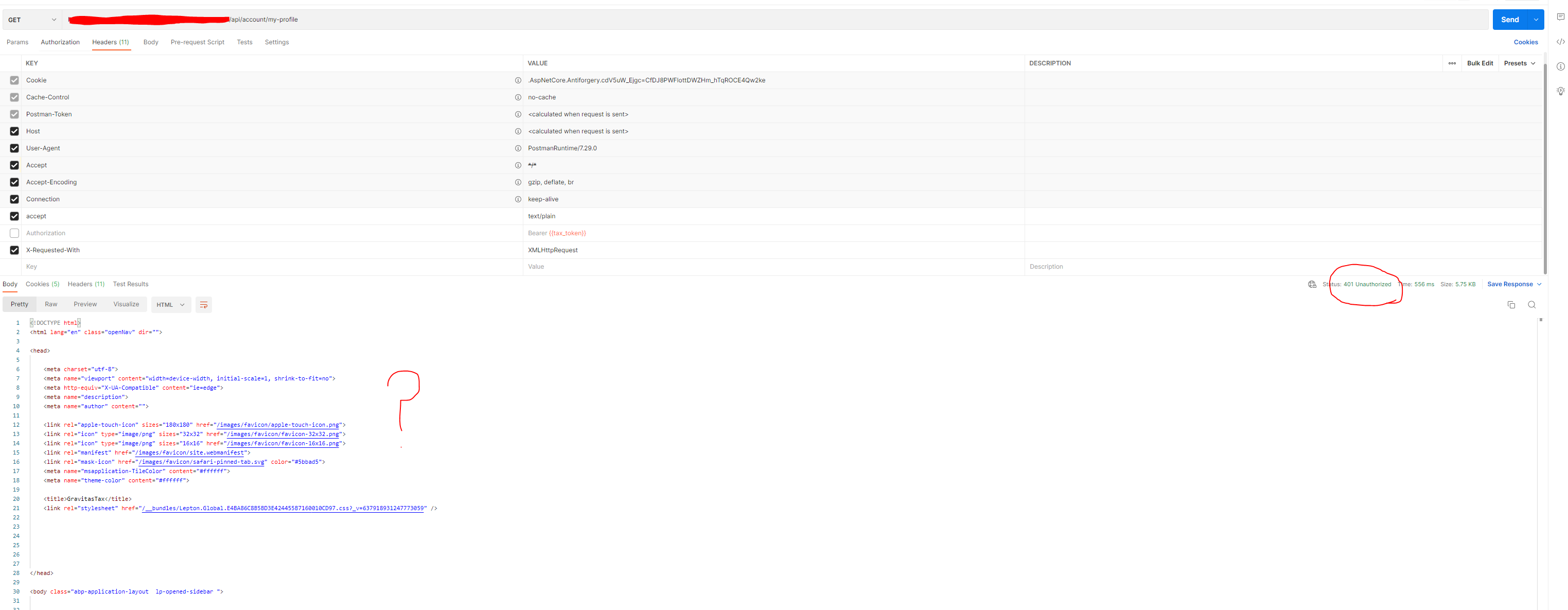
Is there anything else in the code that needs to be done to remove the body from postman? Do i need to implement the ForwardDefaultSelector code as per your example?
Markdown supported.Copy, paste, or drag & drop images and files (max 100 MB per file, 100 MB total per post) -
0
hi
This is the behavior of the Cookies authentication scheme. This is your app's default scheme.
No meaningful response body even for JWT authentication
See https://github.com/abpframework/abp/issues/9926
Markdown supported.Copy, paste, or drag & drop images and files (max 100 MB per file, 100 MB total per post) -
0
body even for JWT authentication
As per your previous thread, this has a negative effect when using the MVC front end:
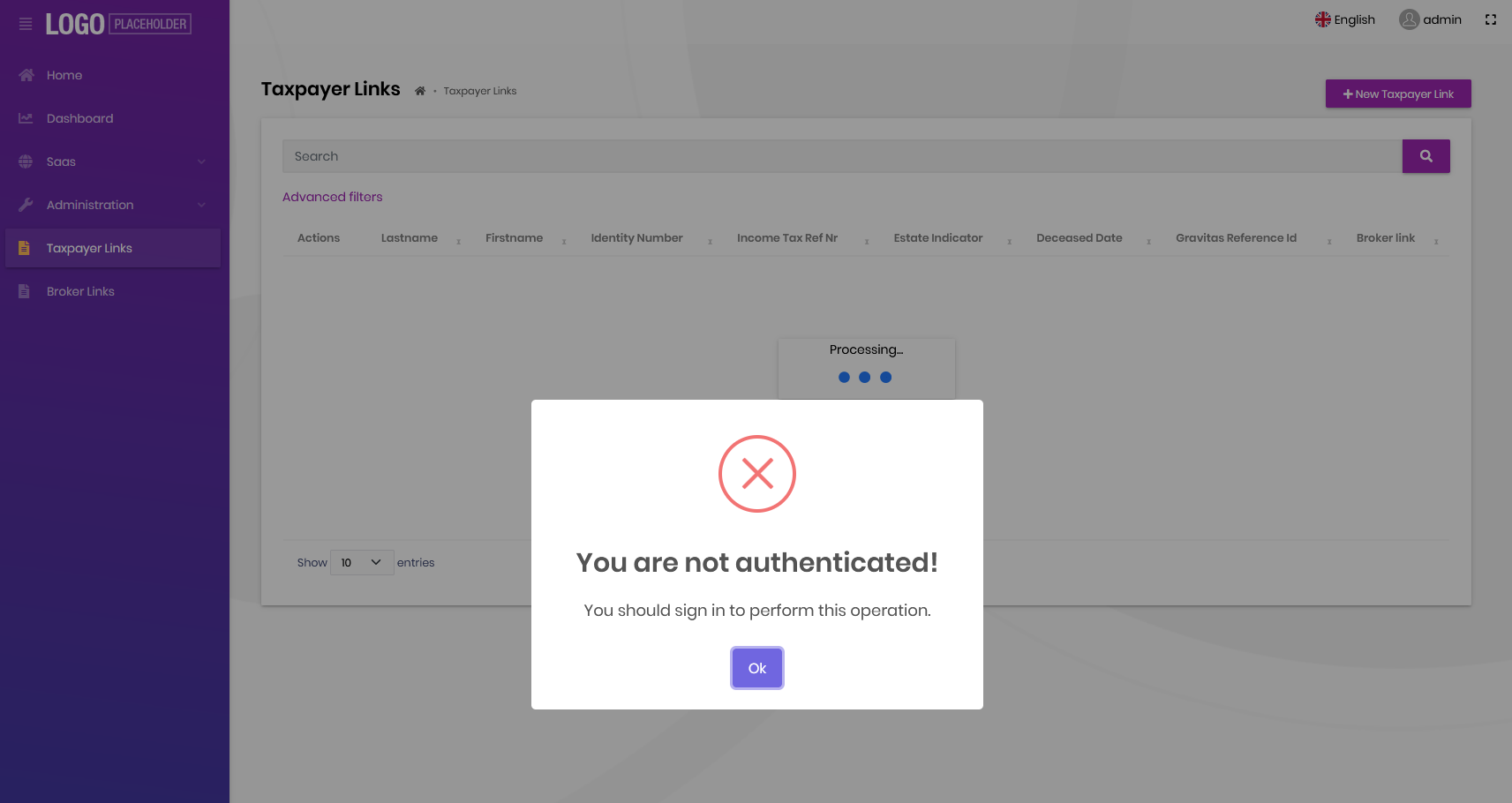
Every request comes up like this. I am logged in as the master user account
Markdown supported.Copy, paste, or drag & drop images and files (max 100 MB per file, 100 MB total per post) -
0
If you are using the MVC you don't need to set the ForwardDefaultSelector.
How to reproduce the problem using the default template?
I have created a non-tiered MVC solution using EFCore. Added a single entity to my solution. I added the swagger auth as specified in the ABP documentation.
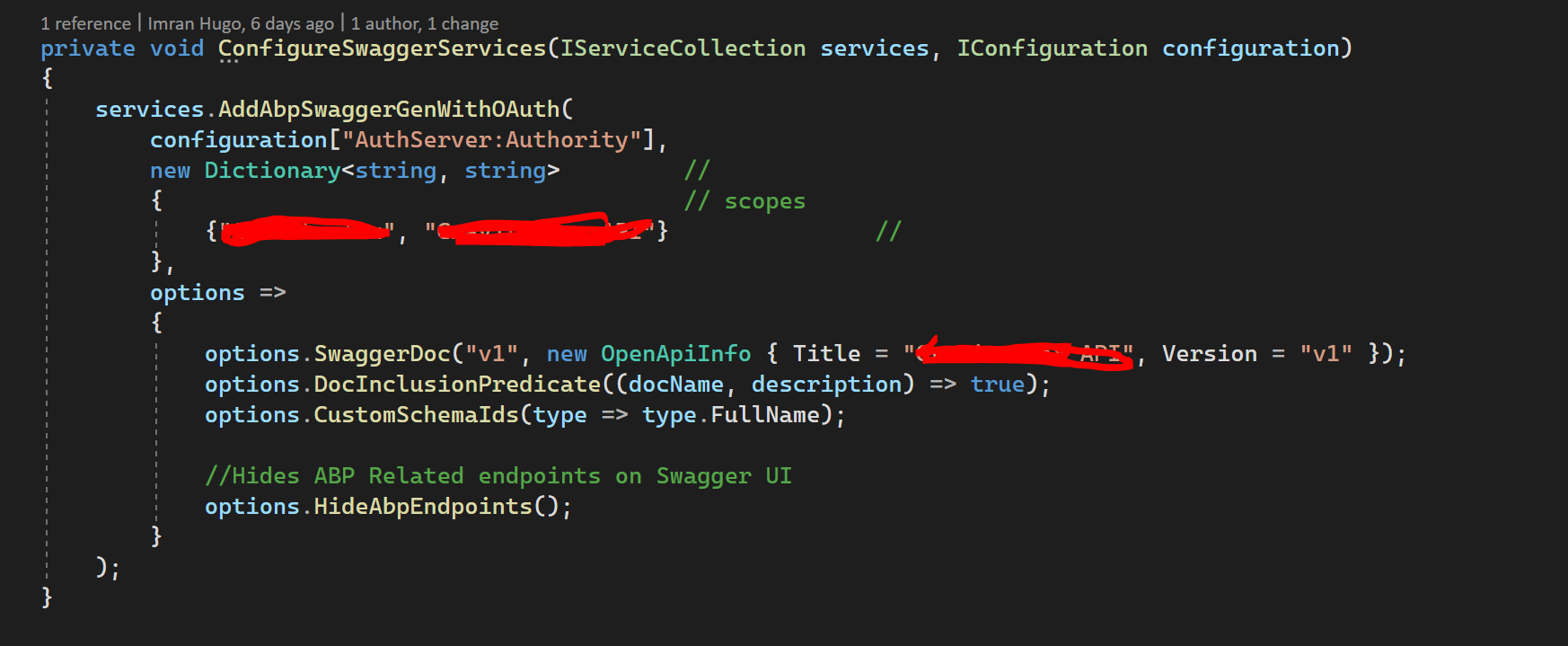
added the default forward as per your suggestion:
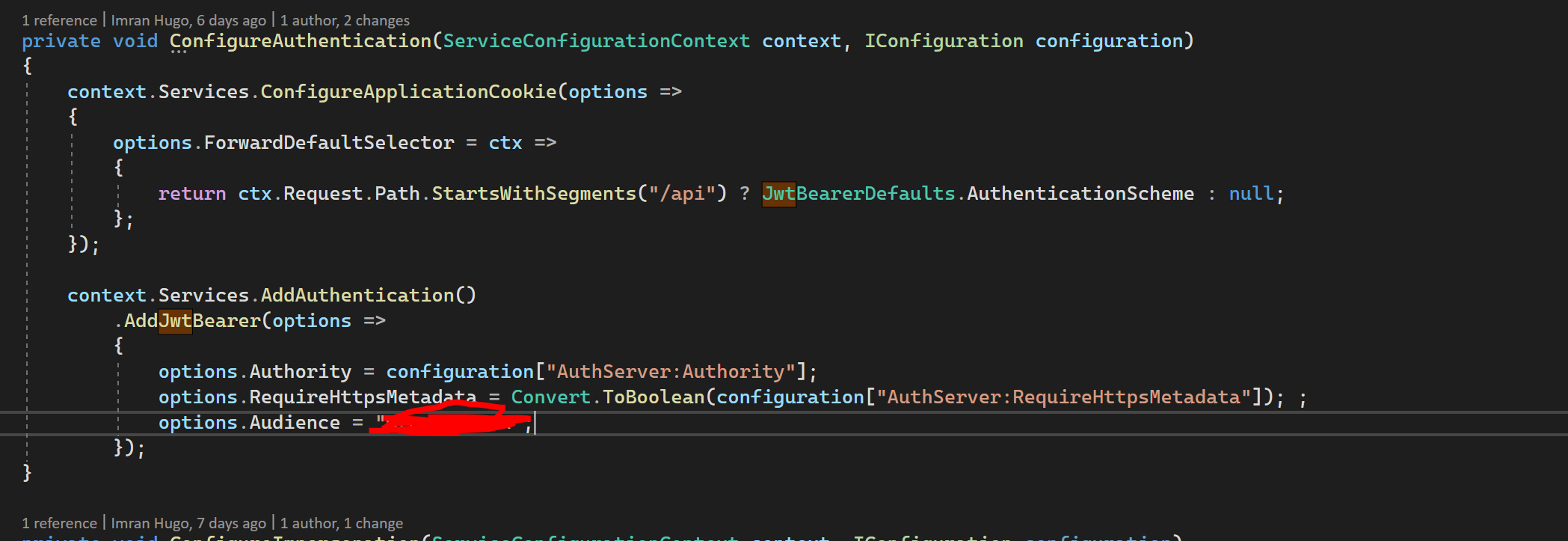
and then called it from Postman which now works as expected(no body returned AND 401), but if i login to the MVC UI I receive that error when i try to browse to my entity page. If i remove the ForwardDefaultSelector code it works in MVC
Markdown supported.Copy, paste, or drag & drop images and files (max 100 MB per file, 100 MB total per post) -
0
hi
You don't need to set the ForwardDefaultSelector. Please remove it.
If request is
XMLHttpRequestthe status code is 401/403 otherwise the response will be a Redirect(Login page.)Markdown supported.Copy, paste, or drag & drop images and files (max 100 MB per file, 100 MB total per post) -
0
I see an accepted answer so I'm closing this issue but if you have more questions about it feel free to reopen it.
Markdown supported.Copy, paste, or drag & drop images and files (max 100 MB per file, 100 MB total per post)



