






0
thaithiendi created
Dear support Team,
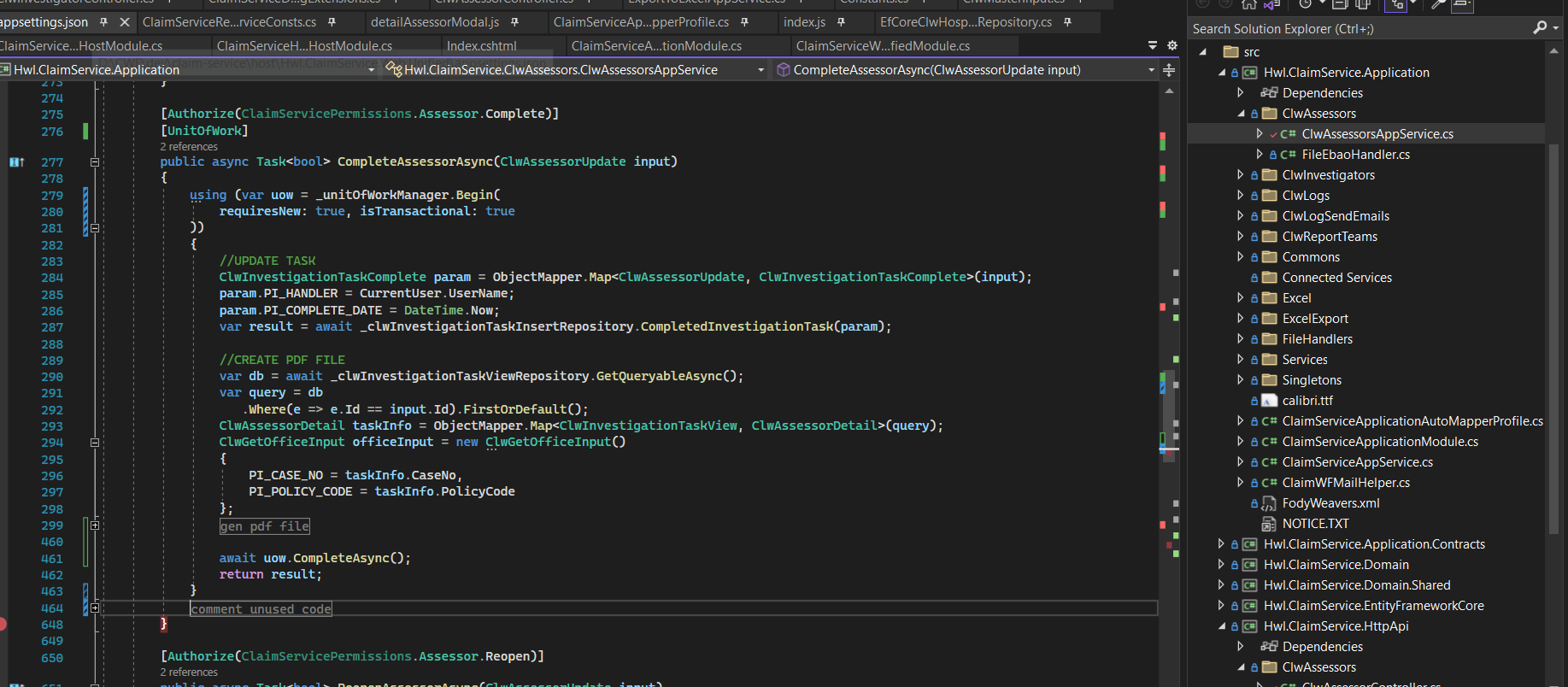
I'm using IUnitOfWorkManager to make Transaction with execute store procedue oracle.
This my code:
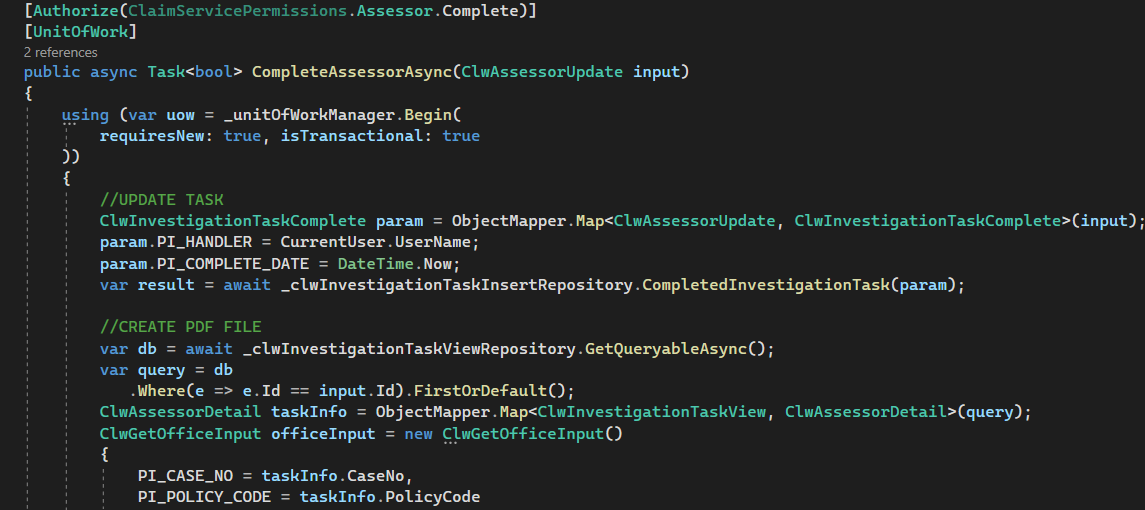 When debug code, I intentionally let it be error in //CREATE PDF FILE
I want to rollback //UPDATE TASK
When error in //CREATE PDF FILE, it throw exception but my database still save info of //UPDATE TASK.
How can I rollback //UPDATE TASK?
When debug code, I intentionally let it be error in //CREATE PDF FILE
I want to rollback //UPDATE TASK
When error in //CREATE PDF FILE, it throw exception but my database still save info of //UPDATE TASK.
How can I rollback //UPDATE TASK?
- ABP Framework version: v5.3.3
- UI type: MVC
- DB provider: EF Core
- Tiered (MVC) or Identity Server Separated (Angular): no
- Exception message and stack trace:
- Steps to reproduce the issue:"
Markdown supported.
Copy, paste, or drag & drop images and files (max 100 MB per file, 100 MB total per post)
3 Answer(s)
-
0
hi thaithiendi
- Try to remove
app.UseUnitOfWork()from the ASP.NET Core pipeline. - if 1 doesn't work, please share some code to reproduce the problem.
Markdown supported.Copy, paste, or drag & drop images and files (max 100 MB per file, 100 MB total per post) - Try to remove
-
0
Dear maliming ,
I try to remove app.UseUnitOfWork() but issue not resolved.
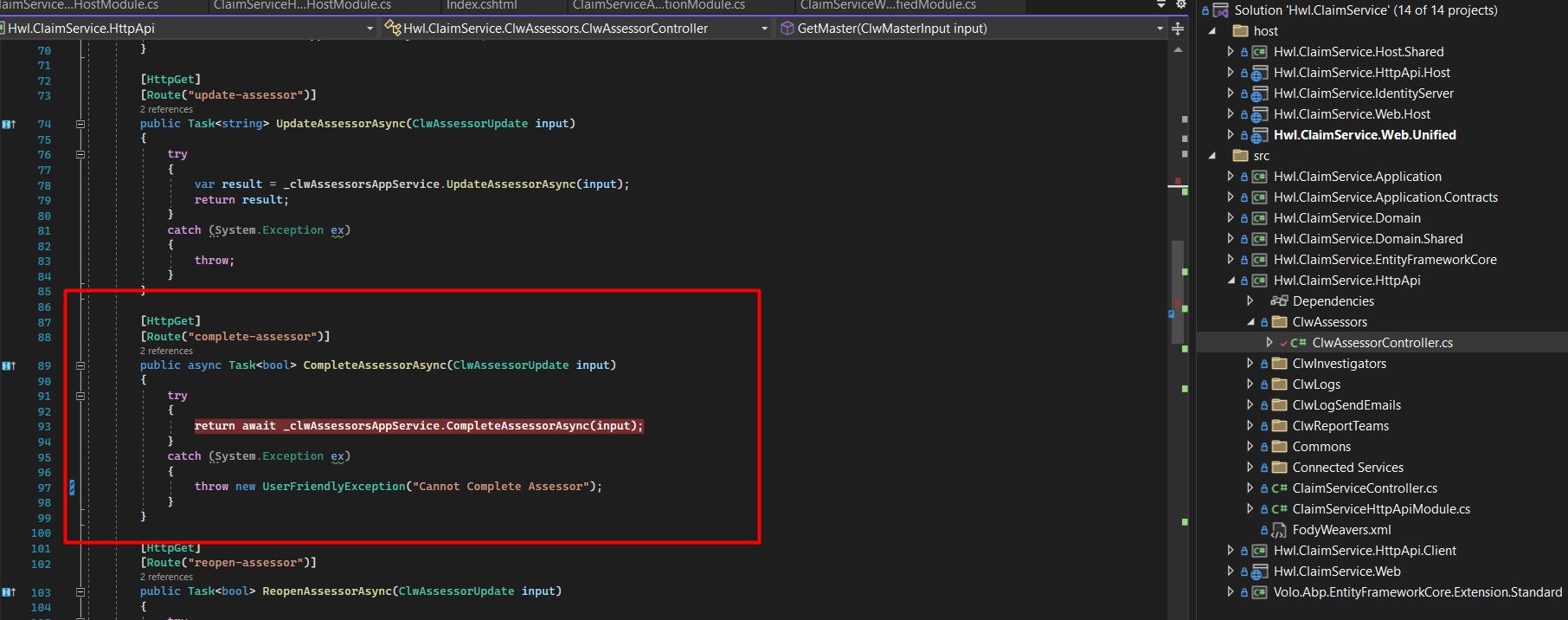
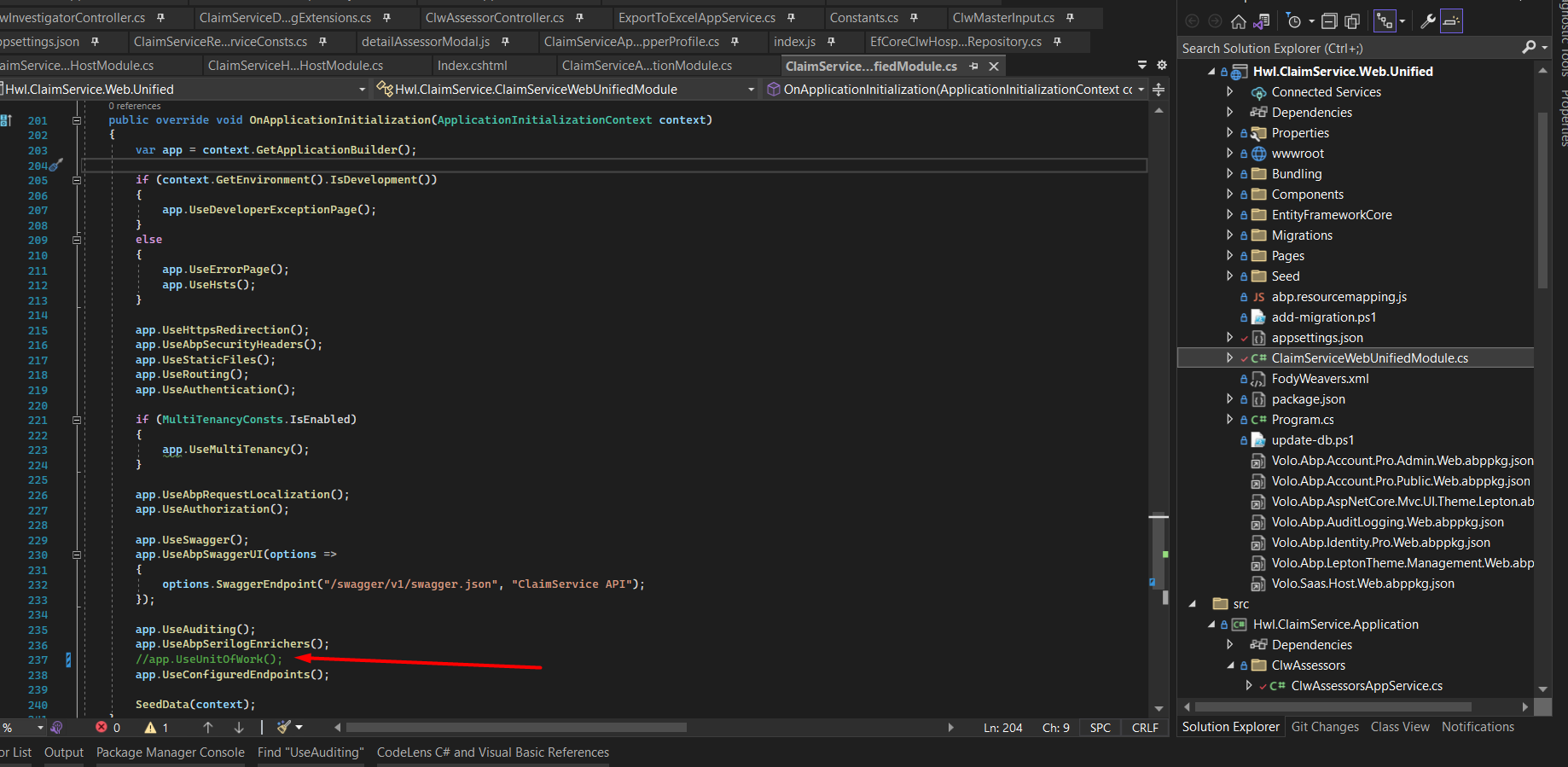 This my controller code, it not implement IUnitOfWorkManager:
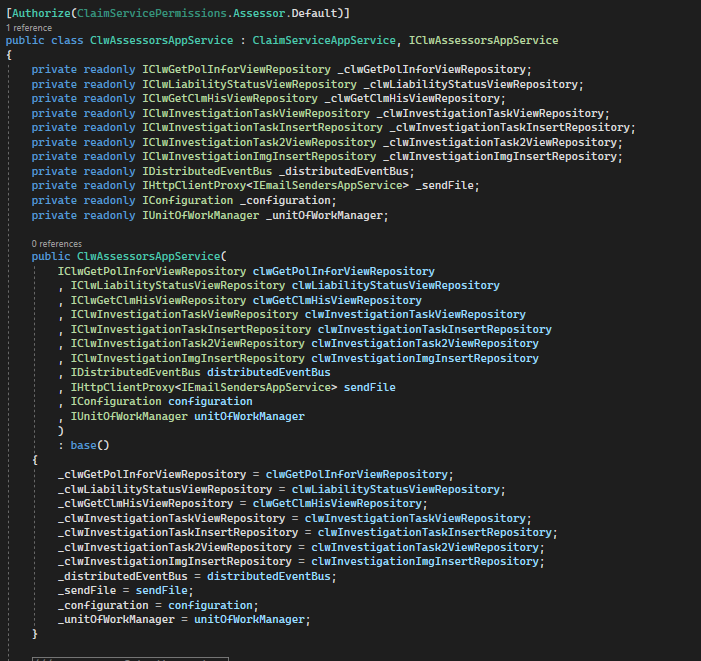
 This my service code
 Markdown supported.Copy, paste, or drag & drop images and files (max 100 MB per file, 100 MB total per post)


