9 Answer(s)
-
0
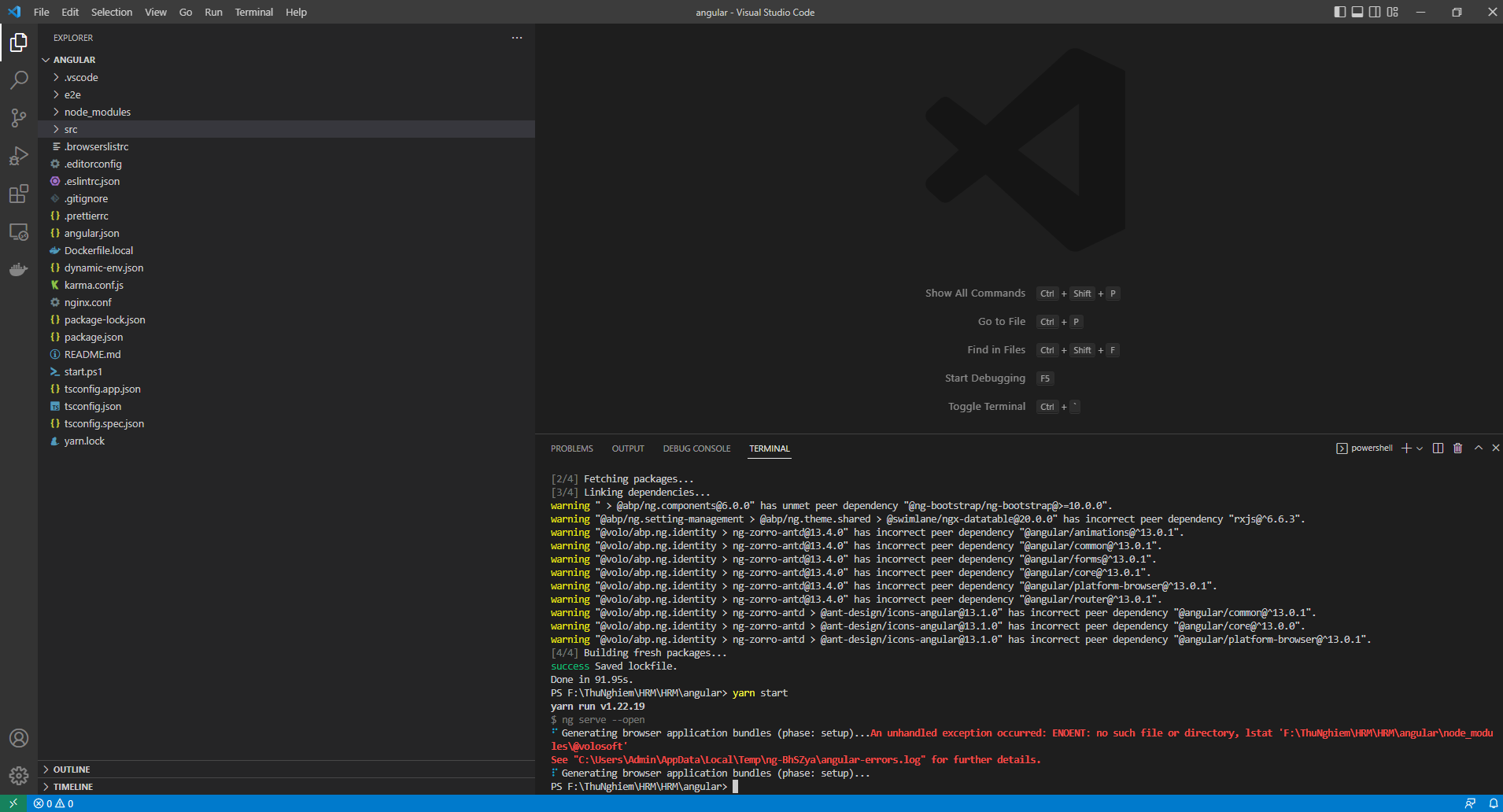
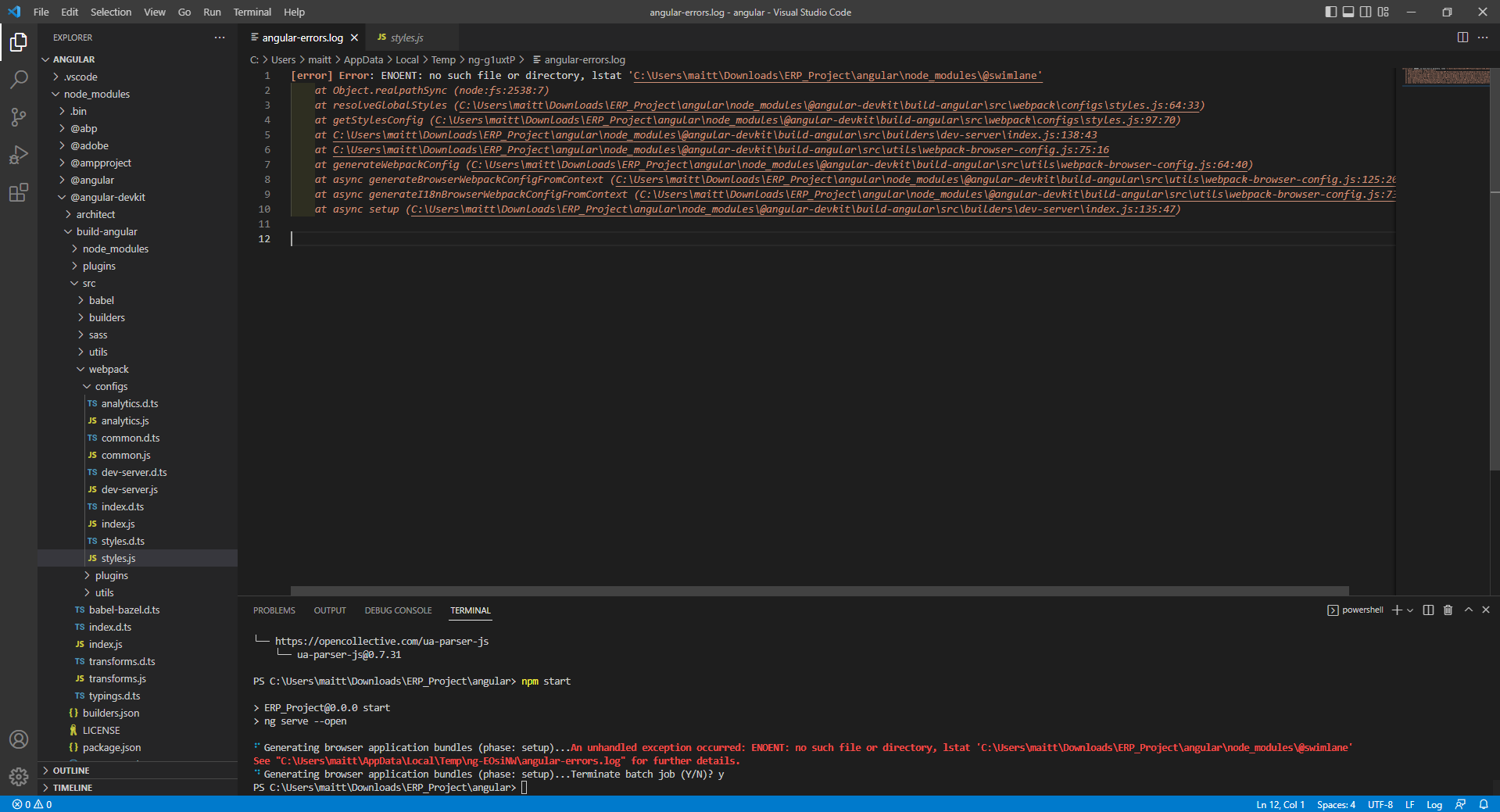
please try to remove node_module folder and run the following commands
- yarn install
- yarn start
Markdown supported.Copy, paste, or drag & drop images and files (max 100 MB per file, 100 MB total per post) -
0
Hi,
As I can see you don't have @volosoft package folder in your node_modules folder.
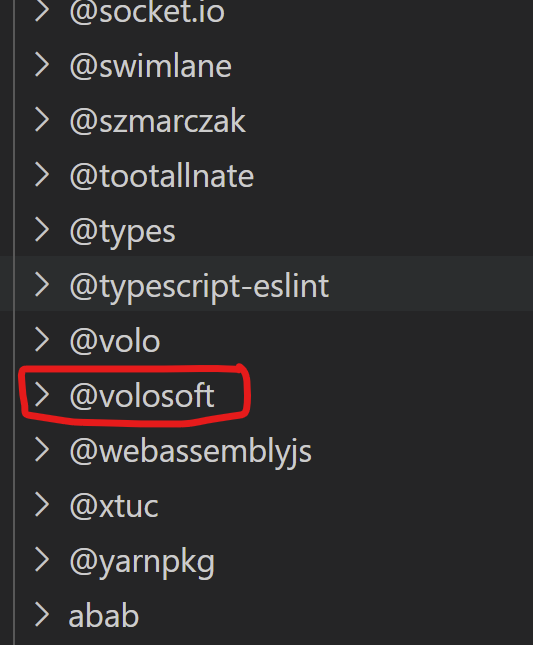
- remove node_modules folder
- remove package-lock.json file
- yarn install
- yarn start
after running all these commands, you should have @volosoft folder in the node_modules.
if it doesn't work. please install the new fresh copy of the project.
Markdown supported.Copy, paste, or drag & drop images and files (max 100 MB per file, 100 MB total per post) -
0
Hi sukhdeep.dhillon, I find this problem very serious. It affected my work by not running the application. I have used ways like: reloading project from abp suite, deleting node_modules, yarn.lock, package.json,.. re-running yarn install, yarn start but still no success.
Markdown supported.Copy, paste, or drag & drop images and files (max 100 MB per file, 100 MB total per post) -
0
Hi,
Could you please try installing the project by using ABP CLI instead of ABP Suite
Markdown supported.Copy, paste, or drag & drop images and files (max 100 MB per file, 100 MB total per post) -
0
These are the paths in angular.json
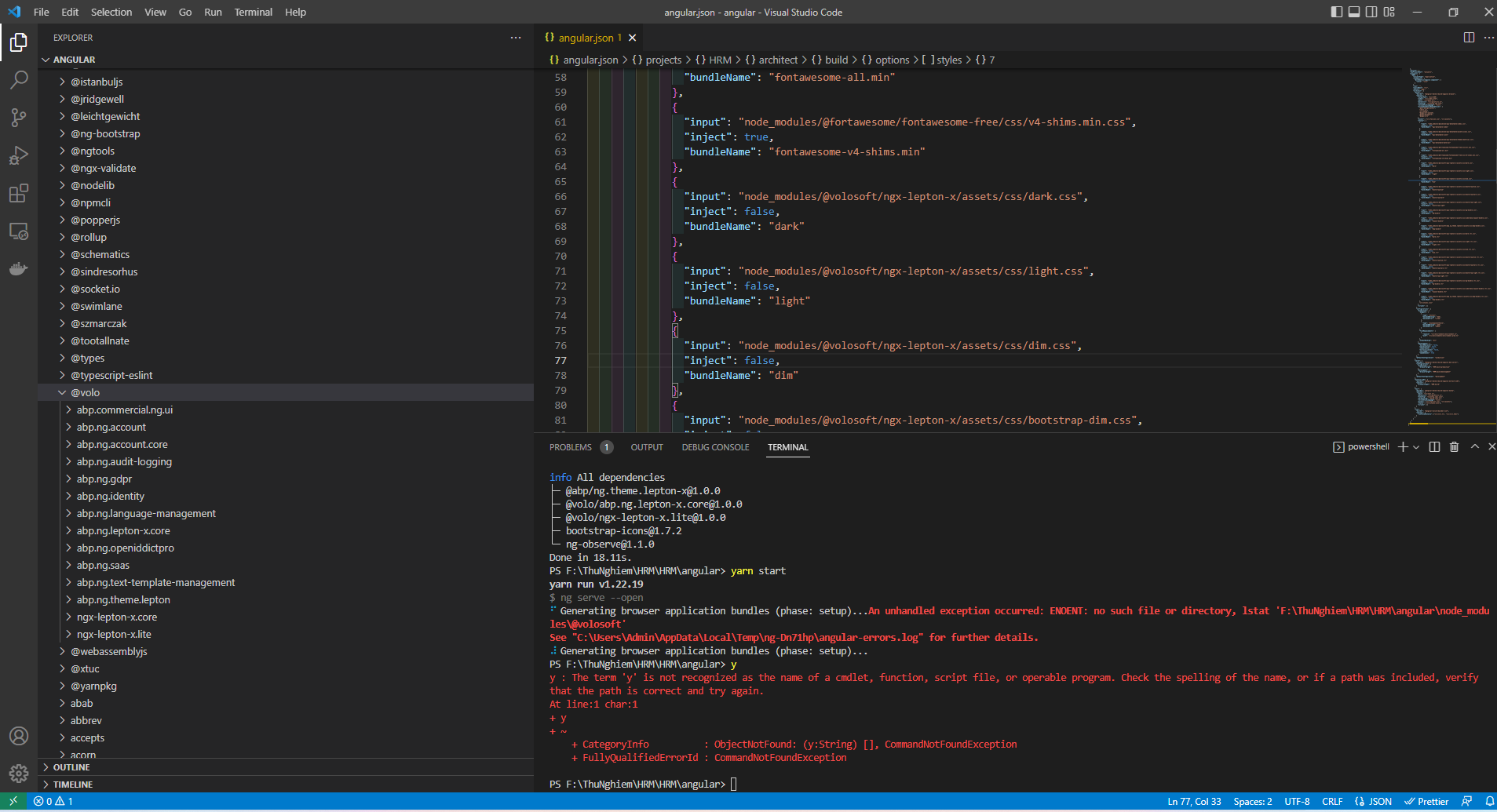
I think your theme selection is "lepton", not leptonX. There is an issue about that. You need to remove these in angular.json
{
    "input": "node_modules/@volosoft/ngx-lepton-x/assets/css/dark.css",
    "inject": false,
    "bundleName": "dark"
},
{
    "input": "node_modules/@volosoft/ngx-lepton-x/assets/css/light.css",
    "inject": false,
    "bundleName": "light"
},
{
    "input": "node_modules/@volosoft/ngx-lepton-x/assets/css/dim.css",
    "inject": false,
    "bundleName": "dim"
},
{
    "input": "node_modules/@volosoft/ngx-lepton-x/assets/css/bootstrap-dim.css",
    "inject": false,
    "bundleName": "bootstrap-dim"
},
{
    "input": "node_modules/@volosoft/ngx-lepton-x/assets/css/bootstrap-dark.css",
    "inject": false,
    "bundleName": "bootstrap-dark"
},
{
    "input": "node_modules/@volosoft/ngx-lepton-x/assets/css/bootstrap-light.css",
    "inject": false,
    "bundleName": "bootstrap-light"
},
{
    "input": "node_modules/@volosoft/ngx-lepton-x/assets/css/ng-bundle.css",
    "inject": false,
    "bundleName": "ng-bundle"
},
{
    "input": "node_modules/@volosoft/ngx-lepton-x/assets/css/side-menu/layout-bundle.css",
    "inject": false,
    "bundleName": "layout-bundle"
},
{
    "input": "node_modules/@volosoft/abp.ng.theme.lepton-x/assets/css/abp-bundle.css",
    "inject": false,
    "bundleName": "abp-bundle"
},
{
    "input": "node_modules/@volosoft/ngx-lepton-x/assets/css/dark.rtl.css",
    "inject": false,
    "bundleName": "dark.rtl"
},
{
    "input": "node_modules/@volosoft/ngx-lepton-x/assets/css/light.rtl.css",
    "inject": false,
    "bundleName": "light.rtl"
},
{
    "input": "node_modules/@volosoft/ngx-lepton-x/assets/css/dim.rtl.css",
    "inject": false,
    "bundleName": "dim.rtl"
},
{
    "input": "node_modules/@volosoft/ngx-lepton-x/assets/css/bootstrap-dim.rtl.css",
    "inject": false,
    "bundleName": "bootstrap-dim.rtl"
},
{
    "input": "node_modules/@volosoft/ngx-lepton-x/assets/css/bootstrap-dark.rtl.css",
    "inject": false,
    "bundleName": "bootstrap-dark.rtl"
},
{
    "input": "node_modules/@volosoft/ngx-lepton-x/assets/css/bootstrap-light.rtl.css",
    "inject": false,
    "bundleName": "bootstrap-light.rtl"
},
{
    "input": "node_modules/@volosoft/ngx-lepton-x/assets/css/ng-bundle.rtl.css",
    "inject": false,
    "bundleName": "ng-bundle.rtl"
},
{
    "input": "node_modules/@volosoft/ngx-lepton-x/assets/css/side-menu/layout-bundle.rtl.css",
    "inject": false,
    "bundleName": "layout-bundle.rtl"
},
{
    "input": "node_modules/@volosoft/abp.ng.theme.lepton-x/assets/css/abp-bundle.rtl.css",
    "inject": false,
    "bundleName": "abp-bundle.rtl"
}
run
npm install @volo/abp.ng.theme.leptonon your angular app. then add these styles in Angular.json.{ "input": "node_modules/@volo/abp.ng.theme.lepton/dist/global/styles/lepton1.min.css", "inject": false, "bundleName": "lepton1" }, { "input": "node_modules/@volo/abp.ng.theme.lepton/dist/global/styles/lepton2.min.css", "inject": false, "bundleName": "lepton2" }, { "input": "node_modules/@volo/abp.ng.theme.lepton/dist/global/styles/lepton3.min.css", "inject": false, "bundleName": "lepton3" }, { "input": "node_modules/@volo/abp.ng.theme.lepton/dist/global/styles/lepton4.min.css", "inject": false, "bundleName": "lepton4" }, { "input": "node_modules/@volo/abp.ng.theme.lepton/dist/global/styles/lepton5.min.css", "inject": false, "bundleName": "lepton5" }, { "input": "node_modules/@volo/abp.ng.theme.lepton/dist/global/styles/lepton6.min.css", "inject": false, "bundleName": "lepton6" }, { "input": "node_modules/@volo/abp.ng.theme.lepton/dist/global/styles/lepton1.rtl.min.css", "inject": false, "bundleName": "lepton1.rtl" }, { "input": "node_modules/@volo/abp.ng.theme.lepton/dist/global/styles/lepton2.rtl.min.css", "inject": false, "bundleName": "lepton2.rtl" }, { "input": "node_modules/@volo/abp.ng.theme.lepton/dist/global/styles/lepton3.rtl.min.css", "inject": false, "bundleName": "lepton3.rtl" }, { "input": "node_modules/@volo/abp.ng.theme.lepton/dist/global/styles/lepton4.rtl.min.css", "inject": false, "bundleName": "lepton4.rtl" }, { "input": "node_modules/@volo/abp.ng.theme.lepton/dist/global/styles/lepton5.rtl.min.css", "inject": false, "bundleName": "lepton5.rtl" }, { "input": "node_modules/@volo/abp.ng.theme.lepton/dist/global/styles/lepton6.rtl.min.css", "inject": false, "bundleName": "lepton6.rtl" },detail: https://docs.abp.io/en/abp/6.0/UI/Angular/Theme-Configurations
Markdown supported.Copy, paste, or drag & drop images and files (max 100 MB per file, 100 MB total per post)