






Hello everyone. I have a project built by ABP Framework. Everything seems good right now. But I have an issue to solve. I created a new tenant. After that, if I want to login 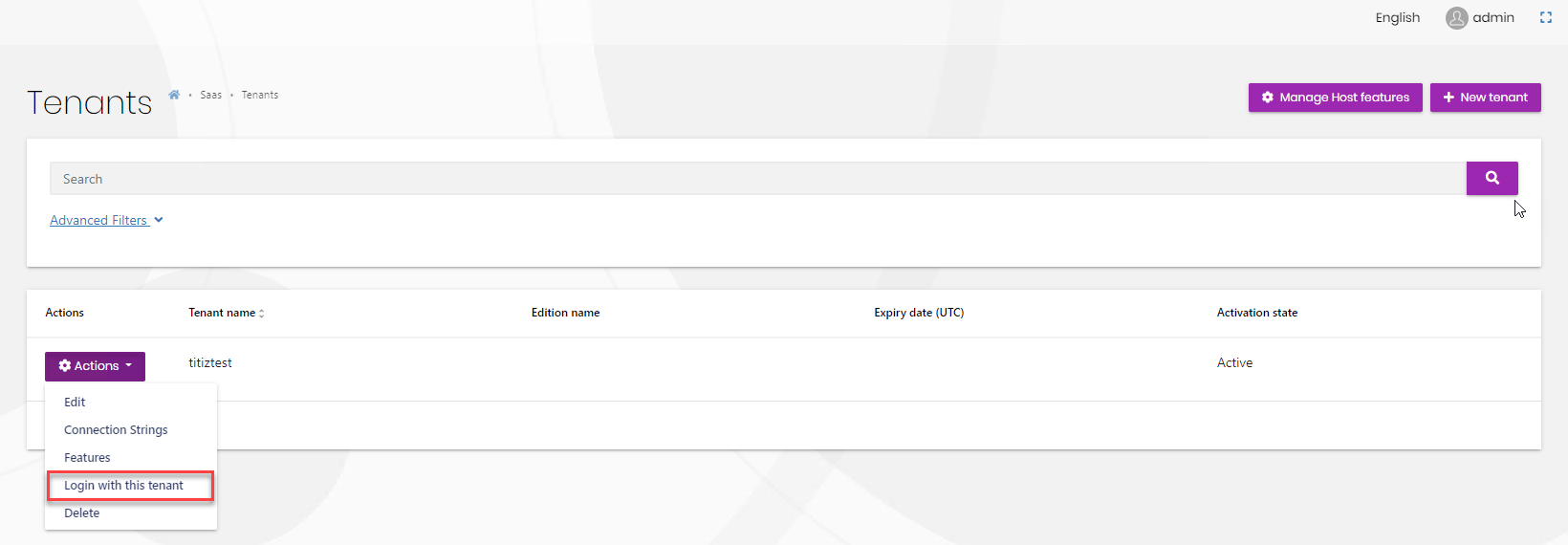 with this new tenant the system is not responding to me.
 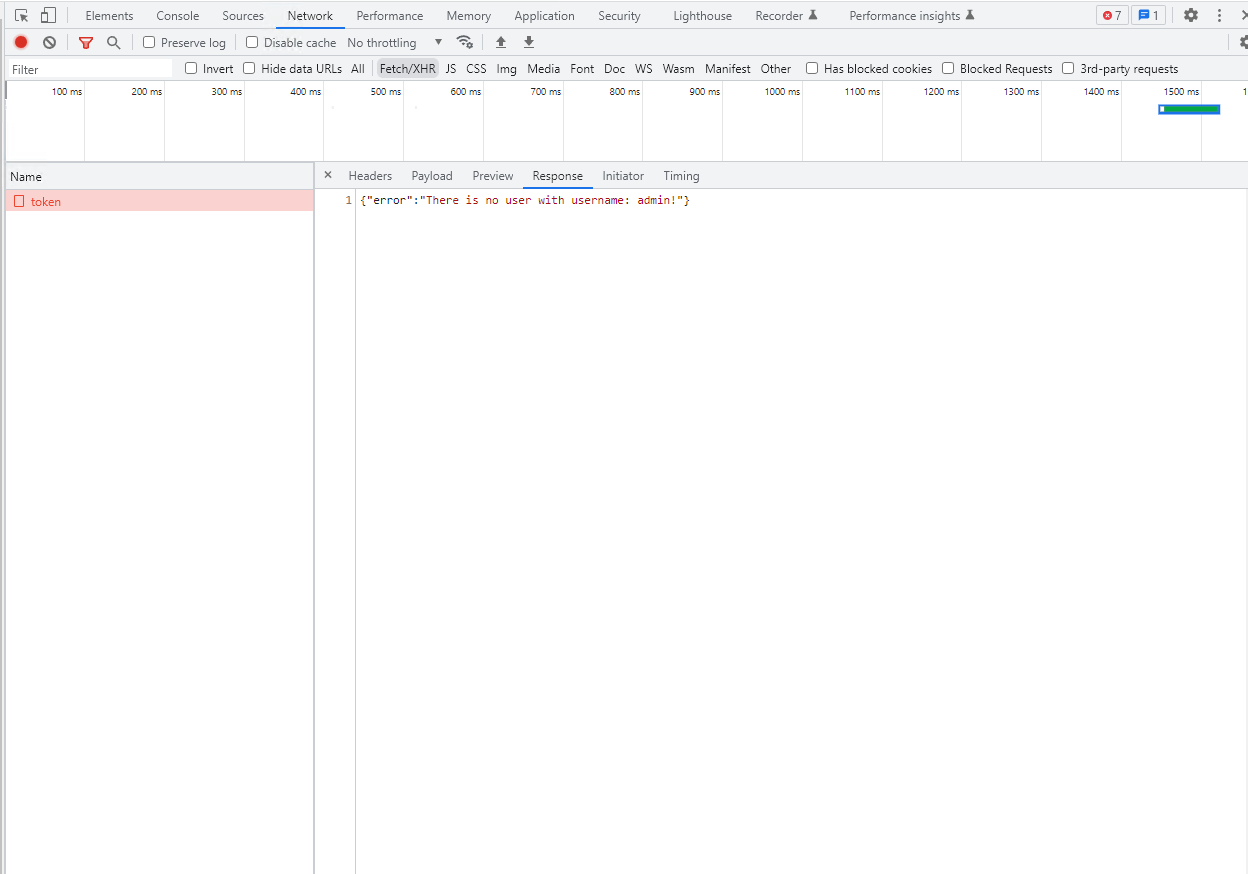 Actually, I solve this issue. We should create a new tenant in the database. But I think these processes are done automatically when I create a new tenant.
- ABP Framework version: v5.3.4
- UI type: Angular
- DB provider: EF Core
- Tiered (MVC) or Identity Server Separated (Angular): yes
3 Answer(s)
-
0
Can you provide the following information:
- Have you ever updated the ABP version of the project?
- If you solved the problem, how did you solve it?
- Is there a user belonging to the relevant tenant in the user table in the database?
Markdown supported.Copy, paste, or drag & drop images and files (max 100 MB per file, 100 MB total per post) -
0
Hello berkansasmaz.
I am working on 5.3.4 version of ABP. I will update in the incoming dates. But now i cant right now.
Yes.I added manually tenant information to database. These two spesifications are connected. So I had to create the admin(default) user belong to this new tenant. This creation also made it manually. I think if this creations automatically these process will be quicker.
Markdown supported.Copy, paste, or drag & drop images and files (max 100 MB per file, 100 MB total per post) -
0
Hi,
I downloaded and tested a new project with version
5.3.4but could not reproduce the problem.You can check the
YourProjectNameTenantDatabaseMigrationHandlerservice, and make sure it will be called when a tenant is created.Its content should be as follows:
using System;
using System.Collections.Generic;
using System.Linq;
using System.Threading.Tasks;
using Microsoft.Extensions.Logging;
using Volo.Abp.Data;
using Volo.Abp.DependencyInjection;
using Volo.Abp.EventBus.Distributed;
using Volo.Abp.Identity;
using Volo.Abp.MultiTenancy;
using Volo.Abp.Uow;

namespace MyCompanyName.MyProjectName.Data;

public class MyProjectNameTenantDatabaseMigrationHandler :
    IDistributedEventHandler<TenantCreatedEto>,
    IDistributedEventHandler<TenantConnectionStringUpdatedEto>,
    IDistributedEventHandler<ApplyDatabaseMigrationsEto>,
    ITransientDependency
{
    private readonly IEnumerable<IMyProjectNameDbSchemaMigrator> _dbSchemaMigrators;
    private readonly ICurrentTenant _currentTenant;
    private readonly IUnitOfWorkManager _unitOfWorkManager;
    private readonly IDataSeeder _dataSeeder;
    private readonly ITenantStore _tenantStore;
    private readonly ILogger<MyProjectNameTenantDatabaseMigrationHandler> _logger;

    public MyProjectNameTenantDatabaseMigrationHandler(
        IEnumerable<IMyProjectNameDbSchemaMigrator> dbSchemaMigrators,
        ICurrentTenant currentTenant,
        IUnitOfWorkManager unitOfWorkManager,
        IDataSeeder dataSeeder,
        ITenantStore tenantStore,
        ILogger<MyProjectNameTenantDatabaseMigrationHandler> logger)
    {
        _dbSchemaMigrators = dbSchemaMigrators;
        _currentTenant = currentTenant;
        _unitOfWorkManager = unitOfWorkManager;
        _dataSeeder = dataSeeder;
        _tenantStore = tenantStore;
        _logger = logger;
    }

    public async Task HandleEventAsync(TenantCreatedEto eventData)
    {
        await MigrateAndSeedForTenantAsync(
            eventData.Id,
            eventData.Properties.GetOrDefault("AdminEmail") ?? MyProjectNameConsts.AdminEmailDefaultValue,
            eventData.Properties.GetOrDefault("AdminPassword") ?? MyProjectNameConsts.AdminPasswordDefaultValue
        );
    }

    public async Task HandleEventAsync(TenantConnectionStringUpdatedEto eventData)
    {
        if (eventData.ConnectionStringName != ConnectionStrings.DefaultConnectionStringName ||
            eventData.NewValue.IsNullOrWhiteSpace())
        {
            return;
        }

        await MigrateAndSeedForTenantAsync(
            eventData.Id,
            MyProjectNameConsts.AdminEmailDefaultValue,
            MyProjectNameConsts.AdminPasswordDefaultValue
        );

        /* You may want to move your data from the old database to the new database!
         * It is up to you. If you don't make it, new database will be empty
         * (and tenant's admin password is reset to 1q2w3E*).
         */
    }

    public async Task HandleEventAsync(ApplyDatabaseMigrationsEto eventData)
    {
        if (eventData.TenantId == null)
        {
            return;
        }

        await MigrateAndSeedForTenantAsync(
            eventData.TenantId.Value,
            MyProjectNameConsts.AdminEmailDefaultValue,
            MyProjectNameConsts.AdminPasswordDefaultValue
        );
    }

    private async Task MigrateAndSeedForTenantAsync(
        Guid tenantId,
        string adminEmail,
        string adminPassword)
    {
        try
        {
            using (_currentTenant.Change(tenantId))
            {
                // Create database tables if needed
                using (var uow = _unitOfWorkManager.Begin(requiresNew: true, isTransactional: false))
                {
                    var tenantConfiguration = await _tenantStore.FindAsync(tenantId);
                    if (tenantConfiguration?.ConnectionStrings != null &&
                        !tenantConfiguration.ConnectionStrings.Default.IsNullOrWhiteSpace())
                    {
                        foreach (var migrator in _dbSchemaMigrators)
                        {
                            await migrator.MigrateAsync();
                        }
                    }

                    await uow.CompleteAsync();
                }

                // Seed data
                using (var uow = _unitOfWorkManager.Begin(requiresNew: true, isTransactional: true))
                {
                    await _dataSeeder.SeedAsync(
                        new DataSeedContext(tenantId)
                            .WithProperty(IdentityDataSeedContributor.AdminEmailPropertyName, adminEmail)
                            .WithProperty(IdentityDataSeedContributor.AdminPasswordPropertyName, adminPassword)
                    );

                    await uow.CompleteAsync();
                }
            }
        }
        catch (Exception ex)
        {
            _logger.LogException(ex);
        }
    }
}
Markdown supported.Copy, paste, or drag & drop images and files (max 100 MB per file, 100 MB total per post)


