- ABP Framework version: v6.0.2
- UI type: Angular
- DB provider: MongoDB
- Tiered (MVC) or Identity Server Separated (Angular): yes / no
- Exception message and stack trace:
- Steps to reproduce the issue:"
I would like to use an external Login provider such as Auth0. The current document https://docs.abp.io/en/commercial/latest/modules/identity/oauth-login seems to using Identity Server and not OpenID Connect, which is provided by default for new installations using ABP Suite.
Can you provide a link or directions to set that up for an Angular project? I am assuming that I would have to maintain roles and permissions in Auth0? or would that still be maintained in the Admin UI?
<br>
9 Answer(s)
-
0
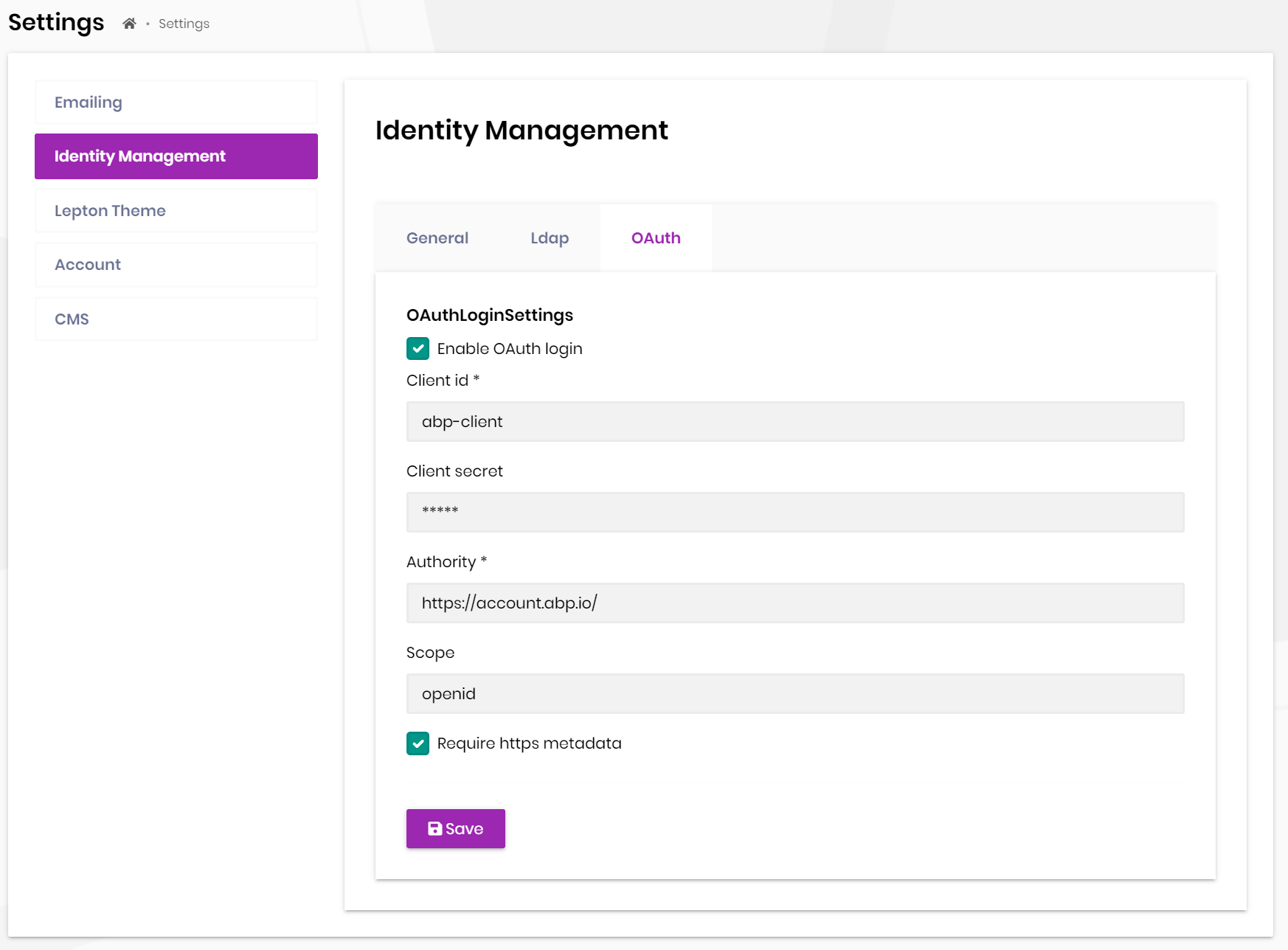
We use these settings for Password flow(https://oauth.net/2/grant-types/password/) to get access_token, then get user info from UserInfo endpoint.
You only need to provide the client info of Auth0.
 Markdown supported.Copy, paste, or drag & drop images and files (max 100 MB per file, 100 MB total per post)
 -
0
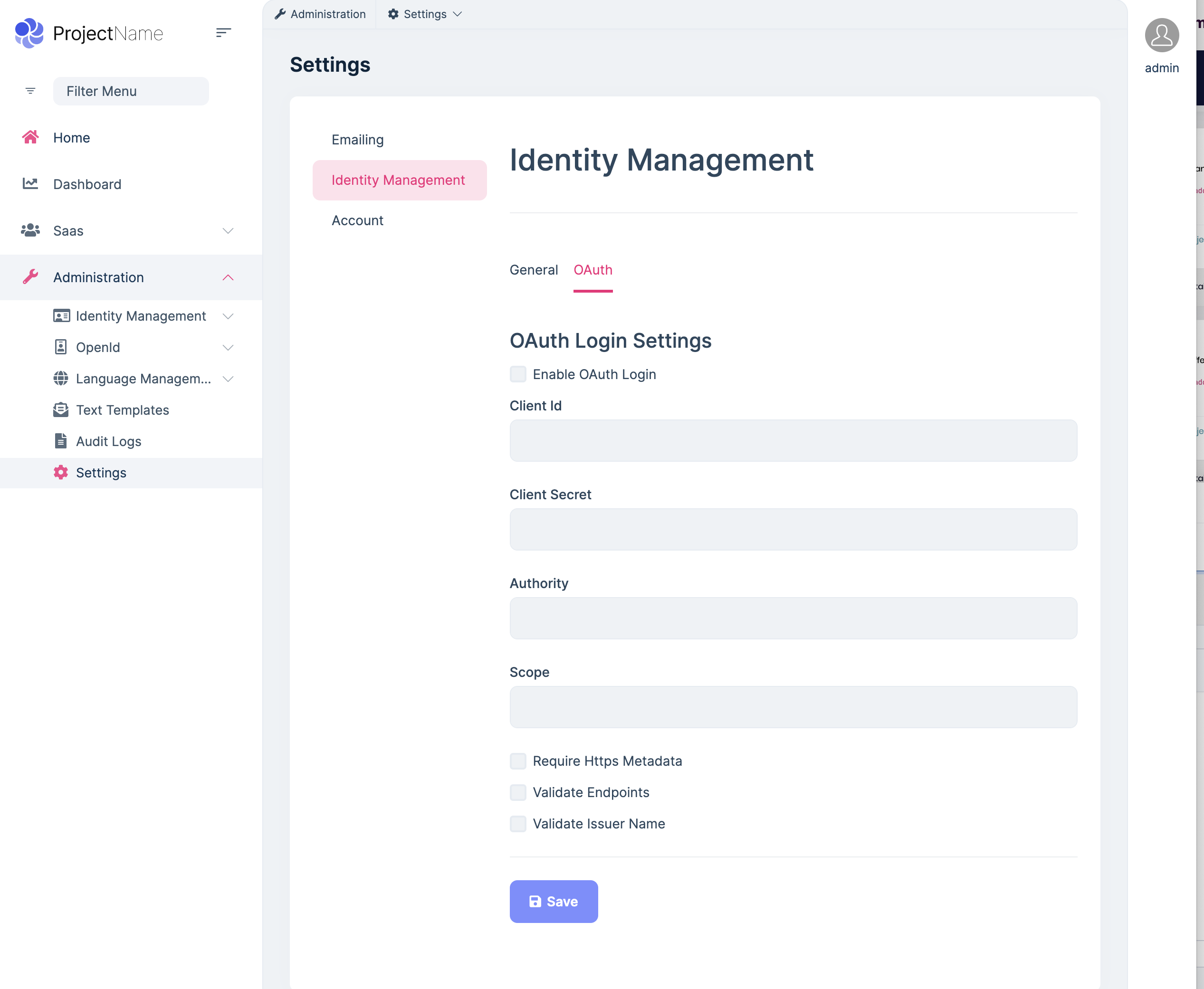
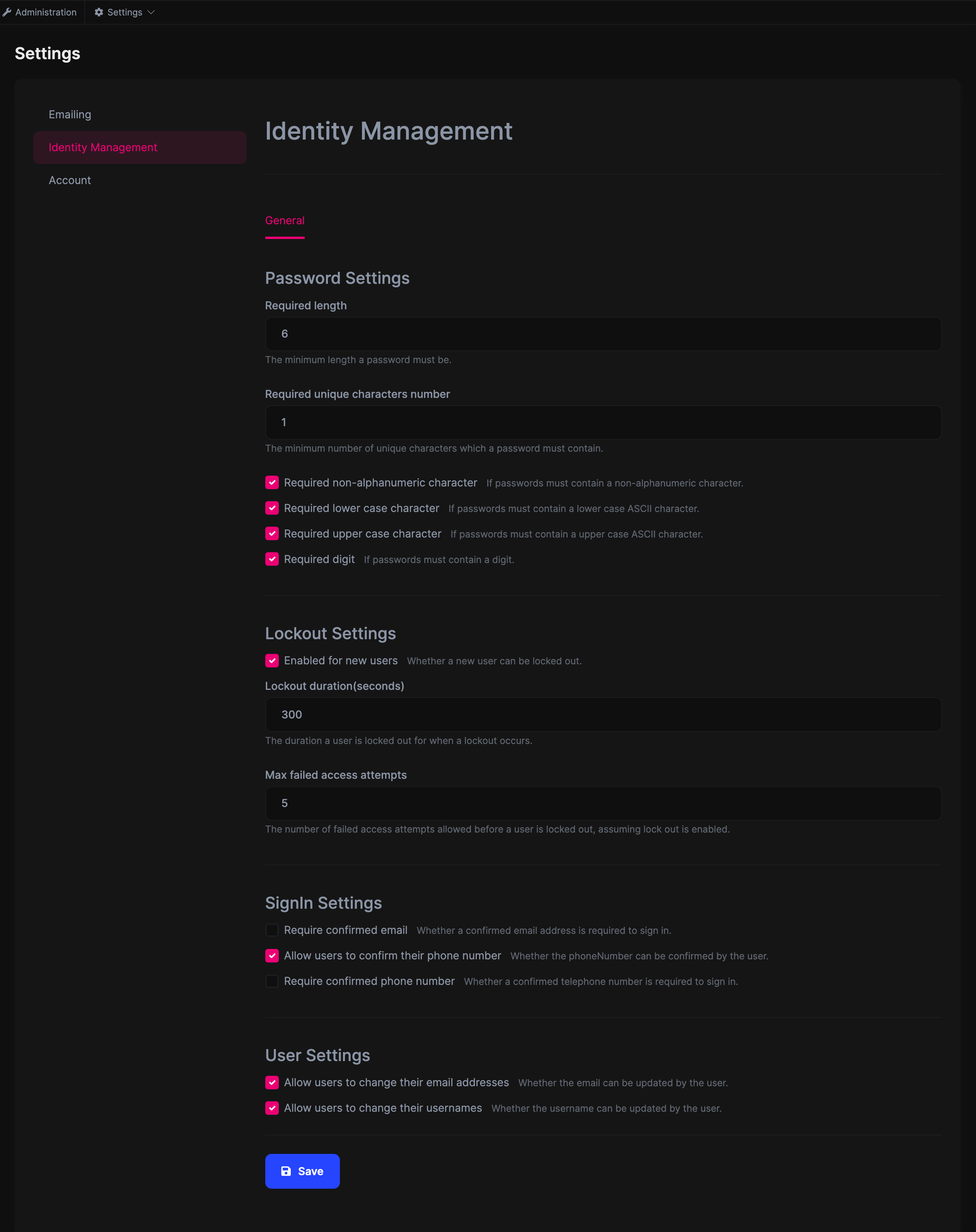
This is the screen that I see. The screenshot that you have is using Identity Server I believe. As you can see in the screenshot, there is no option to update those settings.
Also is there anything special that I need to do on the frontend?
 Markdown supported.Copy, paste, or drag & drop images and files (max 100 MB per file, 100 MB total per post)
 -
0
hi
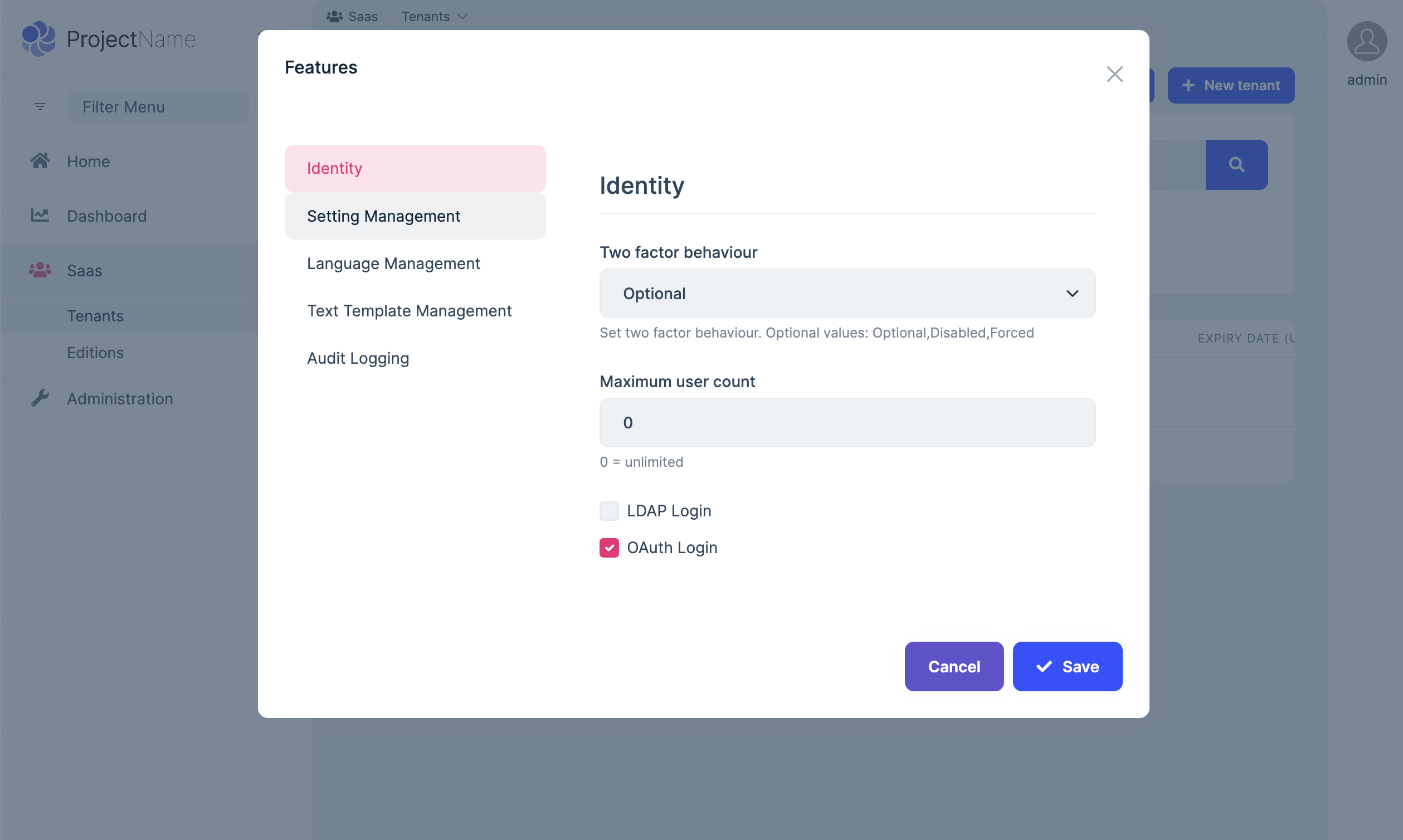
You need to enable the feature firrst.
https://docs.abp.io/en/commercial/latest/modules/identity/oauth-login?_ga=2.207428629.767741667.1672545643-1711217332.1670744857#how-to-enable-oauth-external-login
Markdown supported.Copy, paste, or drag & drop images and files (max 100 MB per file, 100 MB total per post) -
0
How can I enable that feature if it's not available? I've sent you the screenshot of what's available with the default installation of OpenIDConnect and OpenIDConnect UI. There is no option to enable that through the UI. The link that you sent was for an Identity Server UI Admin.
Markdown supported.Copy, paste, or drag & drop images and files (max 100 MB per file, 100 MB total per post) -
0
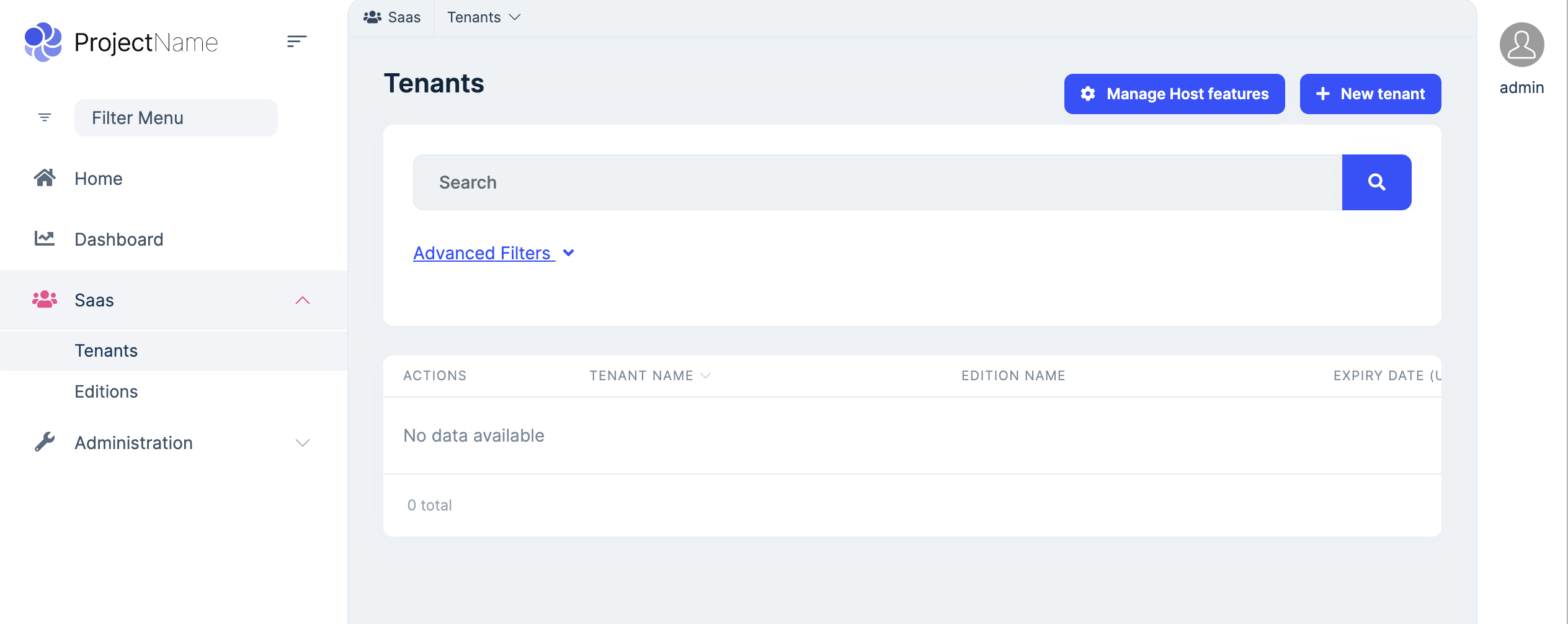
Can you take a screenshot of this Host / Tenant page your speaking of. I went through all the Admin menus and it's not there.
I believe that screen you're referring to requires the Identity Server UI package to be installed. You can also send the hyperlink path after the domain name and I will see if anything comes up.
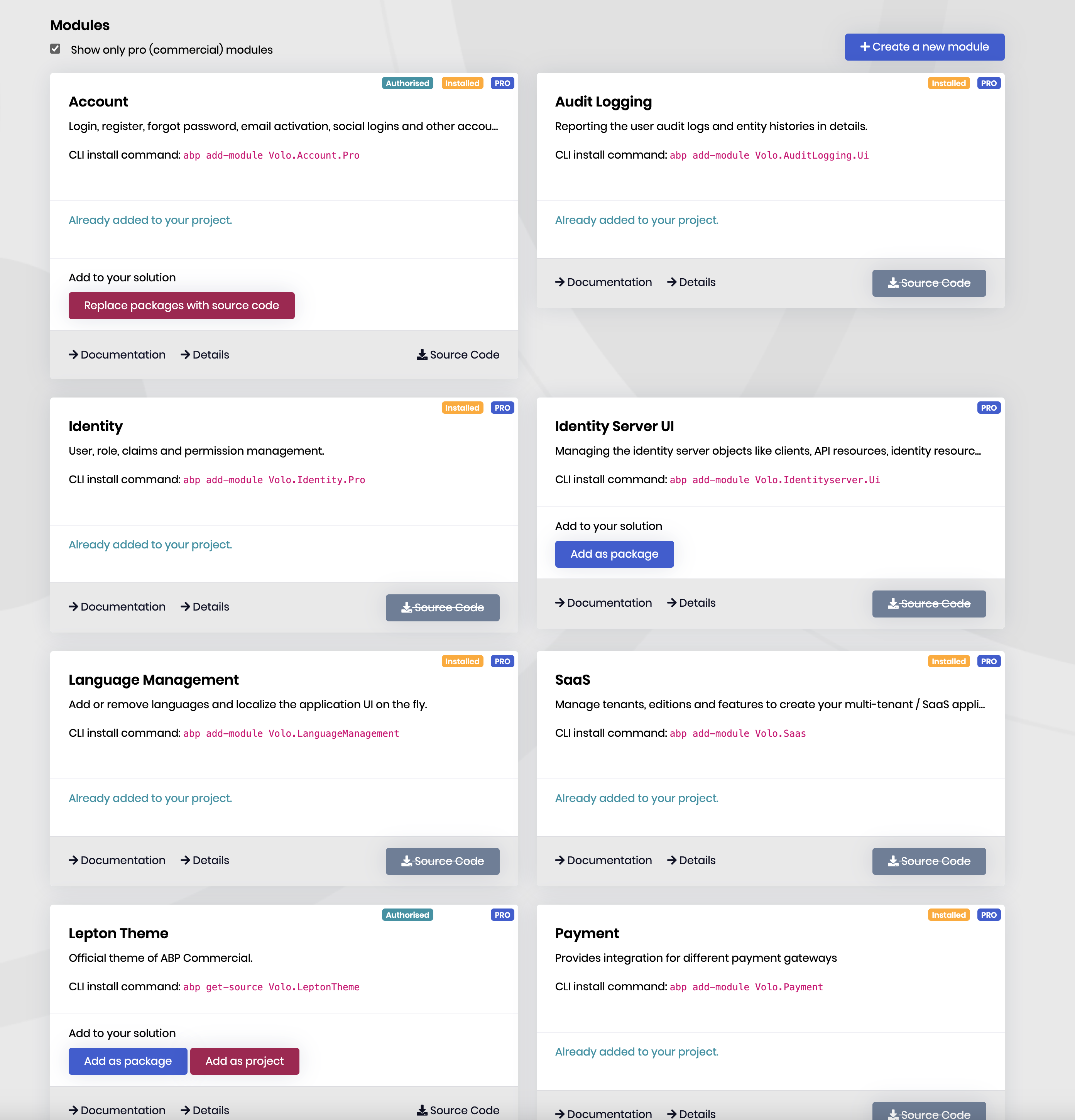 Markdown supported.Copy, paste, or drag & drop images and files (max 100 MB per file, 100 MB total per post)
 -
0
That seemed to have did the trick.
My goal is to replace the login experience with Auth0. Meaning that instead of the ABP.IO login page, it will use Auth0's login modules, etc. Would it be sufficient to make the changes above, and update the Angular base template to use the Auth0 login package? I am curious how this will have an impact on things such as permissions, etc as all the roles and scopes will be maintained in Auth0.
Thanks.
Markdown supported.Copy, paste, or drag & drop images and files (max 100 MB per file, 100 MB total per post) -
0
hi
I think you are talking about the
Social / External Logins.Auth0 will issue claims, and ABP will use claims for authorization.
https://learn.microsoft.com/en-us/aspnet/core/security/authentication/social/?view=aspnetcore-7.0&tabs=visual-studio
Markdown supported.Copy, paste, or drag & drop images and files (max 100 MB per file, 100 MB total per post)