






Hi
I have some doubt regarding Kafka integration how the publisher notify if one consumer fail? and how the unitofwork works
ex.
**Publisher: **
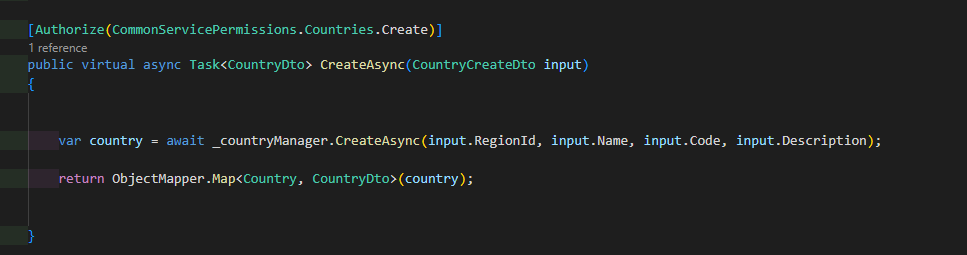 I want to keep copy of country to all microservice.
Consumer
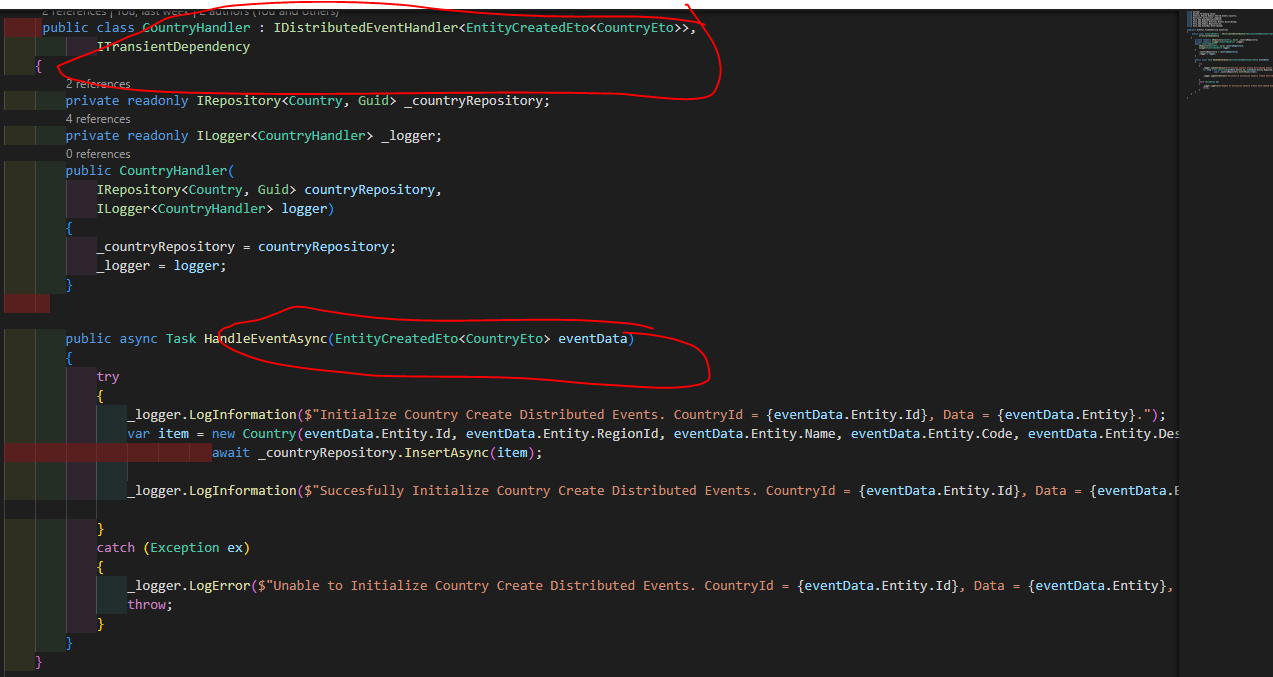
if consumer fail I want to rollback the transaction in publisher?
Is this possible using the build in distributed events using kafka?
Thanks
Check the docs before asking a question: https://docs.abp.io/en/commercial/latest/ Check the samples, to see the basic tasks: https://docs.abp.io/en/commercial/latest/samples/index The exact solution to your question may have been answered before, please use the search on the homepage.
If you're creating a bug/problem report, please include followings:
- ABP Framework version: vX.X.X
- UI type: Angular / MVC / Blazor
- DB provider: EF Core / MongoDB
- Tiered (MVC) or Identity Server Separated (Angular): yes / no
- Exception message and stack trace:
- Steps to reproduce the issue:"
10 Answer(s)
-
0
Hi,
You can see the document: https://docs.abp.io/en/abp/latest/Distributed-Event-Bus#transaction-and-exception-handling
Markdown supported.Copy, paste, or drag & drop images and files (max 100 MB per file, 100 MB total per post) -
0
I follow and implement the Kafka integration base on document you've send but still rollback is not working. even I manually throw exception to consumer.
still the behavior is the same once consumer fail my transaction in publisher success.
Markdown supported.Copy, paste, or drag & drop images and files (max 100 MB per file, 100 MB total per post) -
0
When you switch to an actual distributed event bus provider (e.g. Kafka or RabbitMQ), then the event handlers will be executed in different processes/applications as their purpose is to create distributed systems. In this case, the only way to implement transactional event publishing is to use the outbox/inbox patterns as explained in the Outbox / Inbox for Transactional Events section.
Markdown supported.Copy, paste, or drag & drop images and files (max 100 MB per file, 100 MB total per post) -
0
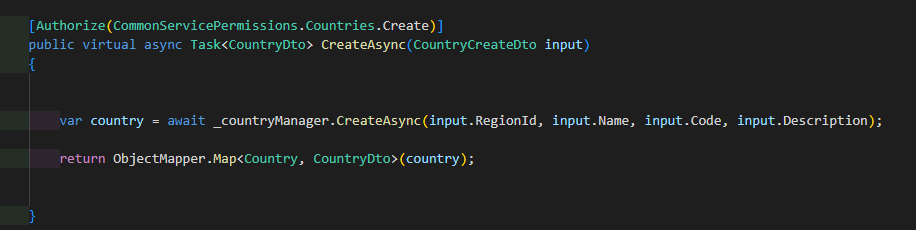
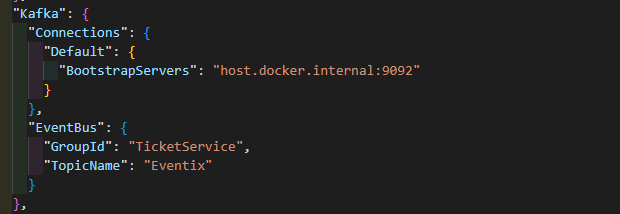
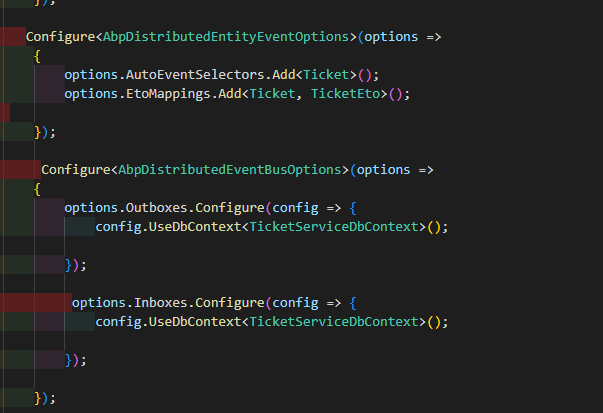
Publisher configuration
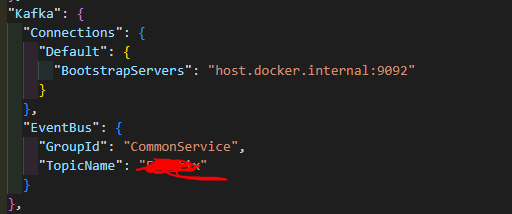
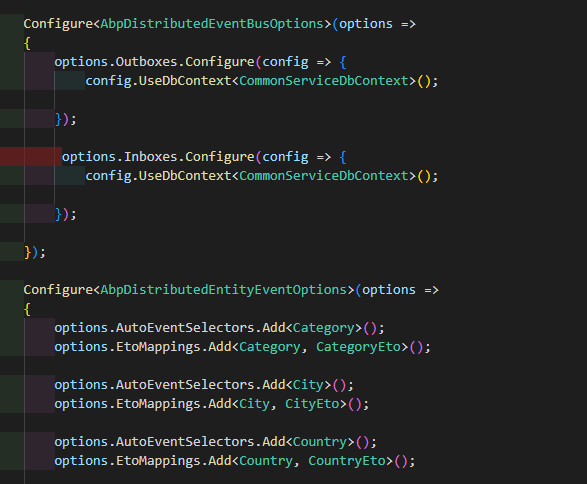
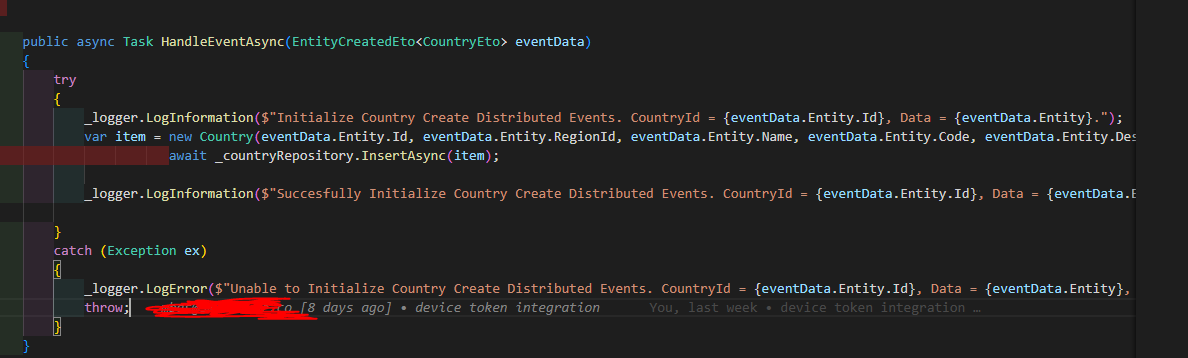
Consumer configuration
 Markdown supported.Copy, paste, or drag & drop images and files (max 100 MB per file, 100 MB total per post)
 -
0
but still rollback is not working. even I manually throw exception to consumer.
When you successfully publish an event, it's not possible to rollback. you might consider posting a rollback event to rollback your changes
Markdown supported.Copy, paste, or drag & drop images and files (max 100 MB per file, 100 MB total per post) -
0
it seems this became more complicated and hard to maintain because what if there is cascading events with insert and update.
Markdown supported.Copy, paste, or drag & drop images and files (max 100 MB per file, 100 MB total per post) -
0
but still rollback is not working. even I manually throw exception to consumer.
When you successfully publish an event, it's not possible to rollback. you might consider posting a rollback event to rollback your changes
then how you will notify the UI Realtime if the consumer is fail during rollback event.
Markdown supported.Copy, paste, or drag & drop images and files (max 100 MB per file, 100 MB total per post) -
0
As you know, Kafka is a distributed message system, and messages can be consumed in parallel. Even if one message fails it will not affect the other.
You should not throw unhandled exceptions in the event handler, it keeps retrying in the system and blocks your other event handlers(In the outbox/inbox patterns, messages are sequential)
Your event handlers should be independent of each other, if one fails, you need to roll back all published events, you should place the code logic before publishing the event instead of an event handler
then how you will notify the UI Realtime if the consumer is fail during rollback event.
Same, Kafka is a distributed application, it can't show notify the UI in real-time, but you can build a real-time notification system(SignalR)
Markdown supported.Copy, paste, or drag & drop images and files (max 100 MB per file, 100 MB total per post) -
0
thanks I will consider that.
Markdown supported.Copy, paste, or drag & drop images and files (max 100 MB per file, 100 MB total per post) -
0
ok
Markdown supported.Copy, paste, or drag & drop images and files (max 100 MB per file, 100 MB total per post)


