






- ABP Framework version: v7.0.3
- UI type: Blazor
- DB provider: EF Core
- Tiered (MVC) or Identity Server Separated (Angular): no
- Exception message and stack trace:
- Steps to reproduce the issue:"
Hello!
I've updated my packages to 7.0.3 / LeptonX to 2.0.4, Blazorize also to latest versions ( 1.2.1 - Components, Icons, Bootstrap5 packages) and all the ASP Net Core packages to 7.0.4, I ran an abp bundle after some modifications in the css and I get this error at app loading:
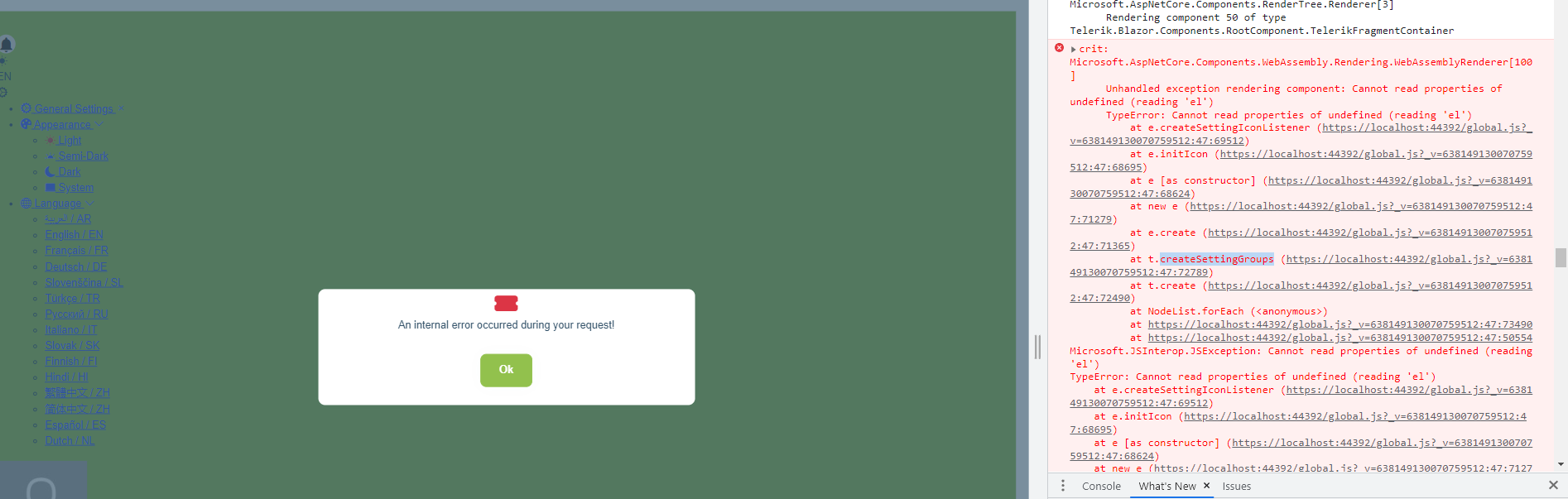
It seems related to the General Settings area.
Can anyone help me?
I can also share the project.
Tks alot, Catalin
14 Answer(s)
-
0
Hi, maliming!
For sure it will work. Thing is my project is close to deployment in PROD and it is pretty big, so just creating a new template and moving all the customization is quite a challenge. Is there a proper way to move it?
Its the same project with the bug that we couldn't solve: the menu that is not rendering at login, but only after a page refresh. And I was trying to solve it, but then I got this error after upgrading and running abp-bundle.
What do you think is the best course of action in this case? Because the error seems ABP related.
Tks for your valuable input!
Markdown supported.Copy, paste, or drag & drop images and files (max 100 MB per file, 100 MB total per post) -
0
And I was trying to solve it, but then I got this error after upgrading and running abp-bundle.
hi
Create a new template and check the versions of nuget and npm(packages.json), Especially the related packages of Lepon, then update the packages of your project and re-run
abp-bundle.Markdown supported.Copy, paste, or drag & drop images and files (max 100 MB per file, 100 MB total per post) -
0
Created a new Blazor server app: changed the layout to top menu and I got this:
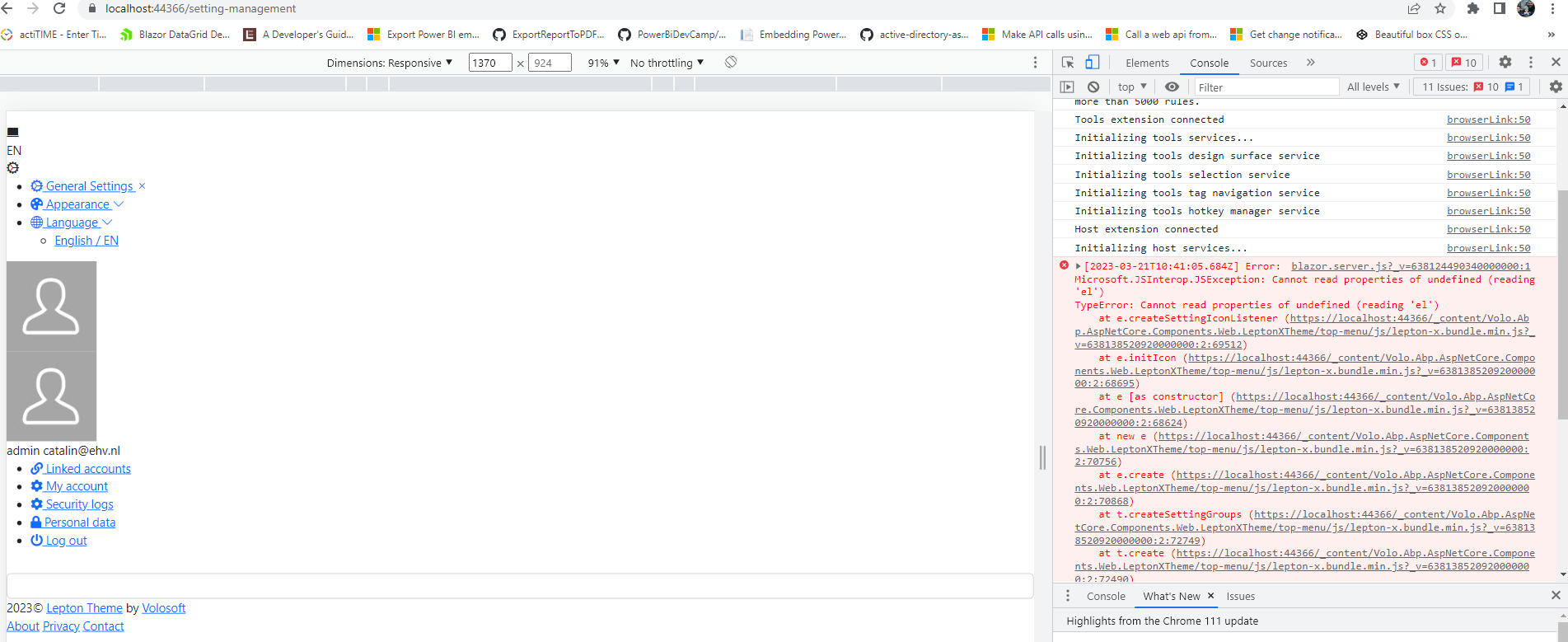
So same error.
Markdown supported.Copy, paste, or drag & drop images and files (max 100 MB per file, 100 MB total per post) -
0
Created a new Blazor server app: changed the layout to top menu and I got this:
So same error.
Hi, as I can understand you're using Blazor WebAssembly. And did you updated your bundles after changing layout with
abp bundlecommand?You can follow those steps If you haven't done: https://docs.abp.io/en/commercial/latest/themes/lepton-x/blazor?UI=Blazor#updating-bundles-on-layout-changes
Markdown supported.Copy, paste, or drag & drop images and files (max 100 MB per file, 100 MB total per post) -
0
hello!
I created a new app, no layers, blazor server, changed top menu and got the error. If I switch back to Side Menu, its working.
I don't think it is bundle related.
Also for my original project, yes, I ran the abp bundle. No change.
Markdown supported.Copy, paste, or drag & drop images and files (max 100 MB per file, 100 MB total per post) -
0
We've just released LeptonX 2.0.5 version. Can you try to upgrade and try it?
Make sure your bundle files are regenerated after the update by executing
abp bundle.Markdown supported.Copy, paste, or drag & drop images and files (max 100 MB per file, 100 MB total per post) -
0
Hi,
I update all ABP Packages from ABP Suite for both Blazor Server and Blazor wasm projects.
It seems that the problem with Top Menu rendering is OK, but now I get this:
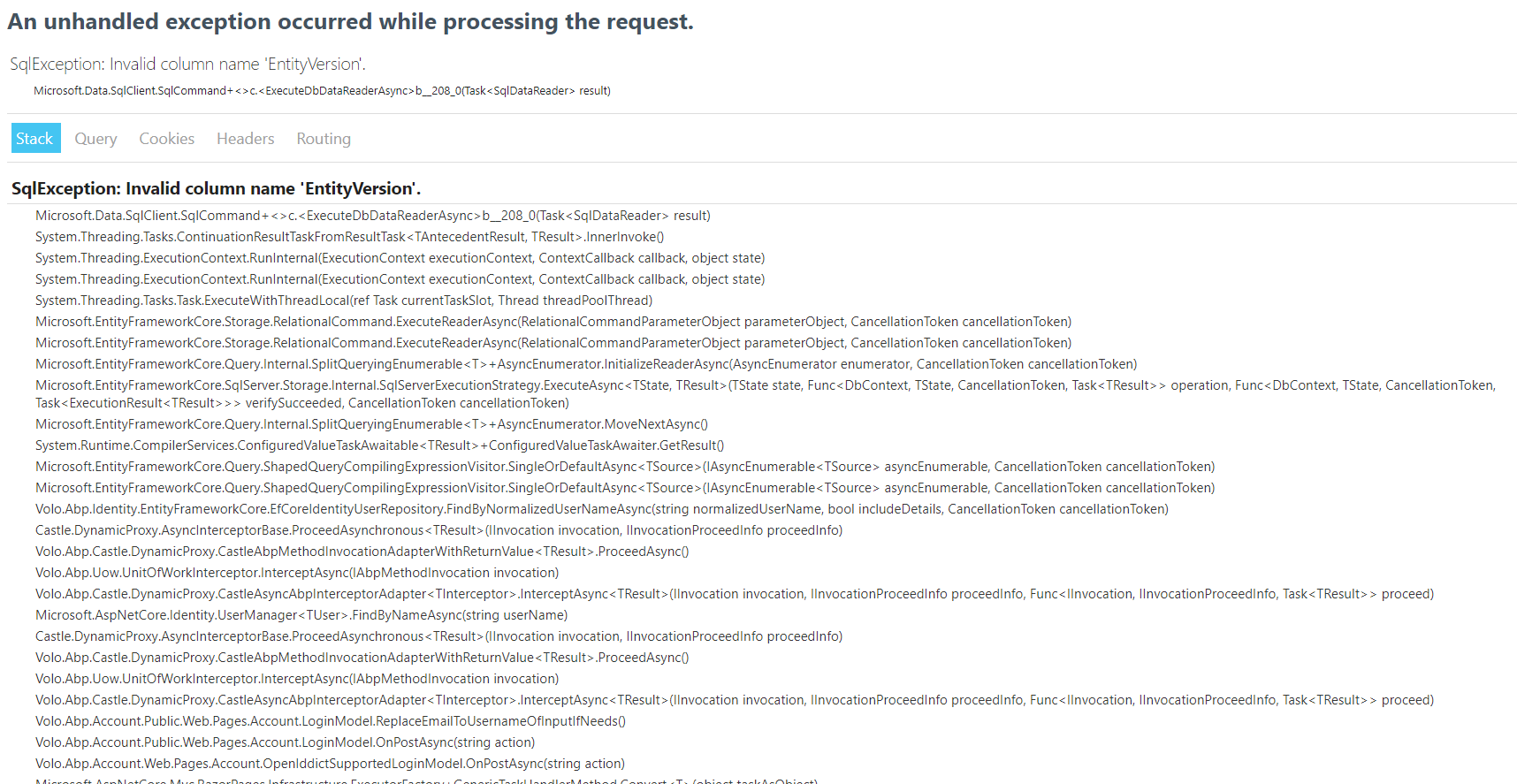
In Blazor WASM I hit this as soon as I hit login.
In Blazor Server it comes directly when I try to run the app.
Just to be clear: 7.1.0 on ABP Packages.
Markdown supported.Copy, paste, or drag & drop images and files (max 100 MB per file, 100 MB total per post)



