






We are using Application template with Angular as frontend for our application.
1 We are facing issue in forgotpassword page of APi ( using leptonx theme). When a user is entering wrong email which does not exists we want to show user a prompt that user does not exist. Currently its giving a toaster with User does not exist , we want it to be shown above submit button in forgotpassword page. how can we do that.
2 In Angular application if we navigate to any component then #/ has to be suffixed without which application gives 404 page not found. Can we get rid of #.
3. We have entity client created and contact entity created. Client can have many contacts and contact has many types. we created thes entities using abp suite and it created clientinformation and contactinformation components in front end. But we want client page to have a listing section of contacts which can be used to list all contacts of client and can add remove and modify contact for a client. Images attached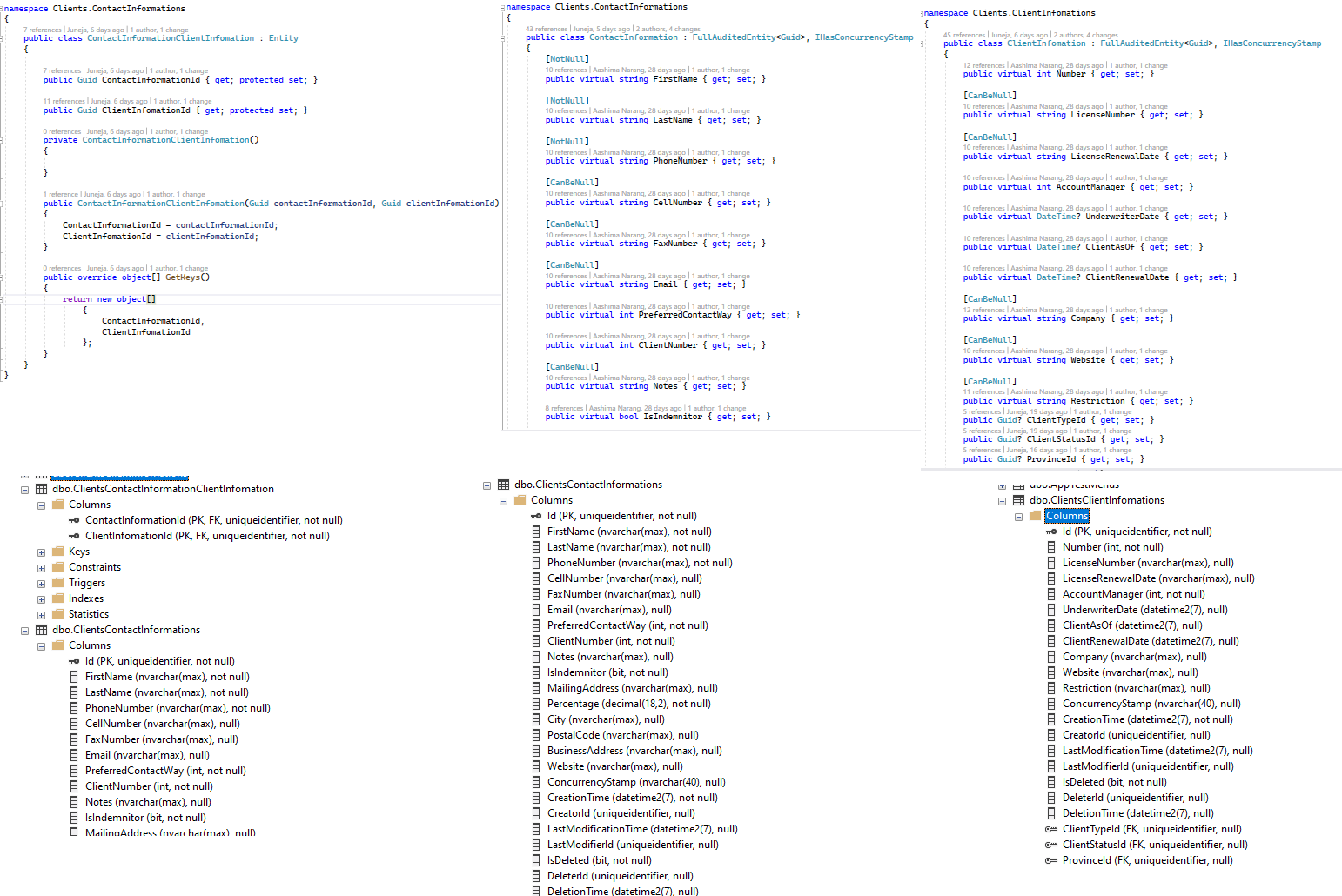
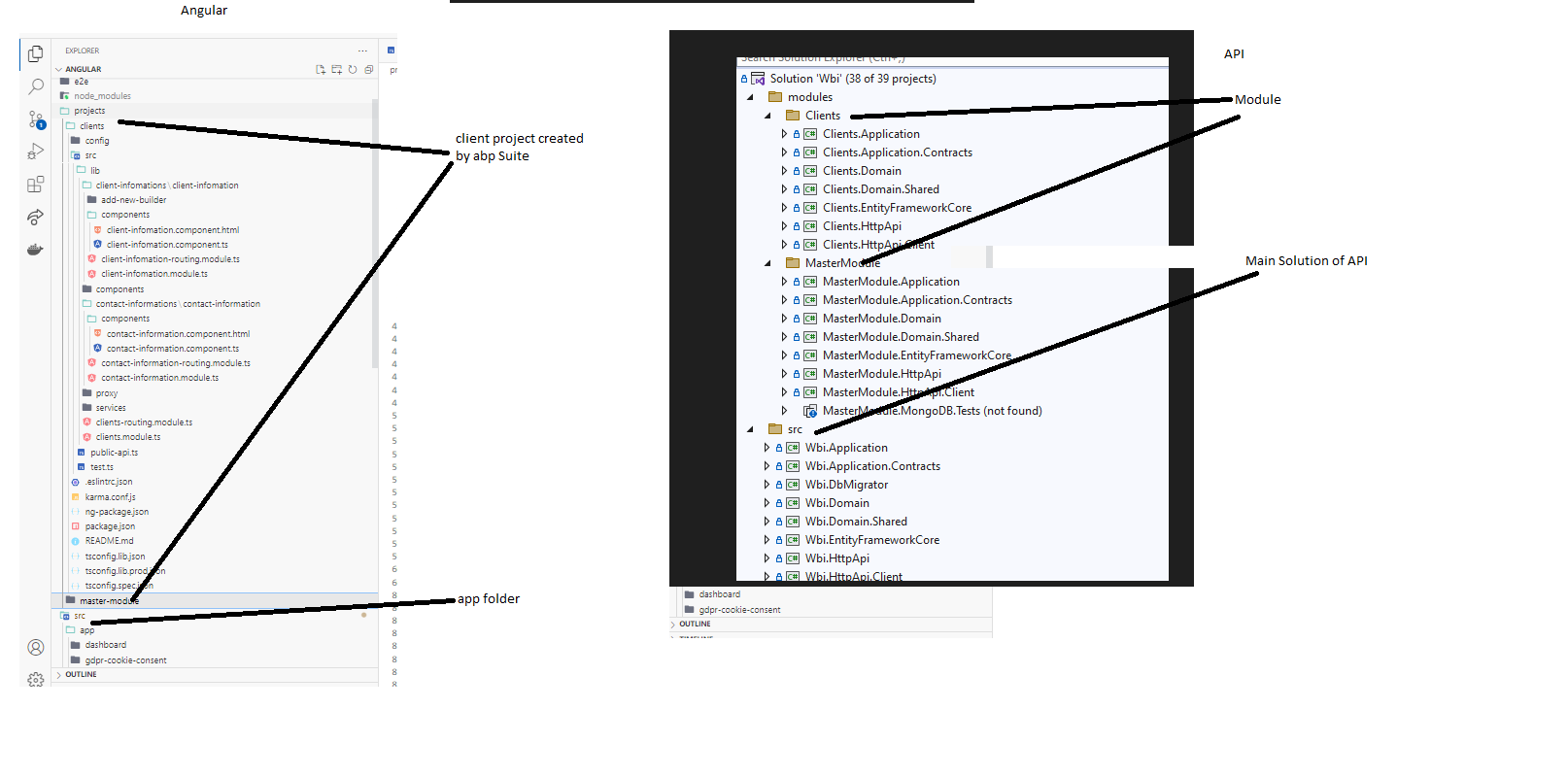
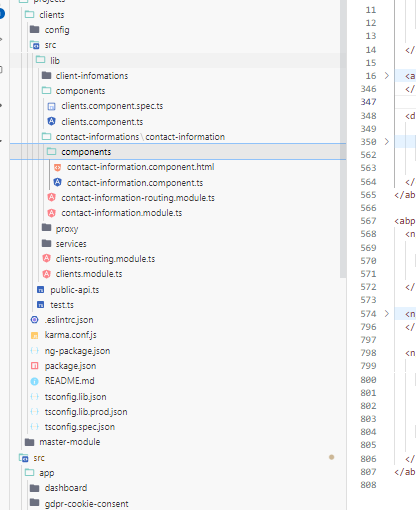 Thanks!
12 Answer(s)
-
0
Hi mahmut
Can you please help us here we need this to work out for us as we have to deliver this module. Early help is appreciated.
Markdown supported.Copy, paste, or drag & drop images and files (max 100 MB per file, 100 MB total per post) -
0
Hi ed, 1.Currently we display error like this can you show your case for first question with screen shot ?
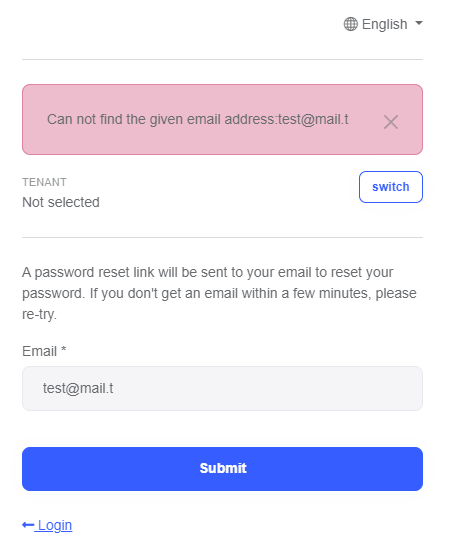
2.question is about LocationStrategy > HashLocationStrategy in angular it must be marked as
useHash: truein your project can you remove this property inside routing module3.question is related with your own case, it depends on how you want to display clients (or whatever is your domain) specificity, abp creates basic CRUD pages for you. You can customize this pages as you wish. Here's the example that you can use in your case https://material.angular.io/components/table/examples#table-expandable-rows
Markdown supported.Copy, paste, or drag & drop images and files (max 100 MB per file, 100 MB total per post) -
0
1 yes we don't want to show it as toaster and the way you have shown in your screenshot. we want to show it right below the password field that username/password invalid. 2 We will check # suggestion thanks. 3 we wanted to show a client and their contacts in single page where in user can modify single client and their contacts. we open a popup to add new contact while a user is editing a client. Example shown by you has grid samples.
Thanks!
Markdown supported.Copy, paste, or drag & drop images and files (max 100 MB per file, 100 MB total per post) -
0
Hi again ed,
1.Can you tell me your project's version because we're not display toaster for invalid username/password message and can you show your login page with error, Also if you want to customize login page you can check document for login if you use auth code flow you are logging at server that's why u need to customize on server side
3.In suite there is no like this feature, you need to customize after or before create components. You can check UsersComponent for your case
Markdown supported.Copy, paste, or drag & drop images and files (max 100 MB per file, 100 MB total per post) -
0
Hi Masum, we are using 7.0.2 version of commercial abp suite.
Also how can we are facing issue while resending OTP code as 2 factor authentication OTP process. We are doing agax post to api but its giving 500 error while the api is working correct if we call api using swagger. Do you have any clue our angular app is not able to call web api for sending code again using ajax post method.
Thanks
Markdown supported.Copy, paste, or drag & drop images and files (max 100 MB per file, 100 MB total per post) -
0
Hi Masum,
Aslo we wanted to replace favicon on API side and we were struggling to find way to do that, can you please share any info on this as well.
Thanks
Markdown supported.Copy, paste, or drag & drop images and files (max 100 MB per file, 100 MB total per post) -
0
Hi gain Ed,
First of all I'm really confused because of your questions, They are independent each other :) can you ask your questions separately please.
1.yes we don't want to show it as toaster and the way you have shown in your screenshot. we want to show it right below the password field that username/password invalid.
For this question I didn't reproduce the process I've created an project with abp suite, version 7.0.2 and this is the result
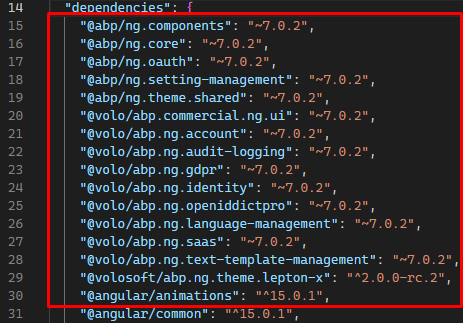
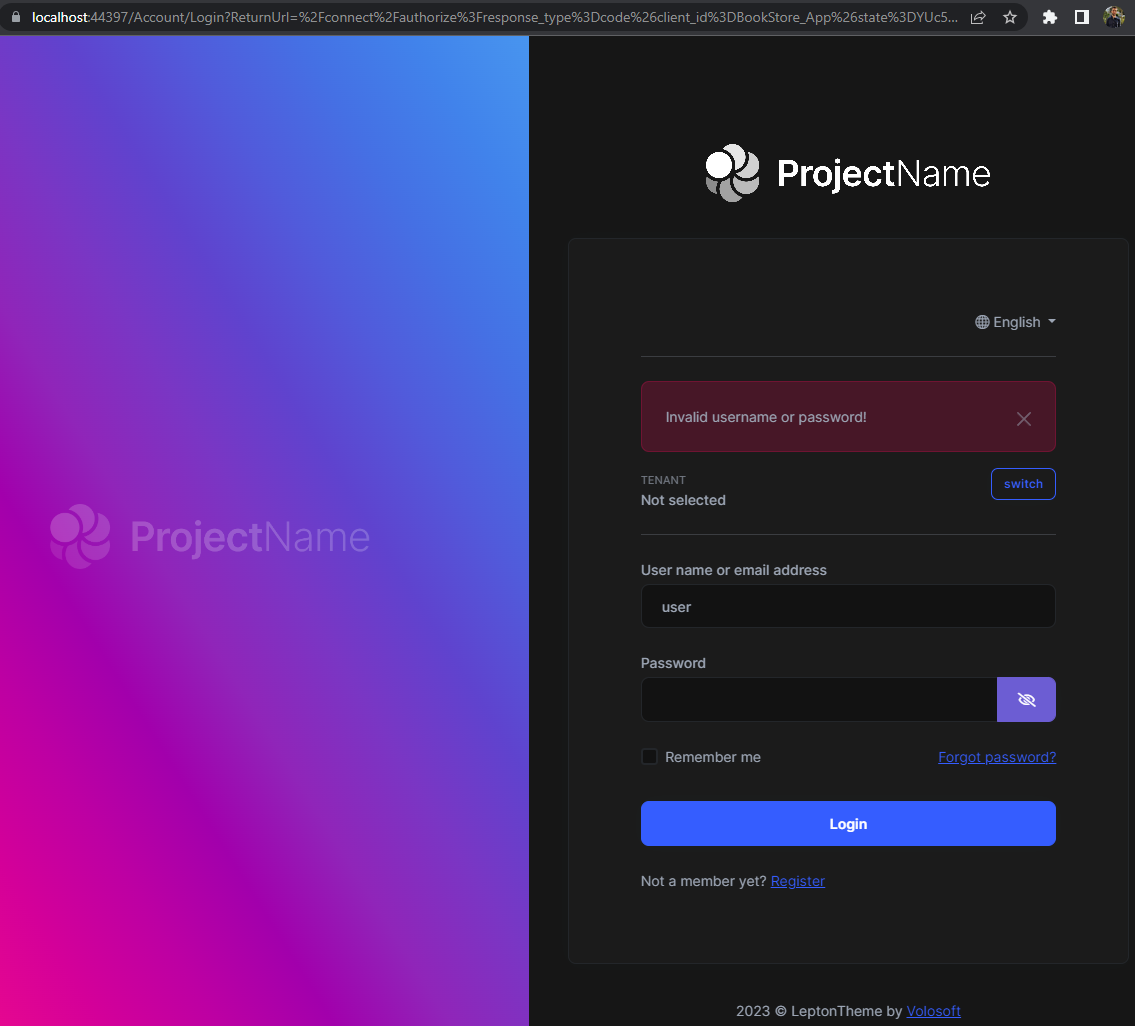
If you want to customize displaying error message on login page check HERE please, because authentication happening on server side
Markdown supported.Copy, paste, or drag & drop images and files (max 100 MB per file, 100 MB total per post) -
0
Hi Masum,
Thanks you for patience
2 In Angular application if we navigate to any component then #/ has to be suffixed without which application gives 404 page not found. Can we get rid of #.
we were deploying this on Windows IIS and when we removed # using hashstrategy no other page than dashboard was opening. So do we need to do some other setting so that we can get rid of # in Angular website (We tried same on ngnix but no luck).
Thanks
Markdown supported.Copy, paste, or drag & drop images and files (max 100 MB per file, 100 MB total per post) -
0
hi masum,
any update on this.
Markdown supported.Copy, paste, or drag & drop images and files (max 100 MB per file, 100 MB total per post) -
0
Hi ed sorry for late reply,
2 In Angular application if we navigate to any component then #/ has to be suffixed without which application gives 404 page not found. Can we get rid of #.
Have you also configure like below ? You can check detail HERE
index.html
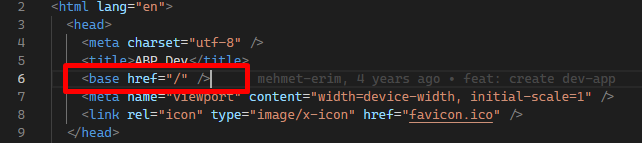 Markdown supported.Copy, paste, or drag & drop images and files (max 100 MB per file, 100 MB total per post)
 -
0
Hi
we have already implemented in the application but no luck.
Markdown supported.Copy, paste, or drag & drop images and files (max 100 MB per file, 100 MB total per post) -
0
Hi
We're not configured like that, angular project in the our template. It would be better If you send a gif / video because I didn't get it problem exactly, as far as I understand your problem's solution in this DOCUMENT
Markdown supported.Copy, paste, or drag & drop images and files (max 100 MB per file, 100 MB total per post)


