






Hi,
We implemented the Blazor WebAssembly app as a SaaS model in microservice template.
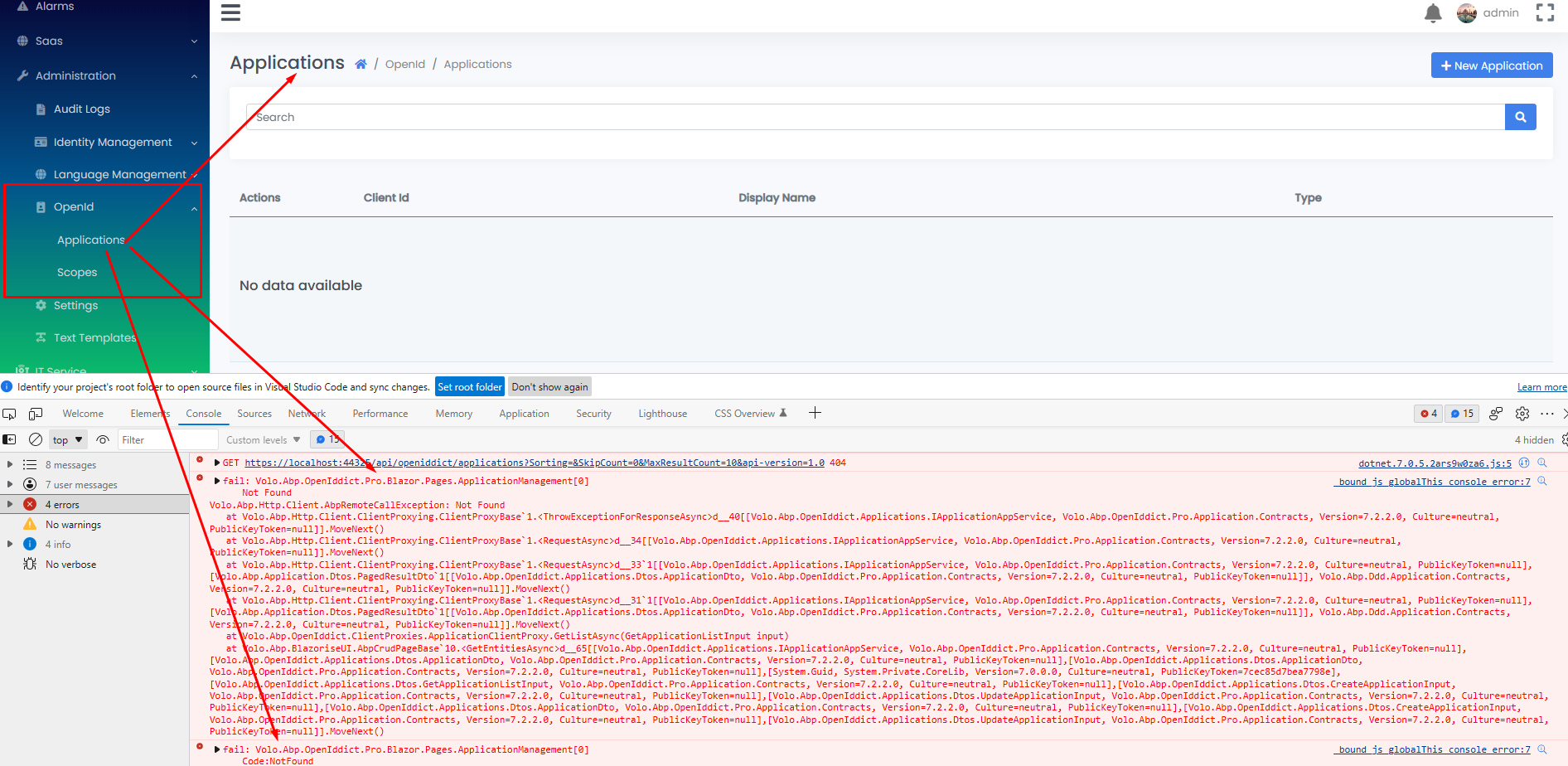
Applications Page:
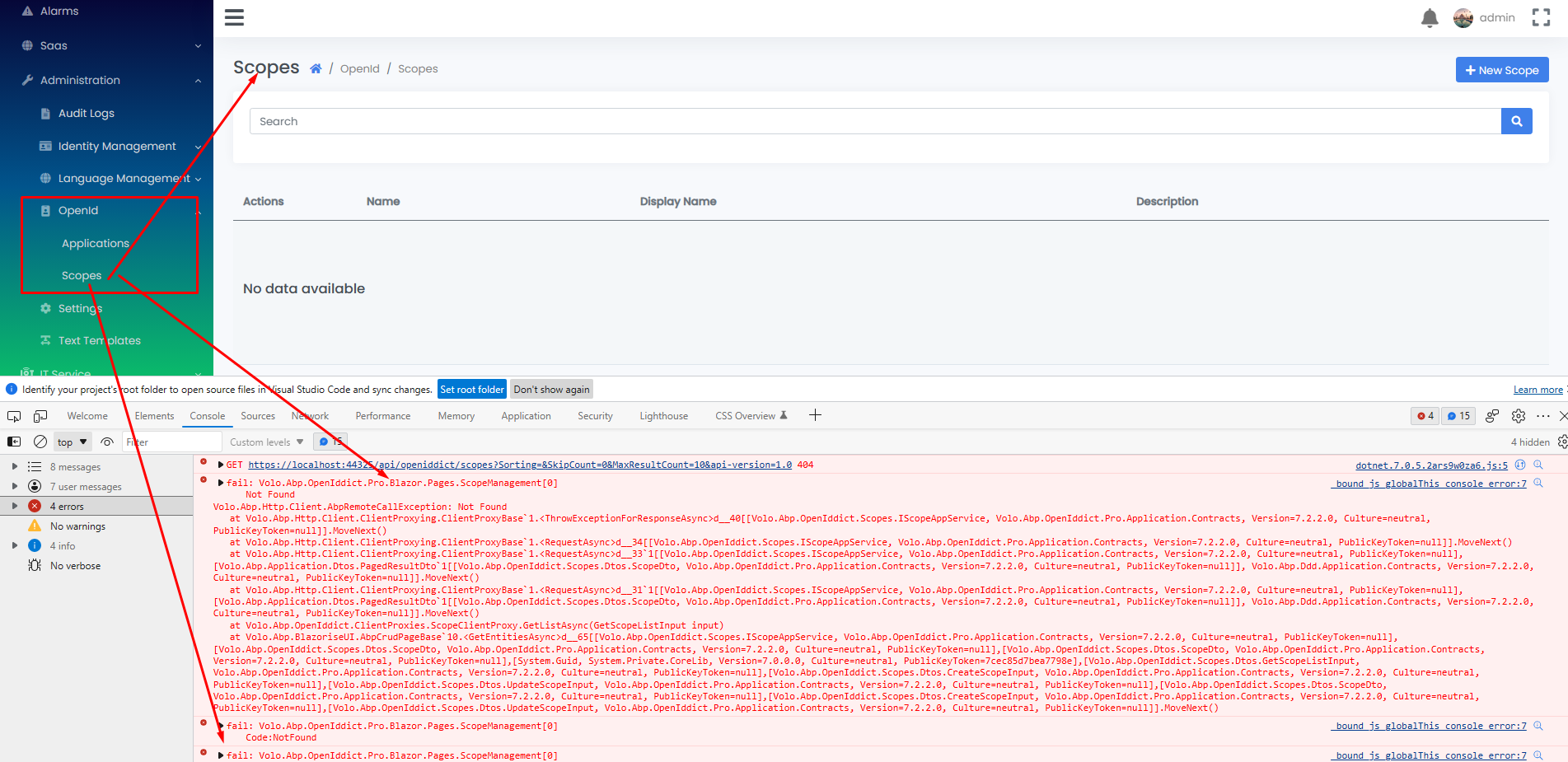
Scopes Page:
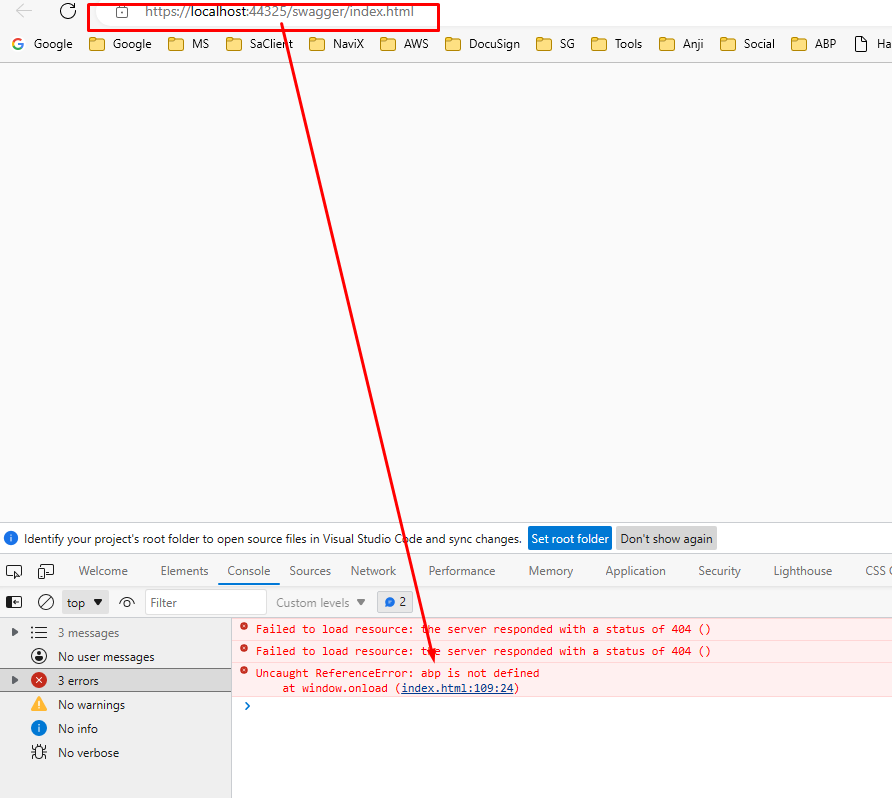
And able load the all the services Swagger UI like Admin Service, SaaS Service but Web Gateway Swagger not loading
If you're creating a bug/problem report, please include followings:
- ABP Framework version: v7.2.2
- UI type: Blazor WebAssembly
- DB provider: EF Core
- Tiered (MVC) or Identity Server Separated (Angular): no
- Exception message and stack trace:
- Steps to reproduce the issue:"
36 Answer(s)
-
0
- Update client application to add redirectUri
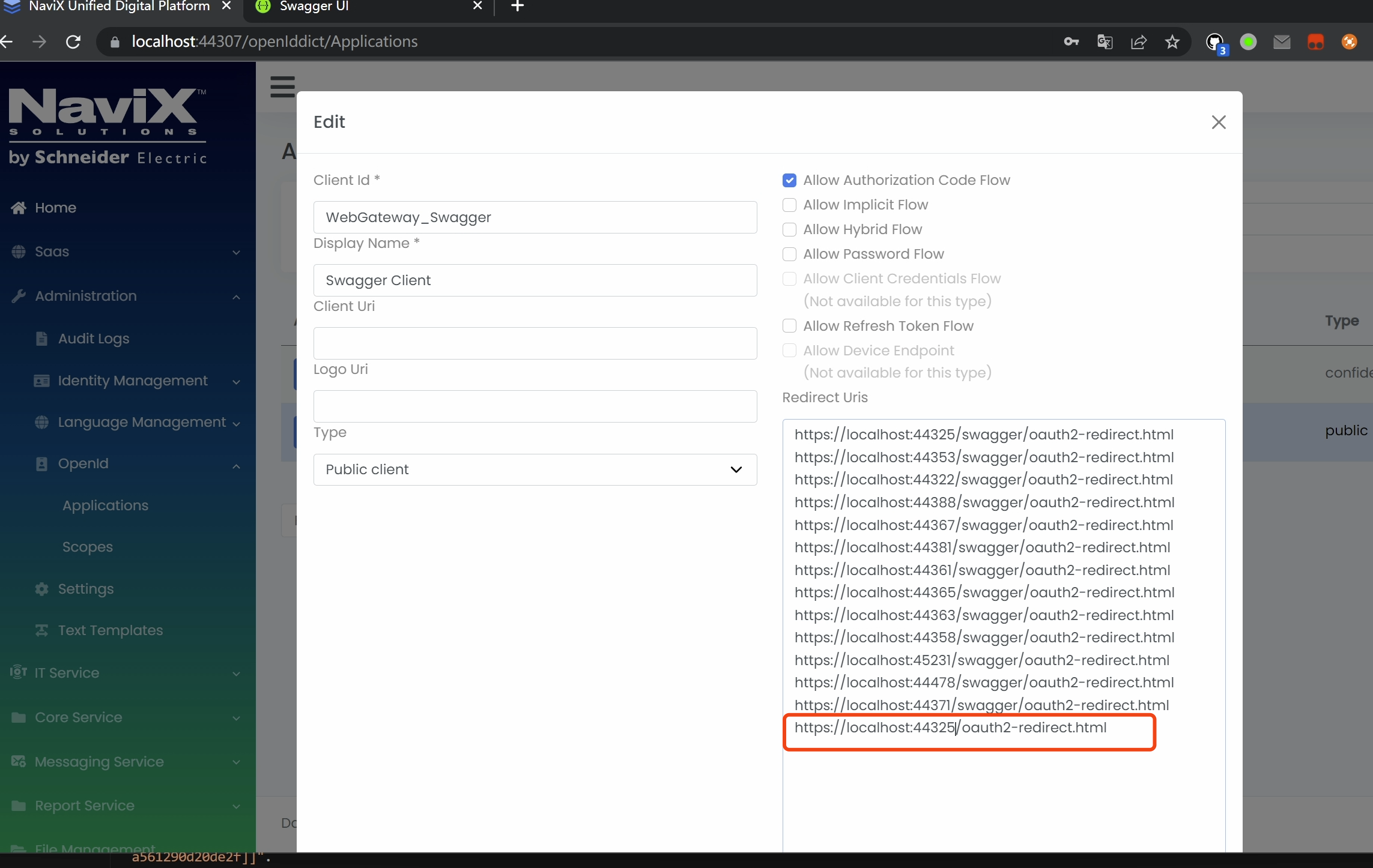
- Or update data seed code
await CreateApplicationAsync( name: swaggerClientId!, type: OpenIddictConstants.ClientTypes.Public, consentType: OpenIddictConstants.ConsentTypes.Implicit, displayName: "Swagger Client", secret: null, grantTypes: new List<string> { OpenIddictConstants.GrantTypes.AuthorizationCode, }, scopes: commonScopes.Union(scopes).ToList(), redirectUris: new List<string> { $"{webGatewaySwaggerRootUrl}/oauth2-redirect.html", // This line $"{webGatewaySwaggerRootUrl}/swagger/oauth2-redirect.html", // WebGateway redirect uri $"{publicWebGatewayRootUrl}/swagger/oauth2-redirect.html", // PublicWebGateway redirect uri $"{accountServiceRootUrl}/swagger/oauth2-redirect.html", // AccountService redirect uri $"{identityServiceRootUrl}/swagger/oauth2-redirect.html", // IdentityService redirect uri $"{administrationServiceRootUrl}/swagger/oauth2-redirect.html", // AdministrationService redirect uri $"{saasServiceRootUrl}/swagger/oauth2-redirect.html", // SaasService redirect uri $"{productServiceRootUrl}/swagger/oauth2-redirect.html", // ProductService redirect uri $"{coreServiceRootUrl}/swagger/oauth2-redirect.html", // CoreService redirect uri $"{itServiceRootUrl}/swagger/oauth2-redirect.html", // ITService redirect uri $"{messagingServiceRootUrl}/swagger/oauth2-redirect.html", // MessagingService redirect uri $"{reportServiceRootUrl}/swagger/oauth2-redirect.html", // ReportService redirect uri $"{documentServiceRootUrl}/swagger/oauth2-redirect.html", // DocumentService redirect uri $"{workServiceRootUrl}/swagger/oauth2-redirect.html", // WorkService redirect uri } );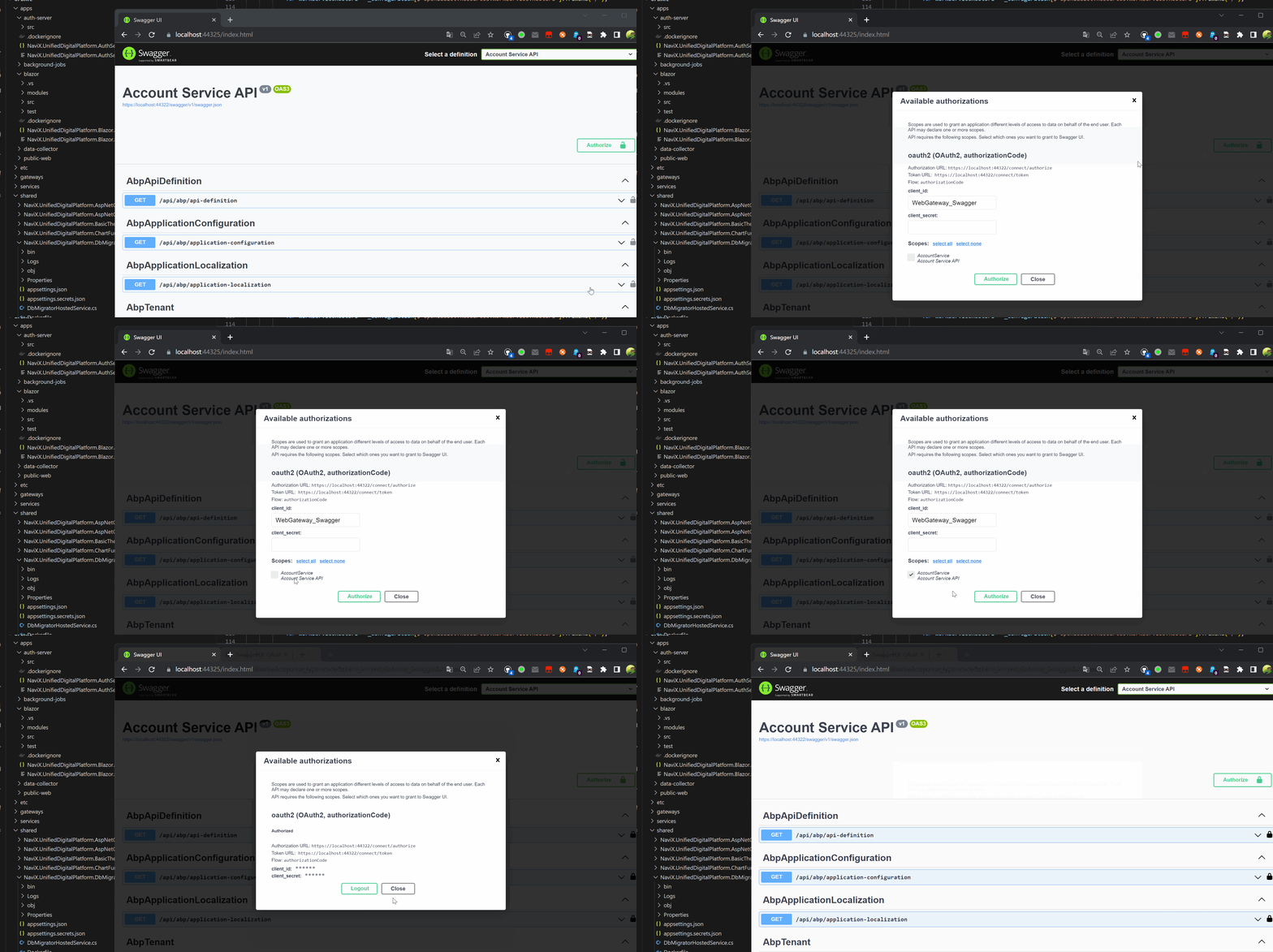 Markdown supported.Copy, paste, or drag & drop images and files (max 100 MB per file, 100 MB total per post)
 -
0
Hi
Should we add same line for Public Web gateway as well?
Markdown supported.Copy, paste, or drag & drop images and files (max 100 MB per file, 100 MB total per post) -
0
Yes. You should.
Markdown supported.Copy, paste, or drag & drop images and files (max 100 MB per file, 100 MB total per post) -
0
Hi,
It's working for web gateway. but for Public web gateway mot working.
in public web gateway app setting client id given as
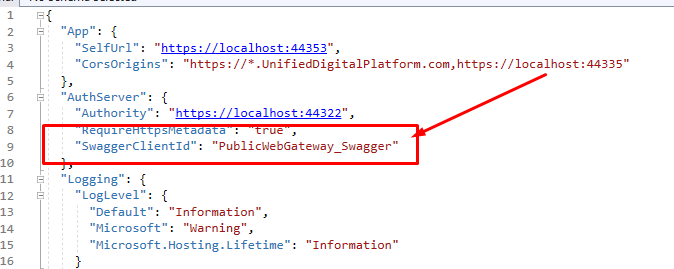
is it should be **PublicWebGateway_Swagger ** or WebGateway_Swagger ?
Markdown supported.Copy, paste, or drag & drop images and files (max 100 MB per file, 100 MB total per post) -
0
Please use
WebGateway_Swaggerand addredirectUrifor it.{publicWebGatewayRootUrl}/oauth2-redirect.htmlMarkdown supported.Copy, paste, or drag & drop images and files (max 100 MB per file, 100 MB total per post) -
0
Hi,
Thank you so much for your support. now both gateways working fine.
so now can remove first 2 urls since added last 2 urls?
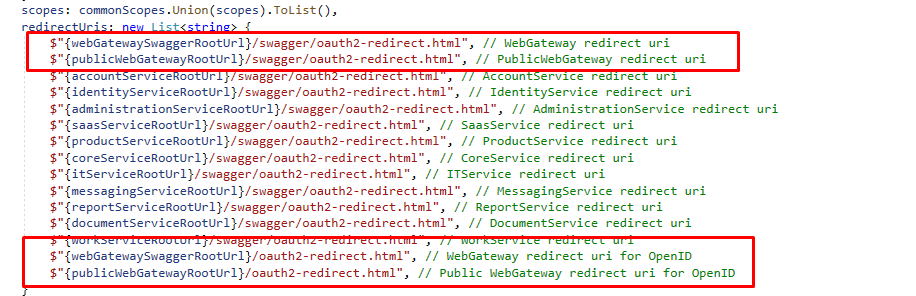 Markdown supported.Copy, paste, or drag & drop images and files (max 100 MB per file, 100 MB total per post)
 -
0
Yes, you can
Markdown supported.Copy, paste, or drag & drop images and files (max 100 MB per file, 100 MB total per post) -
0
Hi,
Just to know asking, in sample application if create from abp suite the urls creating like first 2 urls then application and gateways working fine. but why in my application has been changed the urls?
in sample application these are the urls,
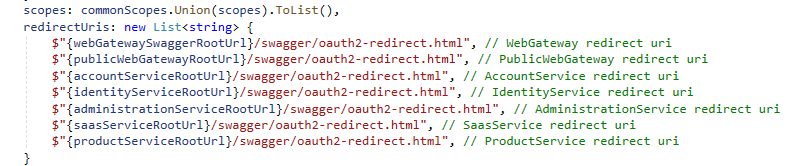 Markdown supported.Copy, paste, or drag & drop images and files (max 100 MB per file, 100 MB total per post)
 -
0
Because you set the route prefix to empty
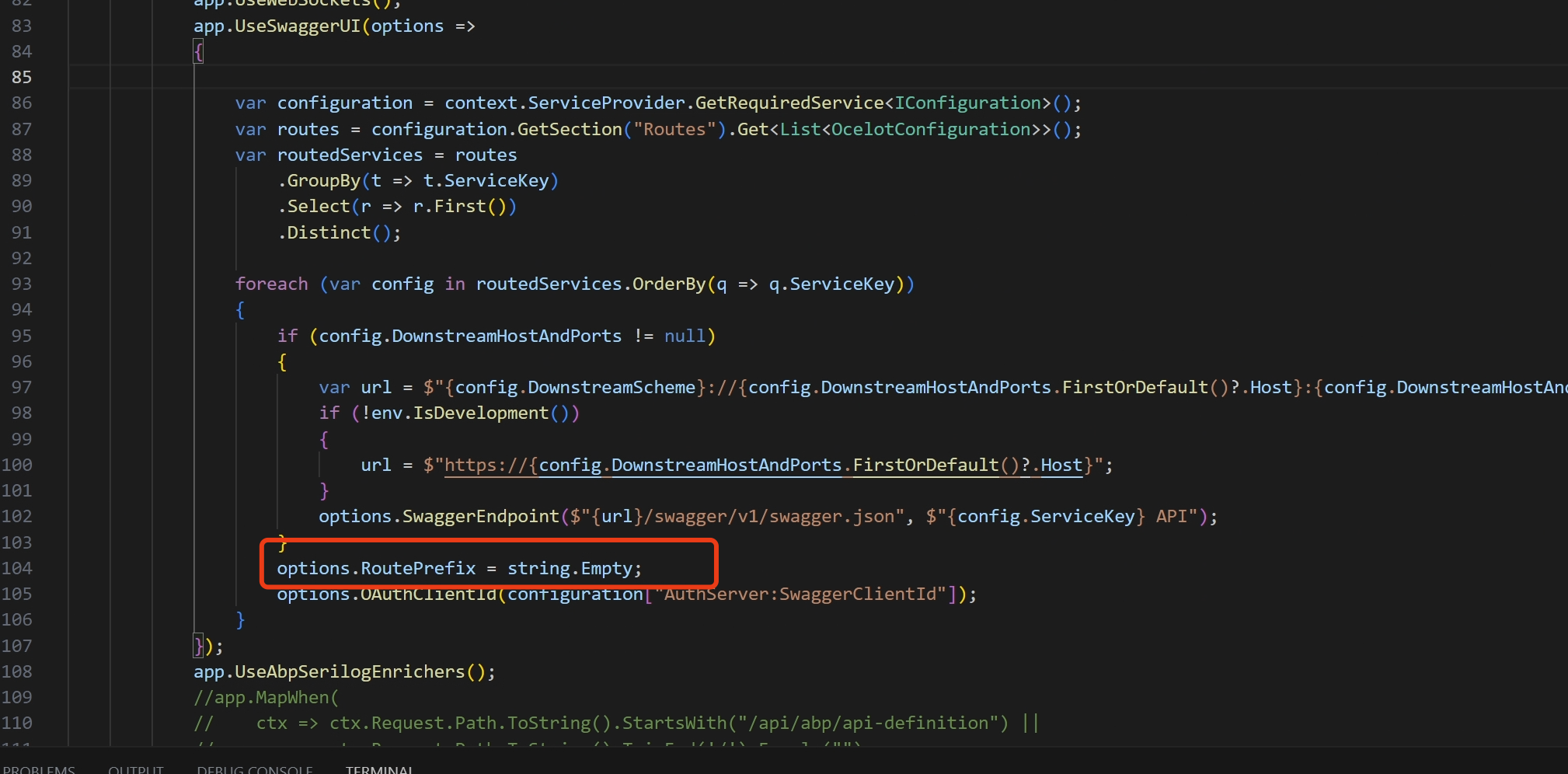 Markdown supported.Copy, paste, or drag & drop images and files (max 100 MB per file, 100 MB total per post)
 -
0
Hi,
If i remove the RoutPrefix, can i use first 2urls?
Markdown supported.Copy, paste, or drag & drop images and files (max 100 MB per file, 100 MB total per post) -
0
Hi
Please create a new question. Thanks
Markdown supported.Copy, paste, or drag & drop images and files (max 100 MB per file, 100 MB total per post)


