






Hi ABP support team We a using abp commercial
- UI framework: angular
- ABP Version: 7.2.3
- Data access: MongoDB This solution deployed to AKS and running Currently, we want to enable and implement multitenancy feature on this solution. With each tenant is initialized , I need each tenant to have its own database , logo and branch name
64 Answer(s)
-
0
I mean how many minutes does it need to create collections and how many minutes does it need to create initialized data Let say when I create tenant at 14:00, so it takes 5 minutes to create all collection and initialized data, right?
No, it usually completes in seconds, but if there are some collections that are not initialized, don't worry, it won't affect your application running, because it hasn't been used yet. they will be created in actual use.
However, if you care about it, you can try this:
[ExposeServices(typeof(IMongoModelSource))]
public class MyMongoModelSource : MongoModelSource, ITransientDependency
{

}
Markdown supported.Copy, paste, or drag & drop images and files (max 100 MB per file, 100 MB total per post) -
0
I'm using Authentication is not separated module
Sorry, I just noticed it. I didn't see
notbeforeMarkdown supported.Copy, paste, or drag & drop images and files (max 100 MB per file, 100 MB total per post) -
0
See: https://docs.abp.io/en/abp/latest/Multi-Tenancy#domain-subdomain-tenant-resolver
There is an example that uses the subdomain to determining the current tenant: https://github.com/abpframework/abp-samples/tree/master/DomainTenantResolver
set it in the current user's claims?
https://docs.abp.io/en/abp/latest/Authorization#claims-principal-factory
Markdown supported.Copy, paste, or drag & drop images and files (max 100 MB per file, 100 MB total per post) -
0
The document is very detailed, and I recommend you read it completely. I believe it can help you
Markdown supported.Copy, paste, or drag & drop images and files (max 100 MB per file, 100 MB total per post) -
0
I have successfully customize SaaS module to add 3 properties (BrandName, BrandLogo, Domain) to the Tenant entity. Now I want to detect the current tenant based on the domain (url) in the incoming request (not logined) so that I can get the BrandName and BrandLogo to display in the Login page. How can I do this?
Markdown supported.Copy, paste, or drag & drop images and files (max 100 MB per file, 100 MB total per post) -
0
Hi,
Now I want to detect the current tenant based on the domain (url) in the incoming request (not logined)
You need to use the domain resolver: https://docs.abp.io/en/abp/latest/Multi-Tenancy#domain-subdomain-tenant-resolver
I can get the BrandName and BrandLogo to display in the Login page. How can I do this? I have successfully customize SaaS module to add 3 properties
I don't know how you customize it, I assume that you are using the entity extension system.
For example:
Default.cshtml
.....
@inject Volo.Abp.AspNetCore.Mvc.UI.Layout.IPageLayout PageLayout
@inject ITenantAppService TenantAppService

@{
    AbpAntiForgeryManager.SetCookie();
    var langDir = CultureHelper.IsRtl ? "rtl" : string.Empty;
    var title = ViewBag.Title == null ? BrandingProvider.AppName : ViewBag.Title;

    var languageInfo = await ThemeLanguageInfoProvider.GetLanguageSwitchViewComponentModel();
    var returnUrl = System.Net.WebUtility.UrlEncode(Context.Request.GetEncodedPathAndQuery());

    if (CurrentTenant.IsAvailable)
    {
        var tenant = await TenantAppService.GetAsync(CurrentTenant.GetId());
        string logoUrl = tenant.GetProperty<string>("LogoUrl");
        string brandName = tenant.GetProperty<string>("BrandName");
    }


    var logoReverseUrl = BrandingProvider.LogoReverseUrl == null ? null : "--lpx-logo: url(" + Url.Content(BrandingProvider.LogoReverseUrl.EnsureStartsWith('~')) + ");";
    var selectedStyle = await LeptonXStyleProvider.GetSelectedStyleAsync();

    var selectedStyleFileName = CultureHelper.IsRtl ? selectedStyle + ".rtl" : selectedStyle;
}
<!DOCTYPE html>
<html lang="@CultureInfo.CurrentCulture.Name" dir="@langDir">
.....
Markdown supported.Copy, paste, or drag & drop images and files (max 100 MB per file, 100 MB total per post) -
0
Hi liangshiwei
Source code is here: https://gist.github.com/realLiangshiwei/1f284183284f611fd6fe5bb0890bd781
I'm impement code from here: https://gist.github.com/realLiangshiwei/1f284183284f611fd6fe5bb0890bd781 I got the error cannot resolve functions or properties. i think some functions or properties not imported, Can you share import for this?
The is sreen short here:
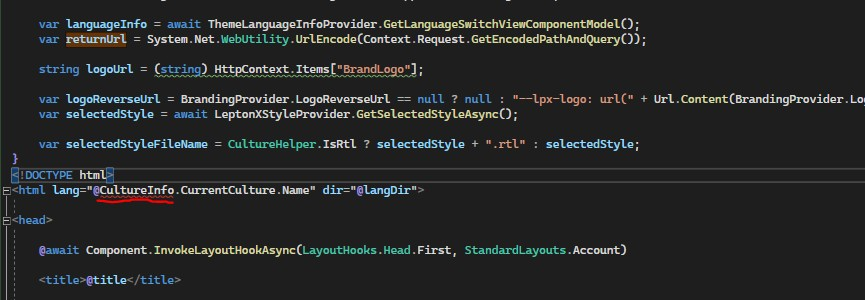
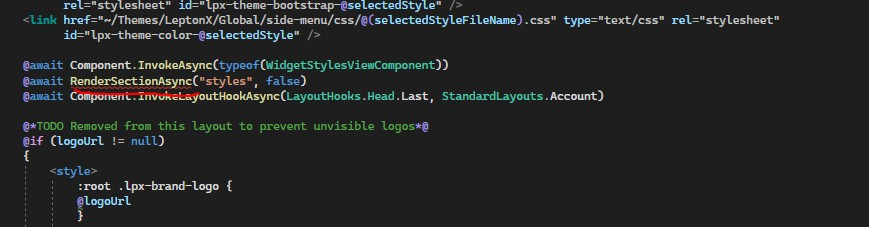
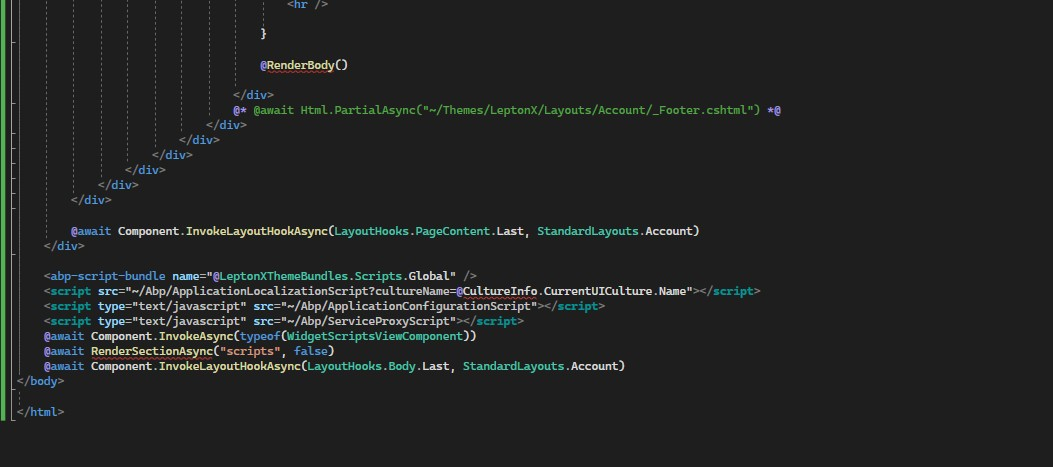 Markdown supported.Copy, paste, or drag & drop images and files (max 100 MB per file, 100 MB total per post)
 -
0
Hi,
I updated the source code: https://gist.github.com/realLiangshiwei/1f284183284f611fd6fe5bb0890bd781
BTW, you need to add the
_ViewImports.cshtmlfile@addTagHelper *, Microsoft.AspNetCore.Mvc.TagHelpers @addTagHelper *, Volo.Abp.AspNetCore.Mvc.UI @addTagHelper *, Volo.Abp.AspNetCore.Mvc.UI.Bootstrap @addTagHelper *, Volo.Abp.AspNetCore.Mvc.UI.Bundling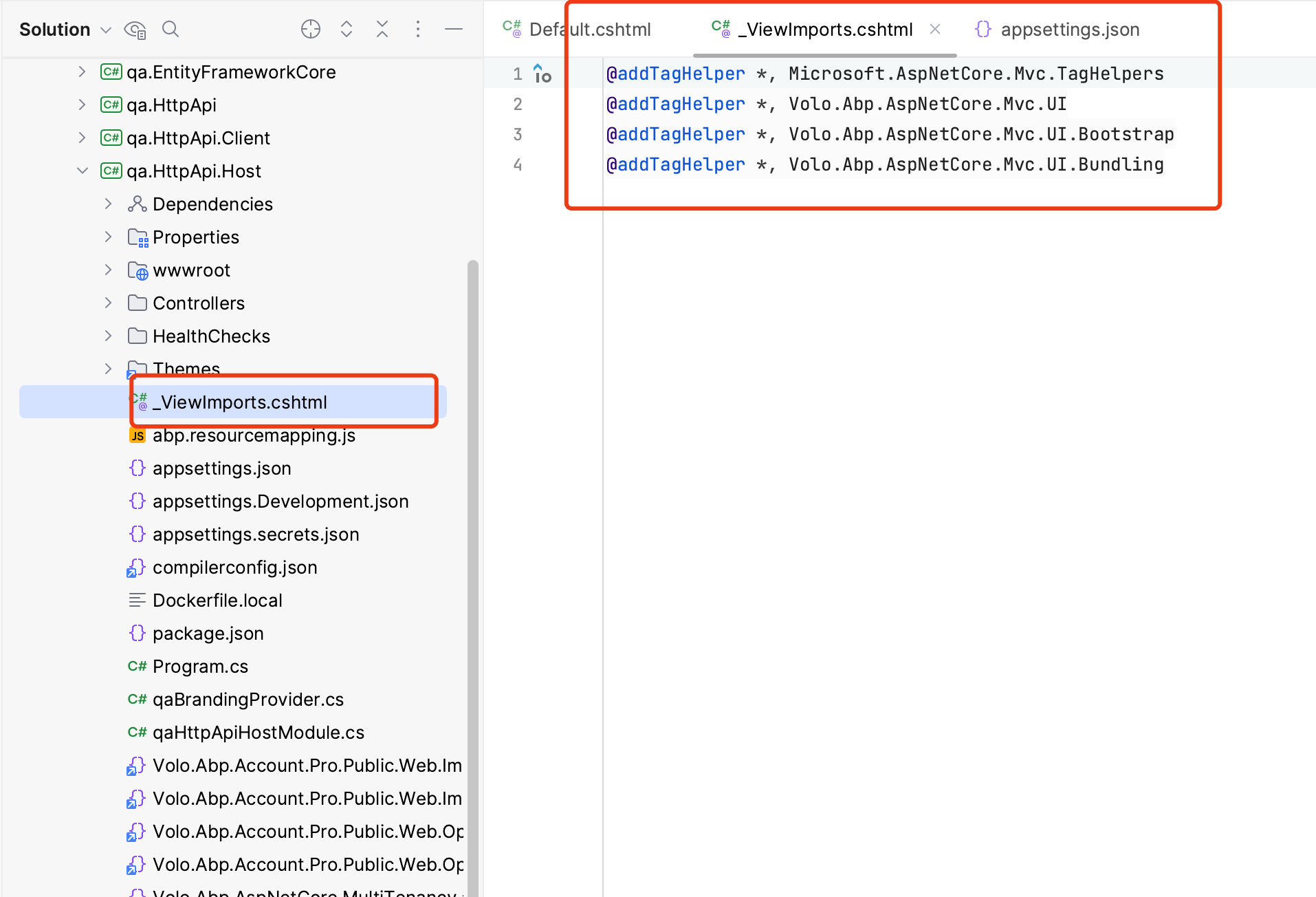 Markdown supported.Copy, paste, or drag & drop images and files (max 100 MB per file, 100 MB total per post)
 -
0
: )
Markdown supported.Copy, paste, or drag & drop images and files (max 100 MB per file, 100 MB total per post) -
0
Hi liangshiwei. I'm implementing customize modal create and update tenant in angular UI I added successfully three fields: BrandLogo, BrandName, Domain I'm using config ObjectExtensionManager inside Domain.Shared project. Currently, I want to change field BrandLogo inside angular from textbox type to select file which can upload to folder of server. Can you support me for this?
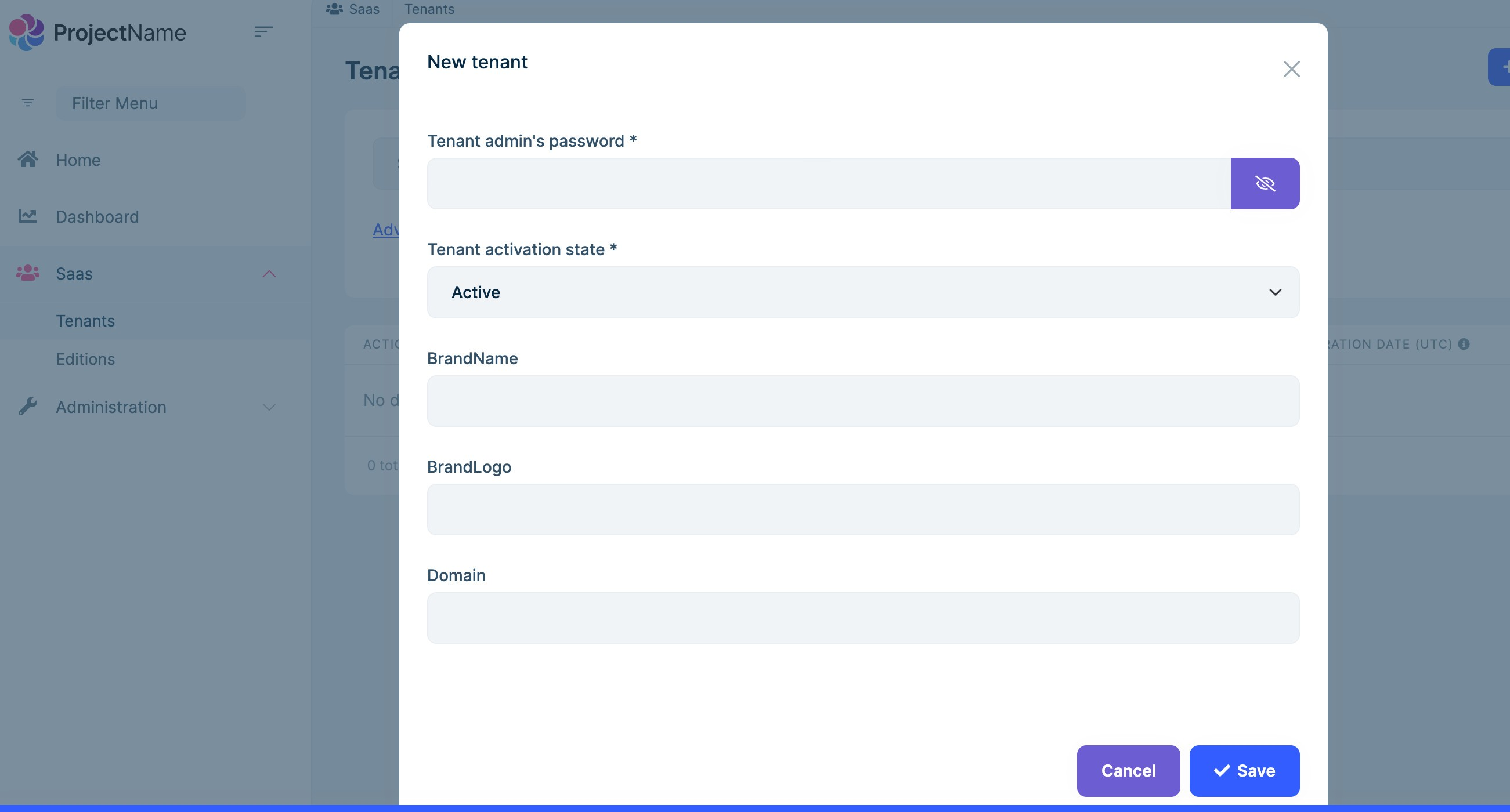 Markdown supported.Copy, paste, or drag & drop images and files (max 100 MB per file, 100 MB total per post)
 -
0
You need to custom the tenant component: https://docs.abp.io/en/commercial/latest/modules/saas#replaceable-components
Markdown supported.Copy, paste, or drag & drop images and files (max 100 MB per file, 100 MB total per post) -
0
-
0
Hi,
Unfortunately you have to replace the component
Markdown supported.Copy, paste, or drag & drop images and files (max 100 MB per file, 100 MB total per post) -
0
: )
Markdown supported.Copy, paste, or drag & drop images and files (max 100 MB per file, 100 MB total per post) -
0
Hi liangshiwei
Currently I extend from this class TenantResolveContributorBase Then I can get the scope by using "context.GetHttpContext().Request.Host.Host;" I can get the current tenant, but i cannot change tenant based on the teant that I get Am I right to use the code below? Could you tell me how to change the current tenant info?
here is the code:
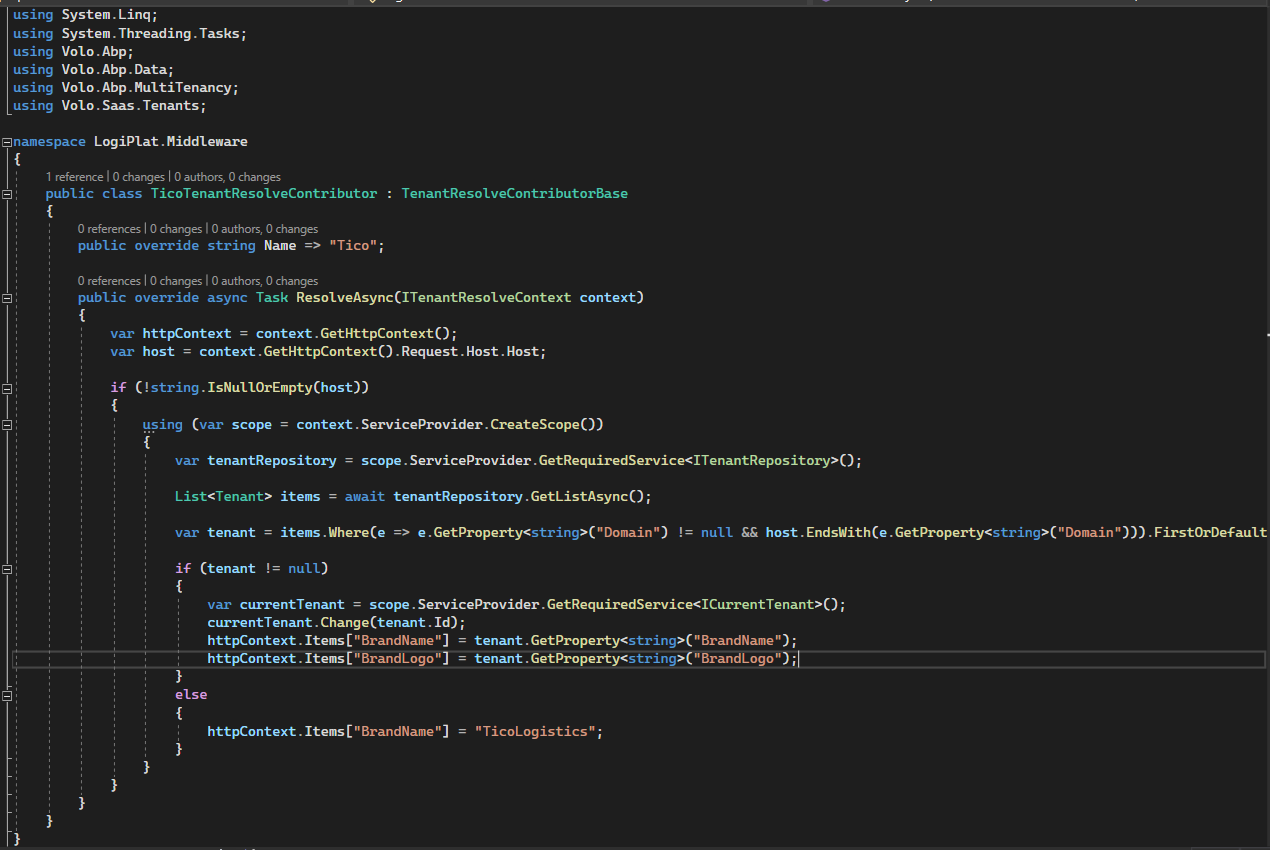 Markdown supported.Copy, paste, or drag & drop images and files (max 100 MB per file, 100 MB total per post)
 -
0
Hi,
A tenant resolver should set context.TenantIdOrName if it can determine it. If not, just leave it as is to allow the next resolver to determine it.
https://docs.abp.io/en/abp/latest/Multi-Tenancy#custom-tenant-resolvers
Markdown supported.Copy, paste, or drag & drop images and files (max 100 MB per file, 100 MB total per post) -
0
Hi liangshiwei! Currently, I'm configuring multitenant with AbpTenantResolveOptions AddDomainTenantResolver and custom contributor class. Here is the code:
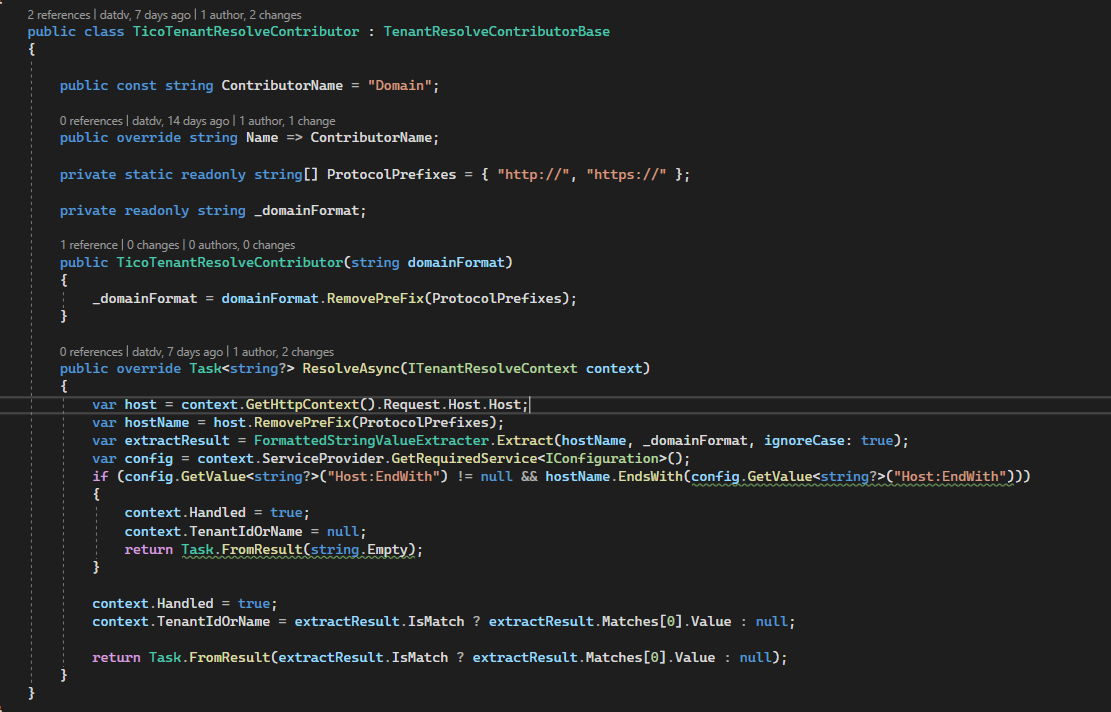

this document: https://docs.abp.io/en/abp/latest/UI/Angular/Multi-Tenancy I used below code to configure multi tenant on angular project and public website project. Here is the code:
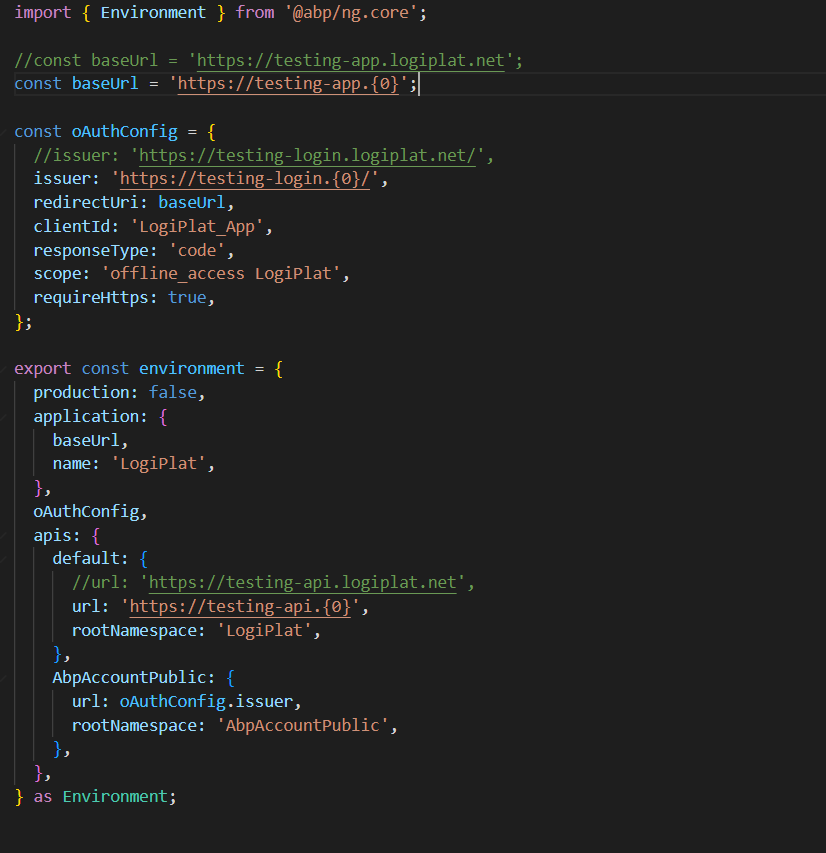
config on public website:
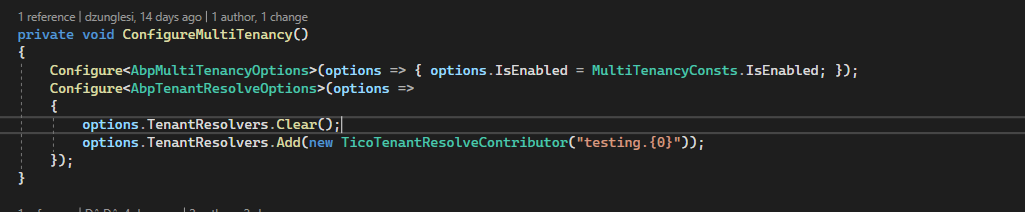
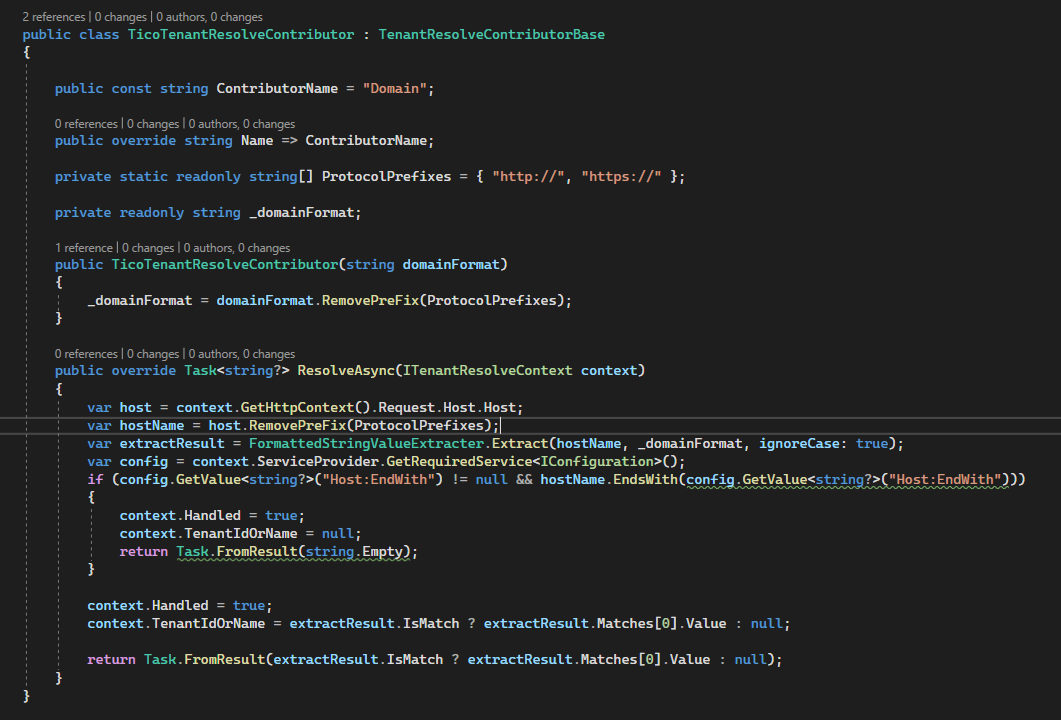
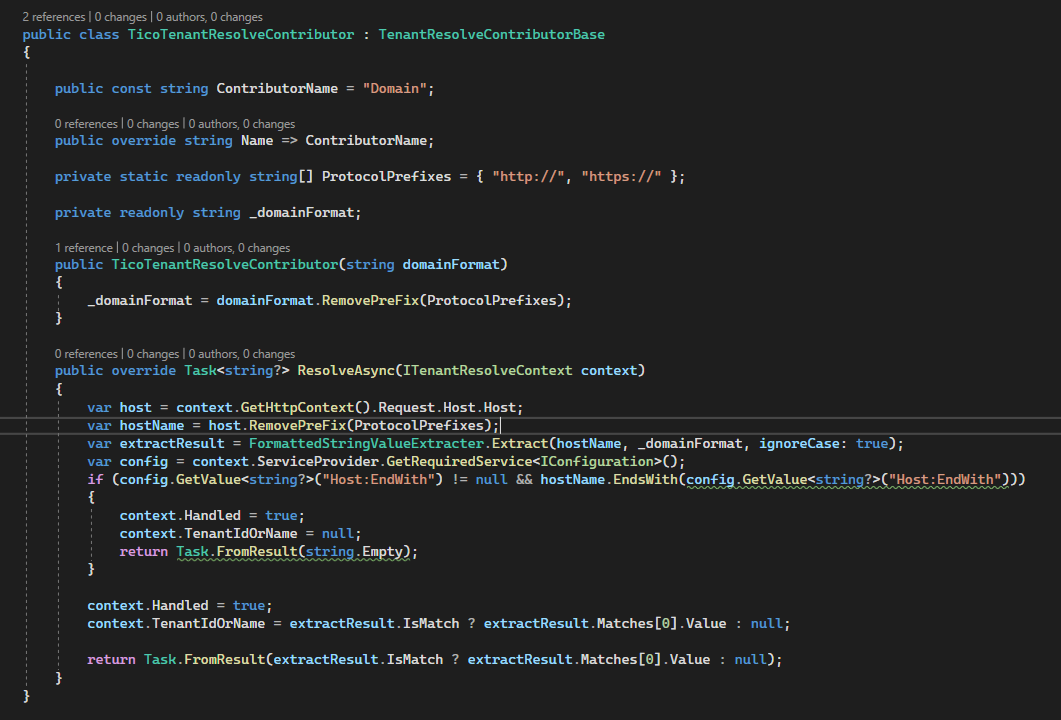
Currently, this is not working. Can you support me for this?
Markdown supported.Copy, paste, or drag & drop images and files (max 100 MB per file, 100 MB total per post) -
0
Hi,
Can you share a new project that can reproduce the problem with me? shiwei.liang@volosoft.com I will check it.
Markdown supported.Copy, paste, or drag & drop images and files (max 100 MB per file, 100 MB total per post) -
0
Hi,
Is this working on local but not AKS?
As I understand, AKS uses the internal network, maybe it can't get the path of the public network.
You can write logs in the tenant resolver to check the current request host value.
Markdown supported.Copy, paste, or drag & drop images and files (max 100 MB per file, 100 MB total per post) -
0
Hi, Yes, it works in Authen project and Host project on AKS, cannot work on angular application project and web public project
Here is the screen shot angular:
Host tenant
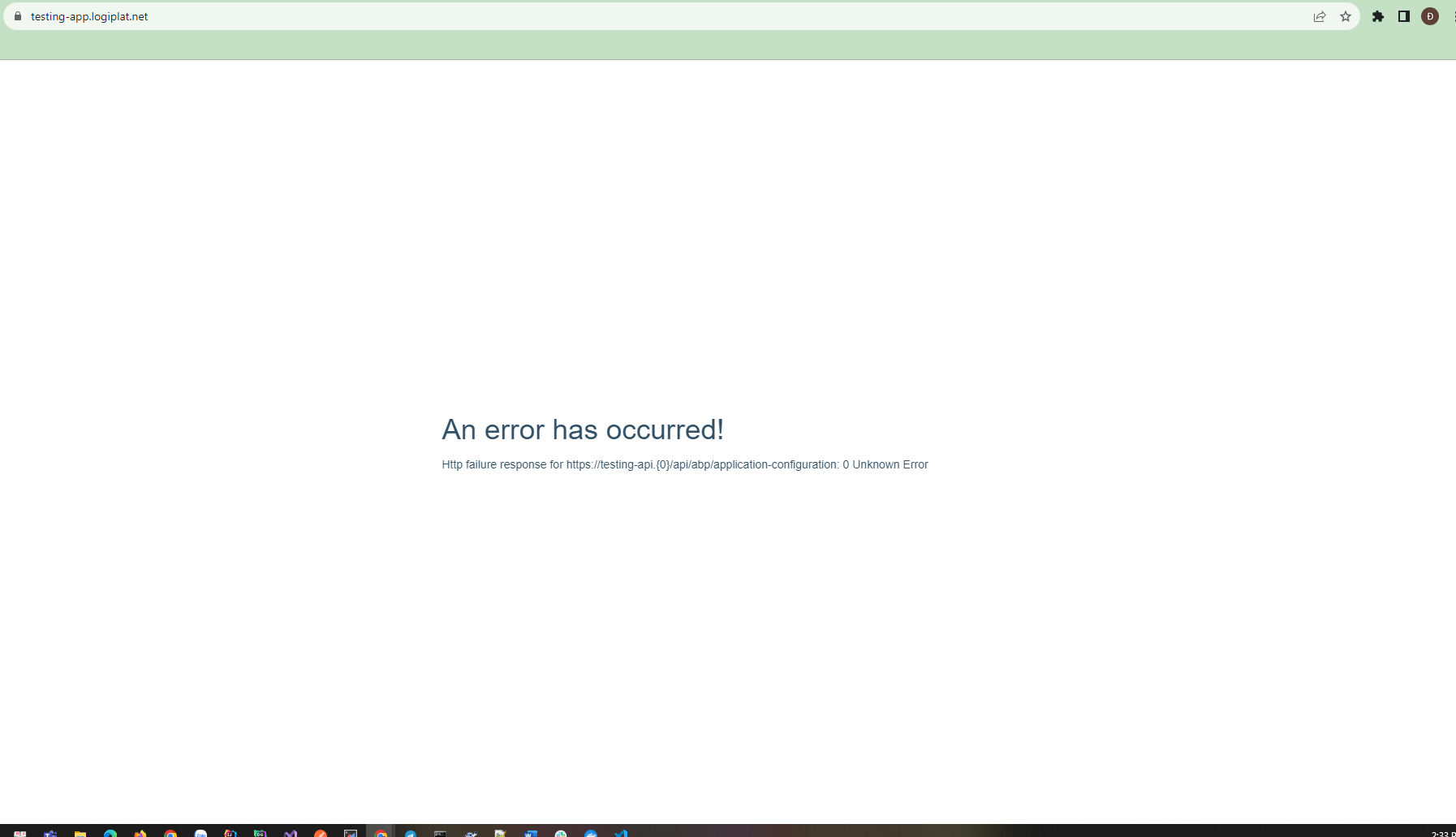
my tenant:
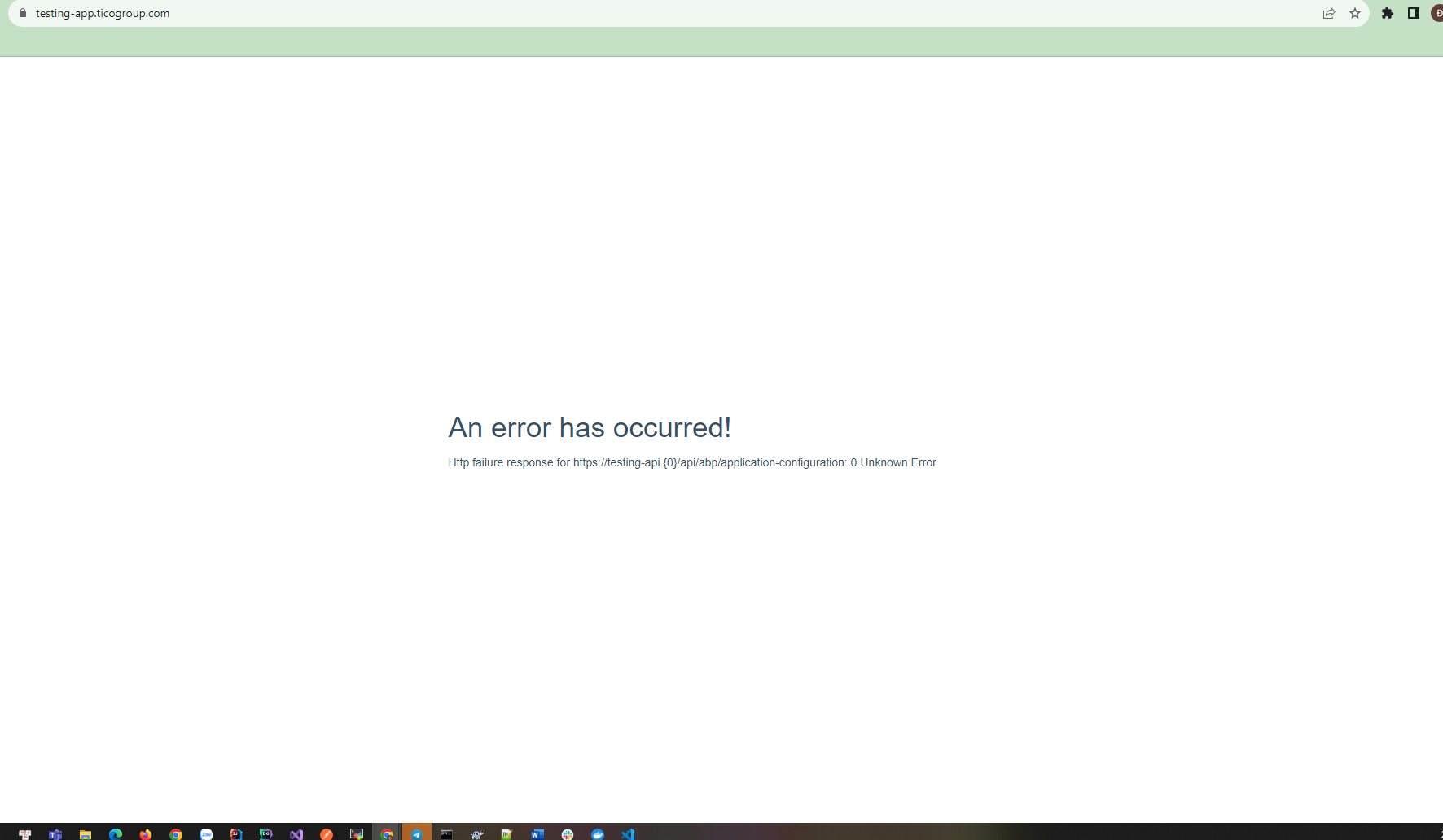
Here is the screen shot web public:
Host teannt;

my tenant:

Here is the screen shot authen:
Host tenant:

my tenant:
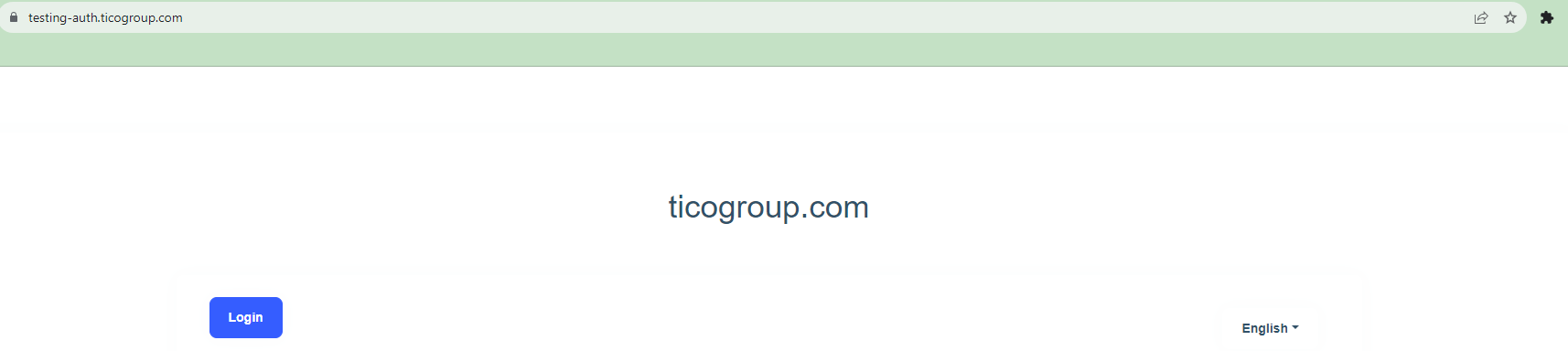 Markdown supported.Copy, paste, or drag & drop images and files (max 100 MB per file, 100 MB total per post)


