






ExCheck the docs before asking a question: https://docs.abp.io/en/commercial/latest/ Check the samples to see the basic tasks: https://docs.abp.io/en/commercial/latest/samples/index The exact solution to your question may have been answered before, and please first use the search on the homepage. Provide us with the following info:
- ABP Framework version: v7.3.2
- UI Type: Angular
- Database System: EF Core (SQL Server, Oracle, MySQL, PostgreSQL, etc..)
- Tiered (for MVC) or Auth Server Separated (for Angular): no
- Exception message and full stack trace:
- Steps to reproduce the issue:
I tryed to configure the external login with Microsoft. I created a new app on azure with the secret, but when I try to login I have the following error:
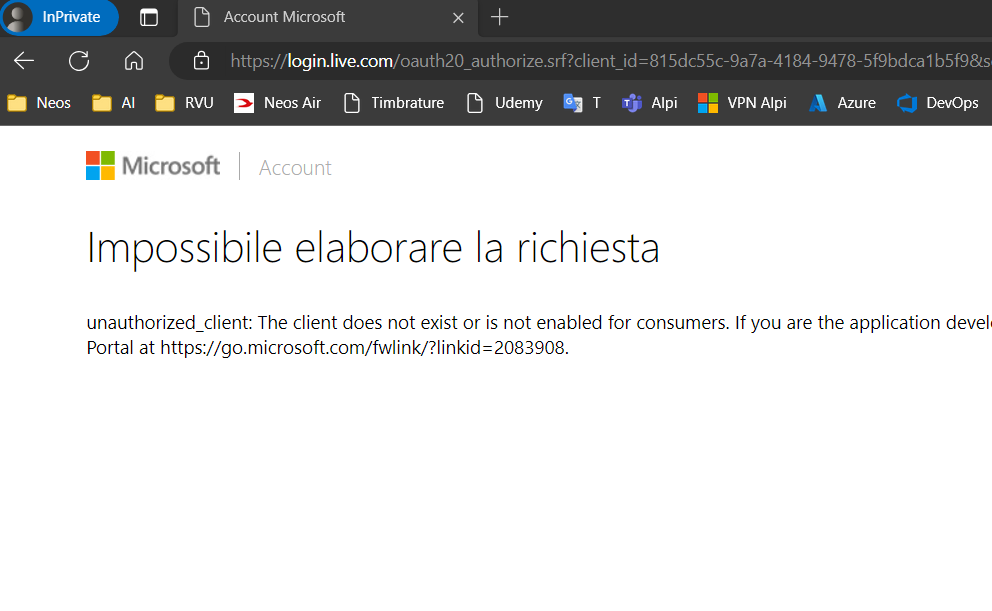
unauthorized_client: The client does not exist or is not enabled for consumers. If you are the application developer, configure a new application through the App Registrations in the Azure Portal at https://go.microsoft.com/fwlink/?linkid=2083908.
I inserted the clientId and client secret on the seetings > account > external provider.
Can you help me?
many thanks


