






- ABP Framework version: v7.3.2
- UI Type: Angular & Blazor Server UI
- Database System: EF Core (MySQL)
- Tiered (for MVC) or Auth Server Separated (for Angular): Auth Server Separated
- Exception message and full stack trace:
- Steps to reproduce the issue:
I have an application template with EF Core MySQL and Angular. I want the Forms module to be included in my project, but since ABP is not providing UI for Forms in Angular as of now, I want to keep one separate microservice (with Blazor Server) for the Forms module. For that I have created a new microservice in my solution. And there I had the HttpApi.Host project, where Swagger UI is already configured. Here, I integrated the Forms module as a project, and I added the required Razor pages in the HttpApi.Host project of the service along with the required configuration.
But, now I am not sure how exactly I have to configure the authentication and authorization for the Forms Razor pages. Even though I am able to access the pages on the UI, but I can't perform anything because the user is unauthenticated. I have implemented the usual "oidc" authentication, which is as of now working, but authorization is something I'm not sure how to configure. I have granted all the forms permissions to the admin user through Angular UI, but it still says unauthorized. Can you help me with that?
39 Answer(s)
-
0
Hi,
You can refer the project I shared.
Markdown supported.Copy, paste, or drag & drop images and files (max 100 MB per file, 100 MB total per post) -
0
I am able to run the Swagger UI now, but how do I configure for the Blazor Server project, because there is not blazor project in the example you sent, do I have to look in the Public Web Project?
Markdown supported.Copy, paste, or drag & drop images and files (max 100 MB per file, 100 MB total per post) -
0
Hi,
The configuration of Blazor server is basically the same as MVC, you can refer to it
Markdown supported.Copy, paste, or drag & drop images and files (max 100 MB per file, 100 MB total per post) -
0
But I don't know how to configure the MVC, that's why I am asking you how do I configure that. Do I need to give any dependency of the Forms module anywhere in the blazor project? I am sending you my project via email, in the project I have blazor project named "blazor" in the apps folder, can you check the project and tell me exactly where I need to do the configuration? Thank you.
Markdown supported.Copy, paste, or drag & drop images and files (max 100 MB per file, 100 MB total per post) -
0
HI,
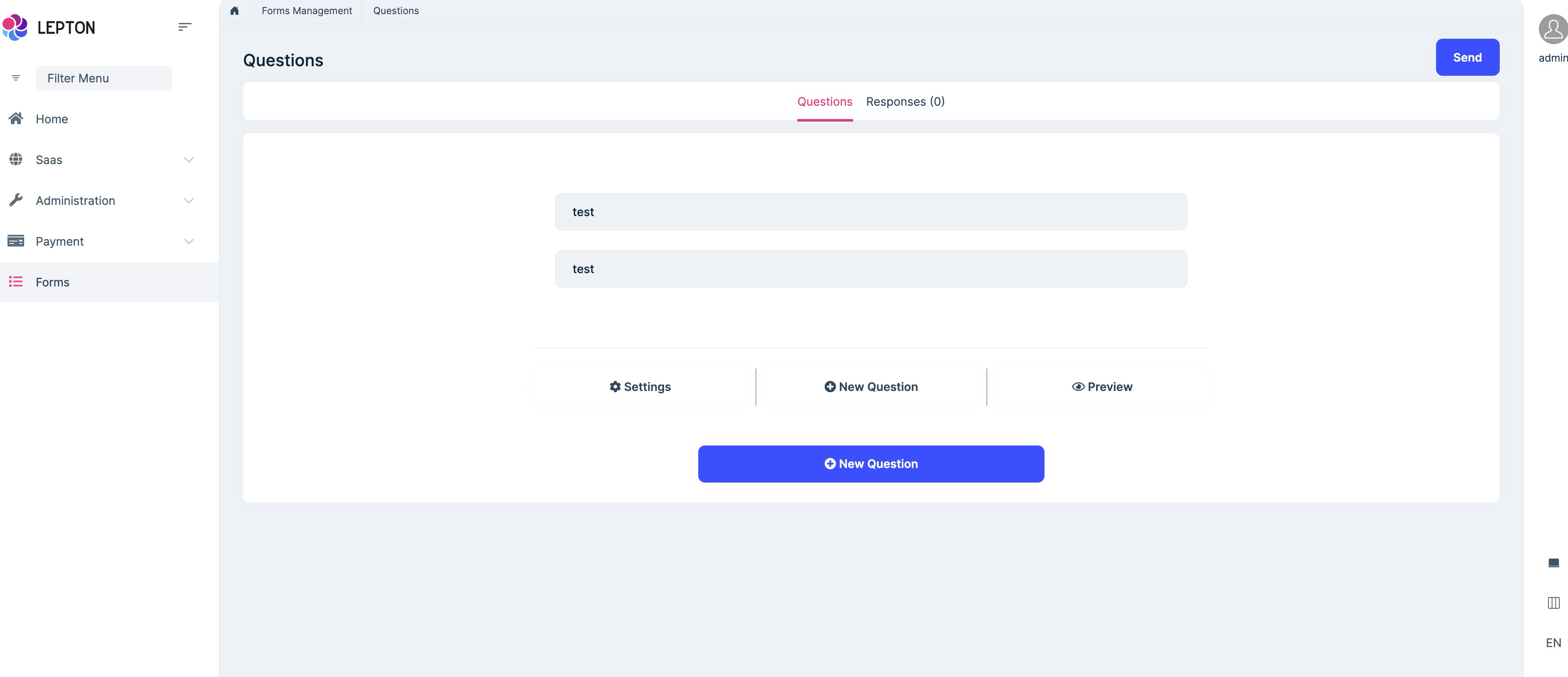
I make it work, you can check your email.
 Markdown supported.Copy, paste, or drag & drop images and files (max 100 MB per file, 100 MB total per post)
 -
0
-
0
Do ABP support Datepicker/calendar in the forms module?
No,
Where can we find the forms module development integration document.
See: https://docs.abp.io/en/commercial/latest/modules/forms
Markdown supported.Copy, paste, or drag & drop images and files (max 100 MB per file, 100 MB total per post) -
0
Do ABP support Datepicker/calendar in the forms module?
No,
Where can we find the forms module development integration document.
See: https://docs.abp.io/en/commercial/latest/modules/forms
this above link does not have complete in depth documentation. as you only suggested to install few packages in this thread which are not part of the above document.
Markdown supported.Copy, paste, or drag & drop images and files (max 100 MB per file, 100 MB total per post) -
0
I don't know what the complete in-depth documentation means
Markdown supported.Copy, paste, or drag & drop images and files (max 100 MB per file, 100 MB total per post) -
0
Are there any plans of the datepicker/calendar in the Forms modules by ABP?
We have no plan to do it in the short term
Markdown supported.Copy, paste, or drag & drop images and files (max 100 MB per file, 100 MB total per post)



