






Check the docs before asking a question: https://docs.abp.io/en/commercial/latest/ Check the samples to see the basic tasks: https://docs.abp.io/en/commercial/latest/samples/index The exact solution to your question may have been answered before, and please first use the search on the homepage. Provide us with the following info:
- ABP Framework version: v7.4.0
- UI Type: MVC
- Database System: MongoDB
- Tiered (for MVC) or Auth Server Separated (for Angular): yes
- Exception message and full stack trace:
- Steps to reproduce the issue:
I have an issue with the last version update (7.4.0). I am using the application template generated by the ABP Suite CLI and using MongoDB as the database provider. I am currently using the ABP.io version 7.2.2
When I'm trying to update to the latest version (7.4.0) I found out that the MongoDB .Net driver is now in version 2.19.1
This mongoDB driver version is now introducing a breaking change in our code because it changes what kind of type that are safe to be serialized:
"The ObjectSerializer allows serialization and deserialization only of types that are considered safe. When you construct an ObjectSerializer, you can pass in a delegate of type Func<Type, bool>. This delegate accepts an object type and returns a boolean value indicating whether the type is safe for serialization."
The issue is that some classes cannot be Serialized correctly, I'am now getting the following error :
MongoDB.Bson.BsonSerializationException : Type ContainRule is not configured as a type that is allowed to be serialized for this instance of ObjectSerializer
For me, this look like a Object serializer registration issue when we need to specify the Allowed type (our own classes). So, following the MongoDB FAQ, I tried to configure the Serialization allowed type by adding the following instructions (link : https://www.mongodb.com/docs/drivers/csharp/v2.19/faq/#what-object-types-can-be-serialized-) :
I added this code in the custom MongoDB module (generated by ABP) during the context initialization (CreateModel()) (In fact, I tried to set this almost anywhere, because it's noted by MongoDB FAQ that this should be set a soon a possible in the program configuration process)
var objectSerializer = new ObjectSerializer(type => ObjectSerializer.DefaultAllowedTypes(type)
    || type.FullName.StartsWith("com.ourcustomdomain.nodes"));
BsonSerializer.RegisterSerializer(objectSerializer);
But this do not work either, I always got the following error :
--- MongoDB.Bson.BsonSerializationException : There is already a serializer registered for type Object.
FYI: We are using a entity that look like this:
public class CustomNode : Entity<Guid>
{
    public string ComputeInstructions { get; set; }

    public IList<IRule> Rules { get; set; }

}
With a property that use a list of IRule that is the following interface
public interface IRule
{
    RuleItem RuleItem { get; set; }

    List<double> RuleVector { get; set; }

    string VectorModel { get; set; }
}
And some possible implementations:
public class ContainRule : IRule
public class ExcludeRule : IRule
Until now, we only needed to register the implementation in the BsonClassMap by adding this in the module ConfigureServices() method:
lock (_lock)
{
    if (!BsonClassMap.IsClassMapRegistered(typeof(ContainRule)))
    {
        BsonClassMap.RegisterClassMap<ContainRule>();
    }
    if (!BsonClassMap.IsClassMapRegistered(typeof(ExcludeRule)))
    {
        BsonClassMap.RegisterClassMap<ExcludeRule>();
    }

}
Using these entity work perfectly is version 7.2.2 (serialization & deserialization).
When looking in the source code of the Volo.Abp.MongoDB module, I did not really find, if any, where the serialization default object is done and if we can setup the Allowed type.
Please can you help me on this ? I cannot upgrade to the 7.4.0 and next version because of this issue.
7 Answer(s)
-
0
Hi,
Could you please provide a simple project to reproduce the problem? I will check it. my email is shiwei.liang@volosoft.com
Markdown supported.Copy, paste, or drag & drop images and files (max 100 MB per file, 100 MB total per post) -
0
Hi,
I didn't receive the email. could you send it again?
Markdown supported.Copy, paste, or drag & drop images and files (max 100 MB per file, 100 MB total per post) -
0
ok
Markdown supported.Copy, paste, or drag & drop images and files (max 100 MB per file, 100 MB total per post) -
0
Hi,
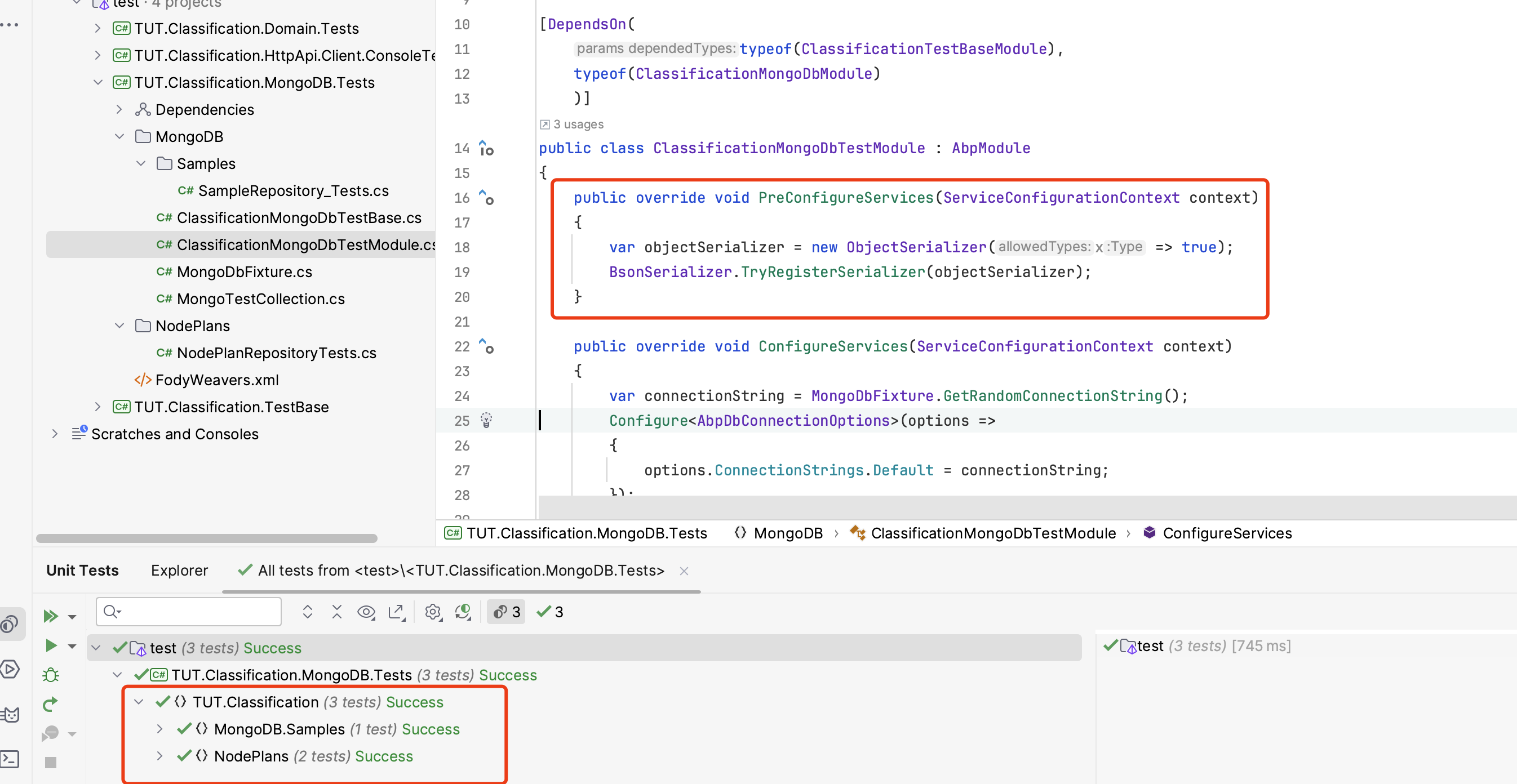
You can try:
public class ClassificationMongoDbTestModule : AbpModule
{
    public override void PreConfigureServices(ServiceConfigurationContext context)
    {
        var objectSerializer = new ObjectSerializer(x => true);
        BsonSerializer.TryRegisterSerializer(objectSerializer);
    }

    ......
}
And use
[Collection(MongoTestCollection.Name)]instead of[Collection(ClassificationTestConsts.CollectionDefinitionName)]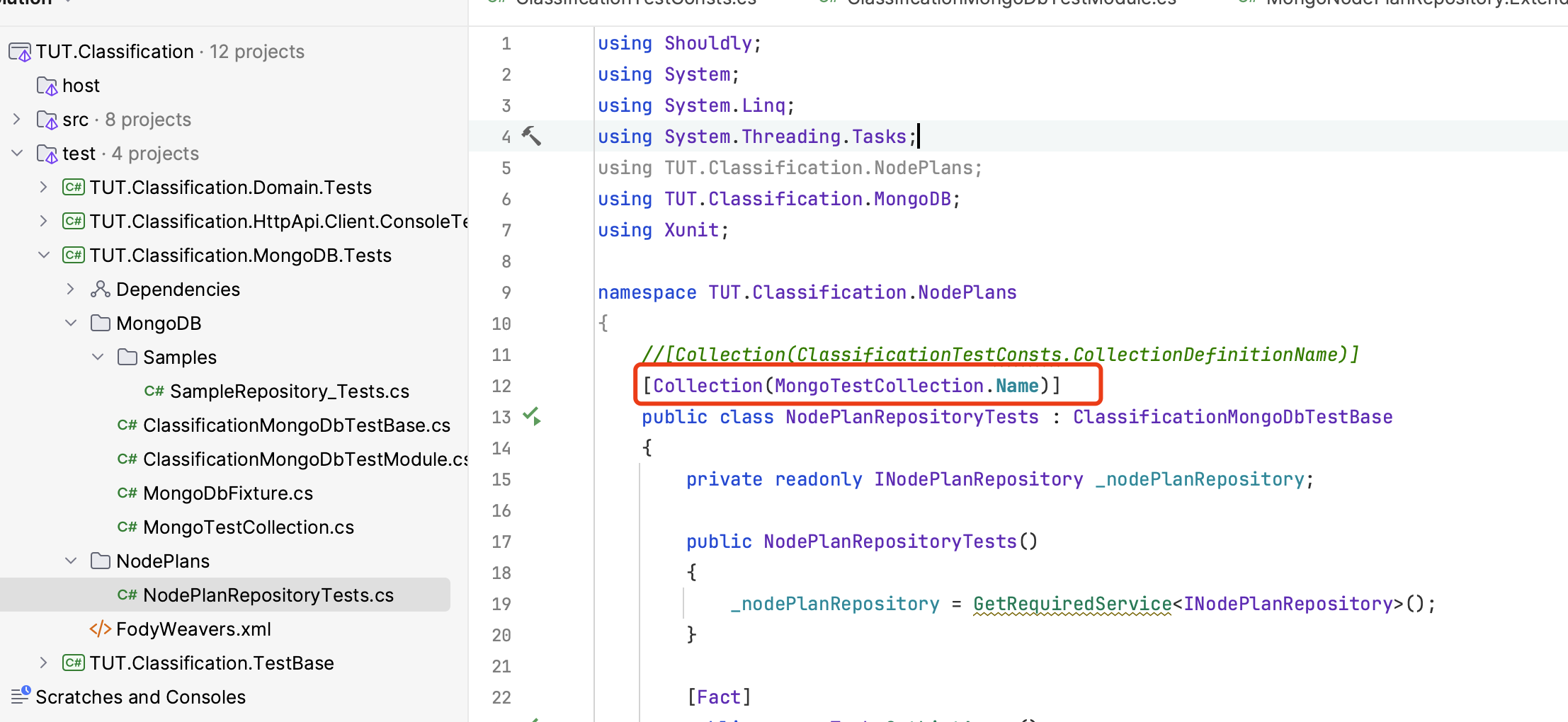 Markdown supported.Copy, paste, or drag & drop images and files (max 100 MB per file, 100 MB total per post)


