






0
s4lv0 created
- ABP Framework version: v7.3.2
- UI Type: Angular
- Database System: EF Core (SQL Server)
- Auth Server Separated (for Angular): no
- Exception message and full stack trace:
- Steps to reproduce the issue:
Greetings, after publishing an application generated with abp suite, I have an error on the browser because the account module points to an address in localhost. How do I set the module account URL?
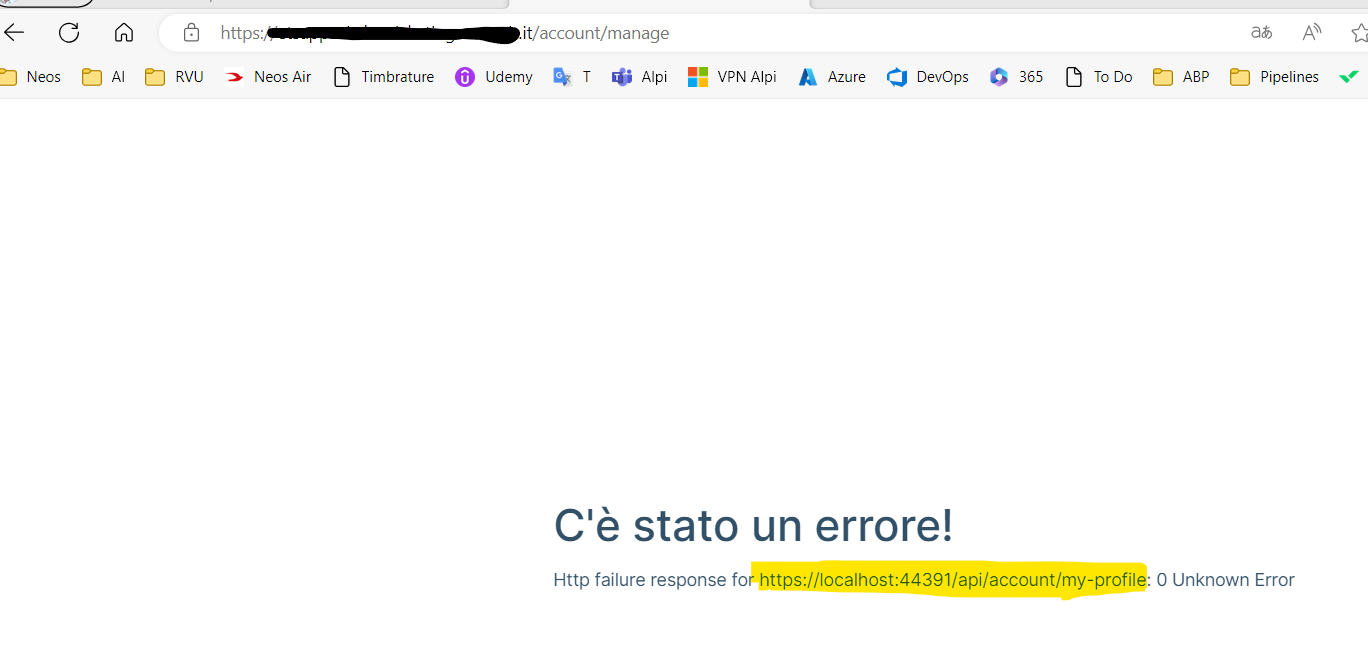
all other endpoints are ok~~~~
Markdown supported.
Copy, paste, or drag & drop images and files (max 100 MB per file, 100 MB total per post)
4 Answer(s)
-
0
Hi, the problem is only on account module. The app now is deployed on nginx using the dynamic-env.json All modules are using the right endpoint apis->default->url instead the account module use the localhost.
{
  "production": true,
  "application": {
    "baseUrl":"https://etsapp-ui-dev.mydomain.it",
    "name": "App",
    "logoUrl": ""
  },
  "oAuthConfig": {
    "issuer": "https://etsapp-api-dev.mydomain.it/",
    "redirectUri": "https://etsapp-ui-dev.mydomain.it",
    "clientId": "App_App",
    "responseType": "code",
    "scope": "offline_access openid profile email phone App"
   },
  "apis": {
    "default": {
      "url": "https://etsapp-api-dev.mydomain.it",
      "rootNamespace": "App"
      }
  }
}
Markdown supported.Copy, paste, or drag & drop images and files (max 100 MB per file, 100 MB total per post) -
0
The missing section in dynamic-env.json was AbpAccountPublic. We solve adding the following section inside the file.
{
  "production": true,
  "application": {
    "baseUrl":"http://localhost:4200",
    "name": "App",
    "logoUrl": ""
  },
  "oAuthConfig": {
    "issuer": "https://localhost:44391/",
    "redirectUri": "http://localhost:4200",
    "clientId": "App_App",
    "responseType": "code",
    "scope": "offline_access openid profile email phone App"
  },
  "apis": {
    "default": {
      "url": "https://localhost:44391",
      "rootNamespace": "App"
    },
    "AbpAccountPublic": {
      "url": "https://localhost:44391/",
      "rootNamespace": "AbpAccountPublic"
    }
  }
}
Markdown supported.Copy, paste, or drag & drop images and files (max 100 MB per file, 100 MB total per post)


