






- ABP Framework version: v7.4.2
- UI Type: Blazor WASM
- Database System: EF Core (PostgreSQL) /
- Tiered (for MVC) or Auth Server Separated (for Angular): yes
- Exception message and full stack trace:
- Steps to reproduce the issue: Hello, is there a way to pass active theme name between ui app and auth server. When I select dark theme in blazor admin ui and click the login button, the page redirects to auth-server ui where light theme is selected. My client asks if the selected theme can be preserved between ui apps. Are there built in solution for this request?
13 Answer(s)
-
0
Hello mgurer,
Are you using separate AuthServer?
I have checked at my end its working properly for Light theme it is showing light for auth server and for dark theme it is showing dark for auth server.
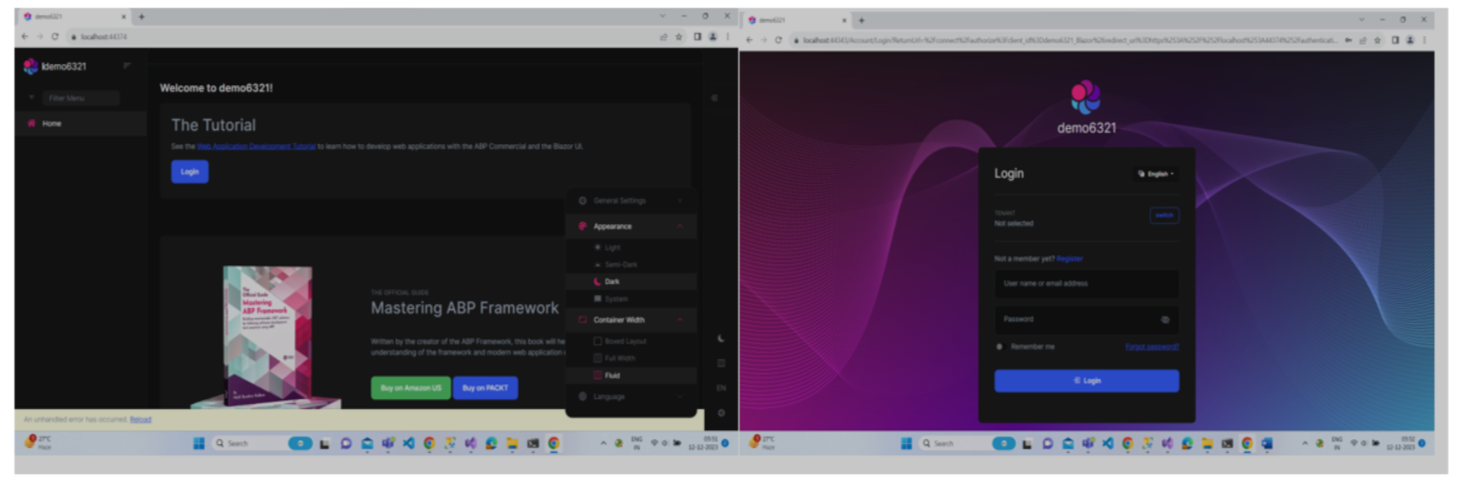
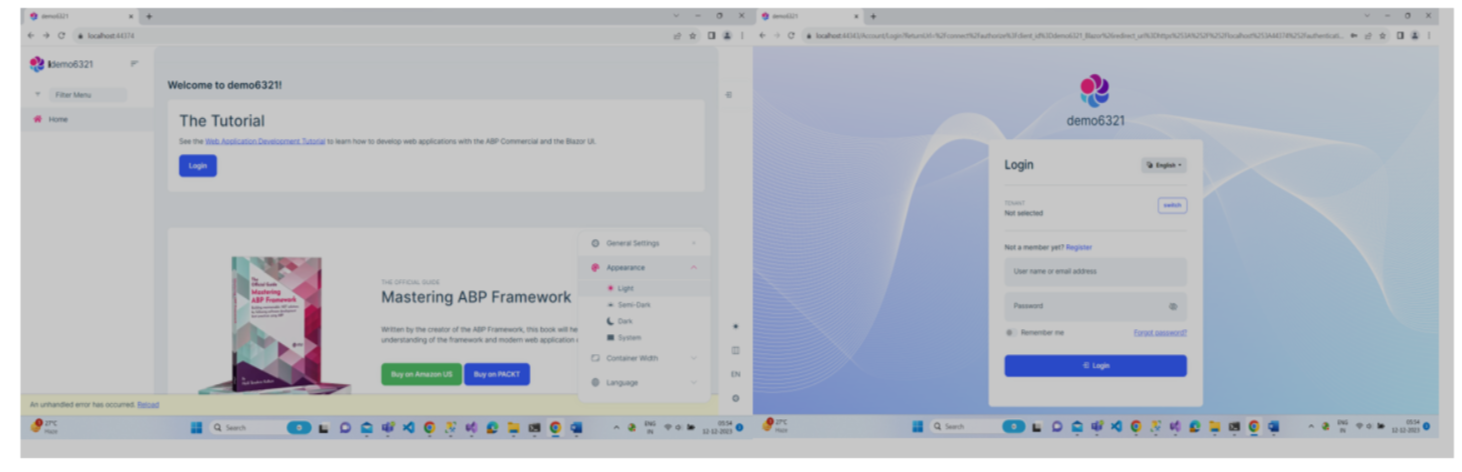
What exactly you are expecting can you please explain in detail.
Thanks, Anjali
Markdown supported.Copy, paste, or drag & drop images and files (max 100 MB per file, 100 MB total per post) -
0
Hello, I will check your reply.
Actually I am not interested about the blazor admin UI. I have a custom UI admin app implemented with VUE. I can not figure out how to open auth-server app so that it renders specific theme. Maybe I can pass a querystring param to the auth-server redirect url.
Markdown supported.Copy, paste, or drag & drop images and files (max 100 MB per file, 100 MB total per post) -
0
By the way, the I have checked your answer. On localhost, the app runs as you described. Theme cookies are set on "localhost" domain and ports are ignored. So same cookie for both sites are shared.
On production, I have two seperate subdomain. admin.mysite.com and auth.mysite.com The theme cookies are set for each domain individualy and the values differ between cookies so the experience is broken.
Markdown supported.Copy, paste, or drag & drop images and files (max 100 MB per file, 100 MB total per post) -
0
Hi,
Are there built in solution for this request?
You may consider setting cookies to the common domain. see: https://learn.microsoft.com/en-us/aspnet/core/security/cookie-sharing?view=aspnetcore-8.0#share-cookies-across-subdomains
Markdown supported.Copy, paste, or drag & drop images and files (max 100 MB per file, 100 MB total per post) -
0
hi
You can change
CookieRequestCultureProvider.DefaultCookieNameto your cookies name.https://gist.github.com/maliming/b1ea80d68982a5b7064d7df6bafa89f5
Markdown supported.Copy, paste, or drag & drop images and files (max 100 MB per file, 100 MB total per post) -
0
hi,,
that does not help.
still abp loptonx theme cookies are created for subdomain.
I could able to apply the code you provided from auth-server app. Changed the cookie name with the ones below. Still no chage. lpx_appereance lpx_loaded-css
I could not even apply the given code for blazor webassembly ui. Too many missing types.
I have traced all abp source codes, public/commercieal, and could not find where you place these cookies.
I beleive I am not the only one experiencing this problem, you should have more common, built-in solution for this theme synchronisation issue. Blazor ui and auth-server ui must also be out-of-phase for someone else.
Markdown supported.Copy, paste, or drag & drop images and files (max 100 MB per file, 100 MB total per post) -
0
Hi,
They are actually set by JS.
You can subscribe to events:
myleptonx.js
leptonx.AppearanceSettingEvent.on(document.body, evnet => {

    var theme = evnet.detail.theme;

    setCookie("lpx_loaded-css", theme, ".sharedDomain.com");
    setCookie("lpx_appearance", theme, ".sharedDomain.com");
});

function setCookie(name, value, domain, day = 365) {
    var expires = new Date();
    expires.setTime(expires.getTime() + (day * 24 * 60 * 60 * 1000));
    document.cookie = name + '=' + value + ';expires=' + expires.toUTCString() + ';domain=' + domain + ';path=/';
}
Markdown supported.Copy, paste, or drag & drop images and files (max 100 MB per file, 100 MB total per post) -
0
index.html
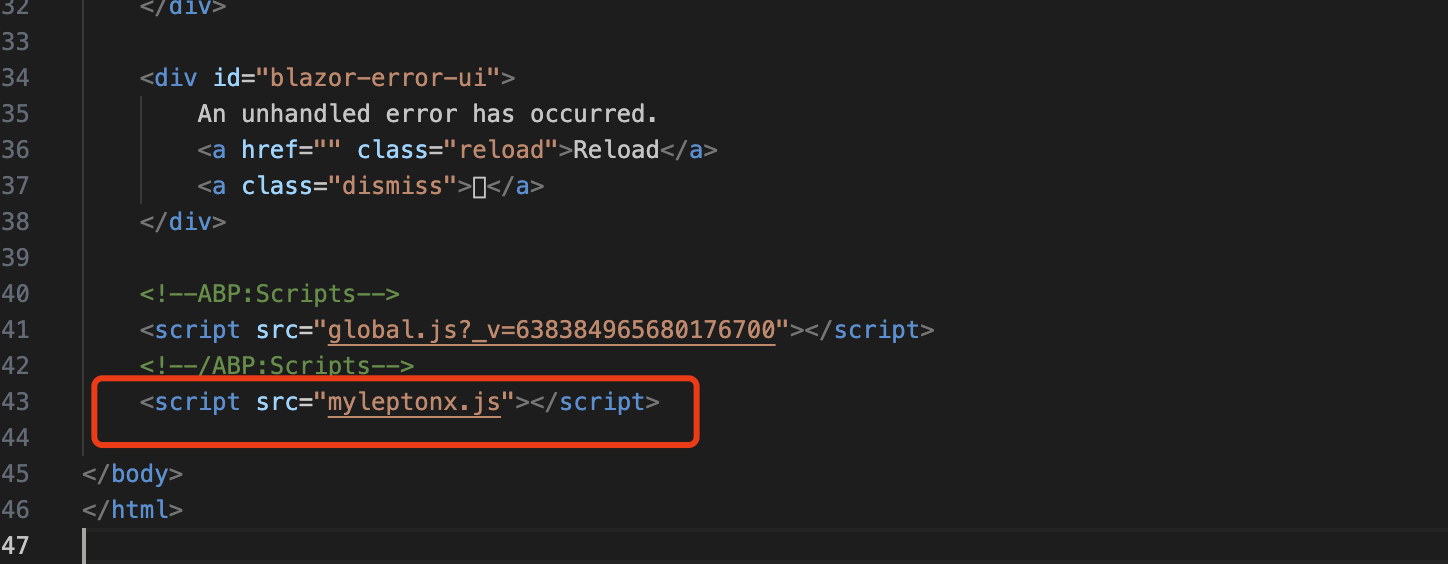 Markdown supported.Copy, paste, or drag & drop images and files (max 100 MB per file, 100 MB total per post)
 -
0
Hi again.
Some progress made finally.
I have two issues now;
1 - I have applied the script on blazor project. Now cookies are dubled with subdomain and root domain. I have tried to delete the cookie for the subdomain but still cookies are doubled. Maybe it will be helpful to unsubscribe before new subscribtion.
function setCookie(name, value, domain, day = 365) {
    delete_cookie(name, '/', document.location.host);
    var expires = new Date();
    expires.setTime(expires.getTime() + (day * 24 * 60 * 60 * 1000));
    document.cookie = name + '=' + value + ';expires=' + expires.toUTCString() + ';domain=' + domain + ';path=/';
}
function get_cookie(name) {
    return document.cookie.split(';').some(c => {
        return c.trim().startsWith(name + '=');
    });
}
function delete_cookie(name, path, domain) {
    if (get_cookie(name)) {
        document.cookie = name + "=" +
            ((path) ? ";path=" + path : "") +
            ((domain) ? ";domain=" + domain : "") +
            ";expires=Thu, 01 Jan 1970 00:00:01 GMT";
    }
}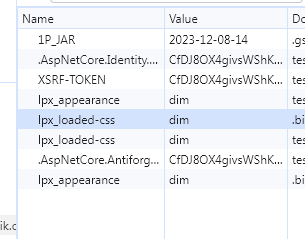
This issue is not big deal, because I see that theme is synchronised when I switch selected theme on blazor ui.
2 - On authserver project, I tried to apply the same javascript but I get an error indicating leptonx is not defined. I guess the flow is somehow different for auth-server project. This issue needs to be fixed, when I set theme on auth-server site, synchronisation gets broken again.
Markdown supported.Copy, paste, or drag & drop images and files (max 100 MB per file, 100 MB total per post) -
0
Hi,
1
You can ignore it if it's work.
2
Can you try this?
Configure<AbpBundlingOptions>(options =>
{
    options.ScriptBundles.Configure(
        LeptonXThemeBundles.Scripts.Global,
        bundle =>
        {
            bundle.AddFiles("/myleptonx.js");
        }
    );
});
Markdown supported.Copy, paste, or drag & drop images and files (max 100 MB per file, 100 MB total per post)



