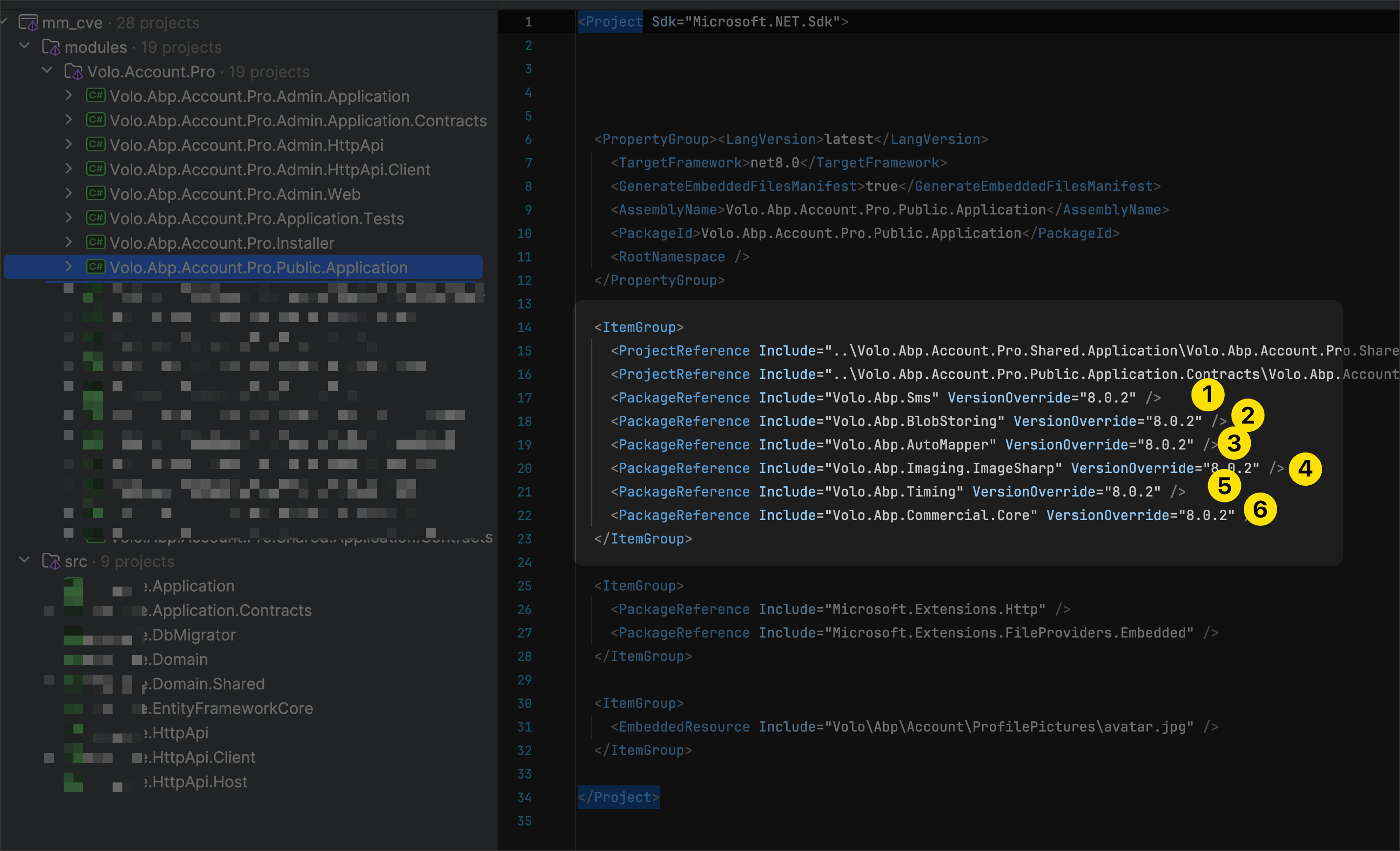
ABP Framework version: v8.1.1
UI Type: Angular
Database System: EF Core (SQL Server)
Tiered (for MVC) or Auth Server Separated (for Angular): yes
Exception message and full stack trace: Volo.Abp.AbpInitializationException: An error occurred during ConfigureServicesAsync phase of the module Volo.Abp.AspNetCore.Mvc.AbpAspNetCoreMvcModule, Volo.Abp.AspNetCore.Mvc, Version=8.1.1.0, Culture=neutral, PublicKeyToken=null. See the inner exception for details. ---> System.IO.FileNotFoundException: Could not load file or assembly 'Microsoft.AspNetCore.Mvc.Versioning, Version=5.1.0.0, Culture=neutral, PublicKeyToken=adb9793829ddae60'. The system cannot find the file specified. File name: 'Microsoft.AspNetCore.Mvc.Versioning, Version=5.1.0.0, Culture=neutral, PublicKeyToken=adb9793829ddae60' at System.ModuleHandle.ResolveType(QCallModule module, Int32 typeToken, IntPtr* typeInstArgs, Int32 typeInstCount, IntPtr* methodInstArgs, Int32 methodInstCount, ObjectHandleOnStack type) at System.ModuleHandle.ResolveTypeHandle(Int32 typeToken, RuntimeTypeHandle[] typeInstantiationContext, RuntimeTypeHandle[] methodInstantiationContext) at System.Reflection.RuntimeModule.ResolveType(Int32 metadataToken, Type[] genericTypeArguments, Type[] genericMethodArguments) at System.Reflection.CustomAttribute.FilterCustomAttributeRecord(MetadataToken caCtorToken, MetadataImport& scope, RuntimeModule decoratedModule, MetadataToken decoratedToken, RuntimeType attributeFilterType, Boolean mustBeInheritable, ListBuilder
1& derivedAttributes, RuntimeType& attributeType, IRuntimeMethodInfo& ctorWithParameters, Boolean& isVarArg) at System.Reflection.CustomAttribute.IsCustomAttributeDefined(RuntimeModule decoratedModule, Int32 decoratedMetadataToken, RuntimeType attributeFilterType, Int32 attributeCtorToken, Boolean mustBeInheritable) at System.Reflection.CustomAttribute.IsDefined(RuntimeType type, RuntimeType caType, Boolean inherit) at System.Attribute.IsDefined(MemberInfo element, Type attributeType, Boolean inherit) at Microsoft.AspNetCore.Mvc.Controllers.ControllerFeatureProvider.IsController(TypeInfo typeInfo) at Microsoft.AspNetCore.Mvc.Controllers.ControllerFeatureProvider.PopulateFeature(IEnumerable1 parts, ControllerFeature feature) at Microsoft.AspNetCore.Mvc.ApplicationParts.ApplicationPartManager.PopulateFeature[TFeature](TFeature feature) at Microsoft.Extensions.DependencyInjection.MvcCoreMvcBuilderExtensions.AddControllersAsServices(IMvcBuilder builder) at Volo.Abp.AspNetCore.Mvc.AbpAspNetCoreMvcModule.ConfigureServices(ServiceConfigurationContext context) at Volo.Abp.Modularity.AbpModule.ConfigureServicesAsync(ServiceConfigurationContext context) at Volo.Abp.AbpApplicationBase.ConfigureServicesAsync() --- End of inner exception stack trace --- at Volo.Abp.AbpApplicationBase.ConfigureServicesAsync() at Volo.Abp.AbpApplicationFactory.CreateAsync[TStartupModule](IServiceCollection services, Action1 optionsAction) at Microsoft.Extensions.DependencyInjection.ServiceCollectionApplicationExtensions.AddApplicationAsync[TStartupModule](IServiceCollection services, Action1 optionsAction) at Microsoft.Extensions.DependencyInjection.WebApplicationBuilderExtensions.AddApplicationAsync[TStartupModule](WebApplicationBuilder builder, Action`1 optionsAction) at mm_cve.Program.Main(String[] args) in C:\Development\CVE\aspnet-core\src\mm_cve.HttpApi.Host\Program.cs:line 36 Response sent: https://localhost:44377/ with HTTP status 500.30Steps to reproduce the issue: Hello, I updated my solution to version 8.1 and, after following the migration guide by adding missing usings on the ControllerNames in project HttpApi, I get the specified error. My problem seems the same as this other question: https://support.abp.io/QA/Questions/7006/got-errors--after-upgrade-to-81-VoloAbpAspNetCoreMvc-still-use-MicrosoftAspNetCoreMvcVersioning However, the answers were not really helpful to me. Could you provide a solution? Thank you.
9 Answer(s)
-
0
Hello, as mc86 https://support.abp.io/QA/Questions/7006/got-errors--after-upgrade-to-81-VoloAbpAspNetCoreMvc-still-use-MicrosoftAspNetCoreMvcVersioning has already answered you here, it's not possible to reproduce the error on a new project.
Thanks
Markdown supported.Copy, paste, or drag & drop images and files (max 100 MB per file, 100 MB total per post) -
0
Hello, I sent you the code structure with the error at your email. Thanks
Markdown supported.Copy, paste, or drag & drop images and files (max 100 MB per file, 100 MB total per post) -
0
Hello, thank you for your answer but it wasn't enough. I had to re-download the updated Account Module to make it work, because all account packages weren't updated. Also, in the new version there were some changes in the code.
Markdown supported.Copy, paste, or drag & drop images and files (max 100 MB per file, 100 MB total per post) -
0
Yes, it is now solved. Thank you
Markdown supported.Copy, paste, or drag & drop images and files (max 100 MB per file, 100 MB total per post)