






- ABP Framework version: v8.0.1
- UI Type: Angular
- Database System: EF Core (SQL Server)
- Tiered (for MVC) or Auth Server Separated (for Angular): no
Hi, We want to create one Api for tenant admin so that he/she can update profile picture of tenant users. We were able to save image in a blob container for a particular user using a custom Api by creating a custom blob container (with name "account-profile-pictures") and calling the inbuilt "await lobContainer.SaveAsync(userId, imageBytes, true);". When user logs in and we hit account profile picture Api(ABP provided) it still shows the default image rather than showing the image that we have saved using the above method.
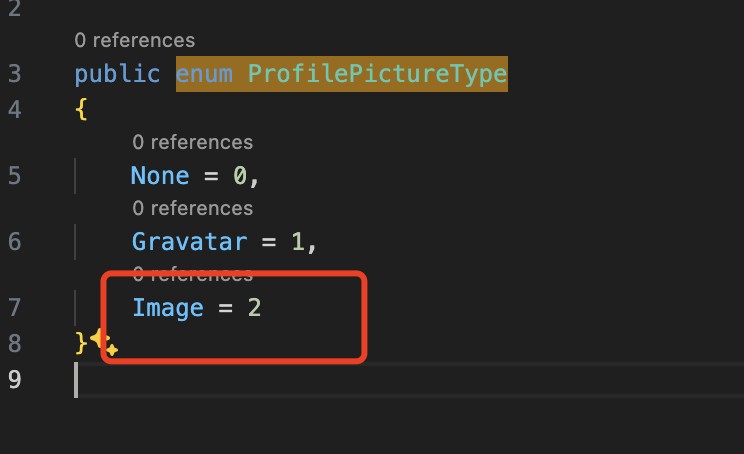
After some investigation I notice that there is one field type whose value can be 0,1,2 while user itself set's the profile picture the value of type is 2, so I want to know where I can set the type as 2 for a particular user so that profile picture gets changed.
5 Answer(s)
-
0
Hi,
Hi, you can set the
ProfilePictureSourcesetting for a user.await SettingManager.SetForUserAsync(userId, AccountSettingNames.ProfilePictureSource, "2");2 is Image
 Markdown supported.Copy, paste, or drag & drop images and files (max 100 MB per file, 100 MB total per post)
 -
0
Hi,
I want to apply(await SettingManager.SetForUserAsync(userId, AccountSettingNames.ProfilePictureSource, "2");) in this api given below.
public async Task CustomUserImageUpdate(string userId, IBlobContainer lobContainer, string image)
 {
     try
     {
         byte[] imageBytes = Convert.FromBase64String(image);
         await lobContainer.SaveAsync(userId, imageBytes, true);
     }
     catch (Exception ex)
     {

         throw;
     }
 }
Markdown supported.Copy, paste, or drag & drop images and files (max 100 MB per file, 100 MB total per post) -
0
Just
public async Task CustomUserImageUpdate(string userId, IBlobContainer lobContainer, string image)
{
 try
 {
     byte[] imageBytes = Convert.FromBase64String(image);
     await lobContainer.SaveAsync(userId, imageBytes, true);
     await SettingManager.SetForUserAsync(userId, AccountSettingNames.ProfilePictureSource, "2");
 }
 catch (Exception ex)
 {

     throw;
 }
}
Markdown supported.Copy, paste, or drag & drop images and files (max 100 MB per file, 100 MB total per post) -
0
*await SettingManager.SetForUserAsync(userId, AccountSettingNames.ProfilePictureSource, "Image"); * worked instead of await SettingManager.SetForUserAsync(userId, AccountSettingNames.ProfilePictureSource, "2");
Markdown supported.Copy, paste, or drag & drop images and files (max 100 MB per file, 100 MB total per post) -
0
OK.
Markdown supported.Copy, paste, or drag & drop images and files (max 100 MB per file, 100 MB total per post)


