

Open Closed

How do I implement a notification type menu item on the Mobile menu in Blazor LeptonX #7229


User avatar
0
okains created
  • ABP Framework version: v8.0*
  • UI Type: Blazor Server
  • Database System: EF Core (SQL Server )
  • Tiered (for MVC) or Auth Server Separated (for Angular): no
  • Exception message and full stack trace:
  • Steps to reproduce the issue:

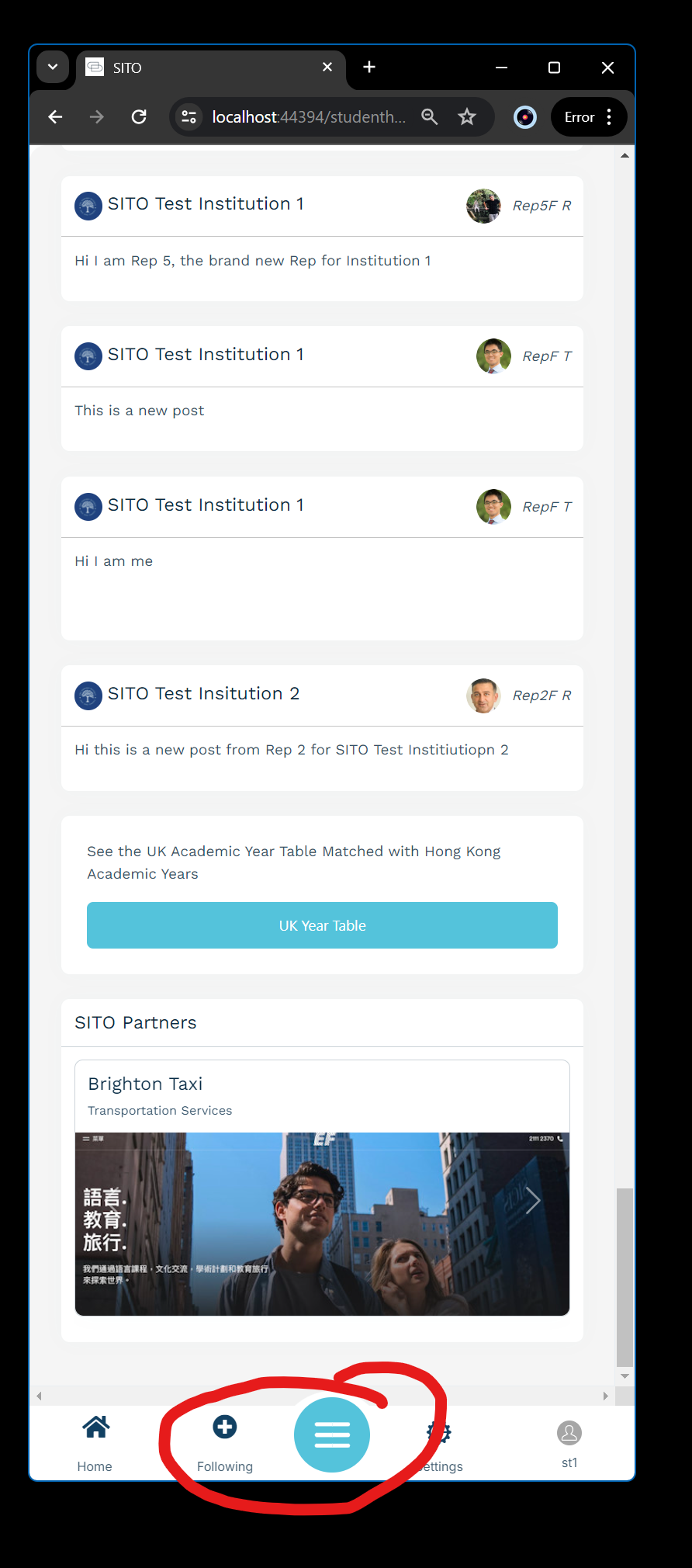
I would like to implement a SignalR polling notification counter in the mobile menu on Blazor LeptonX. Need to maybe poll every 5 seconds or so for messages, then display the number of unread messages dynamically to the user. I don't understand exactly where I would put the Signalr notification / polling code in the Mobile menu. Is this possible? In the screenshot below, where the Following icon is I will have an Inbox icon and I want to display any sent / unread messages to the user.

From the docs I don't understand where the polling code would go, can you help me understand how to implement this correctly?
Thanks,

Karim

Markdown supported.
Copy, paste, or drag & drop images and files (max 100 MB per file, 100 MB total per post)

11 Answer(s)
  • User Avatar
    0
    maliming created
    Support Team Fullstack Developer

    hi

    You can consider overriding the default component and adding a timer to call the API every 5 seconds.

    I think no need for the Signlar.

    Markdown supported.
    Copy, paste, or drag & drop images and files (max 100 MB per file, 100 MB total per post)
  • User Avatar
    0
    okains created

    OK yeah I will likely implement the code that way, but where does that code go? All i see in the documentation in the MobileMenuSelector config options, which would allow me to add / remove Menu Items:
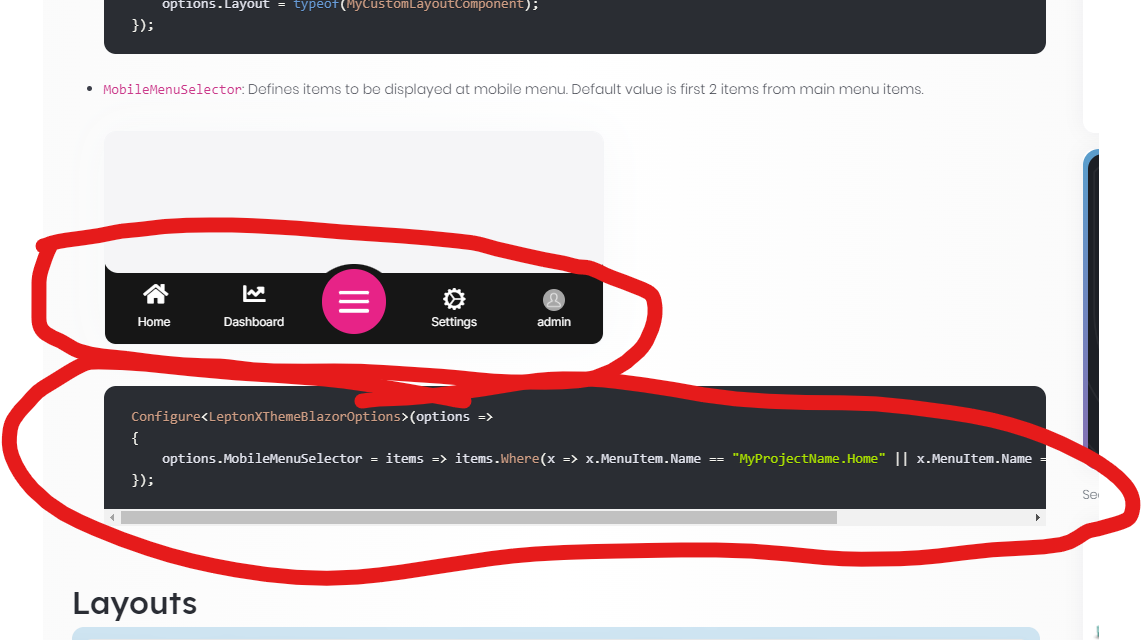
    What I need to do is replace that Dashboard Icon with Notification Icon that shows number of unread messages. Can I override that component somehow, or is there another way to do this?

    Thanks,

    Karim

    Markdown supported.
    Copy, paste, or drag & drop images and files (max 100 MB per file, 100 MB total per post)
  • User Avatar
    0
    maliming created
    Support Team Fullstack Developer

    hi

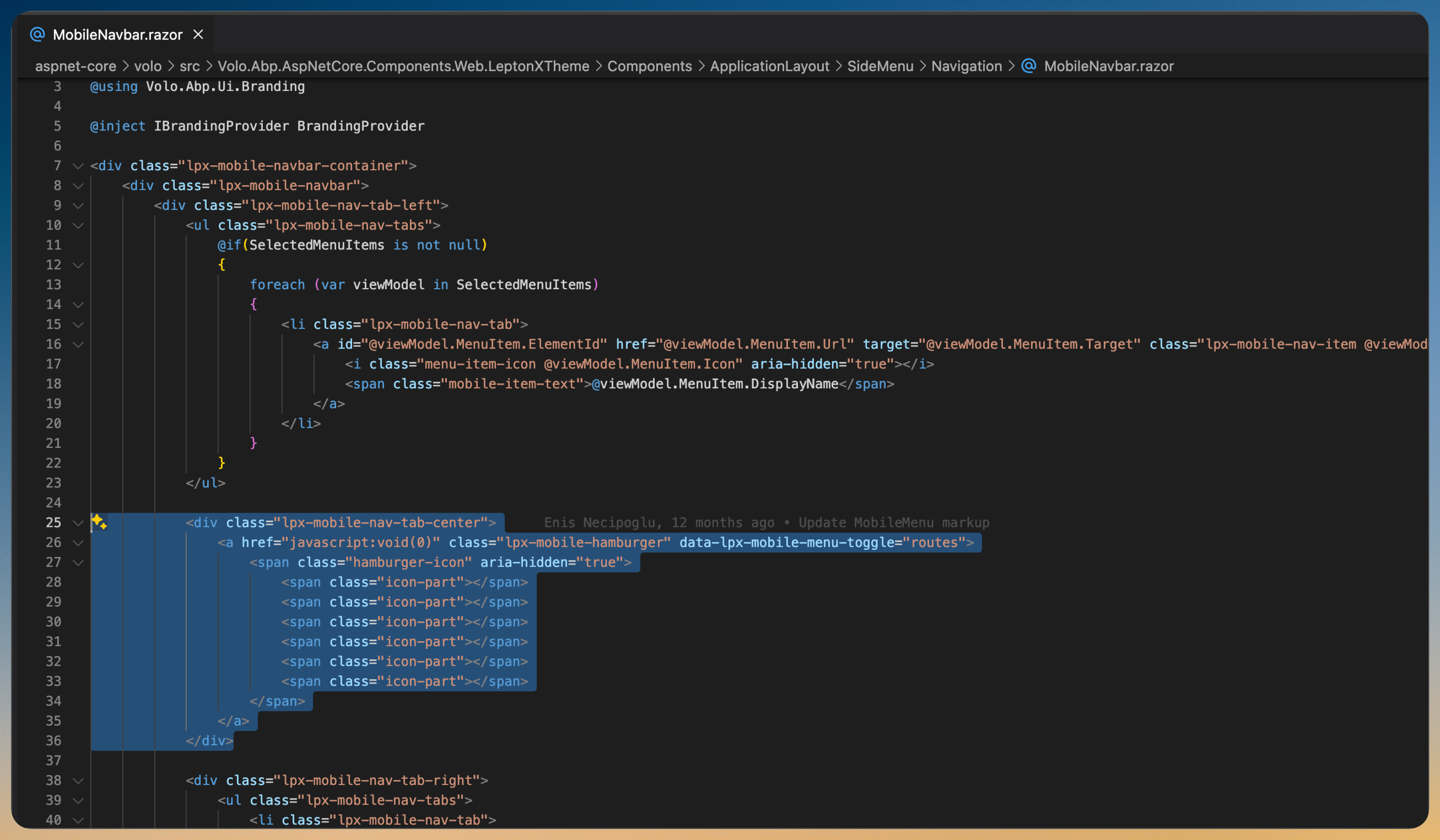
    I think you can override the MobileNavbar component then add your custom code.

    Markdown supported.
    Copy, paste, or drag & drop images and files (max 100 MB per file, 100 MB total per post)
  • User Avatar
    0
    okains created

    OK I will try that out, can you provide the code for the MobileNavbar, so that I can use that as the basis for this?

    Markdown supported.
    Copy, paste, or drag & drop images and files (max 100 MB per file, 100 MB total per post)
  • User Avatar
    0
    maliming created
    Support Team Fullstack Developer

    hi

    What's your email?

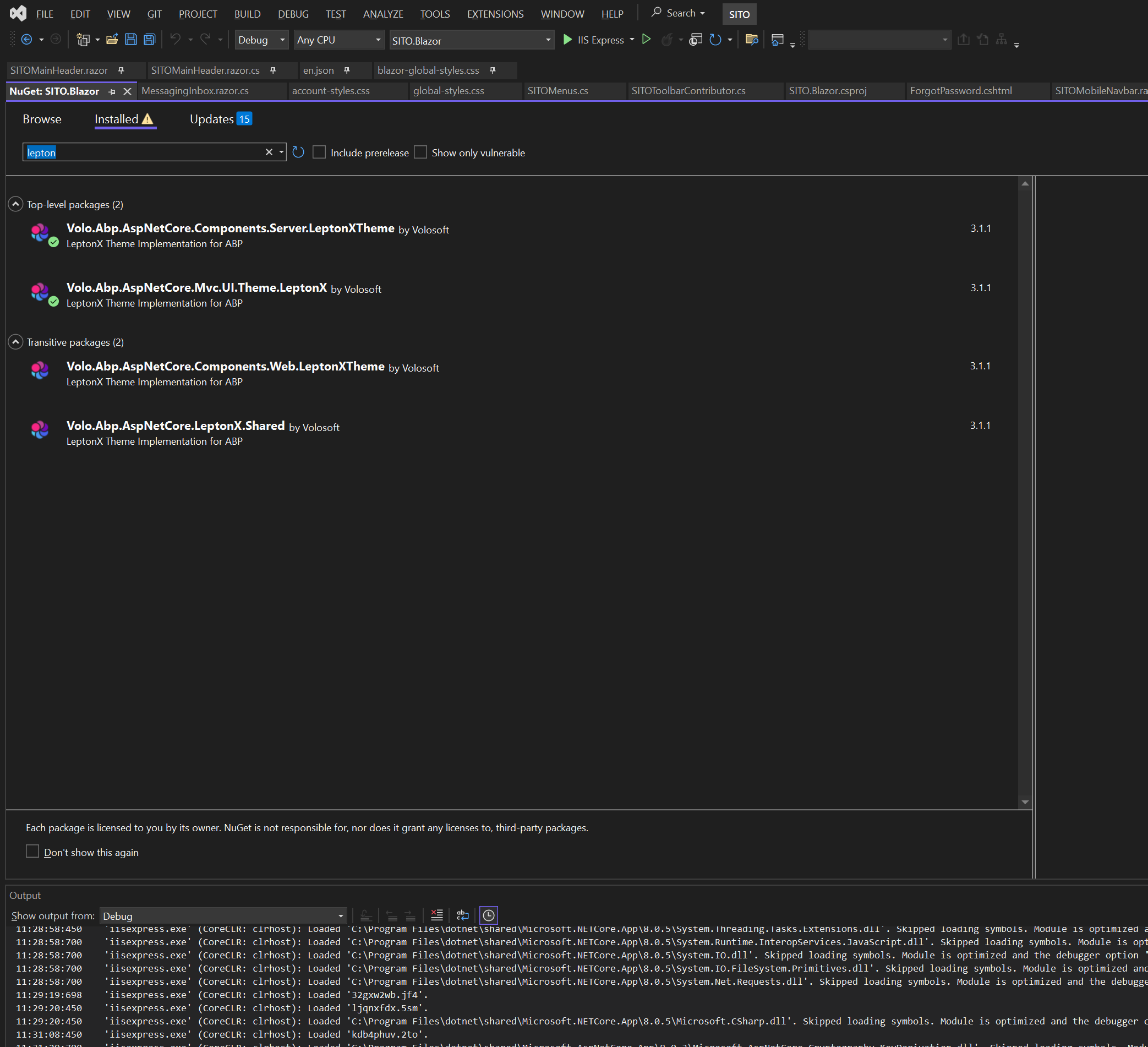
    What lepton package version are you using right now?

    Markdown supported.
    Copy, paste, or drag & drop images and files (max 100 MB per file, 100 MB total per post)

  • User Avatar
    0
    okains created

    3.1.1

    Markdown supported.
    Copy, paste, or drag & drop images and files (max 100 MB per file, 100 MB total per post)

  • User Avatar
    0
    maliming created
    Support Team Fullstack Developer

    hi

    I sent the MobileNavbar files to kari-xxxxxxx@gmail.com

    Markdown supported.
    Copy, paste, or drag & drop images and files (max 100 MB per file, 100 MB total per post)
  • User Avatar
    0
    okains created

    Hi, I didn't get the email, can you please resend? I think that will be very helpful, should allow me to move on with this.

    Markdown supported.
    Copy, paste, or drag & drop images and files (max 100 MB per file, 100 MB total per post)
  • User Avatar
    0
    maliming created
    Support Team Fullstack Developer

    hi

    https://we.tl/t-n2CkedEWqz

    Markdown supported.
    Copy, paste, or drag & drop images and files (max 100 MB per file, 100 MB total per post)
  • User Avatar
    0
    okains created

    Hi, I think these 2 support tickets that I have open with you are overlapping a bit, I think it just is a matter of getting the overrides working correctly. I sent a detailed response on the other ticket, which I think if you can answer could also fix this issue.

    Thanks for your support. These last 2 issues are what is left before we go into UAT with a client, so I just want to get them fixed and sorted out. I appreciate your help to push through these.

    Thanks,

    Karim

    Markdown supported.
    Copy, paste, or drag & drop images and files (max 100 MB per file, 100 MB total per post)
  • User Avatar
    0
    maliming created
    Support Team Fullstack Developer

    Thanks okains

    Let's discuss on https://support.abp.io/QA/Questions/7228/

    I'm closing this now.

    Markdown supported.
    Copy, paste, or drag & drop images and files (max 100 MB per file, 100 MB total per post)
Boost Your Development
ABP Live Training
Packages
See Trainings
Mastering ABP Framework Book
The Official Guide
Mastering
ABP Framework
Learn More
Mastering ABP Framework Book
Made with ❤️ on ABP v10.8.0-preview. Updated on September 09, 2026, 11:56
1
ABP Assistant
🔐 You need to be logged in to use the chatbot. Please log in first.