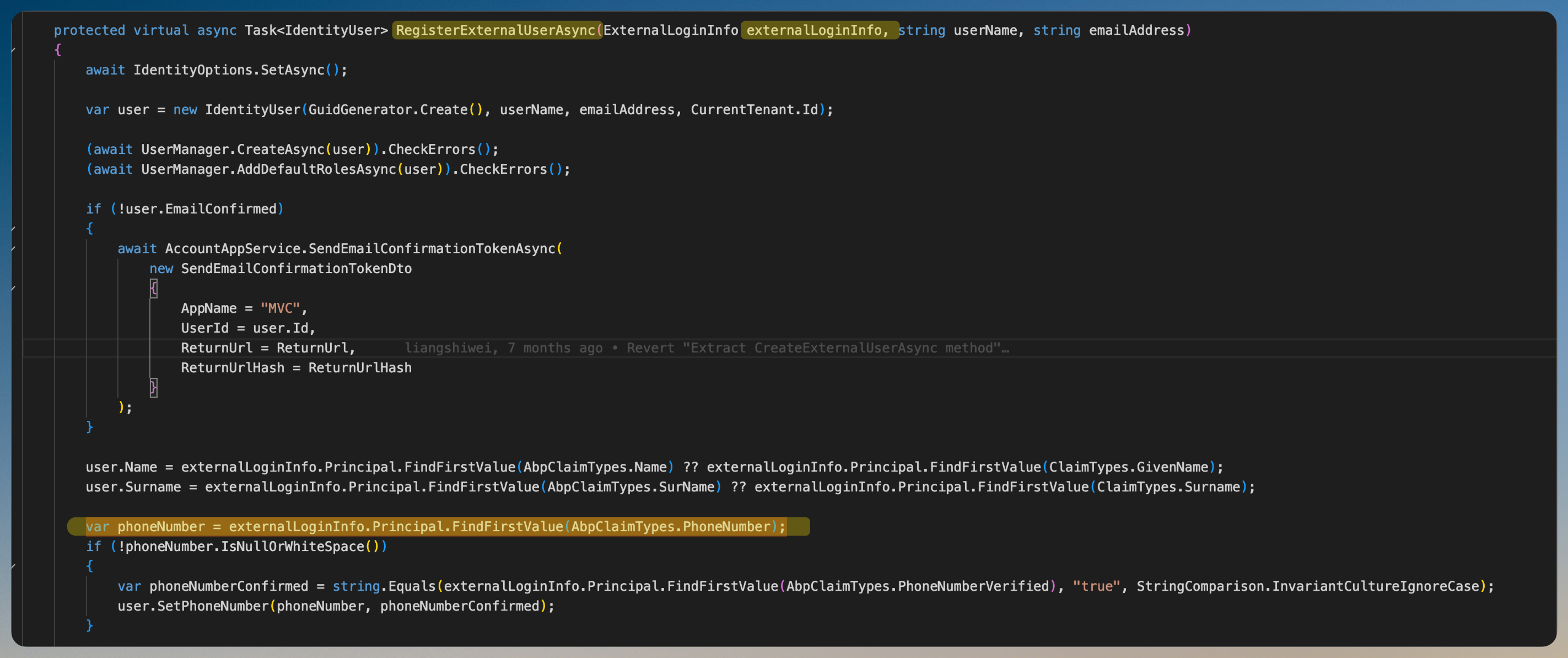
- ABP Framework version: v5.3
- UI Type: Angular
- Database System: PostgreSQL
- Tiered (for MVC) or Auth Server Separated (for Angular): no
- Exception message and full stack trace:
- Steps to reproduce the issue:
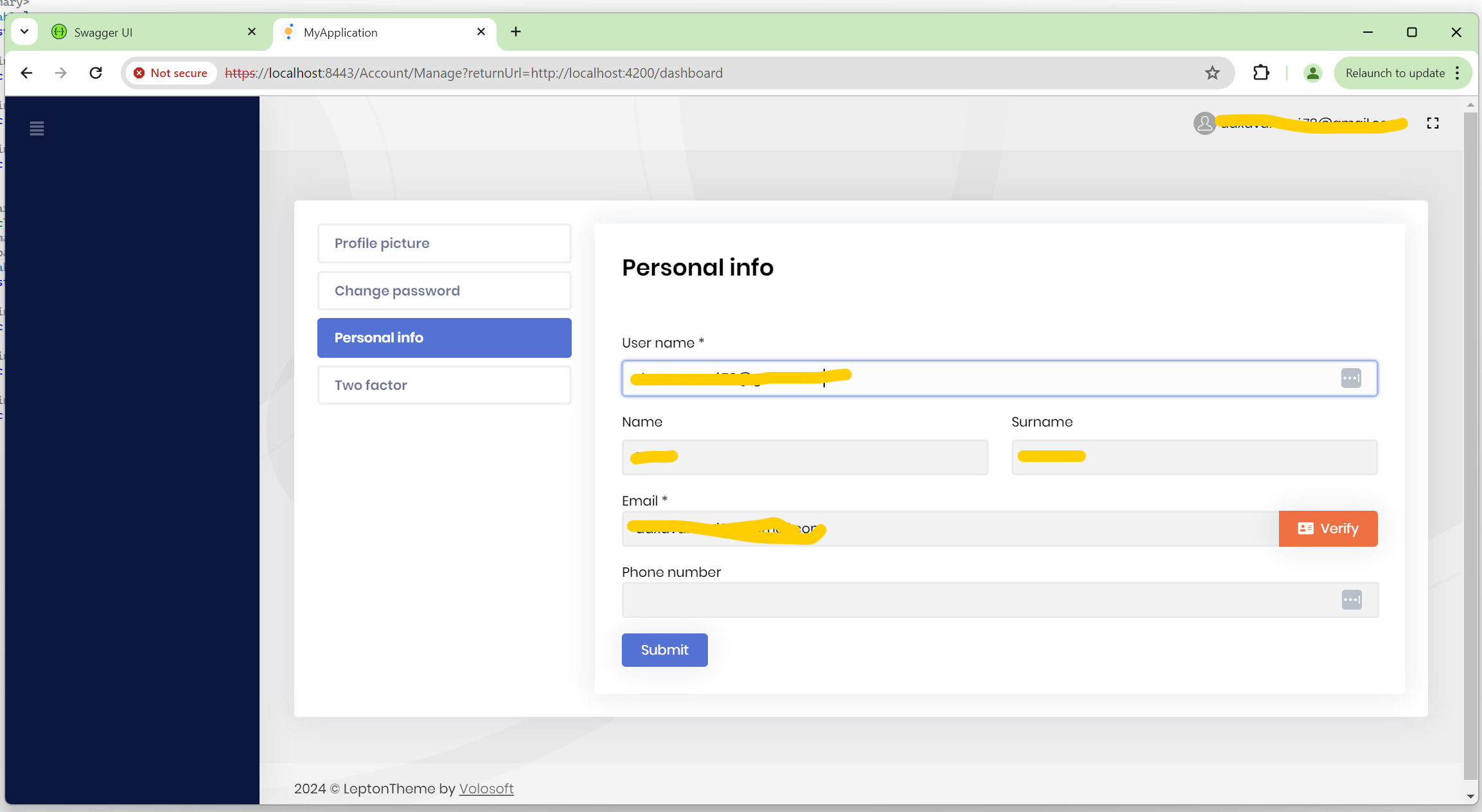
I am using OpenIdConnect and UserInfo endpoint custom policy for authentication. After successful authentication from Azure, I got the phoneNumber into the token. In Personal Info tab, I am getting User name, Name, Surname and Email but not the Phone Number.
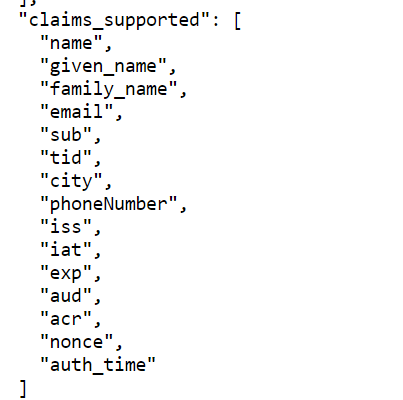
 I am getting below claims into the token. Not sure what I am missing to get phone number value in the textbox.
17 Answer(s)
-
0
hi
I am using OpenIdConnect and UserInfo endpoint custom policy for authentication. After successful authentication from Azure,
Are you signed in with an existing user or create a new user?
Markdown supported.Copy, paste, or drag & drop images and files (max 100 MB per file, 100 MB total per post) -
0
I am signing in with new user. Also I have noted that if I update any information on Personal Info, it is not updating on to Azure side of things.
Markdown supported.Copy, paste, or drag & drop images and files (max 100 MB per file, 100 MB total per post) -
0
I am signing in with new user.
The phone number comes from the
phone_numberclaim. Make sure theexternalLoginInfohas this claim.var externalLoginInfo = await SignInManager.GetExternalLoginInfoAsync();Markdown supported.Copy, paste, or drag & drop images and files (max 100 MB per file, 100 MB total per post) -
0
ok Thanks. If I update say the phone number on Azure, I am not able to get the updated phone number into Personal Info.
Markdown supported.Copy, paste, or drag & drop images and files (max 100 MB per file, 100 MB total per post) -
0
If I update say the phone number on Azure, I am not able to get the updated phone number into Personal Info.
You can update the local user phone number during Login by override the
OnGetExternalLoginCallbackAsyncmethod ofLoginModel or OpenIddictSupportedLoginModelMarkdown supported.Copy, paste, or drag & drop images and files (max 100 MB per file, 100 MB total per post) -
0
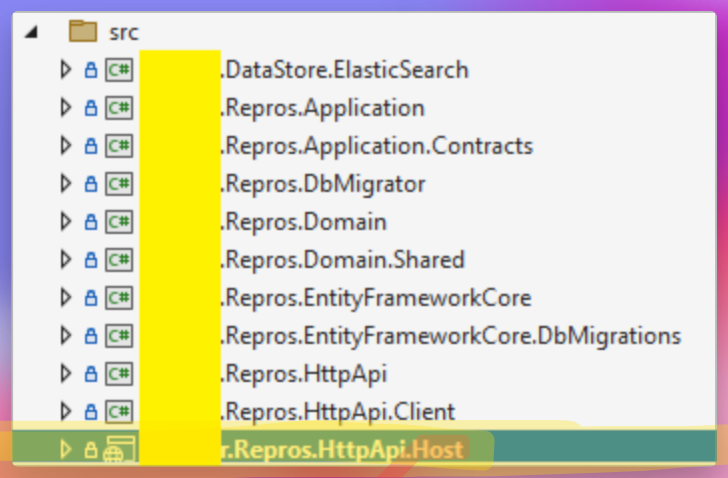
I don't have .Web Project in my solution. Where do I override OnGetExternalLoginCallbackAsync method?
Markdown supported.Copy, paste, or drag & drop images and files (max 100 MB per file, 100 MB total per post) -
0
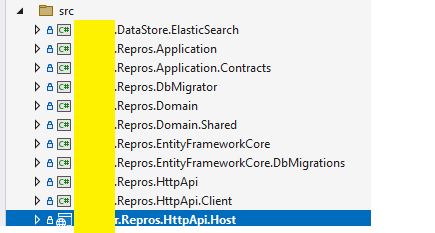 Markdown supported.Copy, paste, or drag & drop images and files (max 100 MB per file, 100 MB total per post)
 -
0
Thanks. Was able to override the OnGetExternalLoginCallbackAsync. still can't get the personal info updated for already existing users though all the claims are being retrieved properly.
Markdown supported.Copy, paste, or drag & drop images and files (max 100 MB per file, 100 MB total per post) -
0
hi
still can't get the personal info updated for already existing users though all the claims are being retrieved properly.
Please share your override code.
Thanks.
Markdown supported.Copy, paste, or drag & drop images and files (max 100 MB per file, 100 MB total per post) -
0
public override async Task<Microsoft.AspNetCore.Mvc.IActionResult> OnGetExternalLoginCallbackAsync(string returnUrl = "", string returnUrlHash = "", string remoteError = null)
{
    var loginInfo = await SignInManager.GetExternalLoginInfoAsync();

    if (loginInfo == null)
    {
        return RedirectToPage("./Login");
    }

    var result = await SignInManager.ExternalLoginSignInAsync(
        loginInfo.LoginProvider,
        loginInfo.ProviderKey,
        isPersistent: false,
        bypassTwoFactor: true
    );
    var claims = loginInfo.Principal.Claims;

    if (!result.Succeeded)
    {
        await IdentitySecurityLogManager.SaveAsync(new IdentitySecurityLogContext()
        {
            Identity = IdentitySecurityLogIdentityConsts.IdentityExternal,
            Action = "Login" + result
        });
    }

    if (result.IsLockedOut)
    {
        throw new UserFriendlyException("Cannot proceed because user is locked out!");
    }

    if (result.IsNotAllowed)
    {
        throw new UserFriendlyException("Cannot proceed because user is not allowed!");
    }

    if (result.Succeeded)
    {
        var user = await UserManager.FindByLoginAsync(loginInfo.LoginProvider, loginInfo.ProviderKey);
        if (IsLinkLogin)
        {
            using (CurrentPrincipalAccessor.Change(await SignInManager.CreateUserPrincipalAsync(user)))
            {
                await IdentityLinkUserAppService.LinkAsync(new LinkUserInput
                {
                    UserId = LinkUserId.Value,
                    TenantId = LinkTenantId,
                    Token = LinkToken
                });
            }
        }

        await IdentitySecurityLogManager.SaveAsync(new IdentitySecurityLogContext
        {
            Identity = IdentitySecurityLogIdentityConsts.IdentityExternal,
            Action = result.ToIdentitySecurityLogAction(),
            UserName = user.UserName
        });

        return RedirectSafely(returnUrl, returnUrlHash);
    }
    return RedirectSafely(returnUrl, returnUrlHash);
}
Markdown supported.Copy, paste, or drag & drop images and files (max 100 MB per file, 100 MB total per post) -
0
You can update the local user phone number during Login by override the OnGetExternalLoginCallbackAsync method of LoginModel or OpenIddictSupportedLoginModel
Where is your code for updating the local user's phone number?
Markdown supported.Copy, paste, or drag & drop images and files (max 100 MB per file, 100 MB total per post) -
0
 public override async Task<Microsoft.AspNetCore.Mvc.IActionResult> OnGetExternalLoginCallbackAsync(string returnUrl = "", string returnUrlHash = "", string remoteError = null)
        {
            var loginInfo = await SignInManager.GetExternalLoginInfoAsync();

            if (loginInfo == null)
            {
                return RedirectToPage("./Login");
            }

            var result = await SignInManager.ExternalLoginSignInAsync(
                loginInfo.LoginProvider,
                loginInfo.ProviderKey,
                isPersistent: false,
                bypassTwoFactor: true
            );

            if (!result.Succeeded)
            {
                await IdentitySecurityLogManager.SaveAsync(new IdentitySecurityLogContext()
                {
                    Identity = IdentitySecurityLogIdentityConsts.IdentityExternal,
                    Action = "Login" + result
                });
            }

            if (result.IsLockedOut)
            {
                throw new UserFriendlyException("Cannot proceed because user is locked out!");
            }

            if (result.IsNotAllowed)
            {
                throw new UserFriendlyException("Cannot proceed because user is not allowed!");
            }

            if (result.Succeeded)
            {
                var user = await UserManager.FindByLoginAsync(loginInfo.LoginProvider, loginInfo.ProviderKey);
                user.Name = loginInfo.Principal.FindFirstValue(AbpClaimTypes.Name);
                user.Surname = loginInfo.Principal.FindFirstValue(AbpClaimTypes.SurName);
                var phoneNumber = loginInfo.Principal.FindFirstValue(AbpClaimTypes.PhoneNumber);
                if (!phoneNumber.IsNullOrWhiteSpace())
                {
                    var phoneNumberConfirmed =         string.Equals(loginInfo.Principal.FindFirstValue(AbpClaimTypes.PhoneNumberVerified), "true", StringComparison.InvariantCultureIgnoreCase);
                    user.SetPhoneNumber(phoneNumber, phoneNumberConfirmed);
                }

                await UserManager.UpdateAsync(user);

                if (IsLinkLogin)
                {
                    using (CurrentPrincipalAccessor.Change(await SignInManager.CreateUserPrincipalAsync(user)))
                    {
                        await IdentityLinkUserAppService.LinkAsync(new LinkUserInput
                        {
                            UserId = LinkUserId.Value,
                            TenantId = LinkTenantId,
                            Token = LinkToken
                        });
                    }
                }

                await IdentitySecurityLogManager.SaveAsync(new IdentitySecurityLogContext
                {
                    Identity = IdentitySecurityLogIdentityConsts.IdentityExternal,
                    Action = result.ToIdentitySecurityLogAction(),
                    UserName = user.UserName
                });

                return RedirectSafely(returnUrl, returnUrlHash);
            }
            return RedirectSafely(returnUrl, returnUrlHash);
        }
Markdown supported.Copy, paste, or drag & drop images and files (max 100 MB per file, 100 MB total per post) -
0
updated OnGetExternalLoginCallbackAsync with the code to update name, surname and phone number when user logs in. It is working ok and able to update the local db.
Markdown supported.Copy, paste, or drag & drop images and files (max 100 MB per file, 100 MB total per post)