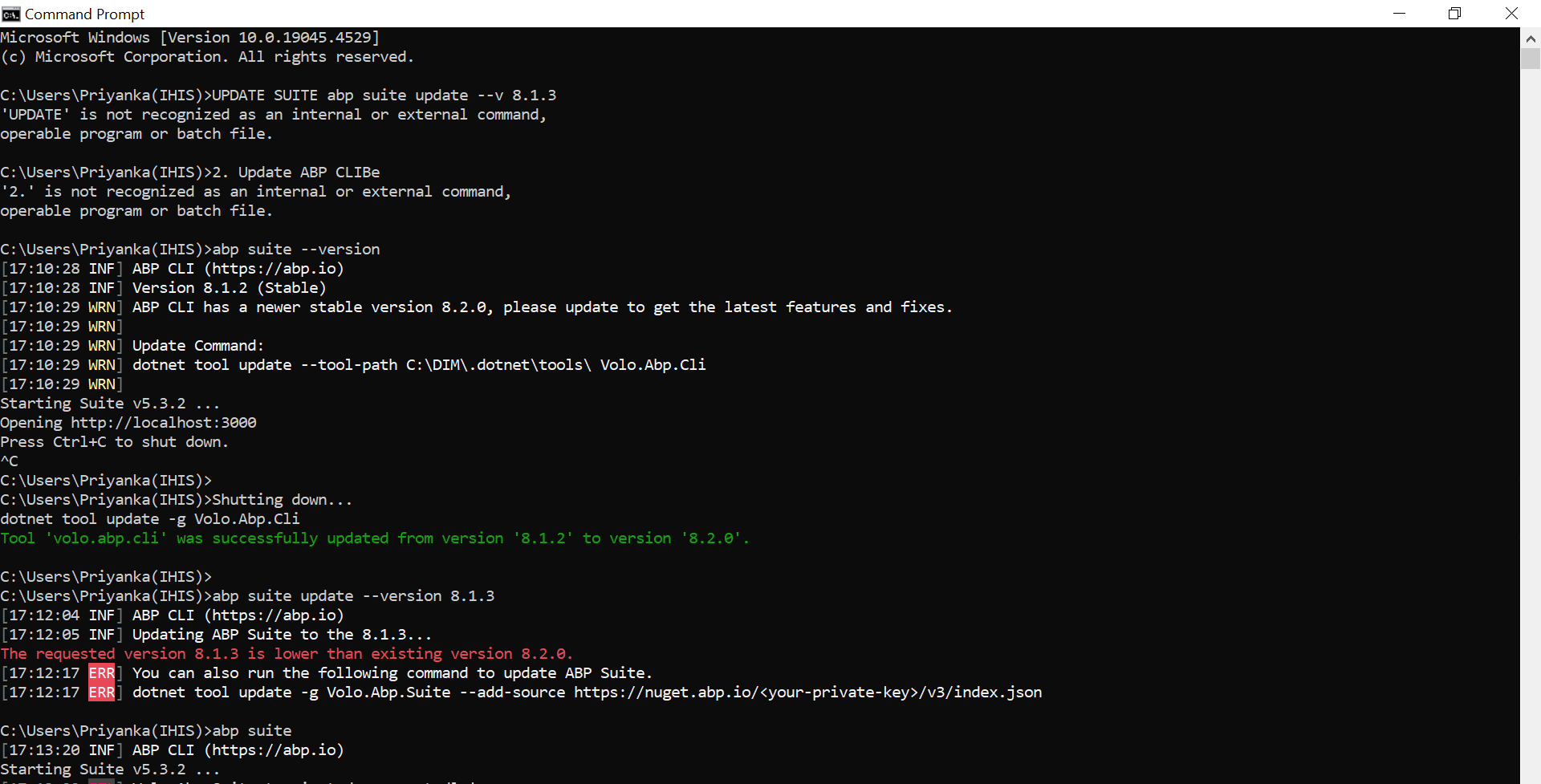
ABP Framework version: v8.1.1
UI Type:React
Database System: EF Core (SQL Server)
Tiered (for MVC) or Auth Server Separated (for Angular): yes
Exception message and full stack trace: NA
Steps to reproduce the issue: Create New table from abp suite
Hi, I'm trying to create new table from abp suite but getting below error
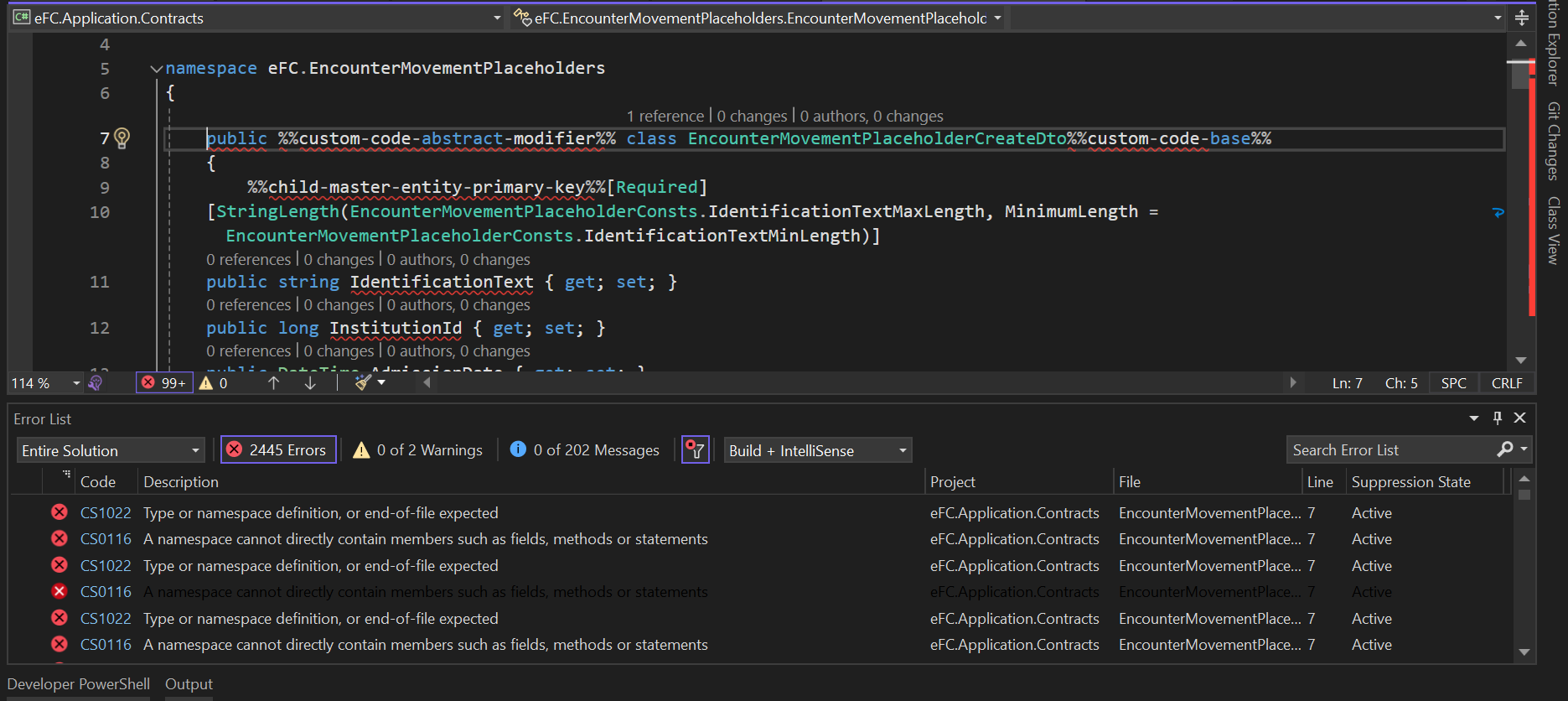
these are the steps to reproduce:
launch abp suite using cmd.
open the solution.
create new entity.
Click on save.
It will try to generate table and give error message that there are build error.
Go to solution and check the error message.
There are 2000+ error, below is the screenshot of same
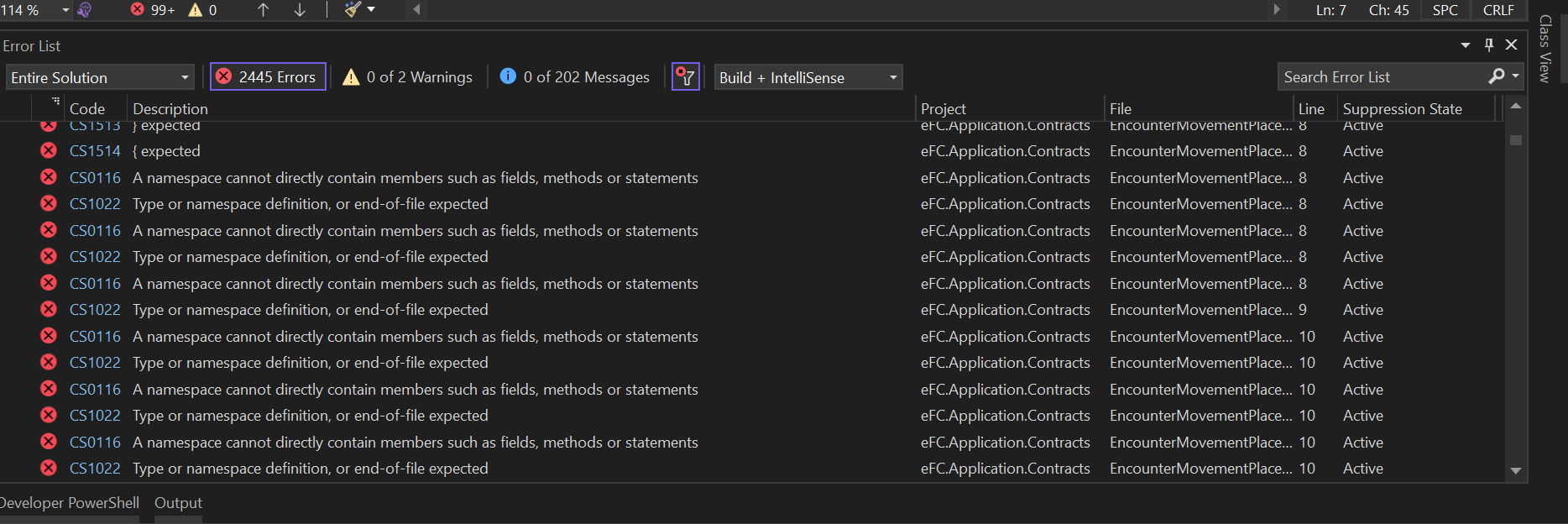
All errors are coming in newly added files, below is the sample of class generated by abp suite, some %%custom-code-abstract-modifier%% type value is mentioned in all files.
using eFC.Patients; using eFC.CodeLookUps; using eFC.Encounters; using System; using System.Linq; using System.Collections.Generic; using System.Collections.ObjectModel; using Volo.Abp.Domain.Entities; using Volo.Abp.Domain.Entities.Auditing; using Volo.Abp.MultiTenancy; using JetBrains.Annotations;
%% child - entity -namespace%%
using Volo.Abp;
namespace eFC.EncounterMovementPlaceholders { public %%custom-code-abstract-modifier%% class EncounterMovementPlaceholder%%custom-code-base%% : FullAuditedEntity<long> { [NotNull] public virtual string IdentificationText { get; set; }
public virtual long InstitutionId { get; set; }
public virtual DateTime AdmissionDate { get; set; }
public virtual DateTime DischargedDate { get; set; }
[CanBeNull] public virtual string InstitutionCode { get; set; }
[CanBeNull] public virtual string MsgType { get; set; }
[CanBeNull] public virtual string HAR { get; set; }
[CanBeNull] public virtual string CIPInd { get; set; }
[CanBeNull] public virtual string ReferralHospital { get; set; }
[CanBeNull] public virtual string ReferralType { get; set; }
[CanBeNull] public virtual string VIPInd { get; set; }
[CanBeNull] public virtual string VVIPInd { get; set; }
[CanBeNull] public virtual string OpReferralHospital { get; set; }
[CanBeNull] public virtual string OpReferralType { get; set; }
[CanBeNull] public virtual string FCStatus { get; set; }
[CanBeNull] public virtual string AccountStatus { get; set; }
[CanBeNull] public virtual string OpVisitTypeDescription { get; set; }
[CanBeNull] public virtual string OpVisitType_Code { get; set; }
[CanBeNull] public virtual string Accident_Code { get; set; }
[CanBeNull] public virtual string Accomodation_Code { get; set; }
[CanBeNull] public virtual string AdmissionType_Code { get; set; }
[CanBeNull] public virtual string ApptCat_Code { get; set; }
[CanBeNull] public virtual string LevelOfCare_Code { get; set; }
public virtual long OpVisitTypeID { get; set; }
[CanBeNull] public virtual string PointOfCare_Code { get; set; }
[CanBeNull] public virtual string Specialty_Code { get; set; }
[CanBeNull] public virtual string SubDocType_Code { get; set; }
[CanBeNull] public virtual string InstitutionType { get; set; }
[CanBeNull] public virtual string DischargeLocation { get; set; } public long? PatientId { get; set; } public long? AccomodationCode { get; set; } public long? AdmissionTypeId { get; set; } public long? LevelOfcareId { get; set; } public long? SubDocType { get; set; } public long? SpecialtyId { get; set; } public long? CodeLookUpId { get; set; } public long? Status { get; set; } public long? AccidentCode { get; set; } public long? AccomodationCodeReason { get; set; } public long? ApptCatCode { get; set; } public long? DischargeDisposition { get; set; } public long? LateDischargeReason { get; set; } public long? PointOfCare { get; set; } public long? TransferReason { get; set; } public long? VisitType { get; set; } public long? ResidentialStatus { get; set; } public long? EncounterId { get; set; }
protected EncounterMovementPlaceholder%%custom-code-base%%() {
}
public EncounterMovementPlaceholder%%custom-code-base%%(long? patientId, long? accomodationCode, long? admissionTypeId, long? levelOfcareId, long? subDocType, long? specialtyId, long? codeLookUpId, long? status, long? accidentCode, long? accomodationCodeReason, long? apptCatCode, long? dischargeDisposition, long? lateDischargeReason, long? pointOfCare, long? transferReason, long? visitType, long? residentialStatus, long? encounterId, string identificationText, long institutionId, DateTime admissionDate, DateTime dischargedDate, string institutionCode, string msgType, string hAR, string cIPInd, string referralHospital, string referralType, string vIPInd, string vVIPInd, string opReferralHospital, string opReferralType, string fCStatus, string accountStatus, string opVisitTypeDescription, string opVisitType_Code, string accident_Code, string accomodation_Code, string admissionType_Code, string apptCat_Code, string levelOfCare_Code, long opVisitTypeID, string pointOfCare_Code, string specialty_Code, string subDocType_Code, string institutionType, string dischargeLocation) {
Check.NotNull(identificationText, nameof(identificationText)); Check.Length(identificationText, nameof(identificationText), EncounterMovementPlaceholderConsts.IdentificationTextMaxLength, EncounterMovementPlaceholderConsts.IdentificationTextMinLength); Check.Length(institutionCode, nameof(institutionCode), EncounterMovementPlaceholderConsts.InstitutionCodeMaxLength, 0); Check.Length(msgType, nameof(msgType), EncounterMovementPlaceholderConsts.MsgTypeMaxLength, 0); Check.Length(hAR, nameof(hAR), EncounterMovementPlaceholderConsts.HARMaxLength, 0); Check.Length(cIPInd, nameof(cIPInd), EncounterMovementPlaceholderConsts.CIPIndMaxLength, 0); Check.Length(referralHospital, nameof(referralHospital), EncounterMovementPlaceholderConsts.ReferralHospitalMaxLength, 0); Check.Length(referralType, nameof(referralType), EncounterMovementPlaceholderConsts.ReferralTypeMaxLength, 0); Check.Length(vIPInd, nameof(vIPInd), EncounterMovementPlaceholderConsts.VIPIndMaxLength, 0); Check.Length(vVIPInd, nameof(vVIPInd), EncounterMovementPlaceholderConsts.VVIPIndMaxLength, 0); Check.Length(opReferralHospital, nameof(opReferralHospital), EncounterMovementPlaceholderConsts.OpReferralHospitalMaxLength, 0); Check.Length(opReferralType, nameof(opReferralType), EncounterMovementPlaceholderConsts.OpReferralTypeMaxLength, 0); Check.Length(fCStatus, nameof(fCStatus), EncounterMovementPlaceholderConsts.FCStatusMaxLength, 0); Check.Length(accountStatus, nameof(accountStatus), EncounterMovementPlaceholderConsts.AccountStatusMaxLength, 0); Check.Length(opVisitTypeDescription, nameof(opVisitTypeDescription), EncounterMovementPlaceholderConsts.OpVisitTypeDescriptionMaxLength, 0); Check.Length(opVisitType_Code, nameof(opVisitType_Code), EncounterMovementPlaceholderConsts.OpVisitType_CodeMaxLength, 0); Check.Length(accident_Code, nameof(accident_Code), EncounterMovementPlaceholderConsts.Accident_CodeMaxLength, 0); Check.Length(accomodation_Code, nameof(accomodation_Code), EncounterMovementPlaceholderConsts.Accomodation_CodeMaxLength, 0); Check.Length(admissionType_Code, nameof(admissionType_Code), EncounterMovementPlaceholderConsts.AdmissionType_CodeMaxLength, 0); Check.Length(apptCat_Code, nameof(apptCat_Code), EncounterMovementPlaceholderConsts.ApptCat_CodeMaxLength, 0); Check.Length(levelOfCare_Code, nameof(levelOfCare_Code), EncounterMovementPlaceholderConsts.LevelOfCare_CodeMaxLength, 0); Check.Length(pointOfCare_Code, nameof(pointOfCare_Code), EncounterMovementPlaceholderConsts.PointOfCare_CodeMaxLength, 0); Check.Length(specialty_Code, nameof(specialty_Code), EncounterMovementPlaceholderConsts.Specialty_CodeMaxLength, 0); Check.Length(subDocType_Code, nameof(subDocType_Code), EncounterMovementPlaceholderConsts.SubDocType_CodeMaxLength, 0); Check.Length(institutionType, nameof(institutionType), EncounterMovementPlaceholderConsts.InstitutionTypeMaxLength, 0); Check.Length(dischargeLocation, nameof(dischargeLocation), EncounterMovementPlaceholderConsts.DischargeLocationMaxLength, 0); IdentificationText = identificationText; InstitutionId = institutionId; AdmissionDate = admissionDate; DischargedDate = dischargedDate; InstitutionCode = institutionCode; MsgType = msgType; HAR = hAR; CIPInd = cIPInd; ReferralHospital = referralHospital; ReferralType = referralType; VIPInd = vIPInd; VVIPInd = vVIPInd; OpReferralHospital = opReferralHospital; OpReferralType = opReferralType; FCStatus = fCStatus; AccountStatus = accountStatus; OpVisitTypeDescription = opVisitTypeDescription; OpVisitType_Code = opVisitType_Code; Accident_Code = accident_Code; Accomodation_Code = accomodation_Code; AdmissionType_Code = admissionType_Code; ApptCat_Code = apptCat_Code; LevelOfCare_Code = levelOfCare_Code; OpVisitTypeID = opVisitTypeID; PointOfCare_Code = pointOfCare_Code; Specialty_Code = specialty_Code; SubDocType_Code = subDocType_Code; InstitutionType = institutionType; DischargeLocation = dischargeLocation; PatientId = patientId; AccomodationCode = accomodationCode; AdmissionTypeId = admissionTypeId; LevelOfcareId = levelOfcareId; SubDocType = subDocType; SpecialtyId = specialtyId; CodeLookUpId = codeLookUpId; Status = status; AccidentCode = accidentCode; AccomodationCodeReason = accomodationCodeReason; ApptCatCode = apptCatCode; DischargeDisposition = dischargeDisposition; LateDischargeReason = lateDischargeReason; PointOfCare = pointOfCare; TransferReason = transferReason; VisitType = visitType; ResidentialStatus = residentialStatus; EncounterId = encounterId; }
} }
Seems like it is not setting values properly, please help to resolve the issue. I have raised one more ticket for the same but there is no response on ticket.
https://support.abp.io/QA/Questions/7423/Creating-new-table-from-abp-suite-is-giving-error
15 Answer(s)
-
0
Hi,
I could not reproduce the problem,
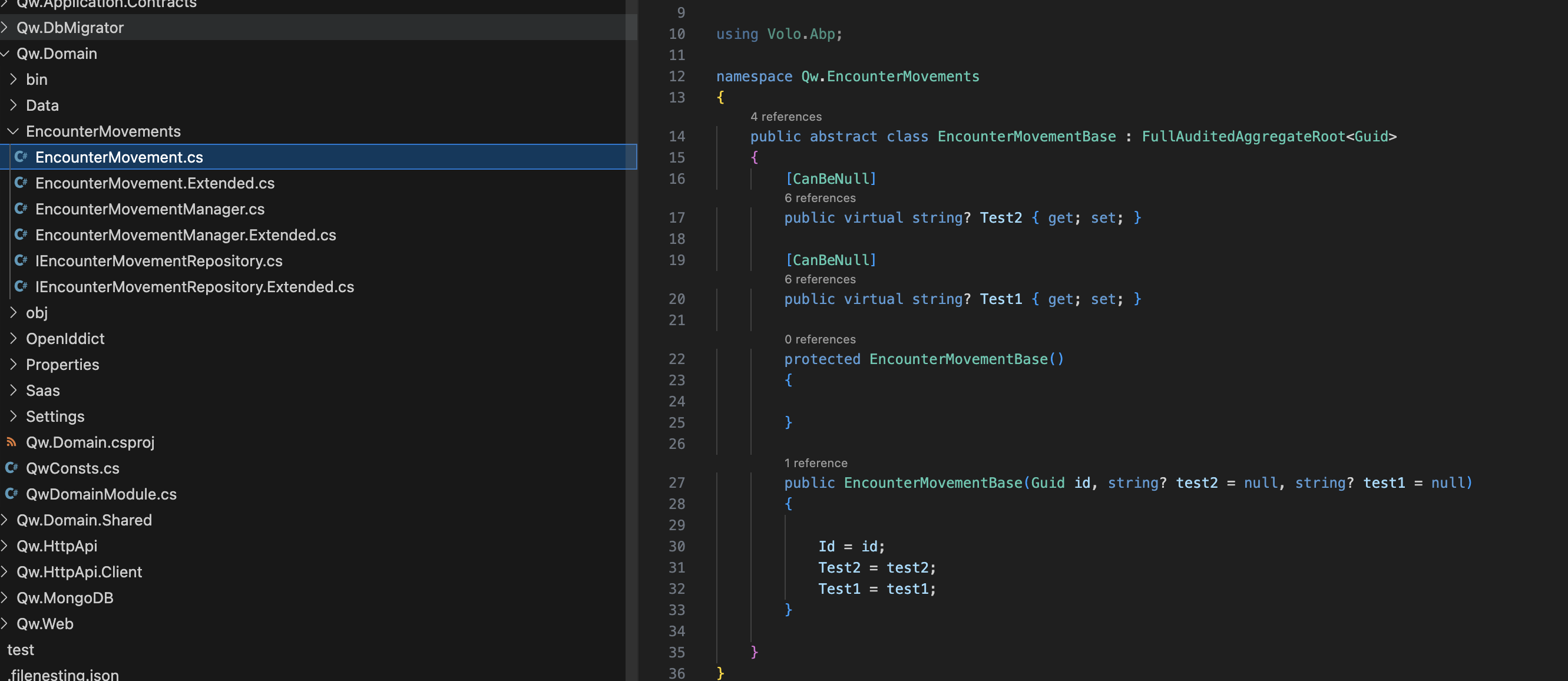
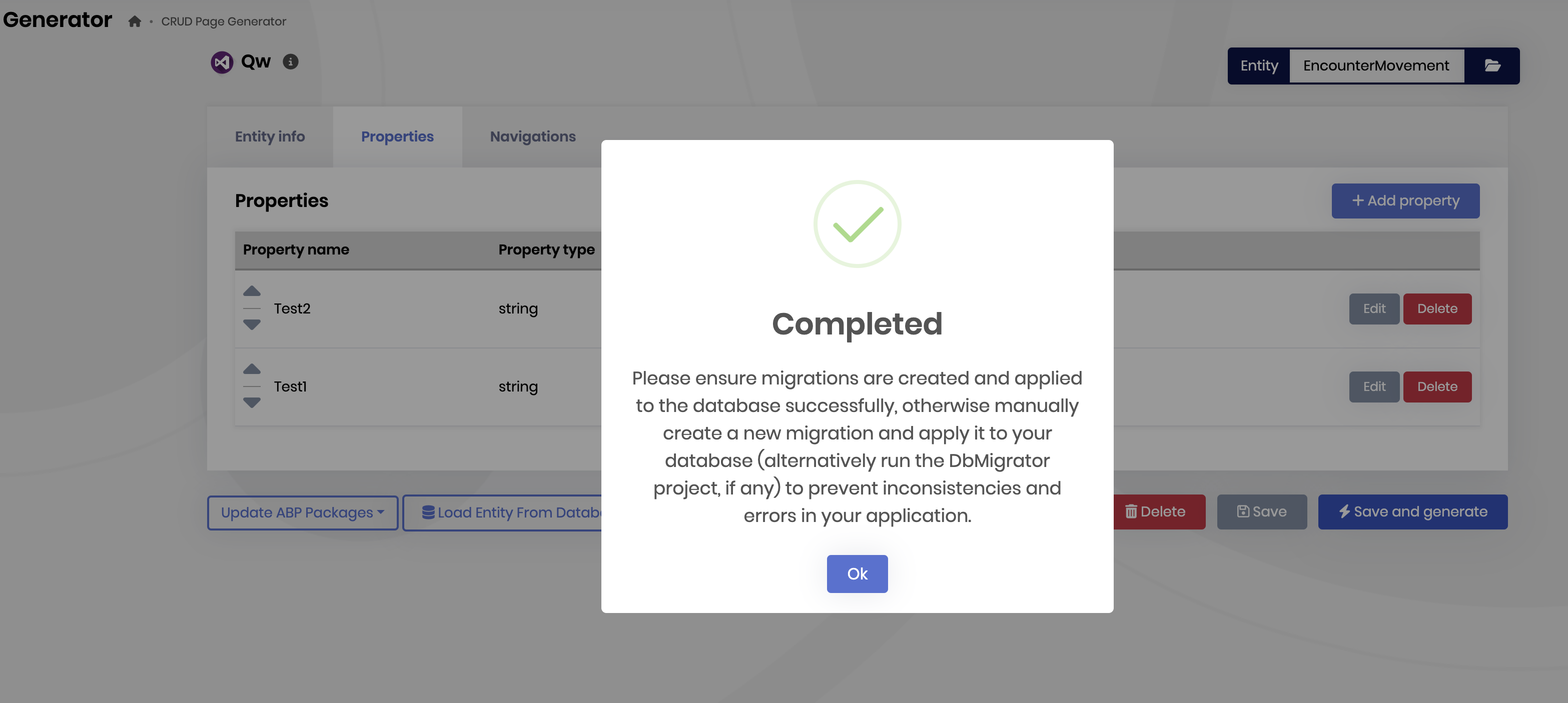
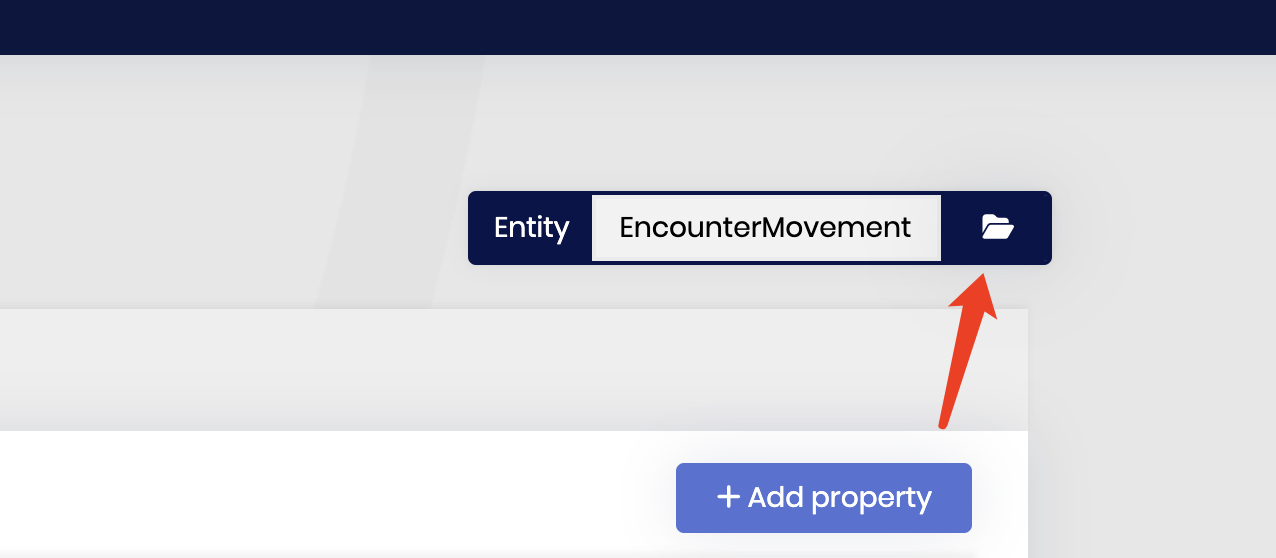
Could you share your entities json files? my email is shiwei.liang@volosoft.com
 Markdown supported.Copy, paste, or drag & drop images and files (max 100 MB per file, 100 MB total per post)
 -
0
Hi,
I could not reproduce the problem,
Could you share your entities json files? my email is shiwei.liang@volosoft.com
Hi, can you please try with the solution which I provided in ticket https://support.abp.io/QA/Questions/7400/Error-ERR-Request-Info-Accept. I have emailed you the solution.
Markdown supported.Copy, paste, or drag & drop images and files (max 100 MB per file, 100 MB total per post) -
0
Hi,
Yes, I tried the project you shared but couldn't reproduce
 Markdown supported.Copy, paste, or drag & drop images and files (max 100 MB per file, 100 MB total per post)
 -
0
Hi,
Yes, I tried the project you shared but couldn't reproduce
Hi, can you please tell me your abp suite version, it there any possibility that lower version can cause issue? in my machine by default, it is taking 5.3.2, I recently upgraded abp version with v8.1.1 and after that I'm adding table.
Markdown supported.Copy, paste, or drag & drop images and files (max 100 MB per file, 100 MB total per post) -
0
Hi,
my suite version is
8.1.3Markdown supported.Copy, paste, or drag & drop images and files (max 100 MB per file, 100 MB total per post) -
0
Hi,
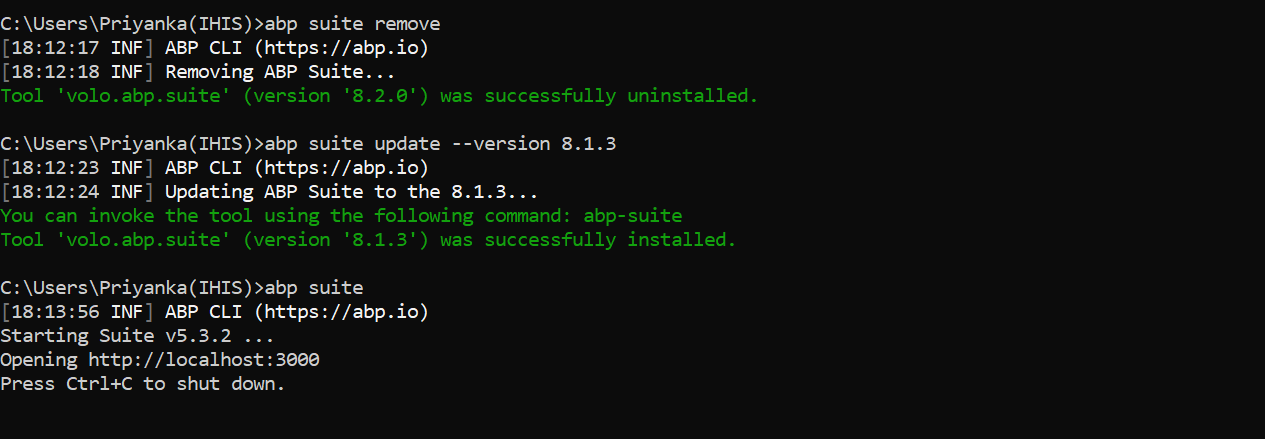
You are installed the 8.2.0 version now.
You can try
abp suite remoteabp suite update --version 8.1.3Markdown supported.Copy, paste, or drag & drop images and files (max 100 MB per file, 100 MB total per post) -
0
sorry
should be
abp suite removeMarkdown supported.Copy, paste, or drag & drop images and files (max 100 MB per file, 100 MB total per post) -
0
Hi,
I guess you have installed multiple versions.
you can check it , see: https://learn.microsoft.com/en-us/dotnet/core/tools/dotnet-tool-install#--tool-path-tools
Markdown supported.Copy, paste, or drag & drop images and files (max 100 MB per file, 100 MB total per post) -
0
Hi,
I guess you have installed multiple versions.
you can check it , see: https://learn.microsoft.com/en-us/dotnet/core/tools/dotnet-tool-install#--tool-path-tools
you are right, now I'm able to create new table but getting build error
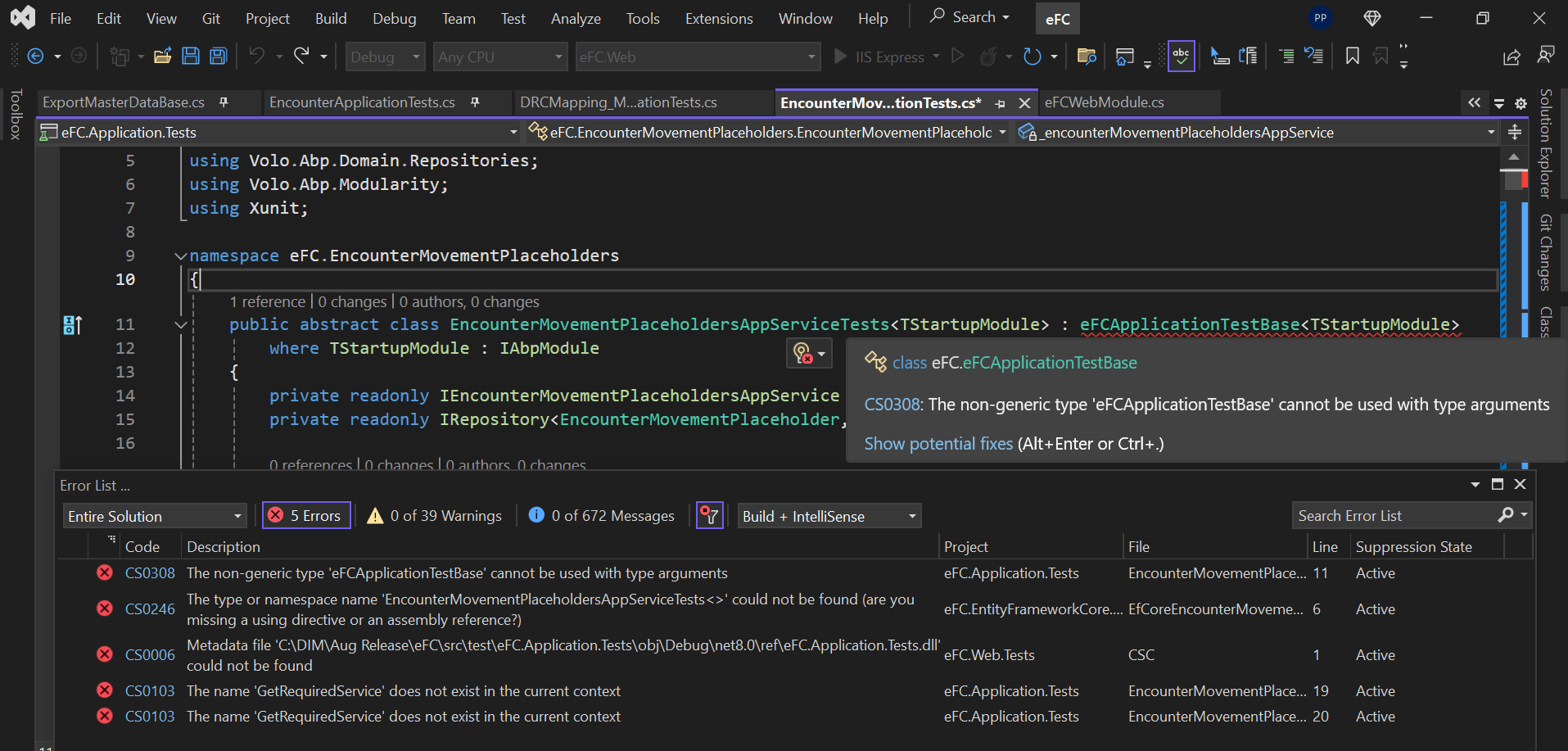
In other files it is like this

why there is change ?
Markdown supported.Copy, paste, or drag & drop images and files (max 100 MB per file, 100 MB total per post) -
0
Hi,
We changed the unit test codes in the template.
https://github.com/abpframework/abp/pull/17880/files
You can create a new project and refer to the application change to the existing project.
Markdown supported.Copy, paste, or drag & drop images and files (max 100 MB per file, 100 MB total per post) -
0
Hi,
We changed the unit test codes in the template.
https://github.com/abpframework/abp/pull/17880/files
You can create a new project and refer to the application change to the existing project.
ok, I can still go with existing one? Or there will be any impact if I'll use existing.
Markdown supported.Copy, paste, or drag & drop images and files (max 100 MB per file, 100 MB total per post) -
0
yes you can.
But the unit test code generated by the suite will be wrong
Markdown supported.Copy, paste, or drag & drop images and files (max 100 MB per file, 100 MB total per post)