






- ABP Framework version: 7.4.2
- UI Type: Angular
- Database System: EF Core (PostgreSQL)
- Tiered Auth Server Separated (for Angular): yes
- Exception message and full stack trace:
- Steps to reproduce the issue:
We are integrating third-party SSO SAML2.0, User will authenticated from that IDP. And get redirected our application to successful authentication. Once user land in our application it will be authorize to assign proper role. Process :-
We do not maintain user information in our database; however, we do assign roles to users because the role and the user link are part of the ABP table. So how we can assign a role without user information?
we are try to add entry in abp user table only with email id then there some required fields which we have to insert password and all how we are going to insert information.
12 Answer(s)
-
0
hi
So how can you assign a role without user information?
It is not possible. The
UserManager/RoleManagerneeds theIdentityUserandIdentityRole.we are try to add entry in abp user table only with email id then there some required fields which we have to insert password and all how we are going to insert information.
You can use the constant value for these properties.
Markdown supported.Copy, paste, or drag & drop images and files (max 100 MB per file, 100 MB total per post) -
0
hi
So how we can assign a role without user information?
It is not possible. The
UserManager/RoleManagerneeds theIdentityUserandIdentityRole.we are try to add entry in abp user table only with email id then there some required fields which we have to insert password and all how we are going to insert information.
You can use the constant value for these properties.
You are suggesting that a constant value must be used for required properties when adding user information to the user and role tables But the user logged in with a different password from IDP and our database had a different password, this scenario did not work for SSO.
Markdown supported.Copy, paste, or drag & drop images and files (max 100 MB per file, 100 MB total per post) -
0
Any update ?
Markdown supported.Copy, paste, or drag & drop images and files (max 100 MB per file, 100 MB total per post) -
0
hi
But the user logged in with a different password from IDP and our database had a different password, this scenario did not work for SSO.
You can disable password login on your website. The user can only log in with an external provider(IDP).
If you can get password from IDP then you can set it as your local user password.
However, generally, local users' passwords can be different from those of IDP users. For example, you can use a Google account to log in to a website and set a website password, which can be different from that of Google.
Markdown supported.Copy, paste, or drag & drop images and files (max 100 MB per file, 100 MB total per post) -
0
ok thanks for update
Markdown supported.Copy, paste, or drag & drop images and files (max 100 MB per file, 100 MB total per post) -
0
in AbpUsers table isExternal column present what is use of this column ?
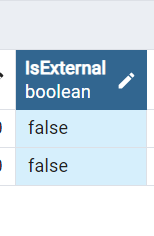 Markdown supported.Copy, paste, or drag & drop images and files (max 100 MB per file, 100 MB total per post)
 -
0
hi
This field is used for Authentication Extensibility system to check username & password from an external source
Markdown supported.Copy, paste, or drag & drop images and files (max 100 MB per file, 100 MB total per post) -
0
ok thanks
Markdown supported.Copy, paste, or drag & drop images and files (max 100 MB per file, 100 MB total per post) -
0
I have created this ticket regarding SSO only, but no one reply on this and it's high priority. can you pls help on this as well ? https://support.abp.io/QA/Questions/7481/Add-an-public-page-to-Angular-site-without-Authorization
Markdown supported.Copy, paste, or drag & drop images and files (max 100 MB per file, 100 MB total per post)


