






Hello,
With the version 8.2.0, you have provided the feature of changing the behavior for the concurrent login ("Disabled", "Logout from same type devices" and "Logout from all devices"). However, this option can be changed by each tenant admin under the settings menu.
How can I set the behavior for all the tenants as superadmin (admin without a tenant) and make sure that tenant admins cannot change it in any case?
Thank you.
- ABP Framework version: v8.2.0
- UI Type: Angular
- Database System: EF Core (PostgreSQL)
7 Answer(s)
-
1
hi
How can I set the behavior for all the tenants as superadmin (admin without a tenant)
Get
IdentityProSettingNames.Session.PreventConcurrentLogindefinition and change the default value in yourSettingDefinitionProvidernew SettingDefinition(IdentityProSettingNames.Session.PreventConcurrentLogin, IdentityProPreventConcurrentLoginBehaviour.Disabled.ToString(), L("DisplayName:Abp.Identity.PreventConcurrentLogin"), L("Description:Abp.Identity.PreventConcurrentLogin"), true)make sure that tenant admins cannot change it in any case?
You can override the
UpdateSessionAsyncmethod ofIdentitySettingsAppServiceto ensure that only the host admin can change it.Markdown supported.Copy, paste, or drag & drop images and files (max 100 MB per file, 100 MB total per post) -
0
Thanks for the reply. I have done what you have suggested and it works perfectly.
- Is it possible to hide this Sessions tab without overriding the Angular component? It would be the best if I can just override the GetList method and remove this tab.
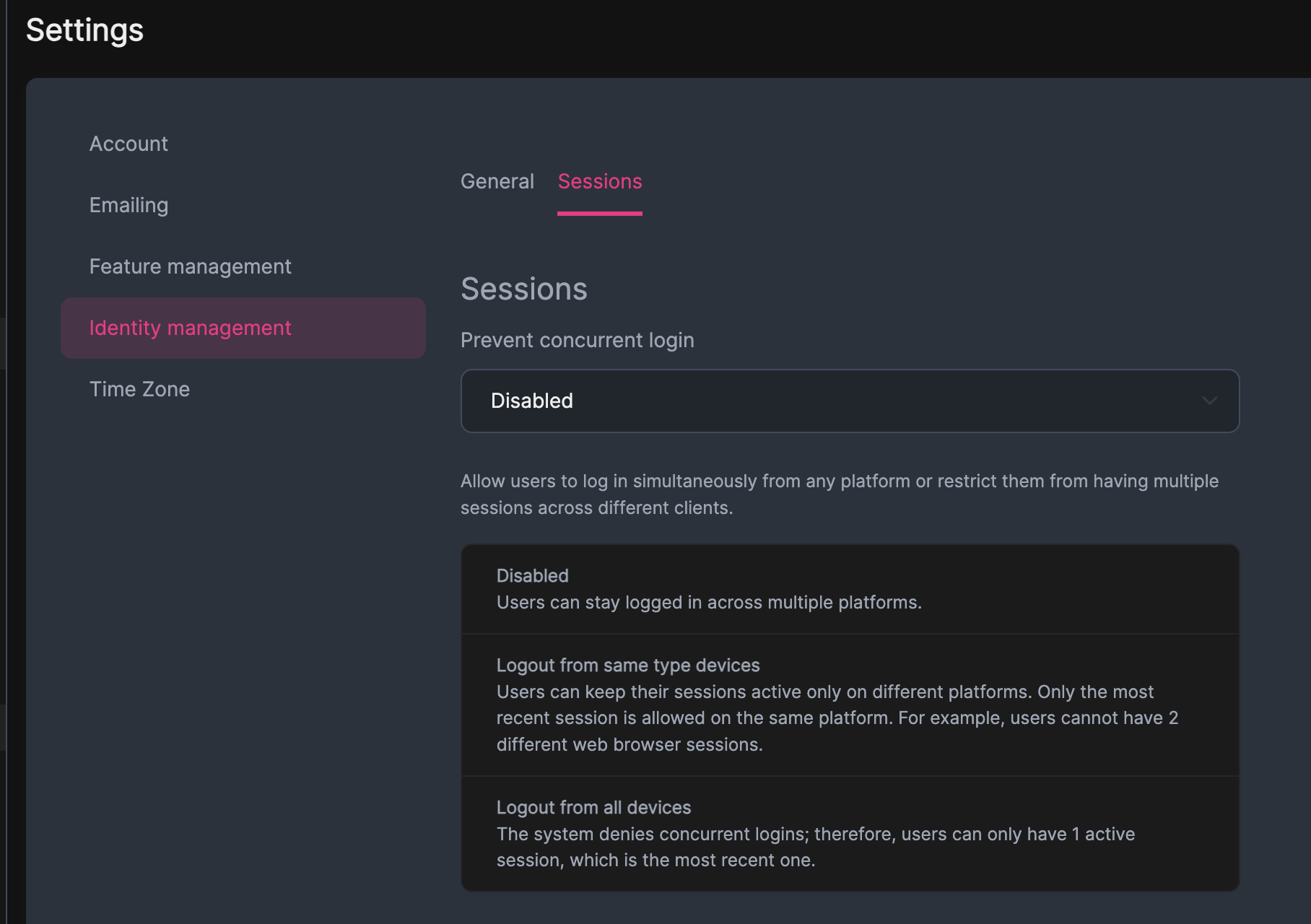
- To be a reference for the people who are looking for a similar functionality, the part "IdentityProPreventConcurrentLoginBehaviour.Disabled.ToString()" does not disable the concurrent login, it disables the functionality to prevent concurrent login. You have to give either "LogoutFromAllDevices" or "LogoutFromSameTypeDevices" options to prevent. I just wanted to clarify as the term can be confusing.
Markdown supported.Copy, paste, or drag & drop images and files (max 100 MB per file, 100 MB total per post) - Is it possible to hide this Sessions tab without overriding the Angular component? It would be the best if I can just override the GetList method and remove this tab.
-
0
hi
Is it possible to hide this Sessions tab without overriding the Angular component? It would be the best if I can just override the GetList method and remove this tab.
I'm not sure about angular. You can try to set
IsVisibleToClientsofIdentityProSettingNames.Session.PreventConcurrentLogintofasleTo be a reference for the people who are looking for a similar functionality, the part "IdentityProPreventConcurrentLoginBehaviour.Disabled.ToString()" does not disable the concurrent login, it disables the functionality to prevent concurrent login. You have to give either "LogoutFromAllDevices" or "LogoutFromSameTypeDevices" options to prevent. I just wanted to clarify as the term can be confusing.
Thanks 👍
Markdown supported.Copy, paste, or drag & drop images and files (max 100 MB per file, 100 MB total per post) -
0
I'm not sure about angular. You can try to set IsVisibleToClients of IdentityProSettingNames.Session.PreventConcurrentLogin to fasle
Unfortunately, this does not work. Do you have any other suggestions or is it not provided in the framework?
Markdown supported.Copy, paste, or drag & drop images and files (max 100 MB per file, 100 MB total per post)


