






- ABP Framework version: v8.0.1
- UI Type: Angular
- Database System: MySQL&MongoDB
- Tiered (for MVC) or Auth Server Separated (for Angular): yes
We had an MVC AuthServer and a seperate web in Angular. Is there any possible that after calling an api, and we do a passwordless login, able to set the local storage just like this?
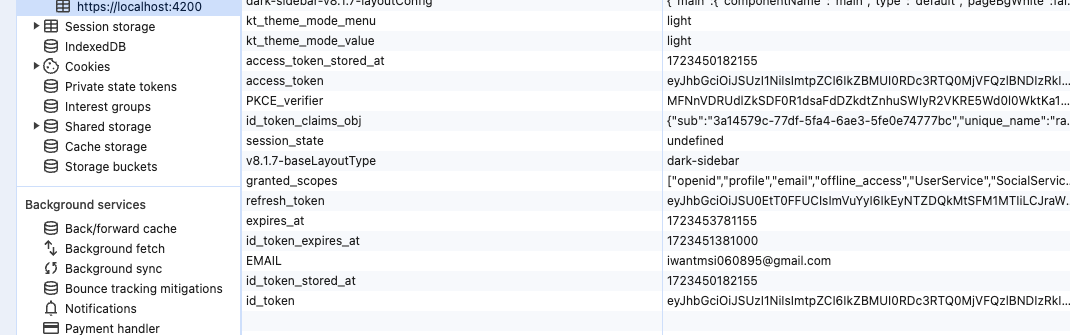
Attached with previous question regarding passwordless login
15 Answer(s)
-
0
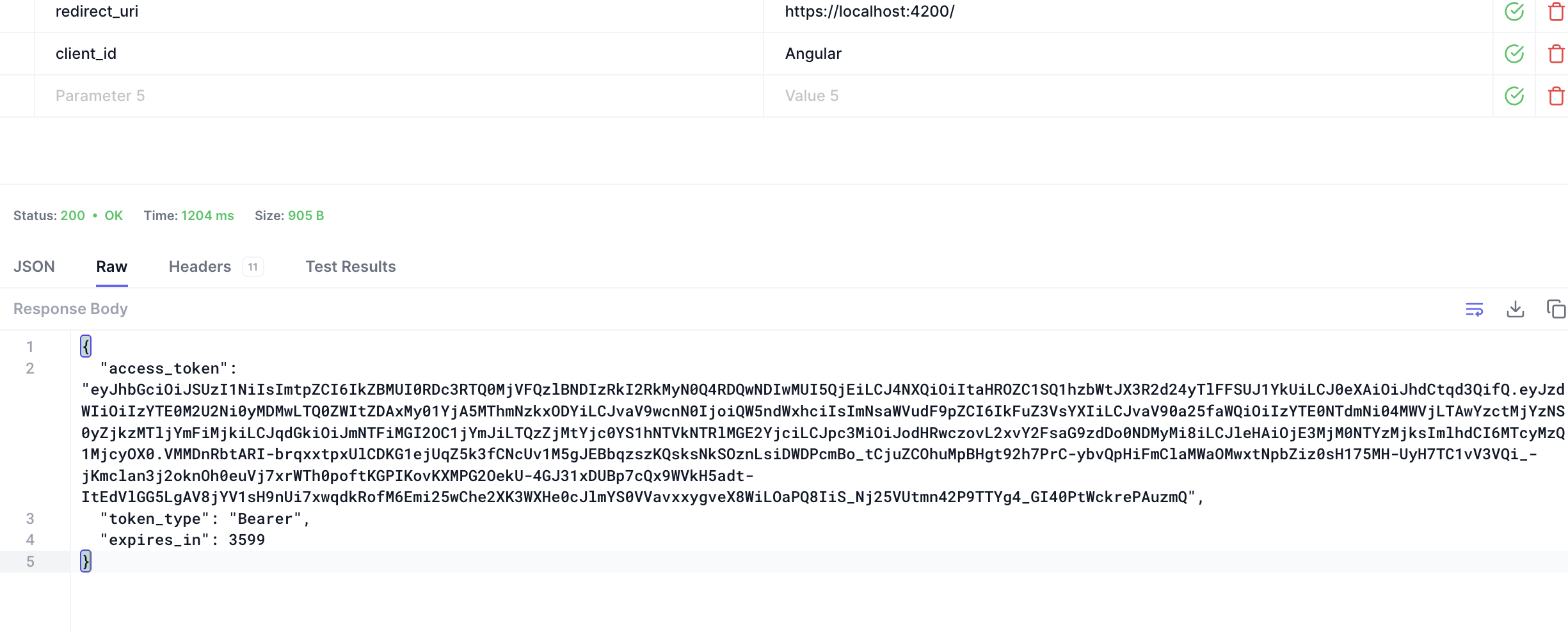
calling with api yes. only get the access_token
 Markdown supported.Copy, paste, or drag & drop images and files (max 100 MB per file, 100 MB total per post)
 -
0
i mean, anyway that able to set to the local storage by calling the connect/token api with custom grant type?
Markdown supported.Copy, paste, or drag & drop images and files (max 100 MB per file, 100 MB total per post) -
0
what is needed for all these?
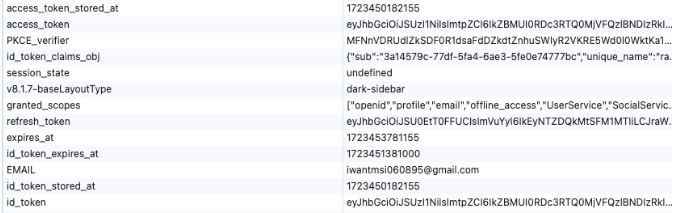
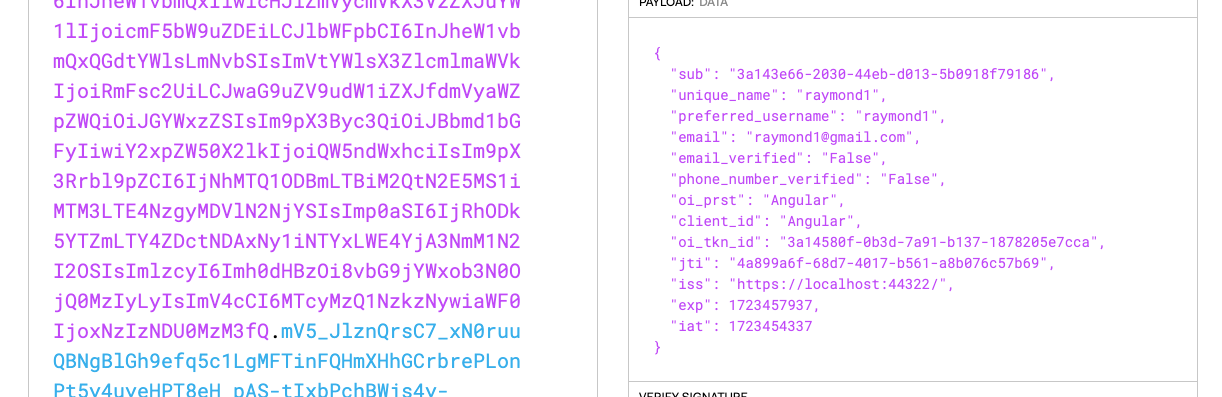
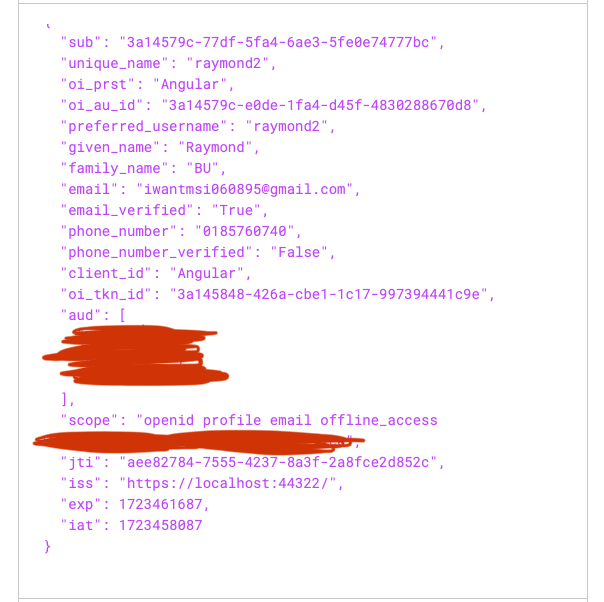
i only able to get these information from the access token. what am i missing?
 Markdown supported.Copy, paste, or drag & drop images and files (max 100 MB per file, 100 MB total per post)
 -
0
-
0
Hi, yup i noticed i used a custom grant type, however if i want it to be same as code flow by using this custom grant type with passwordless, is it able to do it?
Markdown supported.Copy, paste, or drag & drop images and files (max 100 MB per file, 100 MB total per post) -
0
but the granted scope and refresh token? how do i get those
Markdown supported.Copy, paste, or drag & drop images and files (max 100 MB per file, 100 MB total per post) -
0
should have all these in access token, lack of aud & scope
 Markdown supported.Copy, paste, or drag & drop images and files (max 100 MB per file, 100 MB total per post)
 -
0
public class CustomTokenExtension : AbpOpenIdDictControllerBase, ITokenExtensionGrant
{
public const string ExtensionGrantName = "auto_token";

public string Name => ExtensionGrantName;
public async Task<IActionResult> HandleAsync(ExtensionGrantContext context)
{
    var signInManager = context.HttpContext.RequestServices.GetRequiredService<AbpSignInManager>();
    // var principal = (await HttpContext.AuthenticateAsync(OpenIddictServerAspNetCoreDefaults.AuthenticationScheme)).Principal;
    // principal = await AbpClaimsPrincipalFactory.CreateDynamicAsync(principal);
    var uid = context.Request.GetParameter("u").ToString();

    if (string.IsNullOrEmpty(uid))
    {
        return new ForbidResult(
            new[] { OpenIddictServerAspNetCoreDefaults.AuthenticationScheme },
            properties: new AuthenticationProperties(new Dictionary<string, string>
            {
                [OpenIddictServerAspNetCoreConstants.Properties.Error] = OpenIddictConstants.Errors.InvalidRequest
            }!));
    }

    if (!Guid.TryParse(uid, out var userId))
    {
        return new ForbidResult(
                            new[] { OpenIddictServerAspNetCoreDefaults.AuthenticationScheme },
                            properties: new AuthenticationProperties(new Dictionary<string, string>
                            {
                                [OpenIddictServerAspNetCoreConstants.Properties.Error] = OpenIddictConstants.Errors.InvalidRequest
                            }!));
    }

    // var userId = principal.FindUserId();
    var userManager = context.HttpContext.RequestServices.GetRequiredService<IdentityUserManager>();
    var user = await userManager.GetByIdAsync(userId);
    var userClaimsPrincipalFactory = context.HttpContext.RequestServices.GetRequiredService<IUserClaimsPrincipalFactory<Volo.Abp.Identity.IdentityUser>>();
    var principal = await signInManager.CreateUserPrincipalAsync(user);
    await signInManager.SignInAsync(user, isPersistent: false);

    //For abp version >= 7.3
    await context.HttpContext.RequestServices.GetRequiredService<AbpOpenIddictClaimsPrincipalManager>().HandleAsync(context.Request, principal);

    return new Microsoft.AspNetCore.Mvc.SignInResult(OpenIddictServerAspNetCoreDefaults.AuthenticationScheme, principal);
}
Markdown supported.Copy, paste, or drag & drop images and files (max 100 MB per file, 100 MB total per post) -
0
hi
Try to set the scope to your
principal.principal.SetScopes(your scopes array); principal.SetResources(await GetResourcesAsync(context, principal.GetScopes()));Markdown supported.Copy, paste, or drag & drop images and files (max 100 MB per file, 100 MB total per post) -
0
Which object is
null? Is itCurrentTenant? If so you can get service fromHttpContext.var CurrentTenant = context.HttpContext.RequestServices.GetRequiredService<ICurrentTenant>()Markdown supported.Copy, paste, or drag & drop images and files (max 100 MB per file, 100 MB total per post)


