






0
Dicky.tech@gmail.com created
Hi,
- I was just asking if we can disable redis cache on the public website.
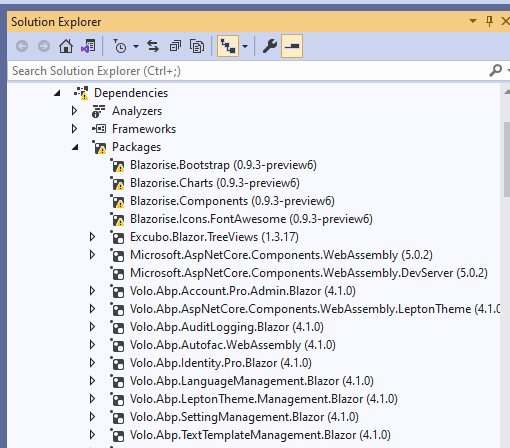
- The easy CRM blazor is not running because the preview blazor nuggets are not getting downloaded/
- The database folder is blank, i need to perform migrations to run the project for the first time ?
Markdown supported.
Copy, paste, or drag & drop images and files (max 100 MB per file, 100 MB total per post)
8 Answer(s)
-
0
hi
I was just asking if we can disable redis cache on the public website.
Yes, see https://docs.abp.io/en/abp/latest/Redis-Cache#configuration
The easy CRM blazor is not running because the preview blazor nuggets are not getting downloaded/
Please update your
NuGet.Config.<?xml version="1.0" encoding="utf-8"?> <configuration> <packageSources> <add key="nuget.org" value="https://api.nuget.org/v3/index.json" /> <add key="BlazoriseMyGet" value="https://www.myget.org/F/blazorise/api/v3/index.json" /> !!!// your ABP_COMMERCIAL_NUGET_SOURCE </packageSources> </configuration>The database folder is blank, i need to perform migrations to run the project for the first time ?
It will create the database automatically after running .
Markdown supported.Copy, paste, or drag & drop images and files (max 100 MB per file, 100 MB total per post) -
0
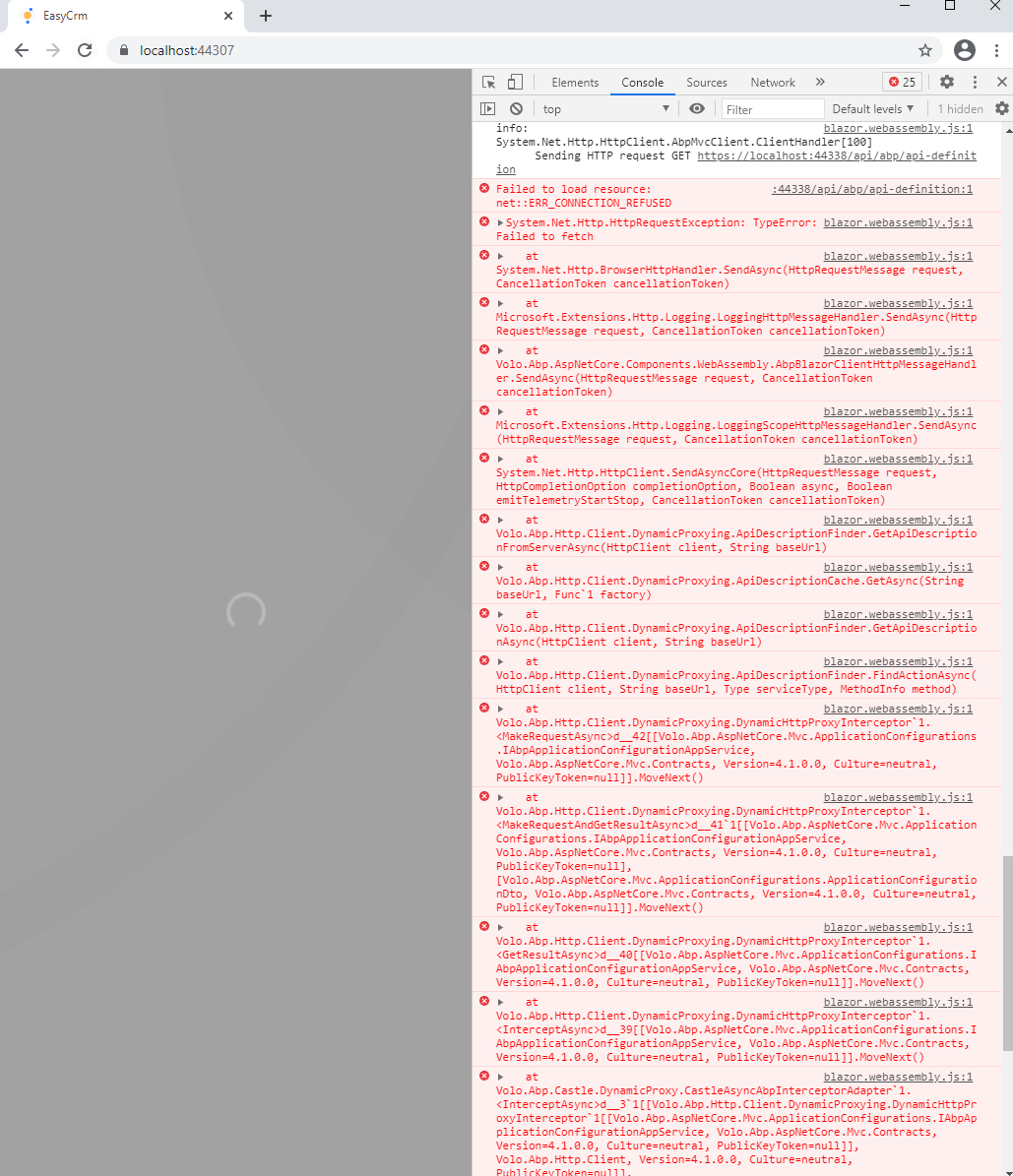
Now getting below error on Blazor (Easy CRM) not going beyond here. The razor pages version runs well.
 Markdown supported.Copy, paste, or drag & drop images and files (max 100 MB per file, 100 MB total per post)
 -
0
It has worked. That was the issue.
Markdown supported.Copy, paste, or drag & drop images and files (max 100 MB per file, 100 MB total per post) -
0
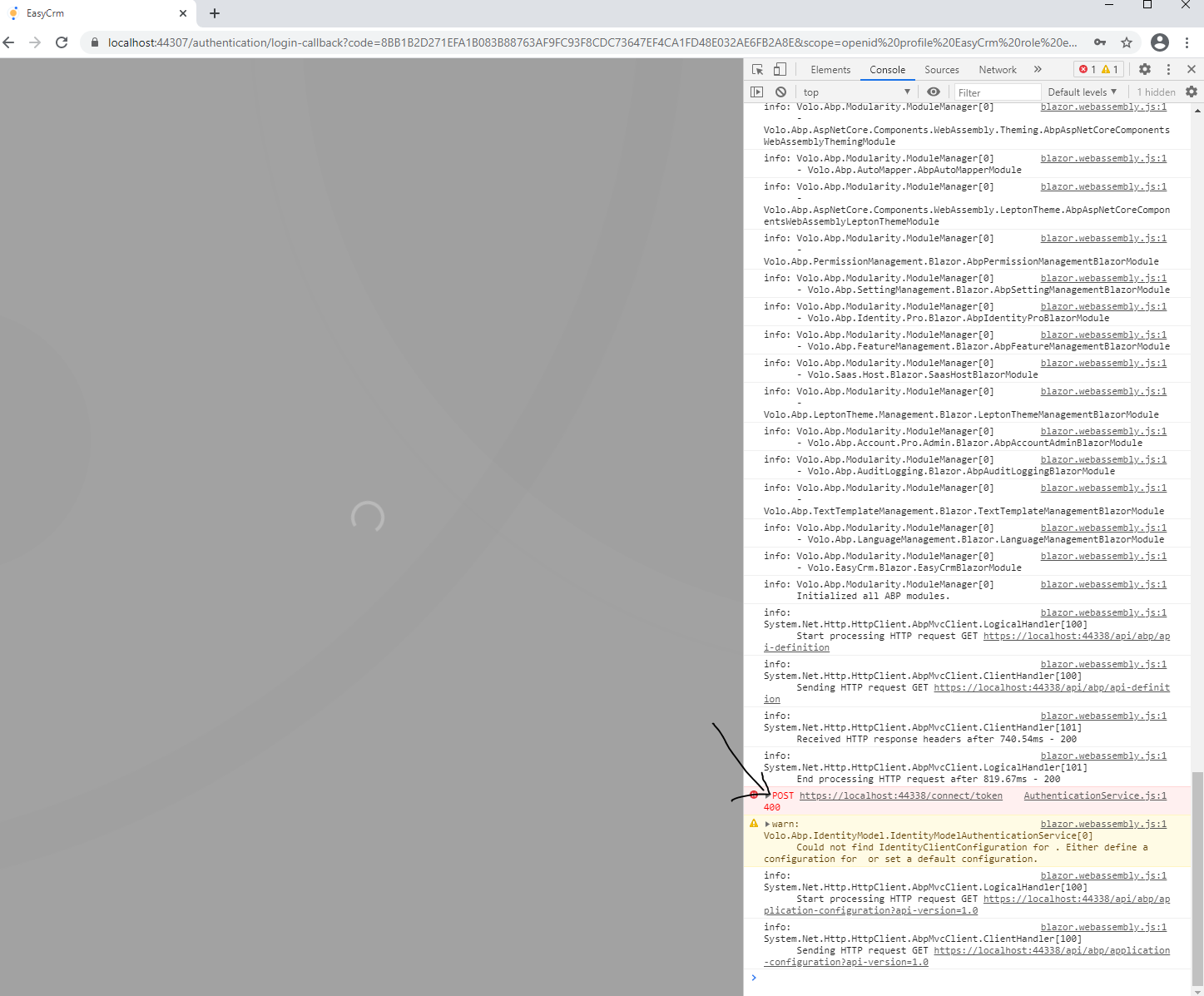
Last problem, and have entered the correct password. Which logs in well on the web project.
 Markdown supported.Copy, paste, or drag & drop images and files (max 100 MB per file, 100 MB total per post)


