






5 Answer(s)
-
0
Hi,
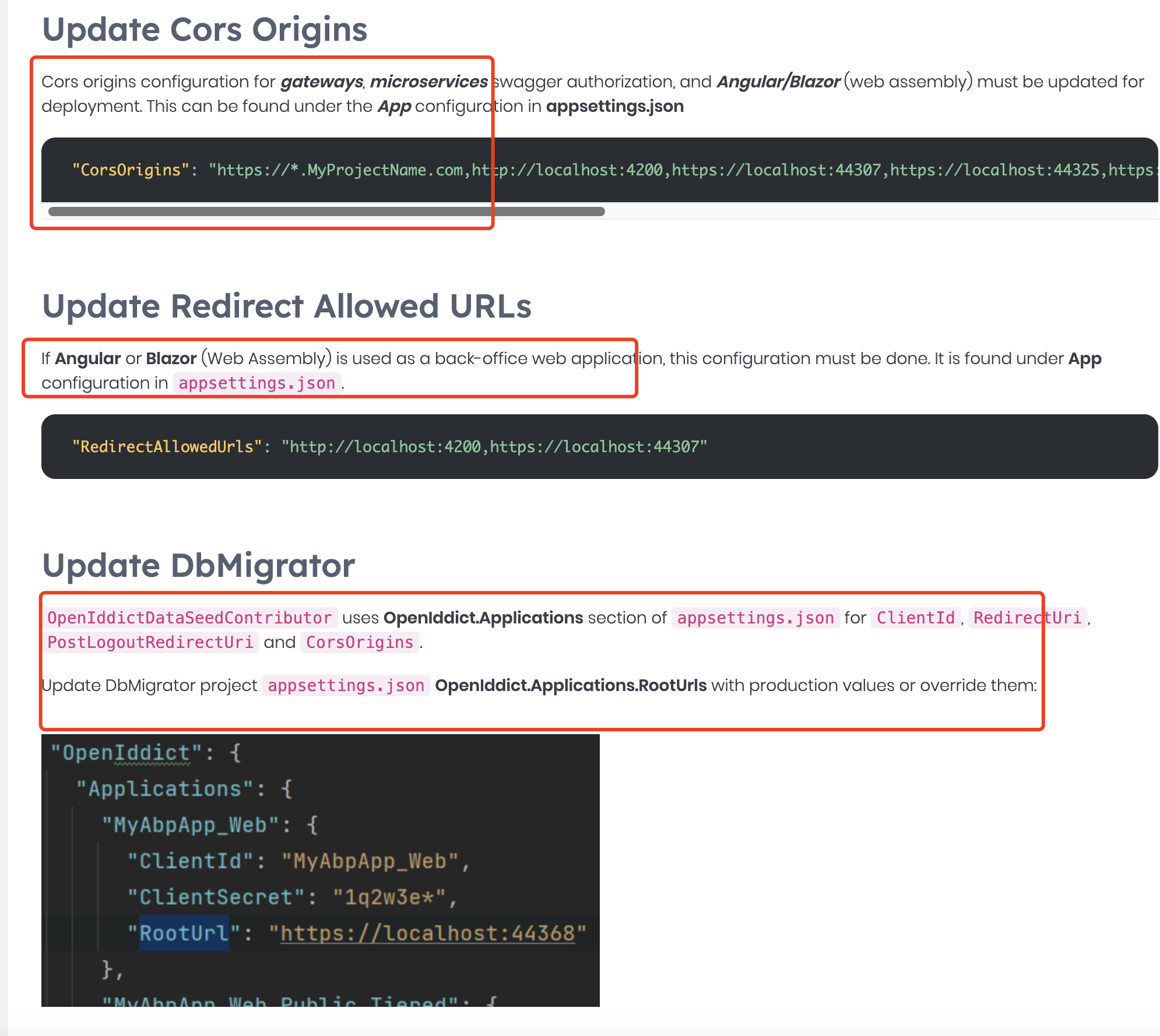
You can check the document: https://abp.io/docs/latest/solution-templates/layered-web-application/deployment/openiddict-deployment#update-dbmigrator
 Markdown supported.Copy, paste, or drag & drop images and files (max 100 MB per file, 100 MB total per post)
 -
0
Hi,
You can check the document: https://abp.io/docs/latest/solution-templates/layered-web-application/deployment/openiddict-deployment#update-dbmigrator
What should the second one be for RedirectAllowedUrls, the example only shows localhost.
For the first and the third, my app already had these set correctly. What else can I check?
Markdown supported.Copy, paste, or drag & drop images and files (max 100 MB per file, 100 MB total per post) -
0
Hi
What should the second one be for RedirectAllowedUrls, the example only shows localhost.
You should set it to your actual URL
For the first and the third, my app already had these set correctly. What else can I check?
Check your database to make sure the
redirect_urlis right. This is just an example, you need to set it to your URLs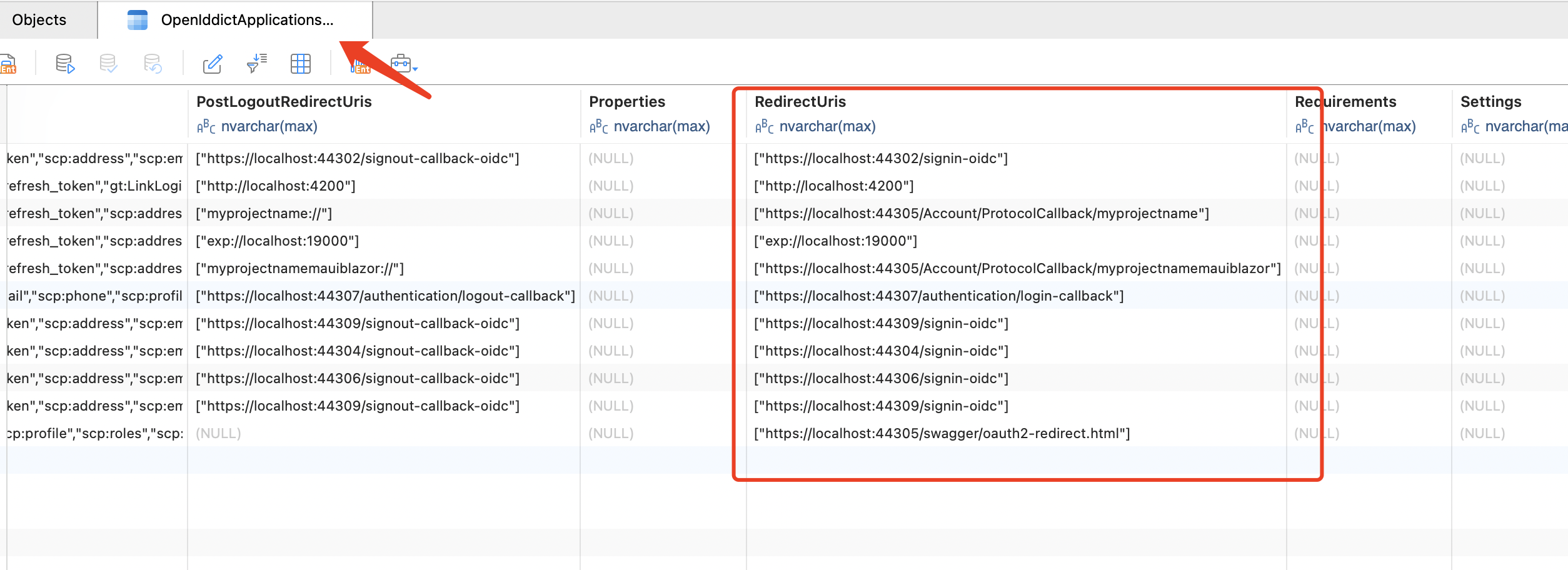 Markdown supported.Copy, paste, or drag & drop images and files (max 100 MB per file, 100 MB total per post)
 -
0
It started working but I dont know why, I didnt change anything.
Are the openid applications stored in redis? Maybe they fell out of cache and got repopulated from the database.
Anyway, thank you for the help.
Markdown supported.Copy, paste, or drag & drop images and files (max 100 MB per file, 100 MB total per post) -
0
Hi,
Are the openid applications stored in redis? Maybe they fell out of cache and got repopulated from the database.
Yes, if you are using Redis cache, You usually don't need to worry about cache consistency because when you update client information, the cache is automatically deleted. but this might happen when you first deploy the project, and you can try clearing the cache.
Markdown supported.Copy, paste, or drag & drop images and files (max 100 MB per file, 100 MB total per post)


