Hi,
Thanks for this feature request. I am opening an internal issue(internal repo issue number 19424) for this. We will review this feature and then if we see that it is necessary, it can be added in a short time. However, if it is not a must, we may not be able to spend time on it as a priority. Thank you for your understanding.
Hi,
Can you add the [DisableAuditing] attribute to the related entity? I think this restriction comes from the AuditLogging module.
https://abp.io/docs/latest/framework/infrastructure/audit-logging#enable-disable-for-entities-properties
Hi,
Sorry about the late reply.
I don't think we can solve the problem like this. If your problem still persists, we can schedule a meeting at a convenient time and look at it together. Is that okay with you?
Hi,
I created an application template with Angular UI from scratch but I didn't reproduce your problem.
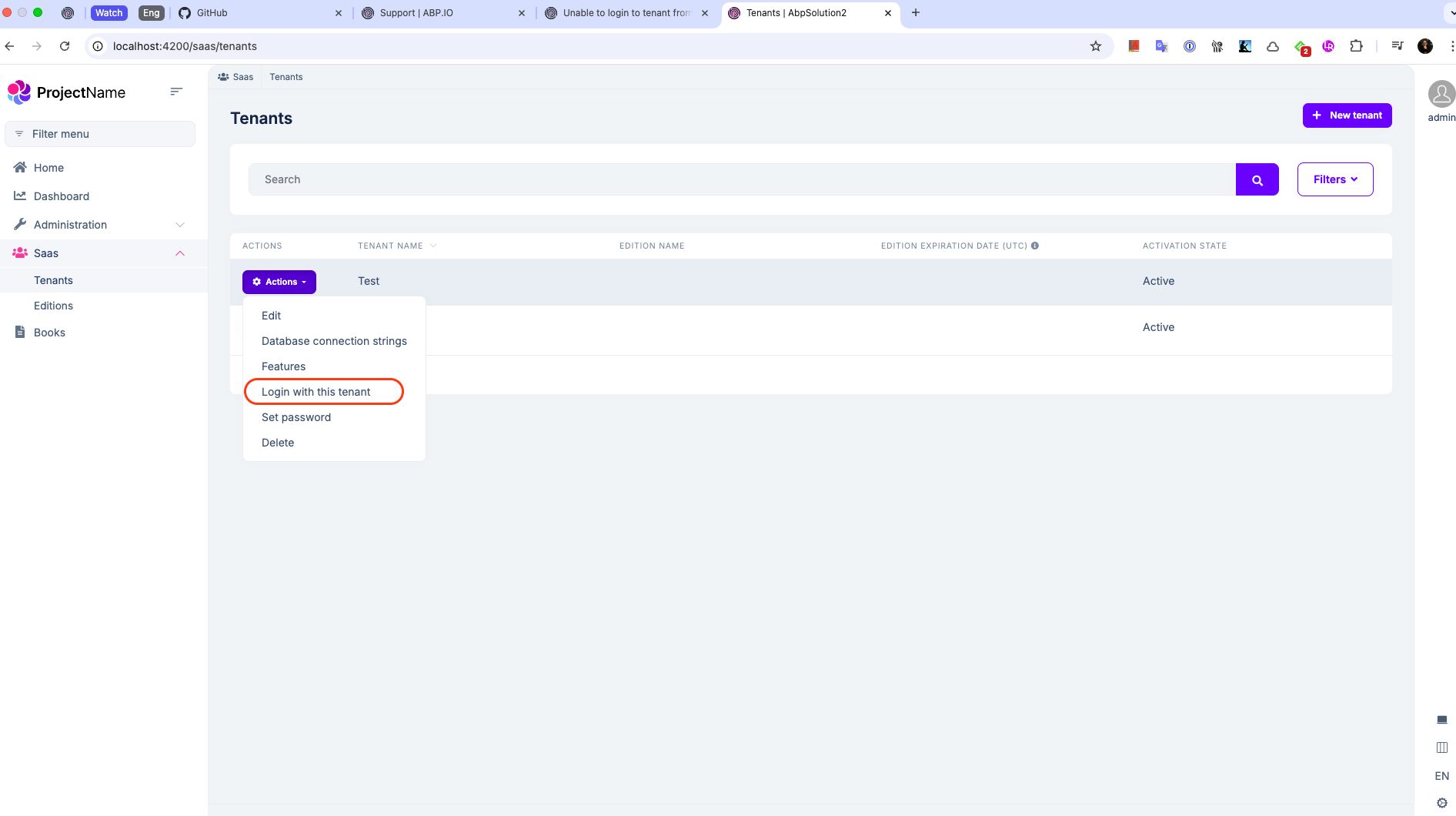
If Impersonation permission is granted for the admin user, I can see the "Login with this tenant" button like above.
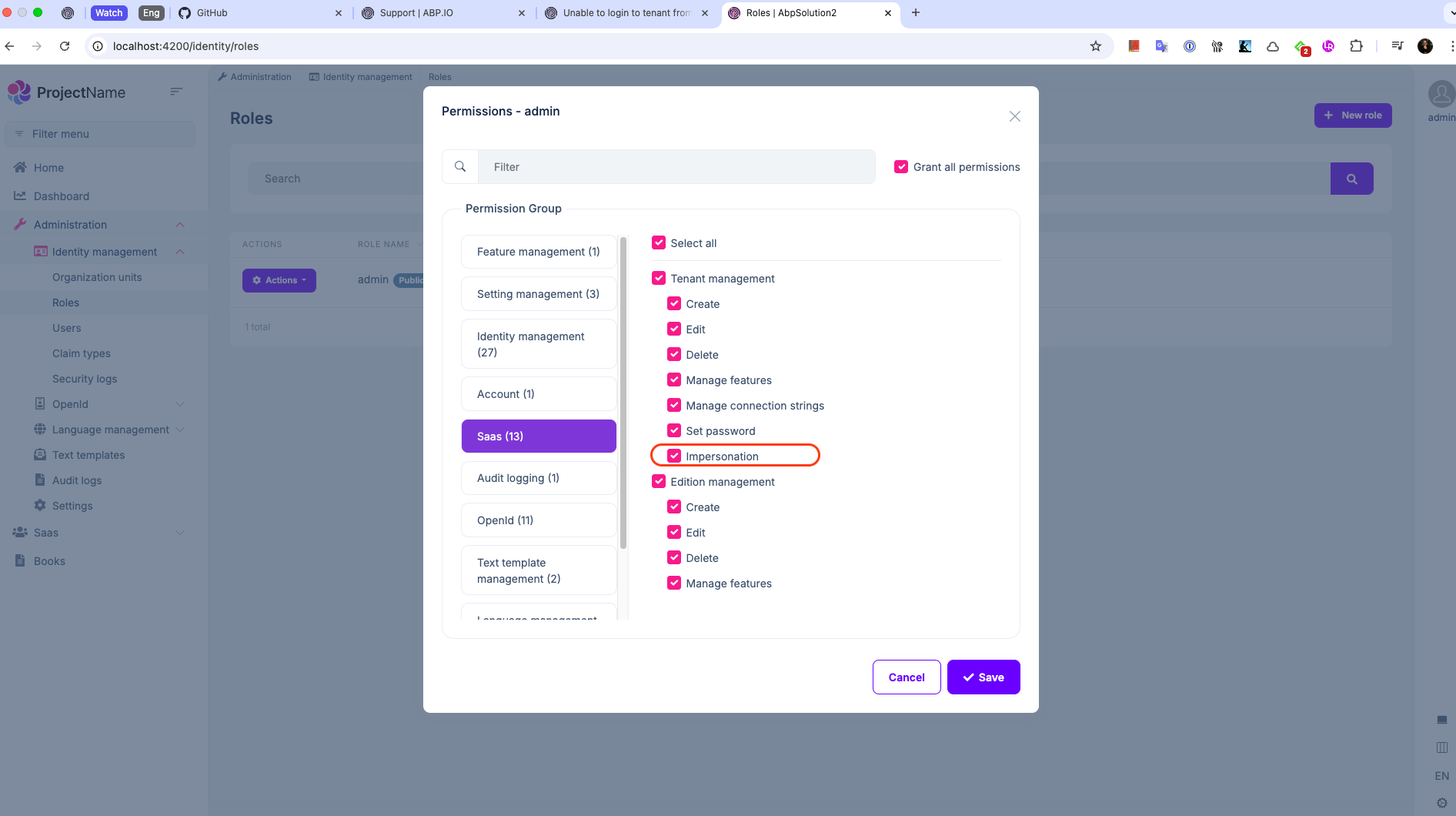
Can you also generate a new template from scratch? So, we can understand the problem is in ABP or your solution. If the problem is in your solution, we can only focus on your solution.
Opps! This suggestion worked for me at first, but it didn't work when I tried it again. Probably because I got a build on the last try, so I could see the problem. I apologize for the suggestion that didn't work.
As for your problem, I honestly can't find any other method. This is how Blazor Web App works and there is nothing to do about it. If you want it to render completely on the client side, you can use the Blazor Web Assembly template directly, but the first render time can take a long time. I know this situation is very annoying, but as I said, the problem is not caused by us, Blazor Web App works like this in itself.
I have changed as you advised and can fix the problem of loading menu but when open forms of the integrated modules it shown rendering error.
Oh, I see, yes, this render mode can cause such an error. Maybe we can make all components in App.Razor InteractiveAuto and pass the prerender parameter false like below. But then the user will not see anything until the Web Assembly side is loaded. This does not look good in terms of UX. However, there is nothing we can do in this case because Blazor UI works like this in itself. This is really annoying and I hope the .NET team will improve the working logic of Blazor.
<ExampleComponent @rendermode="new InteractiveAutoRenderMode(prerender: false)" />
Hi,
Changing the router's render mode to interactive server fixes it, but don't you want to do that?
<Routes @rendermode="InteractiveServer" /> // this line changed
Hi again,
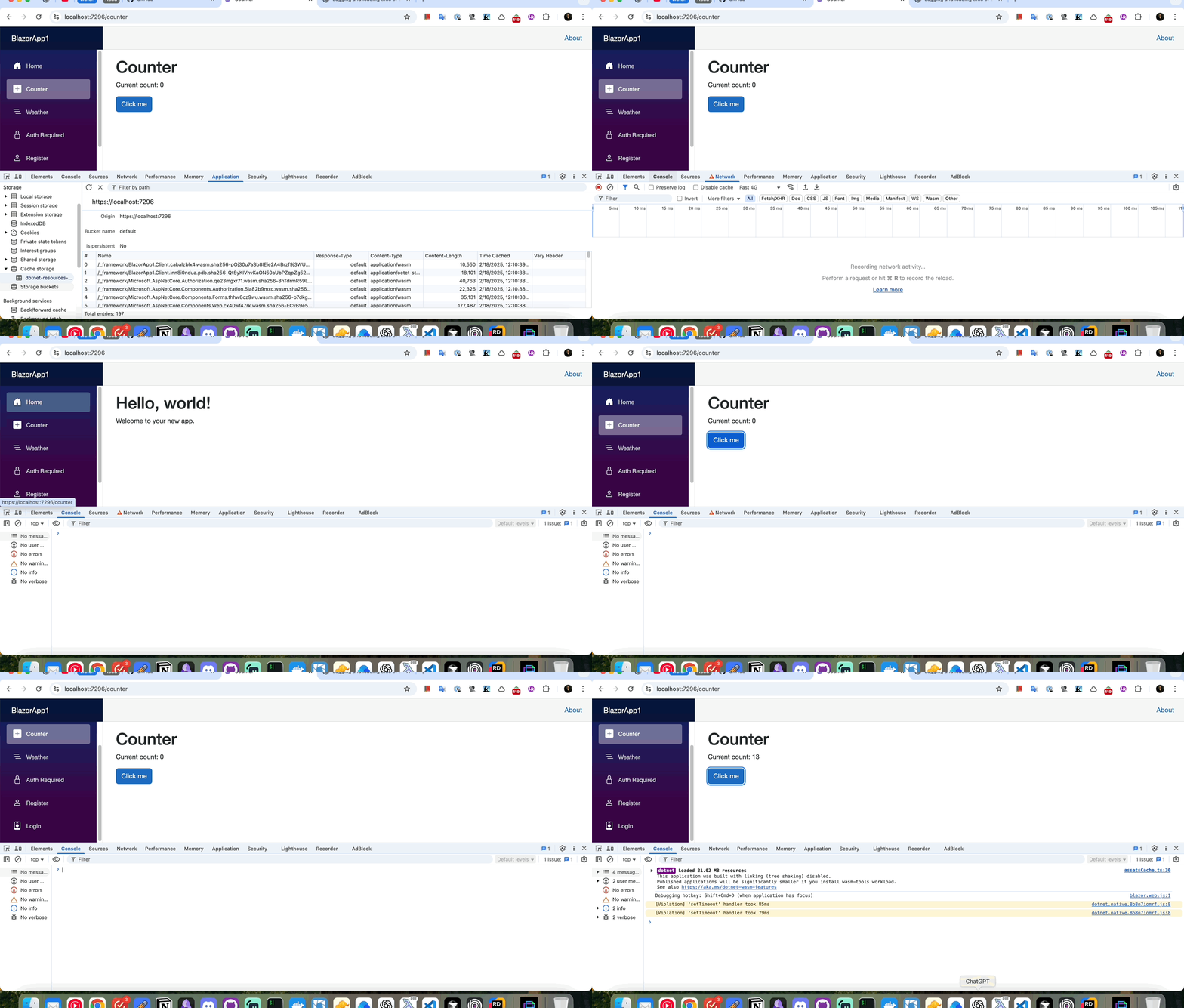
After talking to my teammate, we realized that this is not a problem. This is how Blazor Web App works: dotnet/aspnetcore#52154 You can reproduce the same problem using a simple ASP.NET Blazor Web App Template. See GIF below:
Can you also send the Helm configurations of your public gateway application?
Hi Mariovh,
It works correctly, but if I load the application on a page that injects an IApplicationService, when the render mode is Server, it says that it is not registered.
Your last question seems quite different from the initial one. Can you create a separate question for this topic?
Thank you for your understanding.









