Hello,
I have made the requested change according to the feedback below:
[maliming] said: Can you remove this?
Thanks.
Despite this change, the behavior of the application hosted on Azure App Service remains the same.
We created the bootstrap-user.css and user.css files to apply custom styling to the Bootstrap and Lepton-X components. After a successful WebSocket connection, the styling works as expected in both remote production and local development environment.
However, the Blazor Server application continues to request both CSS files from incorrect paths, which triggers a redirection to the error page and results in an HTTP 302 status code.
Incorrect paths generated by the Blazor request:
https://qlt.pipali.com.br/_content/Volo.Abp.AspNetCore.Components.Web.LeptonXTheme/top-menu/css/bootstrap-user.csshttps://qlt.pipali.com.br/_content/Volo.Abp.AspNetCore.Components.Web.LeptonXTheme/top-menu/css/user.css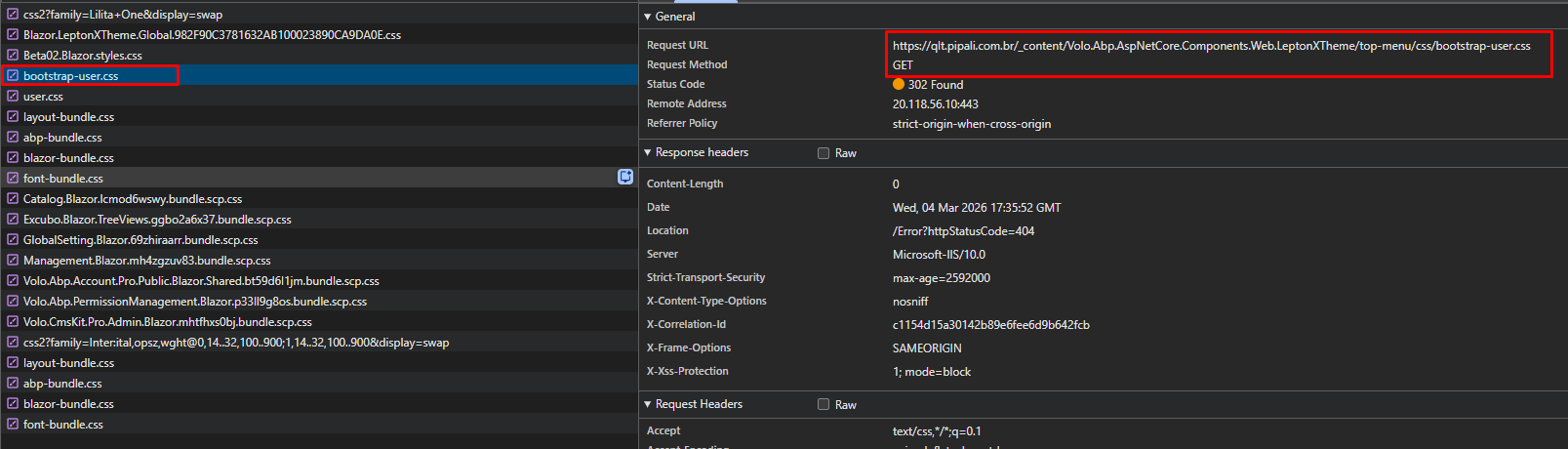

Expected paths from where the files should be successfully accessible via the browser:
https://qlt.pipali.com.br/css/bootstrap-user.csshttps://qlt.pipali.com.br/css/user.cssThe only single reference to the files exists in BlazorModule.cs located at the project "src\Blazor".
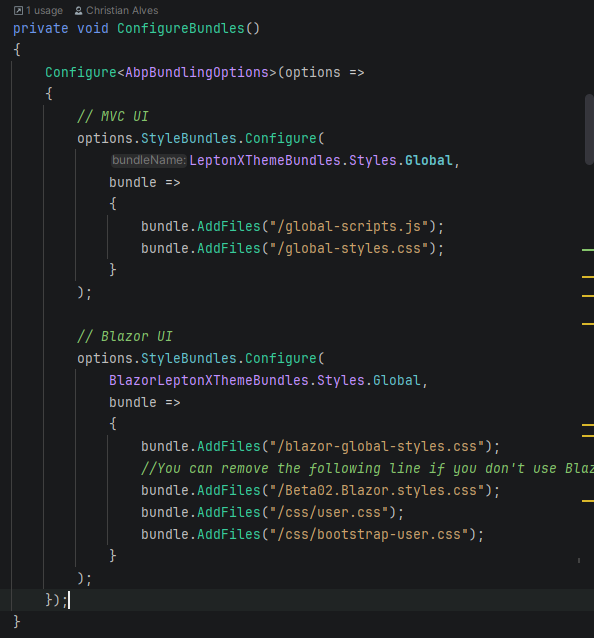
Can you help me to fix the paths for these two CSS files to resolve the error currently visible in the DevTools (_content/Volo.Abp.AspNetCore.Components.Web.LeptonXTheme/top-menu/css/user.css)?
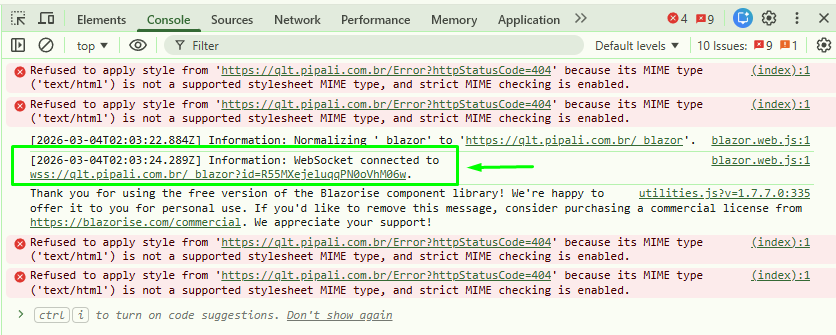
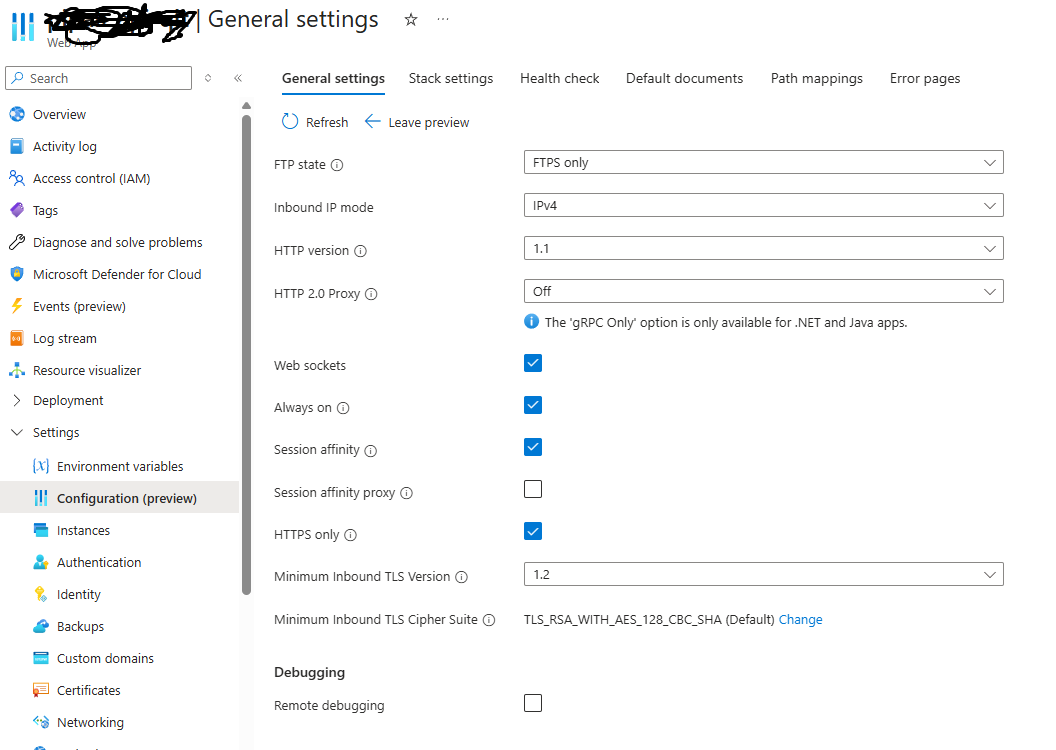
Hi! it seems that WebSocket is now working as picture below.
[maliming] said: hi
There is no CSS problem in the browser. You should enable the Web sockets feature on your Azure platform.
Hi, The WebSockets option is enabled, but the application is still hanging after being published. On the development machine it runs normally, so the issue seems to occur only in the deployed environment.
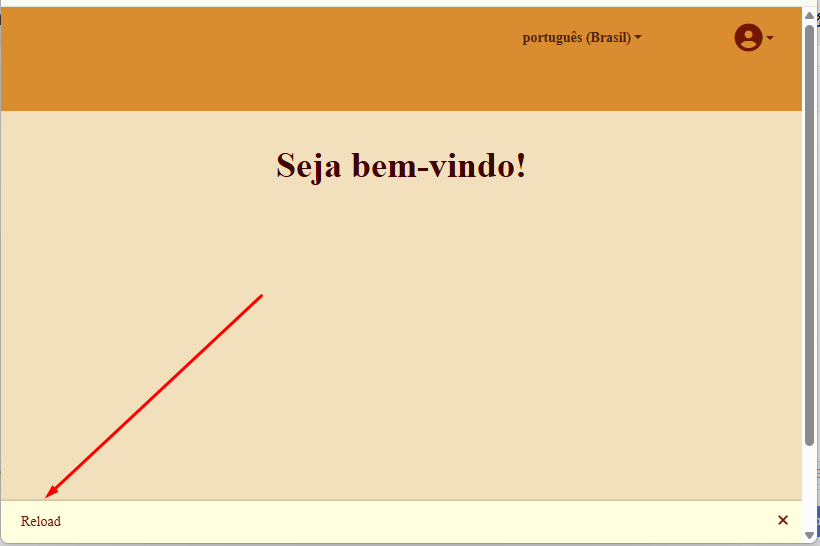
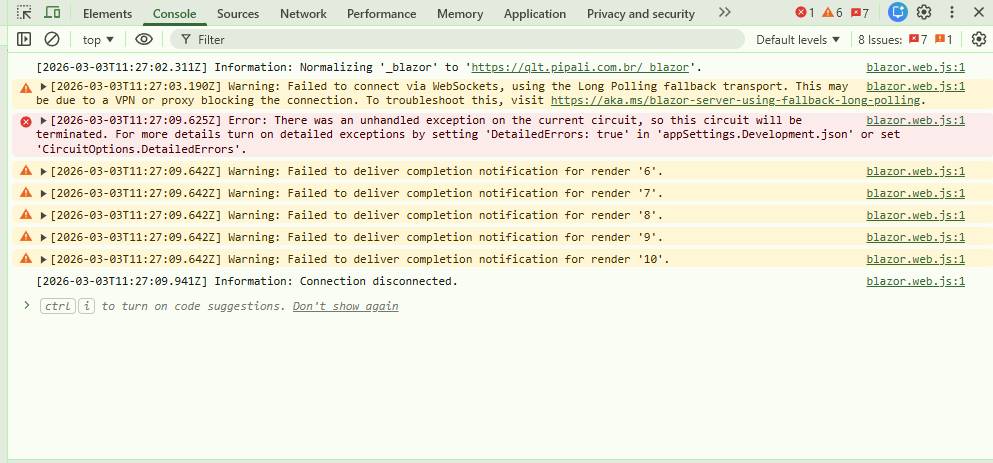
The errors appear immediately after login. At this point, the application should load the graphical elements (wizard with styled cards), but the CSS files are not being found and the UI fails to render.
Could you please log into the application to verify it directly? The admin credentials are the default ABP ones.

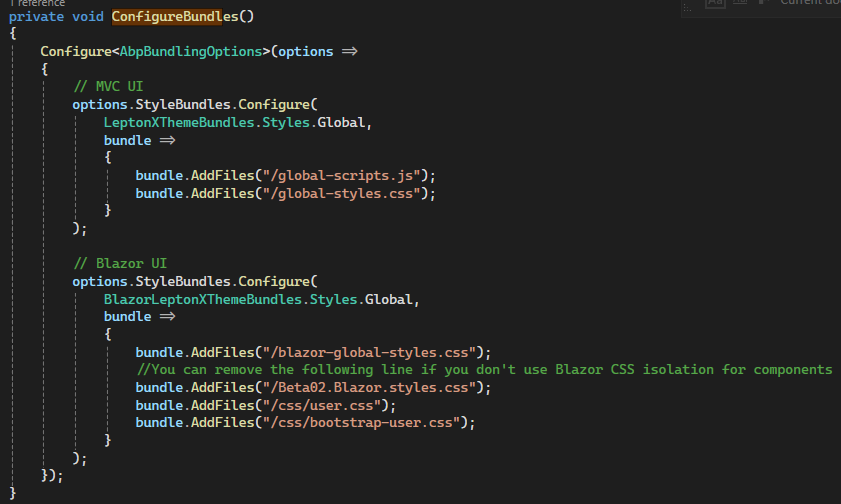
The missing files are: user.css and bootstrap-user.css. These files provide the custom visual identity for the Lepton X components and work correctly in the local environment, but they are not being reached in the Azure App Service deployment. Could you please log into the application to verify this directly? The admin credentials are the default ABP ones. Below are the relevant code references from our BlazorModule:
ConfigureTheme
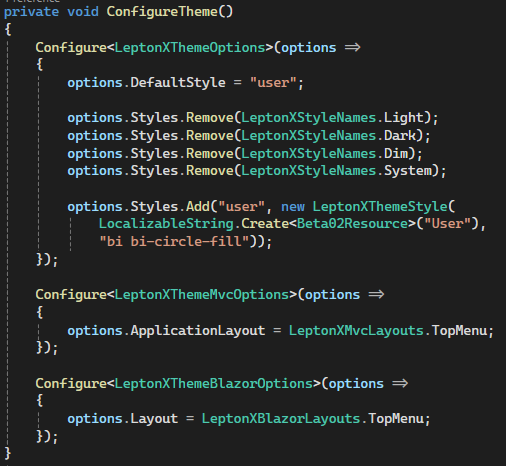 ConfigureBundles
 ConfigureVirtualFileSystem
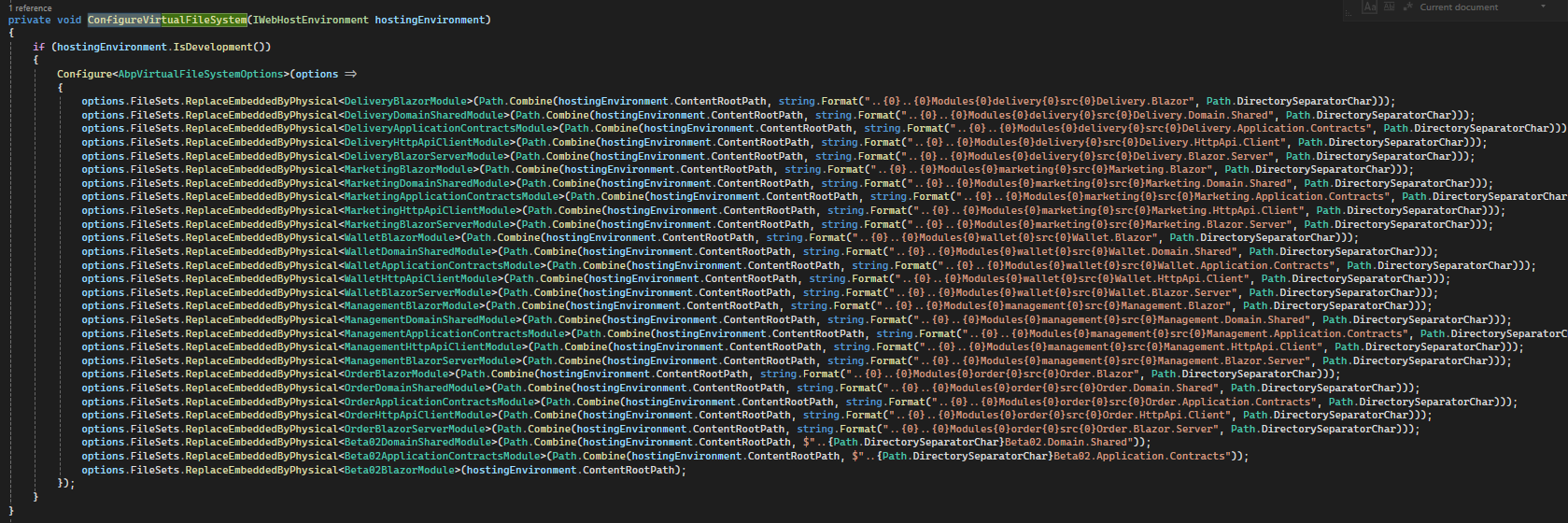
We appreciate your help in identifying why these CSS files are not being resolved in the published environment.
[maliming] said: hi
Can you share an online URL?
liming.ma@volosoft.com
Thanks.
Hi!
Here is: https://qlt.pipali.com.br Admin Username and password are the default for ABP application
When running locally everything works. After deploying to Azure App Service, the home page loads with a wrong/broken layout (CSS not applied). After a few seconds the Blazor Server circuit disconnects and the app breaks.
We are using custom CSS files called user.css and bootstrap-user.css (see the screenshot 5 bellow).
Browser console (dev tools) shows CSS being blocked due to MIME mismatch (HTML served instead of CSS) and Blazor Server transport issues (WebSockets failing, fallback to long polling, then circuit termination).
Refused to apply style from 'https://<domain>/Error?httpStatusCode=404' because its MIME type ('text/html') is not a supported stylesheet MIME type, and strict MIME checking is enabled.Some stylesheets return 200, but these return redirect:
bootstrap-user.css -> 302 Redirectuser.css -> 302 RedirectLocation: /Error?httpStatusCode=404Server: Microsoft-IIS/10.0Content-Length: 0So the browser requests CSS but gets redirected to /Error (HTML), which is then blocked as a stylesheet.
Warning: Failed to connect via WebSockets, using the Long Polling fallback transport...Error: There was an unhandled exception on the current circuit, so this circuit will be terminated...Information: Connection disconnected.Using Kudu file explorer, there is a nested wwwroot directory:
site/wwwrootsite/wwwroot/wwwroot/css/bootstrap-user.csssite/wwwroot/wwwroot/css/user.css.br and .gz variants exist.However, public URL requests still result in 302 -> /Error?httpStatusCode=404 even when trying:
https://<domain>/bootstrap-user.css (or /css/bootstrap-user.css)https://<domain>/wwwroot/css/bootstrap-user.cssWe use ABP startup:
await builder.AddApplicationAsync<Beta02BlazorModule>();await app.InitializeApplicationAsync();
We also added WebRootPath diagnostics logs (ContentRootPath/WebRootPath + libs folder existence).(If needed, I can provide the full Program.cs.)
bootstrap-user.css/user.css) are deployed correctly?/Error?httpStatusCode=404 on Azure after publish, while working locally (using abp studio)?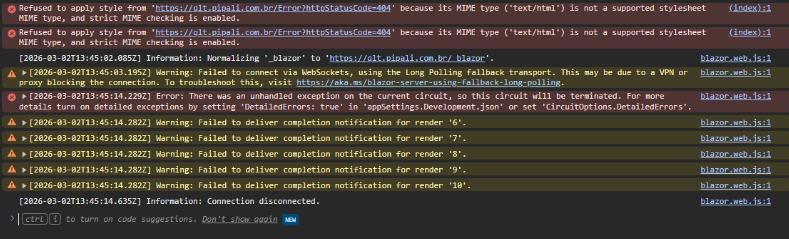
bootstrap-user.css and user.css

Location: /Error?httpStatusCode=404
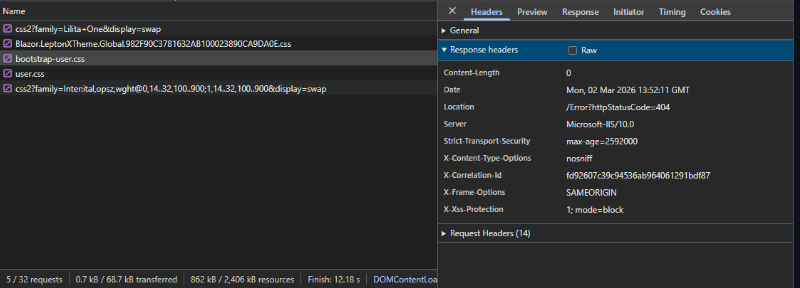
wwwroot/wwwroot/css/*
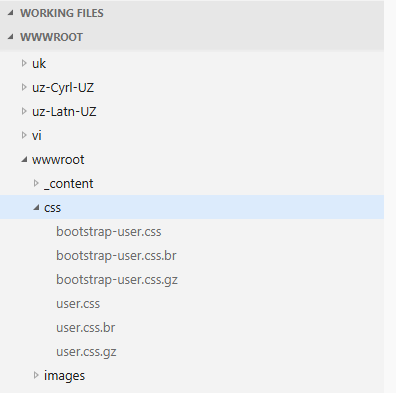
[maliming] said: hi
You can disable the
CheckLibs, It won't affect anything, just remeind developer to run theinstall-libscommandConfigure<AbpMvcLibsOptions>(options => { options.CheckLibs = false; });Thanks.
I applied this change Thank you.
Hi,
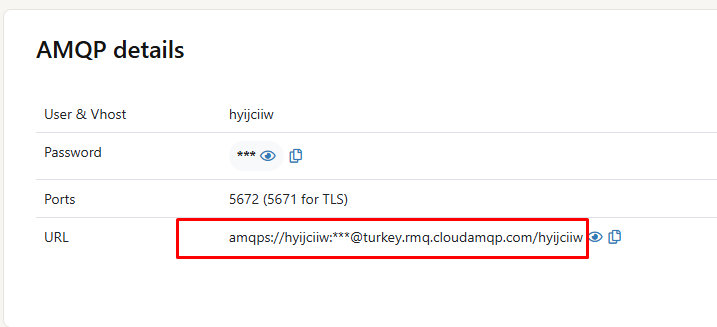
I’ve set up a RabbitMQ SaaS instance and I now have the AMQPS connection URL for our environment (example format below):
amqps://<user>:<password>@<host>/<vhost>
In our ABP configuration we currently have:
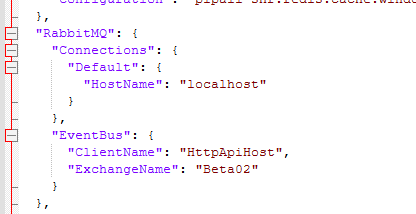
"RabbitMQ": { "Connections": { "Default": { "HostName": "localhost" } }, "EventBus": { "ClientName": "HttpApiHost", "ExchangeName": "Beta02" } }
For the Quality environment, what is the correct way to configure ABP/RabbitMQ to use the SaaS URL?
Specifically:
HostName: "localhost" with the full connection string (amqps://...) or should I set the fields separately (HostName, Port, UserName, Password, VirtualHost, Ssl)?If you can share a minimal recommended appsettings.json example for AMQPS, that would help ensure we configure it correctly.
Thanks!
[chrisalves] said:
[maliming] said:
hi
Issue 2: Disabling RabbitMQ for Single-Instance Deployment
Your application is tiered, so you need a distributed event bus. However, if you need to disable it, you can replace
AbpEventBusRabbitMqModulewithAbpEventBusModulein your module dependencies.
Thanks.
Hi Support Team,
Following up on the second issue (EventBus configuration).
Per your recommendation, we are temporarily switching from RabbitMQ to the default ABP EventBus (in-process) to move forward. However, our plan is to adopt the recommended best-practice setup in the near future, likely using RabbitMQ as the distributed event bus.
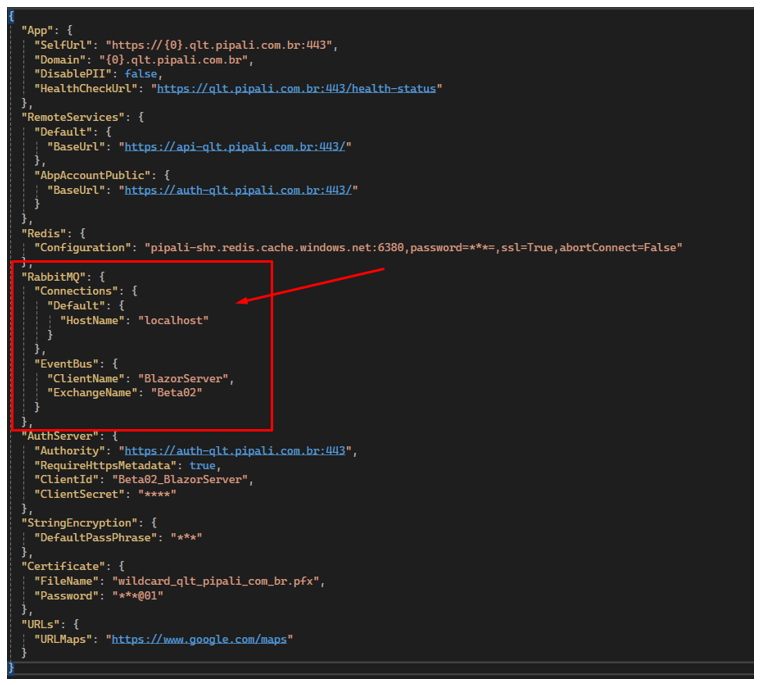
The attached image shows the current
appsettings.jsonfrom our Blazor Server WebApp, which still includes RabbitMQ-related settings (for example,RabbitMQ:Connections:Default:HostName = "localhost").
Questions (short term – ABP EventBus)
- After switching to the default ABP EventBus, what exactly should we remove or change in the configuration files (
appsettings.jsonand environment-specific settings) for:
- Blazor Server WebApp
- API/HttpApi.Host
- AuthServer (if applicable)
- With the default ABP EventBus, does any server/service (AuthServer vs API) need to host the event bus, or is it purely in-process per application (meaning no endpoint/host configuration is required)?
Questions (near future – RabbitMQ best practice)
- When we move back to RabbitMQ, we’ll need to run it as an external/shared infrastructure component. Since our infrastructure is hosted on Azure, we would prefer an Azure-friendly option.
- What hosting approach or managed service do you recommend for RabbitMQ in production (Azure-first if possible)?
- If Azure isn’t ideal for managed RabbitMQ, are there external providers/services you commonly recommend based on your experience (ease of setup, reliability, maintenance)?
Thanks in advance for confirming the correct configuration changes now, and for advising on the best RabbitMQ hosting option for our upcoming production-ready setup.
Hi!
This question was missed to be returned. Can you give as an explanation about the ABPEventBus also a recomendation of RabbitMQ Services as we requested? Please be as detailed as possible.
Hi! Here is the root folder of the HttpApi.Host API project. Where this packages.json should be located so I can send to you?
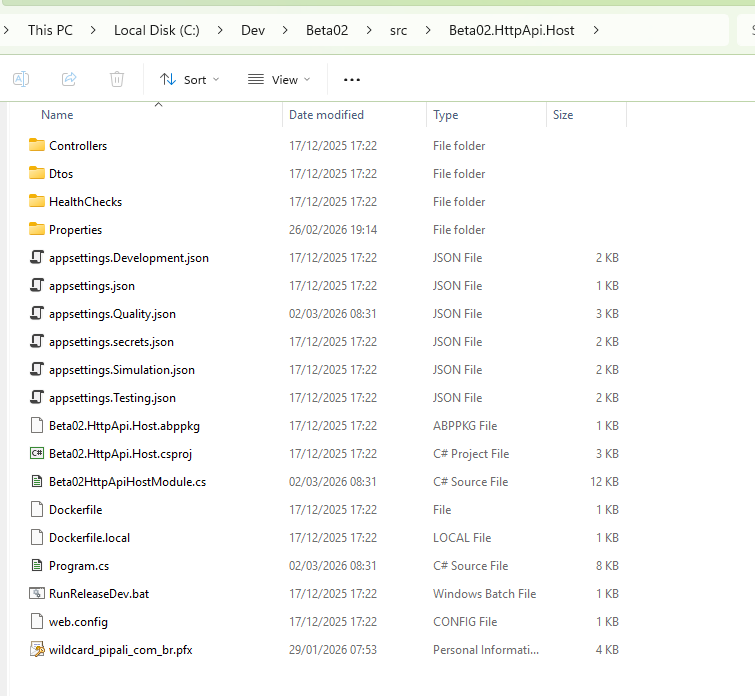
Issue 3rd. Libs is Missing.
[maliming] said: hi
- Can you restart the app to test again after installing the libraries?
- What is the value of your
webHostEnvironment.WebRootPath? You can see it in your app startup debug logs.- You can also try to disable it and test again Configure<AbpMvcLibsOptions>(options => { options.CheckLibs = false; }); Thanks.
Hi maliming,
Sorry for the confusion in my previous message — we have three hosts published now:
The screenshot where I verified the wwwroot\libs folder exists was from the Blazor Server UI Host file system.
However, the red banner error “The Libs folder is missing!” is happening when accessing the HttpApi.Host (API server). In the API server deployment, the libs folder is not present.
abp install-libs again locally (development machine) to ensure libs are installed. Then we published again using Visual Studio Publish to the Azure Windows App Service, which restarts the app after deployment.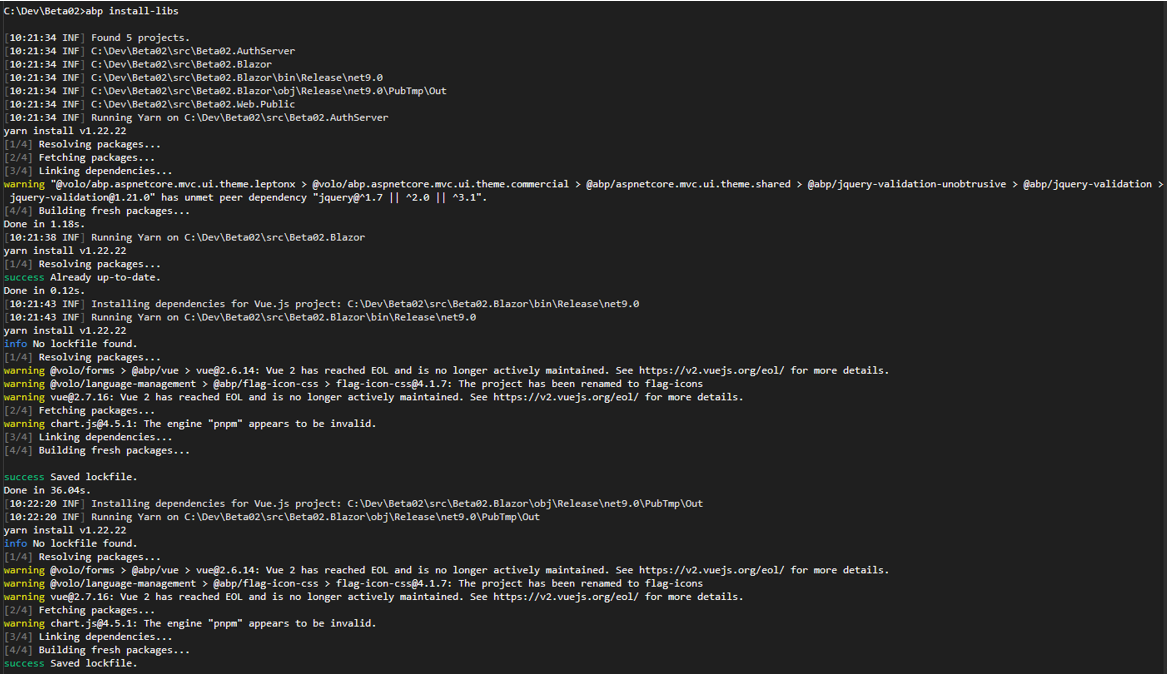
I requested from you what else might cause ABP to report that the Libs folder is missing in this environment. There is no option to install libs on Azure Application Service, so I´m considering that the deploy process will package all the files needed to upload to Azure App Service.
The LIBs subfolder doesn´t exist on API server.
IWebHostEnvironment.WebRootPath is:
C:\home\site\wwwroot
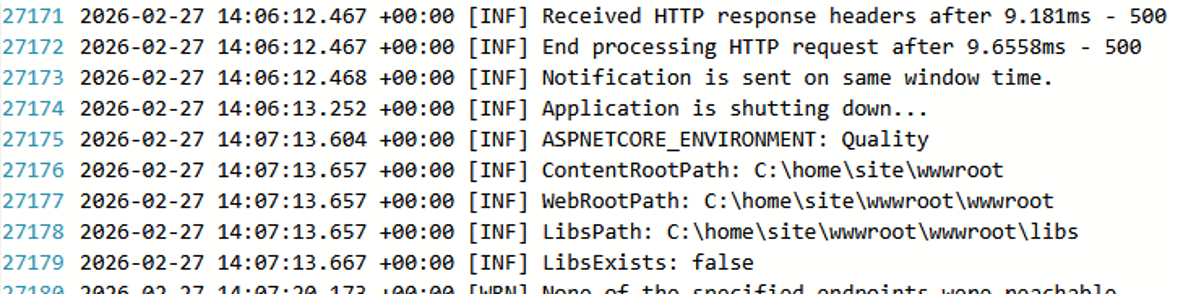
Here is the code snippet added to Program.cs
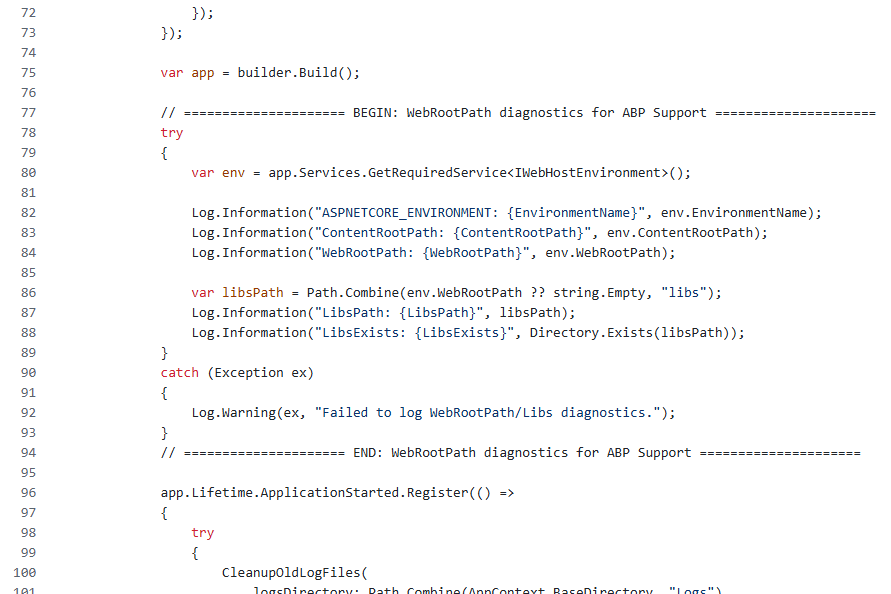
CheckLibs
In Development the application runs correctly with the CheckLibs = True, and my understanding of the publish/deploy process is basically transferring the built application and its static files to another environment. So I’m trying to understand why the libs check would need to be disabled in QA/Production.As a troubleshooting step, I set:
Configure<AbpMvcLibsOptions>(options =>
{
     options.CheckLibs = false;
});
After disabling CheckLibs, the API host loads Swagger normally and the “The Libs folder is missing!” banner disappears.
Could you please clarify:
wwwroot/libs and pass this check?CheckLibs on the API host is the recommended/best-practice approach for Quality while keeping the check enabled on Development environment?