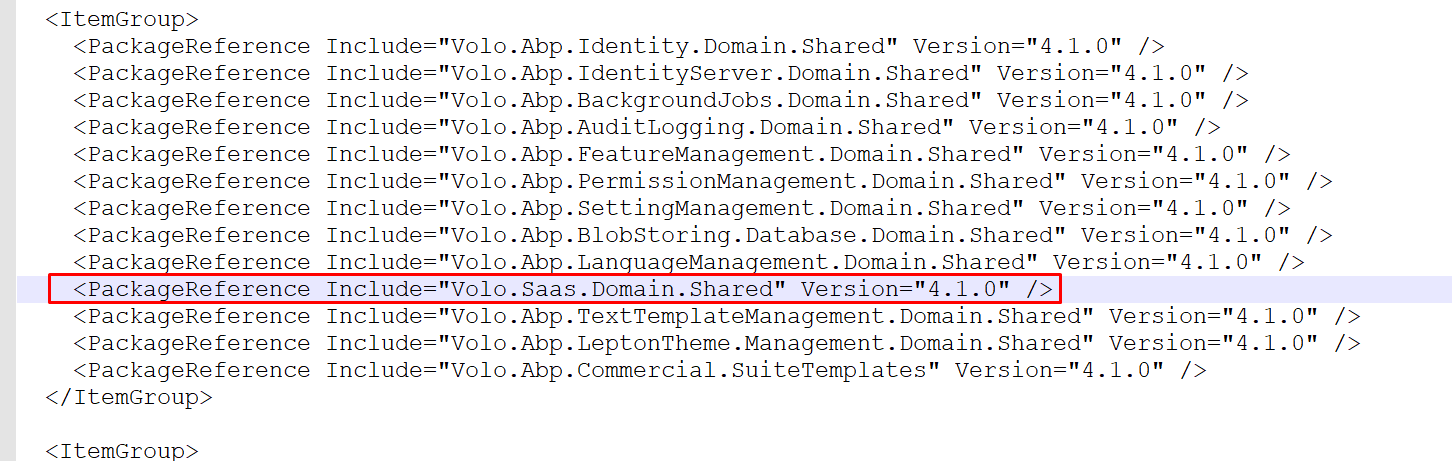
but in the screenshot I see your Suite version is 3.1.2
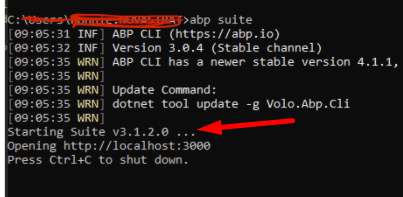
run this CMD
dotnet tool uninstall --global Volo.Abp.Suite && dotnet tool install -g Volo.Abp.Suite --version 3.0.4 --add-source https://nuget.abp.io/xxxxxxxxxYOUR-API-KEYxxxxxx/v3/index.json
you can find your NuGet API key in your solution's NuGet.config file.
this is not related to you. it was the time devops pipeline was releasing the new templates.
I've tested and there seems to be no problem now.
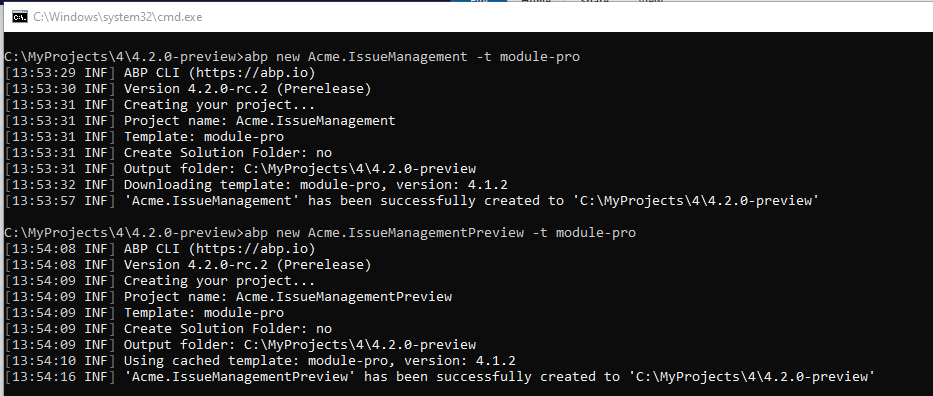
I'm closing the issue but if this is still active on your side reopen it.
Do you want to create an entity with user?
Suite allows you to set a database table name but doesn't allow to change the schema. This should be done manually.
So uncheck the Update database checkbox and modify the generated migration file.
my example shows if you make it open source you violate the license rules. so you cannot make any paid module open-source.
according to the license rules, paid modules cannot be provided as open-source. as an example, you can purchase the full-source code of ABP Commercial and add a little value on top of it and make it open-source. So the complete commercial project becomes open-source. I hope it's clear now.
1-run the below command in CMD (clears your current login session):
del %UserProfile%\.abp\cli\access-token.bin && del %UserProfile%\.\AppData\Local\Temp\AbpLicense.bin
2-login again:
abp login <username> -p <password>
3-run Suite to try again:
abp suite
Running your project in Docker container:
ABP makes online license check only in Development environment or when the Debugger is Attached in Visual Studio.
When it's in Development environment or Debugger is attached, it's required to login your account via ABP CLI ( abp login {username} )
When you run your app in a Docker container, publish it in Release mode. Set your environment as Production to skip online license check (or anything else other than Development) using the following command:
-e "ASPNETCORE_ENVIRONMENT=Production"
If you are required to run the project in Development environment in the container, copy your local ABP token file %UserProfile%\.abp\cli\access-token.bin into the Docker container's relavant directory.
By relavant directory, it's meant to be the current user's home directory.
%UserProfile%\.abp\cli\/home/user/.abp/cli/If you get the following error, you probably logged in 2 different computers and trying to login in the 3rd unique computer.
In this case, send an email to license@abp.io to reset your linked computers.
License Error! Given user 'XYZ' has reached the maximum allowed developer computer count (2)
@AlderCove we couldn't reproduce it. can you create a new question, seems like it'll be being discussed (not to bother others)
according to the Microsoft docs it supports SqlParameters
https://docs.microsoft.com/en-us/dotnet/api/microsoft.entityframeworkcore.relationaldatabasefacadeextensions.executesqlrawasync?view=efcore-5.0#Microsoft_EntityFrameworkCore_RelationalDatabaseFacadeExtensions_ExecuteSqlRawAsync_Microsoft_EntityFrameworkCore_Infrastructure_DatabaseFacade_System_String_System_Object___
many of these issues occur because of the misconfiguration of LDAP addresses, ports etc... it's better to eliminite ABP and try to work on a simple LDAP console application. @maliming can you create a very simple console app with https://github.com/flamencist/ldap4net . so that we'll see if the problem is in the framework or in configuration.. you can share it on your GitHub account
tell me what's your Volo.Abp.Commercial.SuiteTemplates package version?
it's written in your *.Domain.Shared.csproj file.