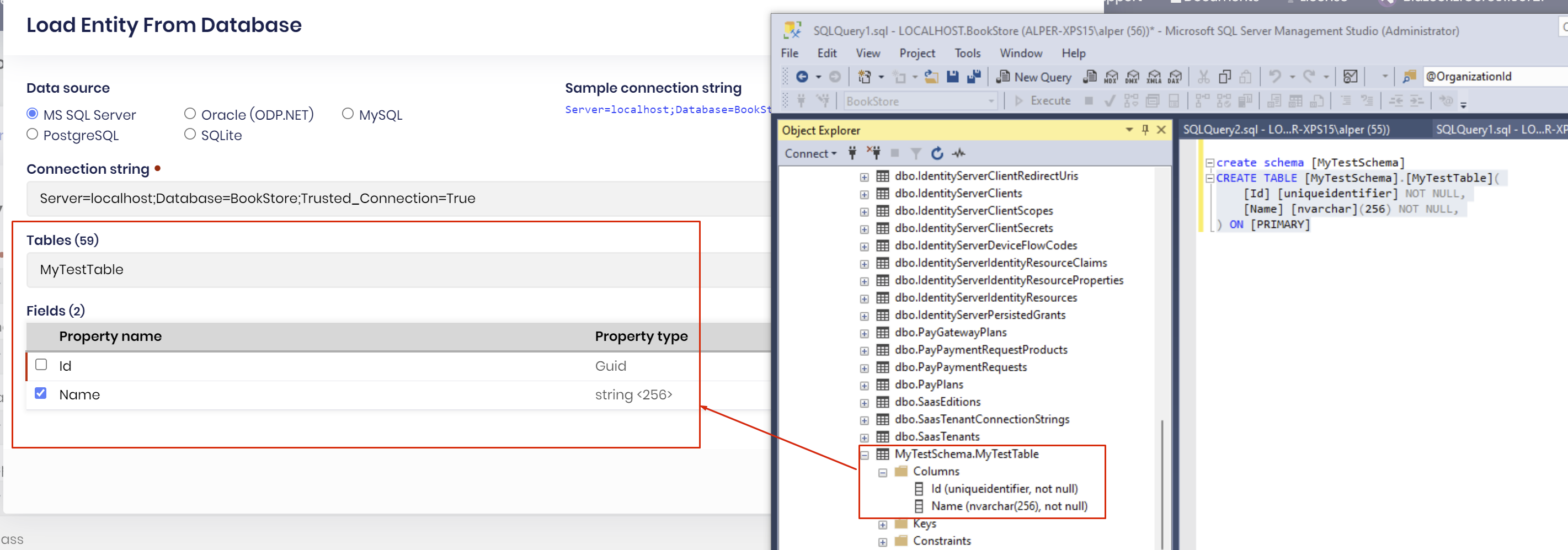
tested against MS-SQL Server with schema but couldn't reproduce the issue
you didn't mention your database ? (oracle/MS-SQL/PostgreSQL ....)
tested against Oracle
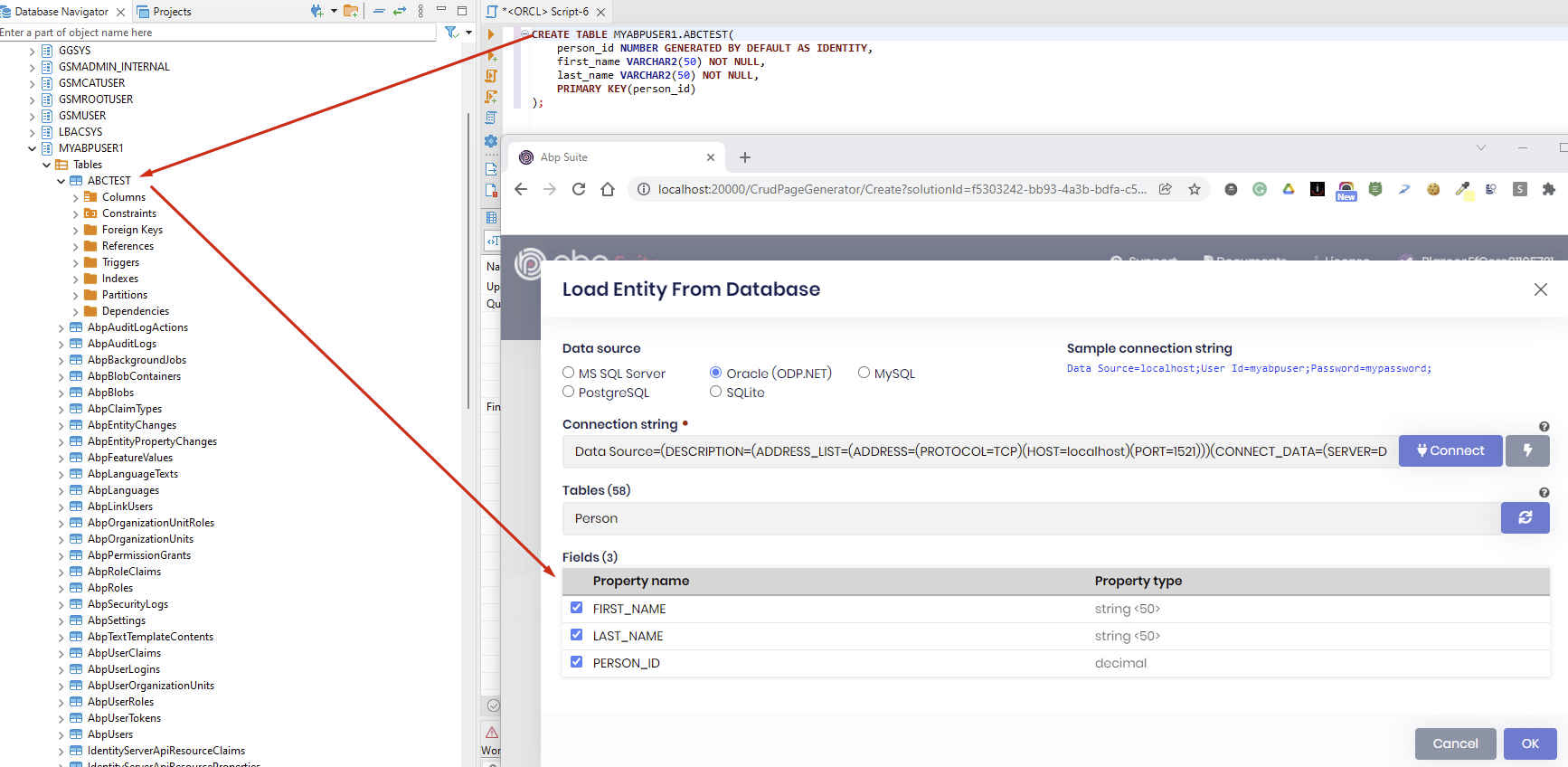
thanks for the feedback. it'll be fixed
this is most probably an Identity Server misconfiguration problem. pls check out this document and revise all your Identity Server configuration https://docs.abp.io/en/commercial/latest/guides/identityserver-deployment
for the backend you can check out this document https://docs.abp.io/en/abp/latest/Customizing-Application-Modules-Overriding-Services
Hi,
We're using Blazorise v0.9.5.3 (ABP framework v5, commercial) and noticed that the component DatePicker has the weekday labels shifted for one place to the left. So, instead of Mon, our first label is Tue.
If you visit the DatePicker's official documentation, you'll notice that problem (Section DatePicker component, Basic example). https://blazorise.com/docs/components/date-picker
Sorry for posting this question here, it seams that we're not allowed to post questions on the Blazorise support pages.
Please advise, Regards
You can create an issue on his repo. See https://github.com/Megabit/Blazorise/issues/3274
Hello
Any guide on how to use the lepton x theme ? i have abp 5.0
@dicky you need to wait a little more. we are almost in the final commits
I needed (I think) to add the following web.config to the HttpApi.Host project to increase upload size with the following config
<?xml version="1.0" encoding="utf-8"?>
<configuration>

  <!-- To customize the asp.net core module uncomment and edit the following section.
  For more info see https://go.microsoft.com/fwlink/?linkid=838655 -->
  <!--
  <system.webServer>
    <handlers>
      <remove name="aspNetCore"/>
      <add name="aspNetCore" path="*" verb="*" modules="AspNetCoreModule" resourceType="Unspecified"/>
    </handlers>
    <aspNetCore processPath="%LAUNCHER_PATH%" arguments="%LAUNCHER_ARGS%" stdoutLogEnabled="false" stdoutLogFile=".\logs\stdout" />
  </system.webServer>
  -->
  <location path="Recording/recording-upload">
    <system.webServer>
      <security>
        <requestFiltering>
          <requestLimits maxAllowedContentLength="4096000" />
        </requestFiltering>
      </security>
    </system.webServer>
  </location>
</configuration>
And then I get this error when running the app with Azure Appservice
2021-12-21 13:54:57.472 +00:00 [ERR] Connection ID "17509995361417066312", Request ID "80007749-0002-f300-b63f-84710c7967bb": An unhandled exception was thrown by the application.
Volo.Abp.Http.Client.AbpRemoteCallException: Not Found
   at Volo.Abp.Http.Client.ClientProxying.ClientProxyBase`1.ThrowExceptionForResponseAsync(HttpResponseMessage response)
   at Volo.Abp.Http.Client.ClientProxying.ClientProxyBase`1.RequestAsync(ClientProxyRequestContext requestContext)
   at Volo.Abp.Http.Client.ClientProxying.ClientProxyBase`1.RequestAsync[T](ClientProxyRequestContext requestContext)
   at Volo.Abp.Http.Client.ClientProxying.ClientProxyBase`1.RequestAsync[T](String methodName, ClientProxyRequestTypeValue arguments)
   at Volo.Abp.AspNetCore.Mvc.ApplicationConfigurations.ClientProxies.AbpApplicationConfigurationClientProxy.GetAsync()
   at Volo.Abp.AspNetCore.Mvc.Client.MvcCachedApplicationConfigurationClient.<GetAsync>b__14_0()
   at Volo.Abp.Caching.DistributedCache`2.GetOrAddAsync(TCacheKey key, Func`1 factory, Func`1 optionsFactory, Nullable`1 hideErrors, Boolean considerUow, CancellationToken token)
   at Volo.Abp.AspNetCore.Mvc.Client.MvcCachedApplicationConfigurationClient.GetAsync()
   at Volo.Abp.AspNetCore.Mvc.Client.RemoteLanguageProvider.GetLanguagesAsync()
   at Microsoft.AspNetCore.RequestLocalization.DefaultAbpRequestLocalizationOptionsProvider.GetLocalizationOptionsAsync()
   at Microsoft.AspNetCore.RequestLocalization.AbpRequestLocalizationMiddleware.InvokeAsync(HttpContext context, RequestDelegate next)
   at Microsoft.AspNetCore.Builder.UseMiddlewareExtensions.<>c__DisplayClass6_1.<<UseMiddlewareInterface>b__1>d.MoveNext()
--- End of stack trace from previous location ---
   at Microsoft.AspNetCore.Server.IIS.Core.IISHttpContextOfT`1.ProcessRequestAsync()
I haven't tried to upload a bigger file than 30 MB but if that doesn´t work without the web.config file I´ll need some way to add it. But I´ll try that tomorrow.
@Sturla did you fix the file upload problem for over 30mb?
web.config is being used by IIS. If you are hosting on IIS, then you need to configure it via web.config
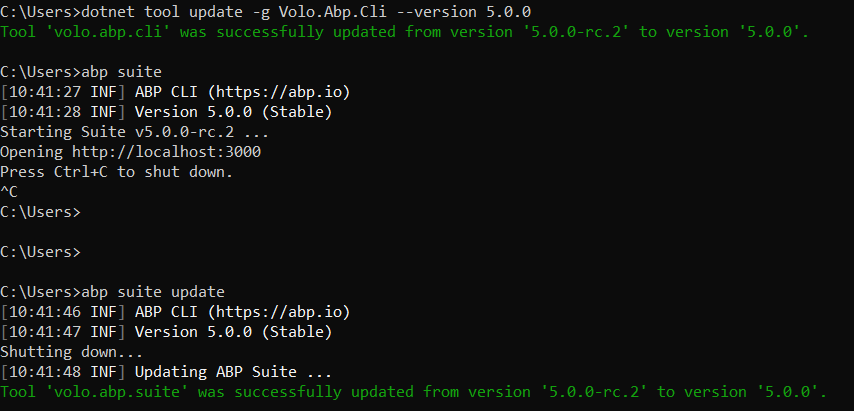
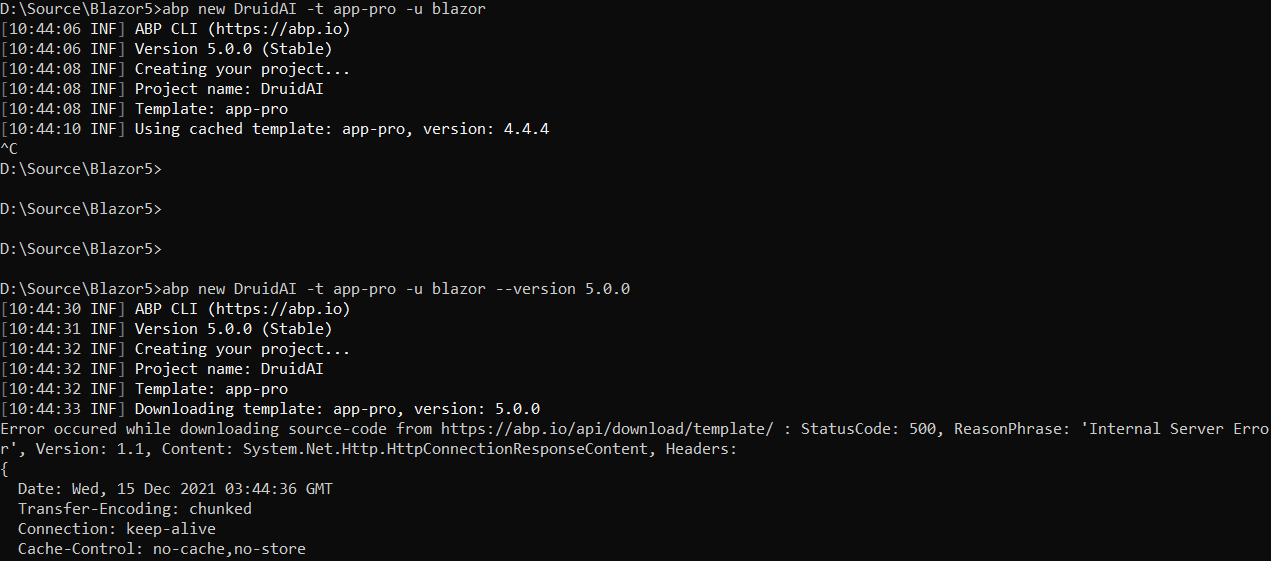
After updating ABP suite and tool to 5.0.0, it still use the templates 4.4.4, it was like this while using 5-rc release too.
I was then adding the version to select the RC one, but now I get an error message when I give the version 5.0.0. If I put version 5.0.0-rc.2 it still works fine
Your ABP Suite and ABP project version must be the same because the Suite templates are compatible with the corresponding version.
to make a clean install you can delete the following folder
UserProfile%\.dotnet\tools\.store\volo.abp.suite