Hello,
ABP obtain a cancellation token from HttpContext. Other than that, it doesn't do anything extra to cancel a request. See more: https://abp.io/docs/latest/framework/infrastructure/cancellation-token-provider
I don't think the problem is caused by ABP, but if you can send a minimal reproducible example, we can solve your problem together.
Hello,
I tried to reproduce the problem but I could not. BackgroundJobEnabled should be false, but this value may also be coming from the cache. In order to determine this situation, can you confirm whether you see the value in the database when you close and open your Redis server or restart the application?
Closing the issue. Feel free to create a new issue if you have further questions.
Hi,
I created an application template with Angular UI from scratch but I didn't reproduce your problem.
If
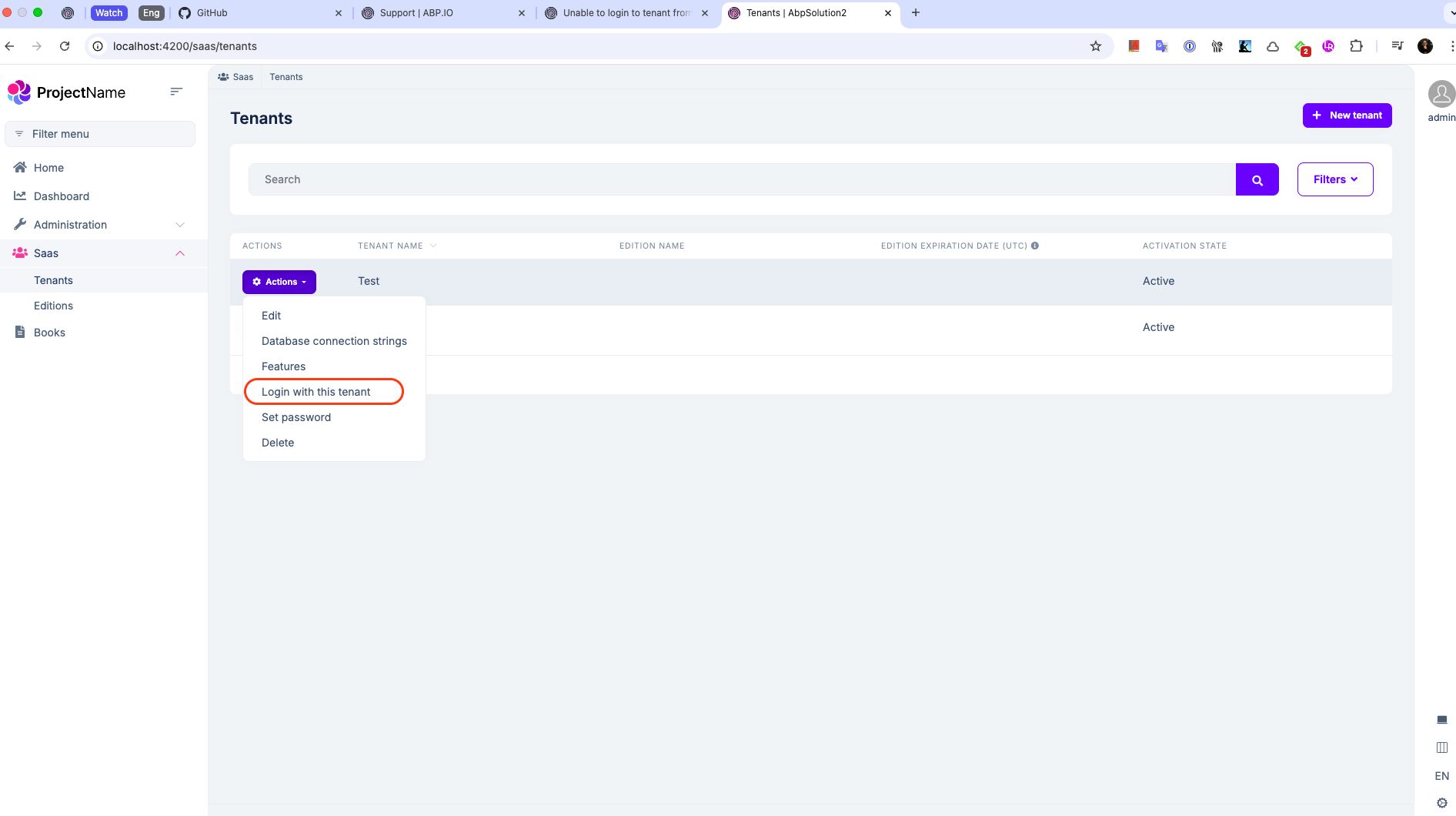
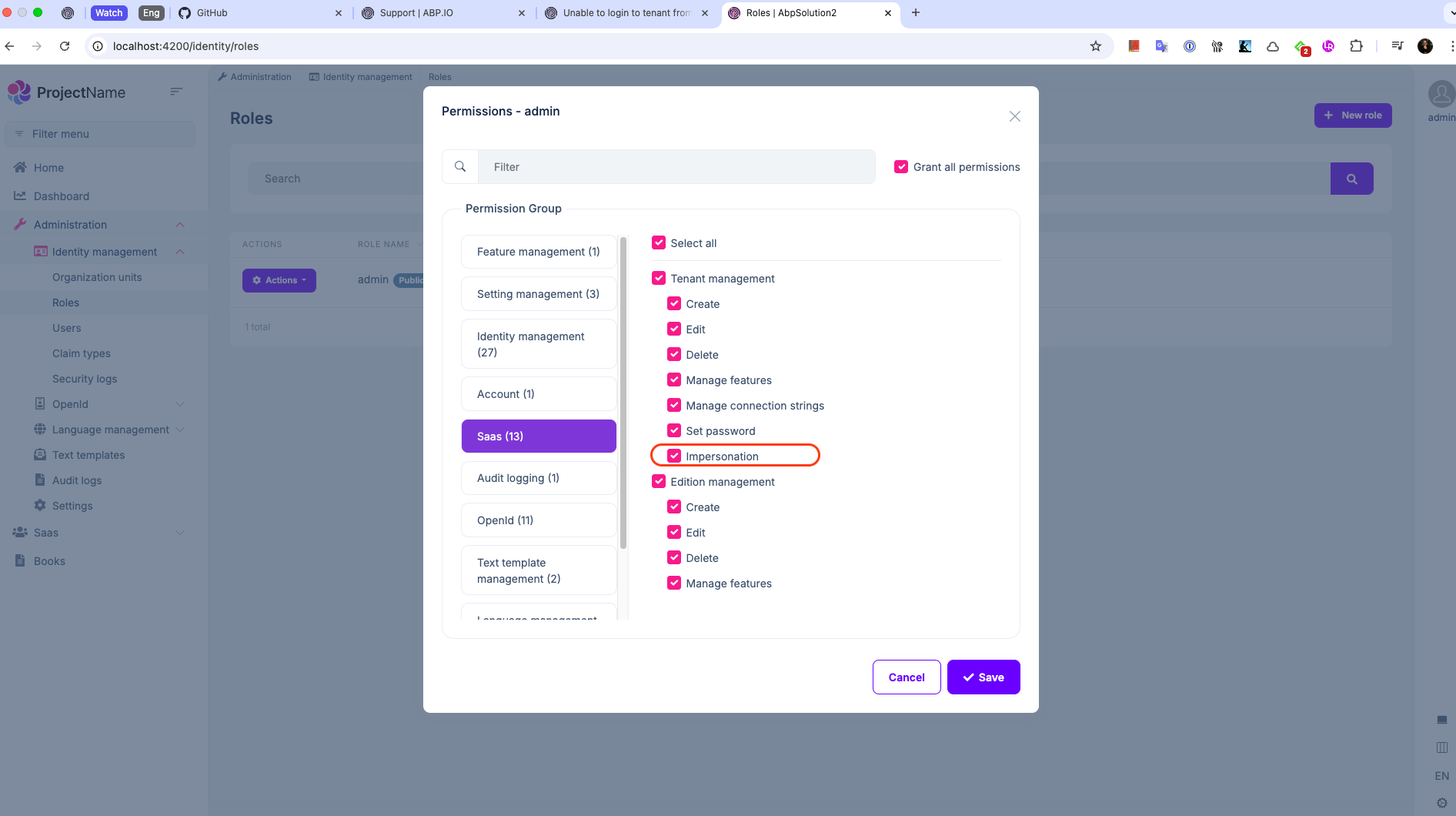
Impersonationpermission is granted for the admin user, I can see the "Login with this tenant" button like above.
Can you also generate a new template from scratch? So, we can understand the problem is in ABP or your solution. If the problem is in your solution, we can only focus on your solution.
Hi, i found the bug, had to add these to angular env files
impersonation: { tenantImpersonation: true, userImpersonation: true, }this is not in the migration article - https://abp.io/docs/latest/release-info/migration-guides/abp-9-0
I am very glad that the problem is solved. Since I checked our documentation, this is mentioned in the migration guide we wrote for the migration from 8.0.* to 8.3. See: https://abp.io/docs/latest/release-info/migration-guides/abp-8-3#angular-ui
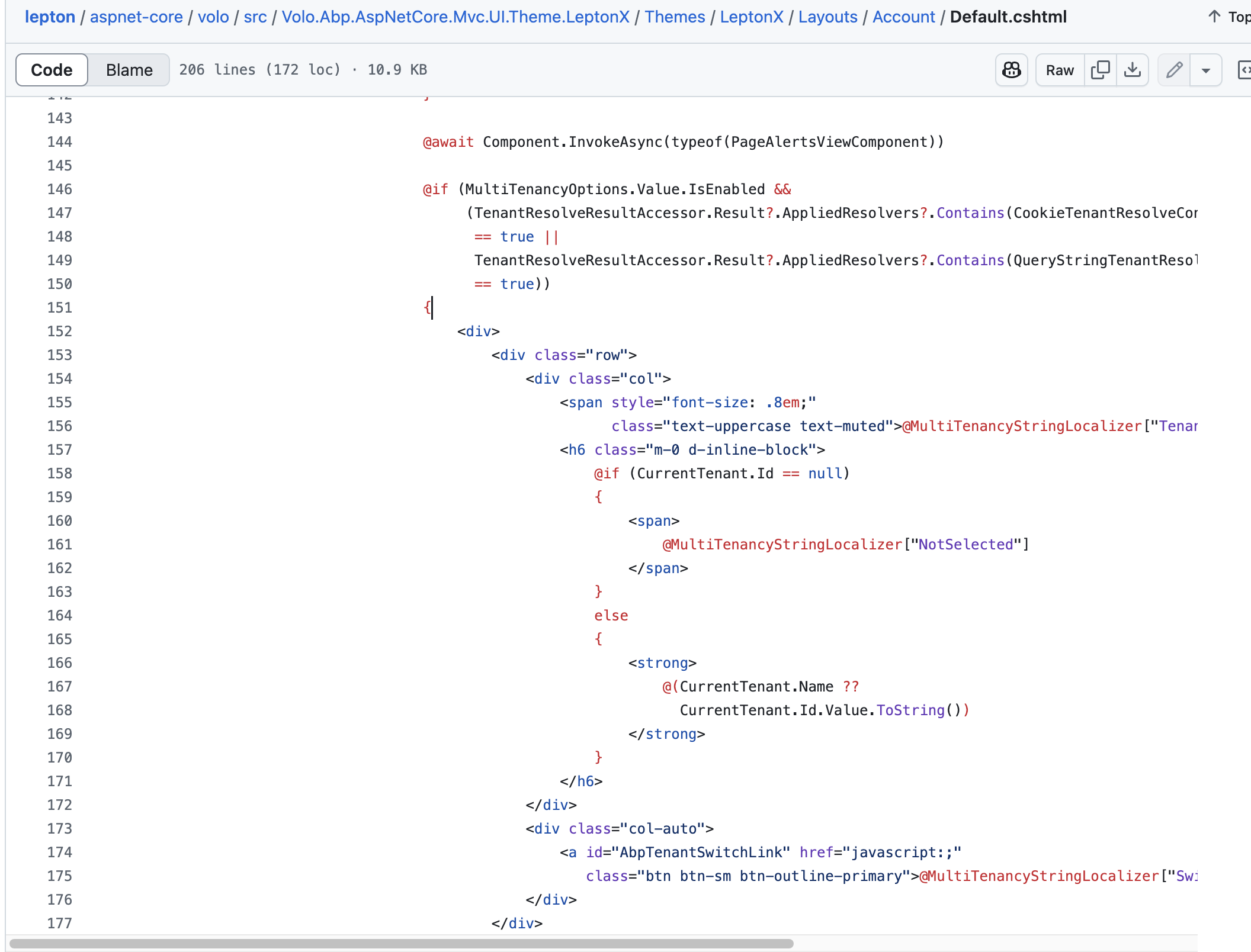
I can't find the js code to set the tenant with the __tenant value in querystring, can you show me where the js function is? because I want to change the UI a little bit. or is it just set by QueryStringTenantResolveContributor? QueryStringTenantResolveContributor -> CurrentTenant-> CurrentTenant.Name
When you remove tenant selection from the UI, the parameter from the query will not be very important. So you don't need to worry about it.
can you show me where the code for the switch tenant pop up window is? I couldn't find it
This code comes from the layout of the theme.
You can also look at the content published on this topic. See:
Hi,
This error does not seem to be related to us. Because one of the packages mentioned in the error is Volo.Abp.Localization. However, this package is located on nuget.org. See: https://www.nuget.org/packages/Volo.Abp.Localization/9.1.0-rc.3 .
Probably a short-term problem occurred in nuget.org. Is the problem still persisting now? If it is still happening, can you check the NuGet.config file of your project and confirm that it looks like the picture below?

Hi,
First of all, thank you for submitting the Domain layer of your project. Everything seems normal but there is one place I suspect. Can you send the content of your MyAppDbContex class?
Hi,
The logs show that the problem started with write operations at the physical link layer (PhysicalBridge).
ABP is the Microsoft.Extensions.Caching.StackExchangeRedis package and we don't have any custom code there. Honestly, I think the problem may be for a different reason. For example, a user reported the following problem on stackoverflow. In your case, where are you deploying the application and is this error only happening in production?
Reference: https://stackoverflow.com/a/72729503/9922629
Hi,
I understand your problem now. Yes, you can implement this method, there is no problem with that. However, instead of implementing this manually to all CRUD pages, my advice to you would be to customize the templates of ABP Suite. You can find all the templates in the picture below, you can customize the templates here according to your needs, ABP Suite will generate the code according to your customization. See more: https://abp.io/docs/latest/suite/editing-templates

If you don't want to do this, you can generate custumizable code with ABP Suite so you can customize the generated code as you want. See more: https://abp.io/docs/latest/suite/customizing-the-generated-code
Hello,
First of all, thank you for sending your project. Interestingly, when we override the OnPost method, the action value is not added to the form. I haven't found the root cause, but you can update your Login.js file as follows and continue.
Login.js:
$(function () {

    var isRecaptchaEnabled = typeof grecaptcha !== 'undefined';
    if (isRecaptchaEnabled) {
        grecaptcha.ready(function () {
            $("#loginForm button[type=submit]").removeAttr("disabled");
        });
    } else {
        $("#loginForm button[type=submit]").removeAttr("disabled");
    }

    $("#loginForm button[type=submit]").click(function (e) {
        e.preventDefault();
        var form = $("#loginForm");
        var submitButton = $(this);

        var actionInput = $("<input>")
            .attr("type", "hidden")
            .attr("name", "Action")
            .val(submitButton.val());
        form.append(actionInput);

        if (form.valid() && isRecaptchaEnabled && abp.utils.isFunction(grecaptcha.reExecute)) {
            grecaptcha.reExecute(function (token) {
                form.find("input[type=hidden][data-captcha=true]").val(token);
                abp.ui.setBusy("#loginForm");
                form.submit();
            })
        } else {
            if (form.valid()){
                abp.ui.setBusy("#loginForm");
            }
            form.submit();
        }
    });

    $("#PasswordVisibilityButton").click(function (e) {
        let button = $(this);
        let passwordInput = $('#password-input');
        if (!passwordInput) {
            return;
        }

        if (passwordInput.attr("type") === "password") {
            passwordInput.attr("type", "text");
        }
        else {
            passwordInput.attr("type", "password");
        }

        let icon = $("#PasswordVisibilityButton");
        if (icon) {
            icon.toggleClass("bi-eye-slash").toggleClass("bi-eye");
        }
    });

    // CAPS LOCK CONTROL
    const password = document.getElementById('password-input');
    const passwordMsg = document.getElementById('capslockicon');
    if (password && passwordMsg) {
        password.addEventListener('keyup', e => {
            if (typeof e.getModifierState === 'function') {
                passwordMsg.style = e.getModifierState('CapsLock') ? 'display: inline' : 'display: none';
            }
        });
    }
});