hi
You can use the javascript library like https://github.com/IdentityModel/oidc-client-js/wiki
So if you could explain how best to generate that URL and if there are any particular considerations I need to be aware of given the ABP implementation that would be great.
Abp uses standard oauth flow. https://auth0.com/docs/get-started/authentication-and-authorization-flow/authorization-code-flow
hi
outside of a .NET environment?
What kind of application?
HTML + Javascript? PHP? Java?
Using the oauth2 class library would be best instead of processing it manually. This process is more complicated.
hi
Some package versions are still 5.3.4. Please try to upgrade all to 7.2.2
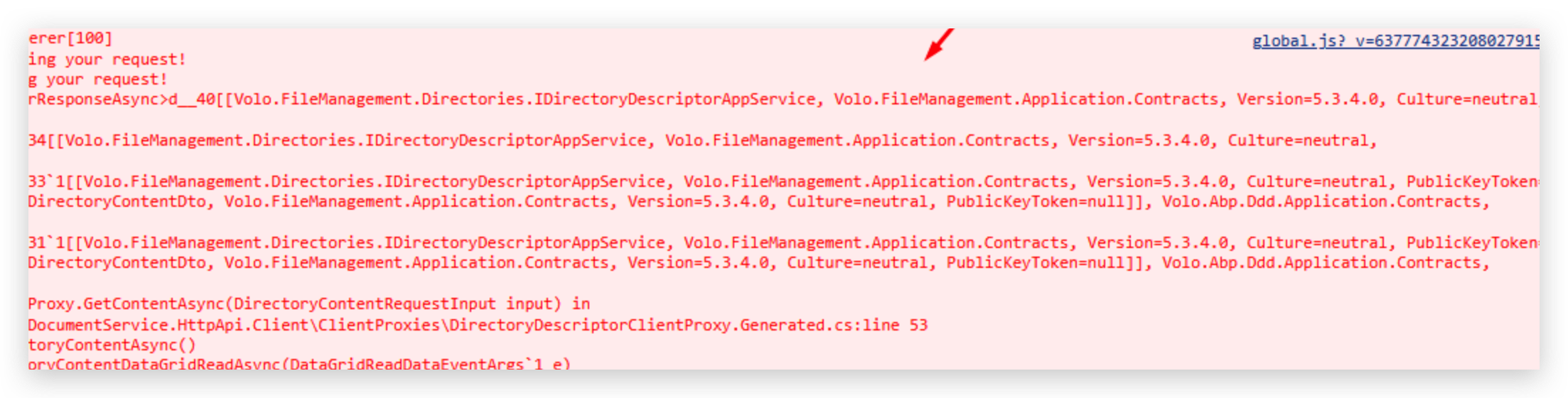
hi
You can add an OpenIdConnect and Cookies authentication schemes to your separate site
Then everything will work as Public website
context.Services.AddAuthentication(options =>
{
    options.DefaultScheme = "Cookies";
    options.DefaultChallengeScheme = "oidc";
})
.AddCookie("Cookies", options =>
{
    options.ExpireTimeSpan = TimeSpan.FromDays(365);
    options.CheckTokenExpiration();
})
.AddAbpOpenIdConnect("oidc", options =>
{
    options.Authority = configuration["AuthServer:Authority"];
    options.RequireHttpsMetadata = Convert.ToBoolean(configuration["AuthServer:RequireHttpsMetadata"]); ;
    options.ResponseType = OpenIdConnectResponseType.CodeIdToken;

    options.ClientId = configuration["AuthServer:ClientId"];
    options.ClientSecret = configuration["AuthServer:ClientSecret"];

    options.UsePkce = true;
    options.SaveTokens = true;
    options.GetClaimsFromUserInfoEndpoint = true;

    options.Scope.Add("roles");
    options.Scope.Add("email");
    options.Scope.Add("phone");
    options.Scope.Add("MyProjectName");
});
hi
The oauth2 handle by OpenIddict:
https://github.com/abpframework/abp/tree/dev/modules/openiddict/src/Volo.Abp.OpenIddict.AspNetCore/Volo/Abp/OpenIddict/Controllers
hi
SetIdentityOptions depends on your username and password.
If the user you want to import meets these rules, you don't need to change it.

hi
Please share a screenshot. Thanks
So this is a question of how to set and get environment variables. Thanks.
hi
If you are using the MyProjectName.DbMigrator you need to put your connection string to appsettings.json.
https://github.com/abpframework/abp/blob/dev/templates/app/aspnet-core/src/MyCompanyName.MyProjectName.DbMigrator/appsettings.json#L3
If you already did that, you can write some logs when running the DbMigrator.
eg: print current connection string.
please share it if you have custom the code of DbMigrator
Thanks
hi
As summary, when I set __tenant header, it is cached and until an unsuccessful attempt made, the cache remains still.
Can you share a simple project to reproduce this?
liming.ma@volosoft.com




